

10 migliori alternative a Flock per le chat di team nel 2026

Elenco delle alternative a Flock


Una valida alternativa a Flock offre messaggistica istantanea affidabile, una facile collaborazione tra team e integrazioni adatte al tuo flusso di lavoro. Se stai cercando alternative a Flock, probabilmente cerchi strumenti che supportino comunicazioni interne rapide, un coordinamento flessibile dei progetti e la compatibilità con le piattaforme che il tuo team utilizza già.
Con così tante opzioni disponibili, è difficile sapere quale soluzione riuscirà davvero a ottimizzare i processi e a eliminare i silos comunicativi.
Questo elenco ti aiuterà a confrontare le migliori alternative a Flock per il 2026, così potrai scegliere con sicurezza la piattaforma più adatta alle esigenze del tuo team.
Che cos'è Flock?
Flock è un'app di messaggistica e collaborazione progettata per aiutare i team a comunicare, gestire l'archiviazione dei file e amministrare le attività in un unico spazio.
Offre messaggistica di gruppo e diretta, chiamate audio e video, cronologia delle chat ricercabile e integrazioni con i più diffusi strumenti di lavoro. Flock viene utilizzato dai team che necessitano di uno spazio centralizzato per le conversazioni e per favorire il lavoro di squadra, soprattutto in ambienti digitali frenetici in cui la comunicazione rapida e il monitoraggio delle attività sono essenziali.
Riepilogo delle migliori alternative a Flock
Questa tabella comparativa riassume i dettagli dei prezzi delle mie principali scelte tra le alternative a Flock, per aiutarti a trovare quella più adatta al tuo budget e alle esigenze della tua azienda.
| Tool | Best For | Trial Info | Price | ||
|---|---|---|---|---|---|
| 1 | Ideale per organizzare conversazioni strutturate a thread | Piano gratuito + demo gratuita disponibile | Da $6,67/utente/mese (fatturazione annuale) | Website | |
| 2 | Ideale per una configurazione semplice della chat di team | Piano gratuito + demo gratuita disponibile | Da $3/utente/mese (fatturazione annuale) | Website | |
| 3 | Ideale per la comunicazione con i dipendenti in prima linea | Prova gratuita di 14 giorni + demo gratuita disponibile | Prezzi su richiesta | Website | |
| 4 | Ideale per l'integrazione con Microsoft 365 | Piano gratuito disponibile | Da $4/utente/mese (fatturato annualmente) | Website | |
| 5 | Ideale per integrazione nell'ecosistema Zoho | Prova gratuita di 14 giorni + piano gratuito + demo gratuita disponibile | Da $16.20/mese (fatturato annualmente) | Website | |
| 6 | Ideale per implementazioni auto-gestite | Demo gratuita disponibile | Prezzi su richiesta | Website | |
| 7 | Ideale per l'engagement dei team senza postazione fissa | Prova gratuita di 14 giorni + demo gratuita | A partire da $3,75/utente/mese (fatturato annualmente) | Website | |
| 8 | Ideale per la gestione integrata delle attività | Prova di 15 giorni + piano gratuito + demo gratuita disponibili | Da $49/organizzazione/mese (fatturazione annuale) | Website | |
| 9 | Ideale per gli utenti di Google Workspace | Prova gratuita di 14 giorni disponibile | Da $4.60/mese (fatturazione annuale) | Website | |
| 10 | Ideale per l'ampio supporto di app di terze parti | Piano gratuito disponibile | A partire da $7.25/utente/mese (con fatturazione annuale) | Website |
Perché fidarsi dei nostri consigli sui software
Il nostro team testa e recensisce software dal 2012. In quanto project manager noi stessi, sappiamo quanto sia difficile — e importante — scegliere il software giusto.
Per questa guida, abbiamo valutato gli strumenti attraverso test pratici e ricerche indipendenti, assegnando un punteggio agli strumenti in base ai nostri criteri di selezione. Ci basiamo inoltre sulle competenze di leader di pensiero del settore e di professionisti attivi nella gestione dei progetti.
Le nostre recensioni riflettono il nostro giudizio editoriale umano, non un discorso di vendita.
Revisori esperti:
Recensioni delle alternative a Flock
Di seguito trovi i miei riepiloghi dettagliati delle alternative a Flock incluse nel mio elenco. Le mie recensioni offrono un’analisi approfondita delle funzionalità, delle integrazioni e dei casi d’uso migliori di ciascuna piattaforma, per aiutarti a trovare quella più adatta a te.
Zulip
Ideale per organizzare conversazioni strutturate a thread

Se il tuo team fatica a mantenere organizzate le conversazioni nelle chat di gruppo affollate, Zulip offre un approccio unico. Questo strumento utilizza la suddivisione in argomenti all'interno dei canali, facilitando per i team distribuiti e le organizzazioni tecniche il seguire molte discussioni contemporaneamente. A differenza di Flock, il modello a thread di Zulip aiuta a seguire le conversazioni senza perdere il contesto, anche quando i messaggi arrivano rapidamente.
Perché Zulip è una valida alternativa a Flock
A differenza della maggior parte degli strumenti di chat, Zulip organizza ogni messaggio in un thread basato su argomenti, motivo per cui l'ho scelto come ottima alternativa a Flock. Questa struttura ti permette di seguire più conversazioni in parallelo senza perdere dettagli importanti. Puoi partecipare a qualsiasi argomento in qualsiasi momento, anche se la discussione è iniziata ore o giorni prima. Per i team che devono gestire discussioni complesse e sovrapposte, il modello a thread di Zulip mantiene tutto chiaro e accessibile.
Funzionalità principali di Zulip
Altre funzionalità di Zulip che i team potrebbero trovare utili includono:
- Supporto Markdown: Formatta i messaggi con titoli, elenchi e blocchi di codice usando la sintassi Markdown.
- Controlli granulari delle notifiche: Imposta le preferenze di notifica a livello di stream o di argomento per una maggiore concentrazione.
- Codice open source: Accedi e modifica il codice sorgente di Zulip per adattarlo alle esigenze della tua organizzazione.
- Ricerca full-text: Trova rapidamente messaggi e file tra tutti gli stream e gli argomenti.
Integrazioni Zulip
Le integrazioni includono GitHub, Jira, Sentry, Travis CI, Zendesk e Stripe.
Pros and Cons
Pros:
- Non perdi mai una conversazione
- Piattaforma open source
- Gestisce grandi volumi di utenti
Cons:
- Troppo strutturato per chat veloci
- Libreria di integrazioni più piccola

Chanty
Ideale per una configurazione semplice della chat di team

Far partire il tuo team con uno strumento di chat non deve essere complicato—Chanty è progettato per una configurazione rapida e semplice. È una scelta ideale per piccole imprese o team che vogliono evitare la complessità delle piattaforme ricche di funzionalità come Flock. Chanty mantiene tutto semplice, offrendo chat focalizzata, gestione delle attività e onboarding facilitato per i nuovi utenti.
Perché Chanty è una buona alternativa a Flock
Se vuoi una soluzione di chat di team che eviti le complicazioni dell’impostazione, vale la pena considerare Chanty. L’ho scelto come alternativa a Flock perché puoi creare canali, avviare conversazioni e assegnare compiti in pochi clic. La funzione Teambook di Chanty organizza messaggi, task e contenuti condivisi in un unico hub ricercabile. Questa semplicità permette ai team di iniziare rapidamente senza passaggi extra di configurazione o onboarding.
Funzionalità principali di Chanty
Altre funzioni di Chanty che spiccano per chi cerca un’alternativa a Flock includono:
- Messaggi vocali: invia rapidamente note vocali direttamente in chat per comunicazioni più veloci.
- Chiamate audio e video integrate: avvia chiamate individuali o di gruppo senza uscire dall’app.
- Messaggi fissati: fissa i messaggi importanti in ogni conversazione per un facile riferimento.
- Integrazione con app di terze parti: collega strumenti come Trello, GitHub e Google Drive per portare flussi di lavoro esterni in chat.
Integrazioni di Chanty
Le integrazioni includono Trello, Asana, Google Drive, Dropbox, GitHub e GitLab.
Pros and Cons
Pros:
- Prezzi molto convenienti
- Messaggistica di team veloce
- Ottimi strumenti per messaggi vocali
Cons:
- Non adatto a grandi aziende
- La funzione di ricerca è basilare
Ideale per la comunicazione con i dipendenti in prima linea

Se cerchi una piattaforma di comunicazione creata appositamente per i team operativi, Beekeeper è da prendere in considerazione. Lo strumento è pensato per settori come l’ospitalità, la manifattura e il commercio al dettaglio, dove i dipendenti spesso non hanno un'email aziendale o un accesso regolare a un computer. Beekeeper si distingue offrendo messaggistica mobile-first, comunicazione sui turni e flussi di lavoro digitali che aiutano a mantenere informati e coinvolti i lavoratori senza scrivania.
Perché Beekeeper è una buona alternativa a Flock
Per i team che devono raggiungere i dipendenti in prima linea che non sono a una scrivania, Beekeeper offre una soluzione mirata che Flock non copre. Ho scelto Beekeeper perché offre messaggistica di gruppo mobile-first, annunci in tempo reale e moduli digitali che funzionano bene per i dipendenti senza email aziendale. La piattaforma supporta inoltre la comunicazione sui turni e i flussi di lavoro automatizzati, aiutando i manager a mantenere allineati e informati tutti i membri del team. Queste funzionalità rendono Beekeeper una scelta robusta per i settori dove gli strumenti di chat tradizionali non bastano.
Funzionalità principali di Beekeeper
Altre funzionalità di Beekeeper utili per i team che passano da Flock includono:
- Libreria documenti: Archivia e condividi file e risorse importanti in un’unica posizione centralizzata.
- Elenco dipendenti: Trova e connettiti rapidamente con colleghi di diverse sedi e reparti.
- Gestione dei compiti: Assegna, monitora e gestisci le attività direttamente dall’app.
- Integrazioni HR: Collega Beekeeper ai sistemi HR per sincronizzare i dati dei dipendenti e automatizzare l’onboarding.
Integrazioni di Beekeeper
Le integrazioni includono Workday, SAP SuccessFactors, ADP, SharePoint e UKG.
Pros and Cons
Pros:
- Strumenti semplici per la gestione dei turni
- Alto coinvolgimento dei dipendenti
- Non richiede email aziendale
Cons:
- Non adatto a lavoratori tech da remoto
- Personalizzazione limitata

Ideale per l'integrazione con Microsoft 365

Se il tuo team si affida a Microsoft 365, Microsoft Teams offre un'esperienza unificata di chat e collaborazione strettamente integrata con i tuoi strumenti esistenti. Questa piattaforma è particolarmente adatta alle organizzazioni che desiderano unire messaggistica, riunioni e condivisione di documenti all'interno dell'ecosistema Microsoft. Teams aiuta a ridurre il cambio di contesto riunendo file, calendari e conversazioni in un unico luogo.
Perché Microsoft Teams è una valida alternativa a Flock
Per i team che già utilizzano Microsoft 365, Microsoft Teams si distingue per la profonda integrazione con l'intera suite di strumenti di produttività Microsoft. L'ho scelto come alternativa a Flock perché permette di collaborare su file Word, Excel e PowerPoint direttamente nei canali di chat, senza dover cambiare applicazione. Teams collega inoltre riunioni, calendari e file condivisi in un unico spazio di lavoro, facilitando l'organizzazione dei progetti. Questo livello di integrazione riduce la frizione per le aziende che fanno affidamento sull'ecosistema Microsoft.
Funzionalità principali di Microsoft Teams
Altre funzionalità utili di Microsoft Teams per i team che cercano alternative a Flock includono:
- Messaggistica basata sui canali: Organizza le conversazioni per argomento, progetto o dipartimento per mantenere le discussioni focalizzate e facilmente reperibili.
- Schede personalizzabili: Aggiungi schede per app, file o siti web direttamente all'interno di ciascun canale per accedere rapidamente alle risorse importanti.
- Assegnazione e monitoraggio delle attività: Usa gli strumenti di gestione delle attività integrati per assegnare, tracciare e aggiornare le attività senza uscire dalla piattaforma.
- Controlli di accesso per ospiti: Invita collaboratori esterni a specifici canali o riunioni mantenendo il controllo su permessi e accesso ai dati.
Integrazioni di Microsoft Teams
Le integrazioni includono SharePoint, OneDrive, Planner, GitHub, Trello, Jira e Asana.
Pros and Cons
Pros:
- Sicurezza di livello aziendale
- Sincronizzazione avanzata della condivisione dei file
- Capacità riunioni molto elevate
Cons:
- Interfaccia poco intuitiva
- Eccessivo per team di piccole dimensioni

Ideale per integrazione nell'ecosistema Zoho
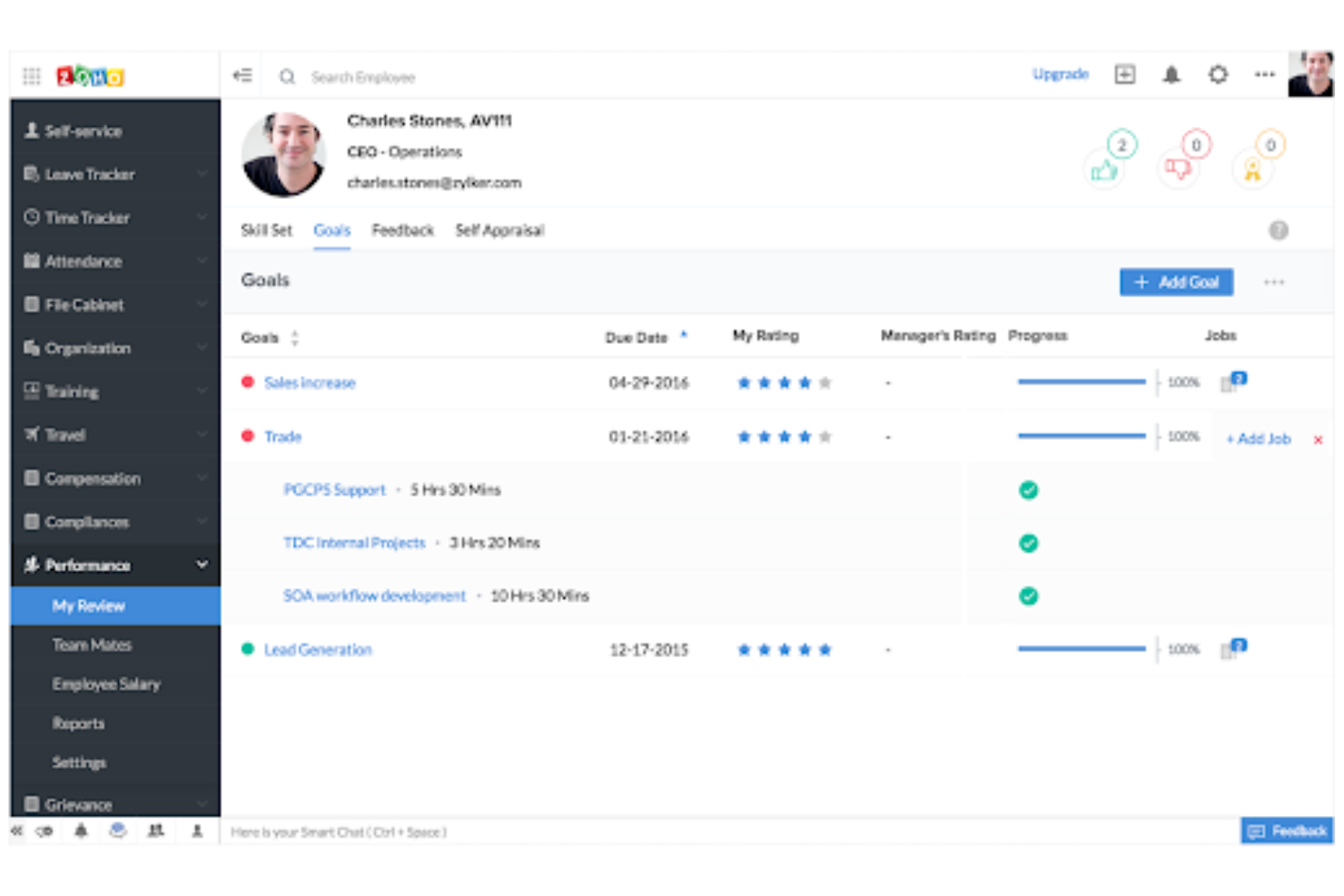
I team che già utilizzano la suite di app aziendali di Zoho troveranno Zoho Cliq particolarmente interessante. Questa piattaforma di chat si collega direttamente con strumenti Zoho come CRM, Projects e Desk, consentendo di centralizzare la comunicazione e automatizzare i flussi di lavoro. Se cerchi un'alternativa a Flock che si integri perfettamente nell'ecosistema Zoho, Zoho Cliq è progettato appositamente per questa esigenza.
Perché Zoho Cliq è una valida alternativa a Flock
Per i team che hanno già investito nelle app aziendali di Zoho, Zoho Cliq si distingue come un'alternativa naturale a Flock. L'ho scelto perché offre un'integrazione profonda e nativa con strumenti Zoho come CRM, Projects e Desk, permettendo di automatizzare notifiche e attivare azioni direttamente dalla chat. Puoi creare bot e comandi personalizzati che interagiscono con i tuoi dati Zoho senza lasciare la conversazione. Questo livello di integrazione nell'ecosistema è difficile da eguagliare se i tuoi flussi di lavoro dipendono dai prodotti Zoho.
Funzionalità principali di Zoho Cliq
Altre funzionalità di Zoho Cliq che potrebbero interessare ai team includono:
- Conversazioni a thread: Organizza le discussioni all'interno dei canali usando thread di messaggi per un contesto migliore.
- Chiamate audio e video: Avvia chiamate vocali o video direttamente da qualsiasi finestra di chat.
- Messaggi in evidenza: Metti in evidenza i messaggi importanti nei canali o nelle chat per un rapido riferimento.
- Ruoli utente personalizzabili: Assegna permessi e livelli di accesso differenti agli utenti in base al loro ruolo.
Integrazioni di Zoho Cliq
Le integrazioni includono Zoho CRM, Zoho Desk, Google Drive, Trello, Mailchimp e Dropbox.
Pros and Cons
Pros:
- Ottimi bot chat personalizzati
- Visualizzazione multicolonna pulita
- Solido collegamento con la gestione attività
Cons:
- Qualità delle videochiamate basilare
- L'app mobile consuma la batteria

Ideale per implementazioni auto-gestite
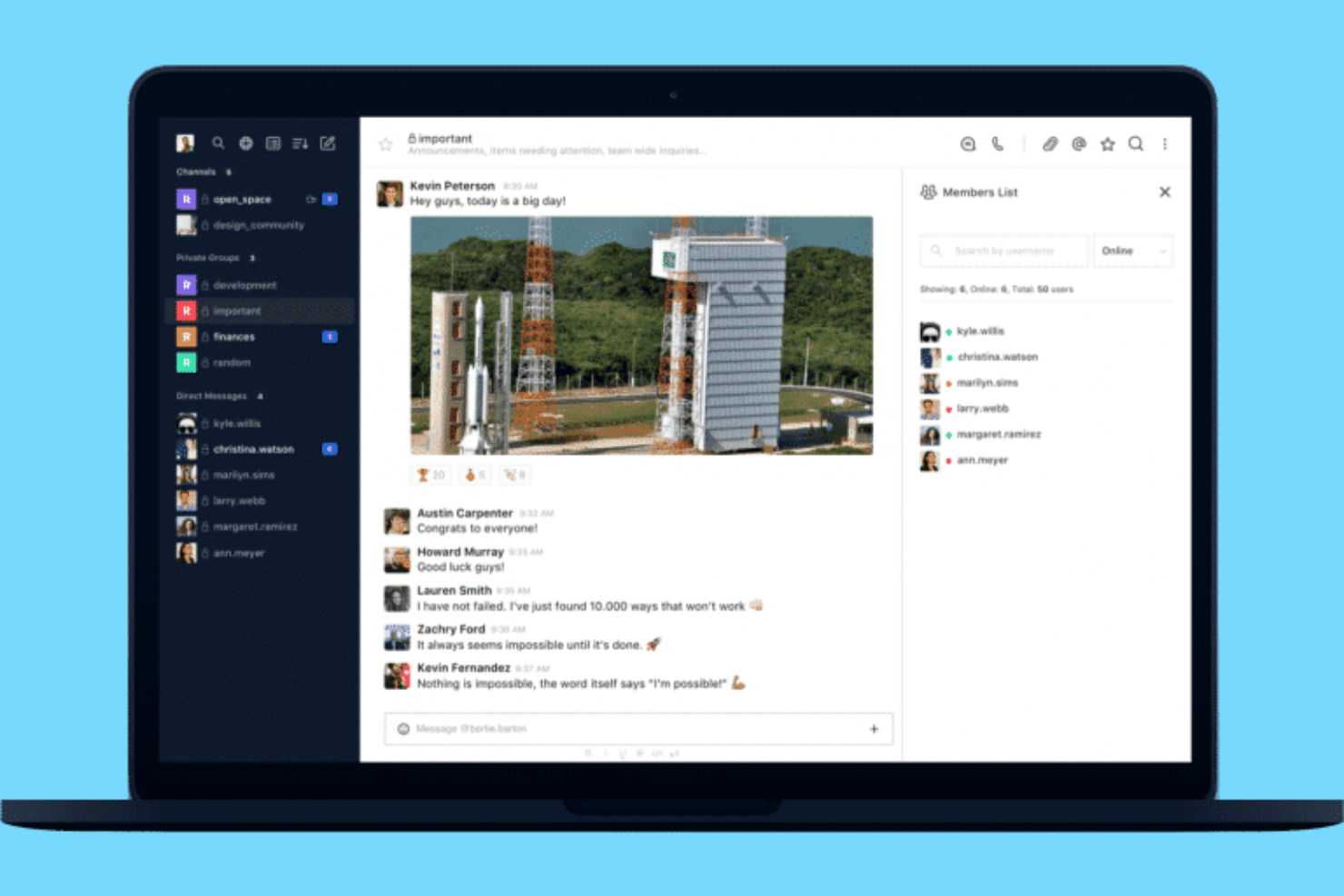
Se il tuo team necessita del pieno controllo su dati e implementazione, Rocket.Chat è un'opzione solida. Questa piattaforma open-source è ideale per organizzazioni con rigorose esigenze di sicurezza, conformità o personalizzazione, come quelle in ambito sanitario, governativo o finanziario. A differenza di Flock, Rocket.Chat ti permette di ospitare autonomamente il servizio, personalizzare il codice sorgente e gestire i tuoi protocolli di sicurezza.
Perché Rocket.Chat è una valida alternativa a Flock
Per i team che devono ospitare una propria piattaforma di comunicazione, Rocket.Chat offre un livello di controllo che Flock non fornisce. Ho scelto Rocket.Chat perché puoi installarlo sui tuoi server, acquisendo piena proprietà dei dati e dell'infrastruttura. La piattaforma consente anche una profonda personalizzazione tramite codice open-source, così puoi adattare funzioni e flussi di lavoro alle esigenze della tua organizzazione. Questo rende Rocket.Chat particolarmente interessante per aziende con stringenti requisiti di sicurezza o conformità.
Funzionalità principali di Rocket.Chat
Altre funzionalità utili per i team che valutano alternative a Flock includono:
- Messaggistica omnicanale: Gestisci conversazioni da email, SMS, WhatsApp e altri canali in un unico luogo.
- Permessi basati sui ruoli: Imposta controlli di accesso dettagliati per utenti e gruppi.
- Crittografia end-to-end: Proteggi i messaggi con una crittografia avanzata per conversazioni private.
- App del marketplace: Estendi le funzionalità con una vasta gamma di componenti aggiuntivi dal marketplace di Rocket.Chat.
Integrazioni Rocket.Chat
Le integrazioni includono Jira, GitHub, GitLab, Nextcloud, WhatsApp e Telegram.
Pros and Cons
Pros:
- Alto controllo della privacy dei dati
- Cronologia dei messaggi illimitata
- Personalizzazione white-label
Cons:
- L'app mobile può avere dei bug
- Il supporto si basa sulla community

Blink
Ideale per l'engagement dei team senza postazione fissa

Per le organizzazioni con team di prima linea o senza postazione fissa, Blink offre una piattaforma mobile-first progettata per mantenere tutti connessi. A differenza di Flock, Blink riunisce chat, notizie aziendali e condivisione di risorse in un'unica app pensata per i lavoratori che non sono alla scrivania. È particolarmente utile in settori come sanità, vendita al dettaglio e logistica, dove aggiornamenti in tempo reale e coinvolgimento sono essenziali.
Perché Blink è una valida alternativa a Flock
Blink si distingue per i team i cui dipendenti sono raramente alla scrivania e necessitano di comunicazione mobile-first. L'ho scelto perché combina chat sicura, un feed di notizie personalizzato e rapido accesso a moduli digitali in una sola app. L'attenzione della piattaforma alle notifiche mobili e agli hub di risorse aiuta i lavoratori in prima linea a rimanere informati e coinvolti ovunque si trovino. Se il tuo team ha bisogno di raggiungere persone sul campo o in movimento, Blink offre funzioni che Flock non mette in primo piano.
Caratteristiche chiave di Blink
Altre funzionalità che rendono Blink attraente per i team senza postazione includono:
- Single Sign-On (SSO): Collega Blink al tuo provider di identità esistente per un accesso semplificato e sicuro.
- Sondaggi Pulse: Raccogli feedback in tempo reale dai dipendenti con strumenti di sondaggio personalizzabili.
- Libreria documenti: Conserva e condividi documenti e policy importanti in un'unica posizione centralizzata.
- Schermata Home personalizzabile: Personalizza la dashboard principale dell'app per mostrare risorse e aggiornamenti chiave per il tuo team.
Integrazioni Blink
Le integrazioni includono SharePoint, Microsoft 365, Google Workspace, Jira e Workday.
Pros and Cons
Pros:
- Alta percentuale di adozione tra i lavoratori in prima linea
- Funzione lettura obbligatoria semplice
- Forte attenzione per i lavoratori a turni
Cons:
- Le analisi possono essere piuttosto basiche
- Manca di flussi di lavoro complessi per le attività
Bitrix24
Ideale per la gestione integrata delle attività

Se il tuo team ha bisogno di chat e gestione delle attività in un unico posto, Bitrix24 merita una considerazione. Questa piattaforma combina messaggistica in tempo reale con il monitoraggio integrato di attività e progetti, risultando adatta per i team che vogliono gestire il lavoro senza cambiare strumenti. Bitrix24 si distingue da Flock offrendo bacheche Kanban, diagrammi di Gantt e pianificazione del carico di lavoro insieme alle sue funzioni di chat.
Perché Bitrix24 è una buona alternativa a Flock
A differenza di molti strumenti di chat, Bitrix24 mette la gestione delle attività al centro della sua piattaforma. L'ho scelto per i team che vogliono assegnare, monitorare e visualizzare le attività senza uscire dall'ambiente di chat. Hai bacheche Kanban, diagrammi di Gantt e pianificazione del carico di lavoro integrati nello stesso spazio di lavoro delle conversazioni. Questo rende Bitrix24 una scelta solida se desideri mantenere comunicazione e gestione dei progetti strettamente connessi.
Funzionalità chiave di Bitrix24
Altre funzionalità di Bitrix24 che potrebbero interessare ai team includono:
- Videoconferenze HD: Organizza riunioni video direttamente sulla piattaforma fino a 48 partecipanti.
- Gestione documenti: Conserva, condividi e collabora su file grazie all'archiviazione cloud integrata.
- Elenco dipendenti: Mantieni un database ricercabile dei membri del team e della struttura organizzativa.
- Spazi di lavoro personalizzabili: Crea gruppi di lavoro e dipartimenti separati con chat, attività e calendari propri.
Integrazioni di Bitrix24
Le integrazioni includono Mailchimp, Xero, QuickBooks, Microsoft 365, Google Drive e Dropbox.
Pros and Cons
Pros:
- Gestione progetti integrata
- Il piano gratuito è molto generoso
- Buone capacità intranet
Cons:
- L'assistenza è notoriamente lenta
- Tuttofare, ma non eccelle in nulla


I team che già utilizzano Google Workspace troveranno Google Chat una soluzione naturale per il loro flusso di lavoro. Questo strumento è progettato per le organizzazioni che si affidano a Gmail, Google Drive e altre app di Workspace per mantenere comunicazione e collaborazione in un unico luogo. A differenza di Flock, Google Chat offre un’integrazione diretta con la suite di produttività di Google, facilitando la condivisione di file, la pianificazione di riunioni e la gestione dei progetti senza cambiare piattaforma.
Perché Google Chat è una valida alternativa a Flock
Se il tuo team già dipende da Google Workspace, Google Chat è l’alternativa più logica a Flock. Ho scelto Google Chat perché è integrato direttamente in Gmail e si collega perfettamente con Google Drive, Calendar e Docs. Puoi avviare chat o conversazioni di gruppo direttamente dalla tua casella di posta e condividere rapidamente file o programmare riunioni senza uscire dalla piattaforma. Questa integrazione stretta aiuta i team a mantenere tutta la comunicazione e la collaborazione in un ambiente familiare.
Caratteristiche principali di Google Chat
Altre funzionalità utili di Google Chat per i team alla ricerca di alternative a Flock includono:
- Spazi per la collaborazione tematica: Organizza conversazioni, file e attività per progetto o argomento in spazi dedicati.
- Conversazioni con thread: Mantieni le discussioni strutturate con thread di messaggi nelle chat di gruppo.
- Bot e automazioni: Usa bot integrati per automatizzare attività come pianificazioni o promemoria.
- App mobile e desktop: Accedi a Google Chat da app dedicate sia su dispositivi mobili che desktop.
Integrazioni di Google Chat
Le integrazioni includono Google Drive, Google Meet, Google Docs, Jira, GitHub e Asana.
Pros and Cons
Pros:
- Struttura dei thread ordinata
- Incluso senza costi aggiuntivi
- Accesso facilitato per ospiti esterni
Cons:
- Meno app di terze parti
- Possono verificarsi bug delle notifiche

Slack
Ideale per l'ampio supporto di app di terze parti

Se il tuo team si affida a un'ampia gamma di app aziendali, Slack offre opzioni di integrazione senza pari rispetto a Flock. È una soluzione ideale per le aziende tecnologiche, i team distribuiti e le organizzazioni che devono collegare la chat a strumenti come Jira, Salesforce o Google Workspace. L'ampia directory di app di Slack ti aiuta a centralizzare le notifiche, automatizzare i flussi di lavoro e mantenere tutto il lavoro in un unico posto.
Perché Slack è una buona alternativa a Flock
Per i team che dipendono dal collegamento della chat con decine di altri strumenti aziendali, Slack è una scelta eccellente. Ho scelto Slack come alternativa a Flock perché la sua directory di app include migliaia di integrazioni native, consentendoti di automatizzare notifiche, azioni e flussi di lavoro direttamente nei tuoi canali. Funzionalità come il generatore di flussi di lavoro e le azioni sui messaggi ti permettono di attivare attività, approvazioni o aggiornamenti nelle app collegate senza uscire da Slack. Questo livello di estensibilità è difficile da eguagliare se la produttività del tuo team dipende da un insieme di strumenti strettamente integrato.
Funzionalità principali di Slack
Alcune altre funzionalità di Slack utili per i team che passano da Flock includono:
- Conversazioni organizzate in discussioni: Mantieni le discussioni organizzate rispondendo direttamente a messaggi specifici all'interno di un canale.
- Emoji e reazioni personalizzate: Aggiungi personalità e fornisci un feedback rapido ai messaggi con emoji personalizzate e opzioni di reazione.
- Slack Connect: Collabora con partner esterni, fornitori o clienti in canali condivisi.
- Impostazioni granulari delle notifiche: Controlla le notifiche a livello di canale, parola chiave o menzione per una comunicazione più concentrata.
Integrazioni di Slack
Le integrazioni includono Asana, Box, ChatGPT, Claude, GitHub, Google Drive, Jira, Notion, Salesforce e Zoom.
Pros and Cons
Pros:
- Ottimo supporto per le emoji personalizzate
- Funzione di ricerca eccellente
- Organizzazione efficace dei canali
Cons:
- Consuma rapidamente la RAM
- Eccesso di notifiche
Altre alternative a Flock
Ecco alcune ulteriori opzioni alternative a Flock che non sono entrate nel mio elenco, ma che vale comunque la pena prendere in considerazione:
- Connecteam
Ideale per la gestione della forza lavoro mobile
- Hive
Ideale per il monitoraggio integrato dei progetti
- Discord
Ideale con canali vocali personalizzabili


Come Valuto le Alternative a Flock
La mia valutazione si articola in due livelli: i requisiti di base come i canali con thread e la condivisione dello schermo, e gli elementi distintivi come le integrazioni con i tool per la gestione progetti e il video asincrono che determinano la reale compatibilità con il team.
Funzionalità di Base (Requisiti Fondamentali per Questa Lista)
Quando seleziono gli strumenti per la mia lista, valuto ciascuno su una scala da 0 (non offre la funzionalità) a 5 (eccelle in questo ambito) per ciascuna delle funzionalità di base elencate di seguito. Poi, calcolo il punteggio totale dello strumento in percentuale. Ogni strumento deve raggiungere un punteggio totale minimo del 75% per essere considerato per l'inclusione.
- Messaggistica Basata su Canali: Verifico se le conversazioni possono essere organizzate in canali pubblici e privati con thread, così uno standup non viene perso sotto la chat generale d’ufficio.
- Chiamate Vocali e Video: Ogni strumento che valuto deve avere chiamate audio e video integrate con condivisione dello schermo, perché i team non dovrebbero dover cambiare app solo per una rapida sincronizzazione.
- Condivisione di File e Ricerca: Cerco la possibilità di allegare file alle conversazioni e di cercare nella cronologia dei messaggi, fondamentale quando serve ritrovare una specifica di design condivisa tre settimane prima.
- Integrazioni con Terze Parti: Valuto attentamente la connessione con strumenti come Jira, Asana, Google Workspace o Microsoft 365, perché l'app di messaggistica spesso si trova al centro dei flussi di lavoro.
- Strumenti di Task e Produttività: Attività, promemoria o sondaggi integrati aiutano i team a trasformare le decisioni in azioni senza uscire dalla chat. Strumenti come Slack, Microsoft Teams e Pumble gestiscono questa parte in modo diverso, quindi confronto anche la profondità offerta qui.
- Accesso Multipiattaforma e Mobile: Devono essere disponibili app desktop, web, iOS e Android con sincronizzazione in tempo reale, soprattutto per i team distribuiti che passano tra dispositivi durante la giornata.
Una volta che ho una lista di strumenti che soddisfano questi criteri, considero cosa rende ogni piattaforma unica.
Fattori Differenzianti (Cosa Distingue i Fornitori)
Ecco come confronto e metto in evidenza i diversi fornitori:
Funzionalità Distintive
Funzionalità basate su intelligenza artificiale come la trascrizione delle riunioni e i riepiloghi delle conversazioni fanno davvero risparmiare tempo quando devi recuperare uno standup perso. Cerco anche builder per l'automazione dei flussi di lavoro che permettono ai team di inviare notifiche o approvazioni direttamente da un messaggio in chat senza cambiare strumento. Per agenzie e team trasversali, l’accesso per ospiti e i canali di collaborazione esterni sono fondamentali: poter coinvolgere un cliente senza dargli piena visibilità dello spazio di lavoro è un’esigenza che distingue i buoni strumenti da quelli eccellenti.
Oltre le Funzionalità
La trasparenza nei prezzi è fondamentale quando si scala un team: verifico se i piani gratuiti includono abbastanza cronologia messaggi e spazio di archiviazione per valutare davvero la piattaforma prima di un eventuale acquisto. Sicurezza e conformità sono altrettanto importanti, specialmente per i team che gestiscono dati di progetto sensibili; cerco SSO, 2FA e certificazioni come SOC 2 o conformità al GDPR. Un altro fattore rilevante è il supporto alla migrazione, perché passare da Flock significa dover importare canali, utenti e file senza perdere il contesto a metà progetto.
Perché cercare un'alternativa a Flock?
Sebbene Flock sia una buona scelta tra le alternative a Flock, ci sono diversi motivi per cui alcuni utenti cercano soluzioni alternative. Potresti cercare un'alternativa a Flock perché…
- Hai bisogno di integrazioni più avanzate con altri strumenti
- Il tuo team si affida a flussi di lavoro pensati innanzitutto per i dispositivi mobili o senza postazione fissa
- Vuoi una maggiore personalizzazione per notifiche e avvisi
- Hai bisogno di un supporto migliore per team numerosi o distribuiti
- Hai bisogno di funzionalità adattate a settori specifici
- Vuoi opzioni di prezzo o fatturazione più flessibili
Se ti riconosci in una di queste situazioni, sei nel posto giusto. Il mio elenco contiene diverse alternative a Flock più adatte ai team che affrontano queste difficoltà con Flock e cercano soluzioni alternative.
Funzionalità principali di Flock
Ecco alcune delle funzionalità principali di Flock, che ti aiuteranno a confrontare ciò che offrono le soluzioni alternative:
- Messaggistica diretta e di gruppo
- Videoconferenza integrata
- Condivisione e archiviazione dei file
- Cronologia dei messaggi ricercabile
- Liste di cose da fare e promemoria condivisi
- Conversazioni basate sui canali
- Sondaggi e questionari
- Integrazioni native con strumenti di produttività
- Accesso per utenti ospiti
- Canali per gli annunci del team