



Microsoft Planner vs. Microsoft Project: Recensioni 2026



Microsoft Planner offre una gestione delle attività semplice per il tuo team, mentre Microsoft Project fornisce strumenti più avanzati per progetti complessi. Sebbene abbiano entrambi l’obiettivo di aiutarti nella gestione dei progetti, Planner è più adatto per compiti semplici, mentre Project è ideale per pianificazioni dettagliate e monitoraggio dei progetti.
Ho testato e recensito ciascuno strumento, confrontando funzionalità, vantaggi e svantaggi, prezzi e altro per aiutarti a scegliere il software di project management più adatto alle tue esigenze.
Microsoft Planner vs. Microsoft Project: An Overview
Microsoft Project




Perché fidarsi dei nostri consigli sui software
Il nostro team testa e recensisce software dal 2012. In quanto project manager noi stessi, sappiamo quanto sia difficile — e importante — scegliere il software giusto.
Per questa guida, abbiamo valutato gli strumenti attraverso test pratici e ricerche indipendenti, assegnando un punteggio agli strumenti in base ai nostri criteri di selezione. Ci basiamo inoltre sulle competenze di leader di pensiero del settore e di professionisti attivi nella gestione dei progetti.
Le nostre recensioni riflettono il nostro giudizio editoriale umano, non un discorso di vendita.
Revisori esperti:
Microsoft Planner vs. Microsoft Project Pricing Comparison
| Microsoft Planner | Microsoft Project | |
|---|---|---|
| Free Trial | 30-day free trial | 30-day free trial |
| Pricing | From $10/user/month (billed annually) | From $10/user/month (billed annually) |
Prezzi e Costi Nascosti di Microsoft Planner e Microsoft Project
Il costo di Microsoft Planner è generalmente incluso in alcune sottoscrizioni Microsoft 365, ma occorre considerare eventuali costi aggiuntivi legati a spazio di archiviazione extra o funzionalità premium. Al contrario, il prezzo di Microsoft Project prevede un modello a sottoscrizione che varia in base al livello di funzionalità e al numero di utenti richiesti.
Per scegliere lo strumento dal costo più adeguato, valuta le necessità specifiche dei tuoi progetti, stima la frequenza e la scala di utilizzo, e considera il costo totale di possesso, inclusi eventuali costi aggiuntivi per supporto o formazione.
Microsoft Planner vs. Microsoft Project Feature Comparison
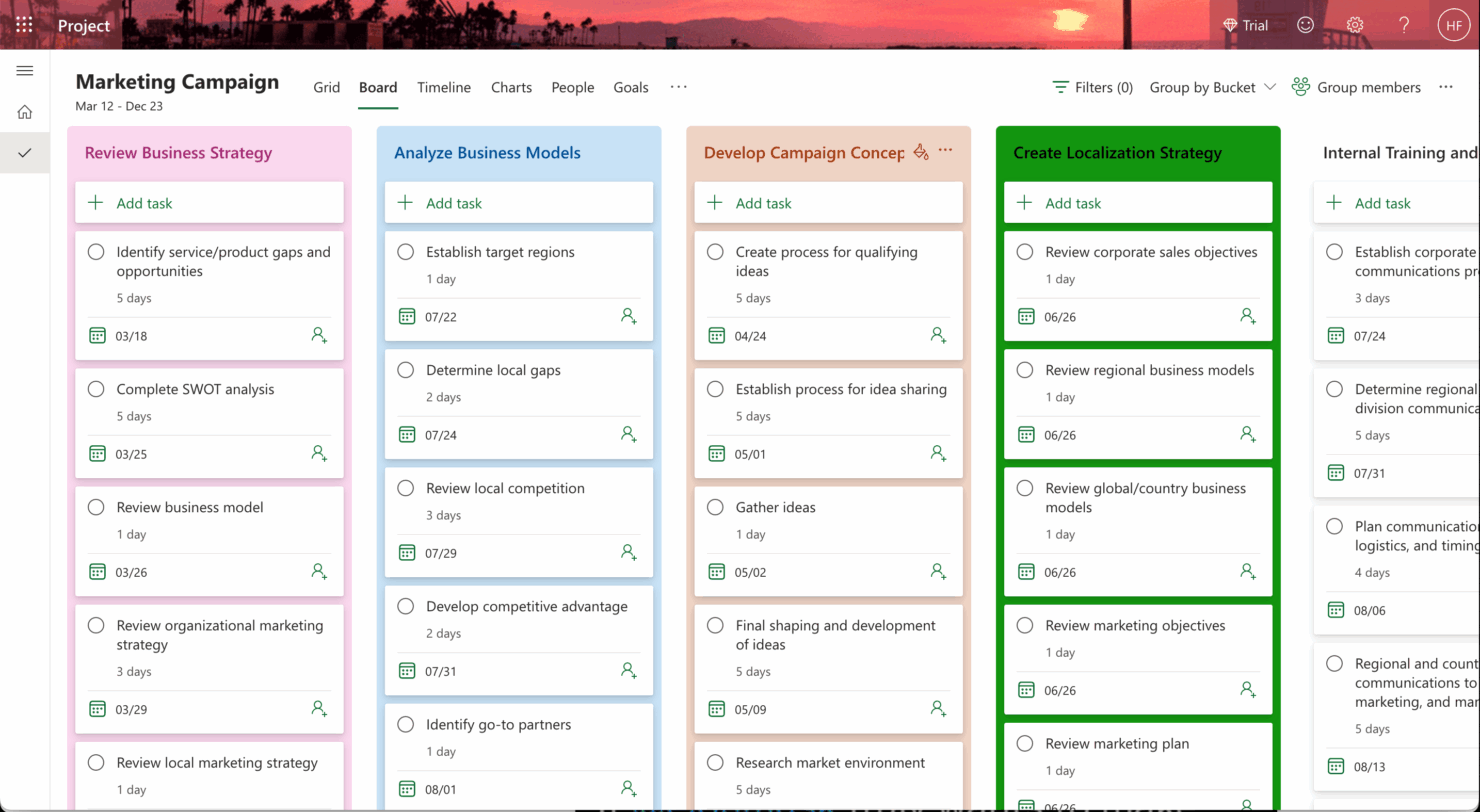
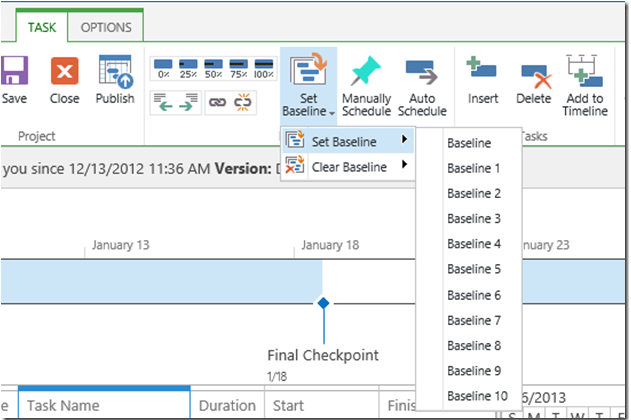
Con la funzione bacheca di Microsoft Planner è possibile gestire facilmente le attività quotidiane e monitorare i progressi in un ambiente collaborativo. La visualizzazione timeline di Microsoft Project, invece, è ideale per i project manager che necessitano di visualizzare calendari complessi di progetto e dipendenze tra attività a colpo d’occhio.
| Microsoft Planner | Microsoft Project | |
|---|---|---|
| API | ||
| Collaboration Support | ||
| Dashboard | ||
| Dashboards | ||
| Data Export | ||
| Data Import | ||
| External Integrations | ||
| Gantt Charts | ||
| Multi-User | ||
| Notifications | ||
| Resource Management | ||
| Scheduling | ||
| Task Scheduling/Tracking |
Integrazioni di Microsoft Planner e Microsoft Project
| Integrazione | Microsoft Planner | Microsoft Project |
|---|---|---|
| Microsoft Teams | ✅ | ✅ |
| Power BI | ❌ | ✅ |
| SharePoint | ✅ | ✅ |
| OneDrive | ✅ | ✅ |
| Outlook | ✅ | ✅ |
| Trello | ❌ | ❌ |
| Slack | ❌ | ❌ |
| Jira | ❌ | ❌ |
| API | ✅ | ✅ |
| Zapier | ❌ | ❌ |
Microsoft Planner si integra con Microsoft Teams, consentendoti di comunicare e gestire le attività in un unico luogo: ideale per i team agili che necessitano di aggiornamenti rapidi. L’integrazione di Microsoft Project con Power BI è ottima se hai bisogno di generare report dettagliati e visualizzazioni per monitorare attività e avanzamento dei progetti.
Microsoft Planner vs. Microsoft Project Sicurezza, Conformità & Affidabilità
| Fattore | Microsoft Planner | Microsoft Project |
|---|---|---|
| Privacy dei dati | Microsoft Planner mantiene la privacy dei dati tramite i solidi protocolli di Microsoft, inclusa la conformità al GDPR. | Microsoft Project si attiene anch'esso agli standard di sicurezza Microsoft e offre privacy dei dati e conformità al GDPR. |
| Crittografia | Microsoft Planner segue severi protocolli di crittografia per proteggere i dati sia in transito che a riposo. | Microsoft Project offre robuste misure di crittografia per la gestione sicura dei dati. |
| Affidabilità | Microsoft Planner beneficia dell'infrastruttura cloud di Microsoft e offre alta disponibilità e affidabilità. | Microsoft Project sfrutta la stessa infrastruttura cloud per un servizio affidabile. |
| Conformità normativa | Microsoft Planner è conforme a vari standard di settore come ISO 27001 e SOC 2. | Microsoft Project soddisfa gli standard di settore come ISO 27001 e SOC 2 per la conformità. |
Microsoft Planner e Microsoft Project offrono entrambi solide funzionalità di sicurezza e conformità, ma Project permette un controllo più dettagliato sulla gestione dei dati di progetto. Per valutare le funzionalità di sicurezza e conformità, verifica gli standard e le certificazioni specifiche cui ciascun strumento aderisce e considera in che modo questi si allineano ai requisiti normativi della tua organizzazione.
Microsoft Planner vs. Microsoft Project Facilità d’Uso
| Fattore | Microsoft Planner | Microsoft Project |
|---|---|---|
| Interfaccia utente | MS Planner offre un'interfaccia pulita e intuitiva, facilitando la gestione delle attività grazie alle bacheche in stile Kanban. | MS Project possiede un'interfaccia più complessa, che può richiedere tempo per essere appresa, ma offre strumenti dettagliati per il monitoraggio dei progetti. |
| Onboarding | L'integrazione di Microsoft Planner con Microsoft 365 semplifica l'onboarding e richiede una configurazione minima. | Microsoft Project richiede una fase di onboarding più elaborata a causa delle molte funzionalità avanzate disponibili. |
| Configurazione | La configurazione di Microsoft Planner è veloce e necessita di pochi passaggi, risultando ideale per piccoli team e principianti. | La configurazione di Microsoft Project è più complessa e si rivolge a progetti più grandi e pianificazioni dettagliate. |
| Supporto | Microsoft Planner beneficia delle ampie risorse di supporto Microsoft e dei forum di community. | Microsoft Project offre anch'esso supporto completo, guide dettagliate e assistenza di esperti. |
| Collaborazione | L'integrazione di Microsoft Planner con Teams rende la collaborazione semplice e accessibile a tutti gli utenti. | Microsoft Project richiede una configurazione aggiuntiva per collaborare e fa comunque affidamento su Teams per la comunicazione. |
Microsoft Planner è più facile da apprendere per i piccoli team grazie all'interfaccia semplice e alla configurazione minima, mentre Microsoft Project, pur avendo una curva di apprendimento più ripida, offre potenti funzionalità per la gestione di progetti complessi. Per scegliere il miglior strumento di gestione delle attività per il tuo team, valuta la complessità dei progetti da gestire e se vuoi dare priorità alla facilità d'uso o alle funzionalità avanzate.
Microsoft Planner vs Microsoft Project: Pros & Cons
Microsoft Planner
- You can easily assign and track tasks within your team.
- Its integration with Microsoft 365 enhances team collaboration
- The simple, user-friendly interface makes task management straightforward.
- It lacks advanced customization options for complex projects.
- The reporting features are not as robust as some competitors.
- It may not accommodate larger teams needing detailed task dependencies.
Microsoft Project
- You can manage complex project schedules with ease.
- It offers robust resource management tools.
- You get detailed reporting and analytics for better decision-making.
- It has a steep learning curve for new users.
- The interface can feel outdated compared to newer tools.
- It requires significant time investment for setup and maintenance.
Best Use Cases for Microsoft Planner and Microsoft Project
Microsoft Planner
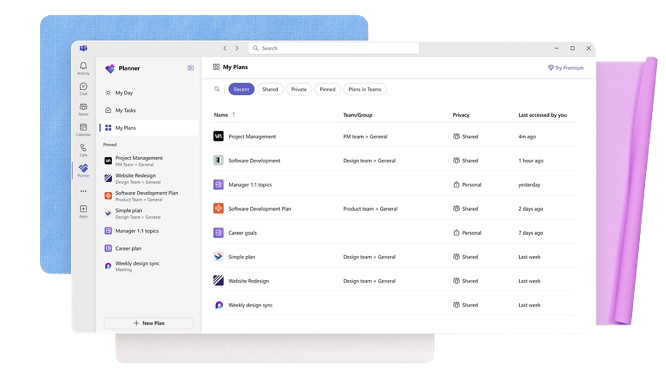
- Small Businesses Microsoft Planner's straightforward interface is perfect for small businesses that need to manage tasks without complex features.
- Marketing Teams It helps marketing teams track campaigns and collaborate effectively with its task assignment and tracking capabilities.
- Educational Institutions Schools and universities can use it to organize academic projects and coordinate activities across departments.
- IT Departments IT teams can benefit from its integration with Microsoft 365, making it easy to manage tech projects and resources.
- Remote Teams For remote teams needing a simple way to track tasks and collaborate, Microsoft Planner provides the necessary tools.
- Nonprofits Nonprofits can use it to manage volunteer tasks and projects efficiently, leveraging its easy-to-use interface.
Microsoft Project
- Construction Firms You can manage timelines and resources effectively, ensuring project phases align perfectly.
- IT Departments You’ll find its detailed scheduling invaluable for managing multiple, overlapping projects.
- Government Agencies You can rely on its precise tracking and reporting to meet regulatory requirements.
- Engineering Teams You’ll benefit from its resource management capabilities to allocate manpower and materials efficiently.
- Large Enterprises You can handle complex project portfolios with advanced analytics and reporting tools.
- Project Managers You’ll appreciate its ability to plan and track intricate project details for successful execution.
Chi dovrebbe usare Microsoft Planner e chi dovrebbe usare Microsoft Project?
Secondo me, Microsoft Planner è perfetto per piccoli team o singoli individui che hanno bisogno di uno strumento semplice e intuitivo per la gestione delle attività e la collaborazione, senza complicazioni. È ideale per chi lavora in settori creativi o per startup, dove flessibilità e semplicità sono fondamentali.
D'altra parte, Microsoft Project è la soluzione ideale per i project manager di grandi organizzazioni o settori come l'edilizia o l'informatica, dove pianificazione dettagliata, tracciamento e gestione delle risorse sono essenziali. Se i membri del tuo team affrontano progetti complessi e hanno bisogno di strumenti avanzati per la pianificazione, Microsoft Project è la scelta giusta.
Differences Between Microsoft Planner and Microsoft Project
| Microsoft Planner | Microsoft Project | |
|---|---|---|
| Automation | Microsoft Planner offers limited automation features for task updates and reminders. | Microsoft Project supports advanced automation for project tracking and reporting. |
| Core Features | Microsoft Planner focuses on task management with simple boards and checklists. | Microsoft Project offers advanced project planning with Gantt charts and resource management. |
| Pricing | Microsoft Planner is included with certain Microsoft 365 subscriptions, with potential extra costs. | Microsoft Project offers subscription-based pricing with various tiers depending on features and users. |
| User Interface | Microsoft Planner offers a straightforward, user-friendly interface ideal for quick task tracking. | Microsoft Project has a complex interface designed for detailed project planning and management. |
| Read Microsoft Planner ReviewOpens new window | Read Microsoft Project ReviewOpens new window |
Similarities Between Microsoft Planner and Microsoft Project
| Automation | Both tools work with Power Automate to let you set up custom workflows. |
|---|---|
| Cloud-Based Access | You can use both on the web and access them across devices. |
| Collaboration | They both integrate with Microsoft 365, so your team can collaborate via Teams, Outlook, and SharePoint. |
| Pricing | They both use Microsoft’s subscription pricing model. You pay per user, monthly or annually. Microsoft Planner is included in most Microsoft 365 plans, so there’s no extra charge. |
| Task Management | Both let you assign tasks, set due dates, and track progress. Microsoft Planner uses a board view, and Microsoft Project offers more detailed scheduling with Gantt charts. |
| Read Microsoft Planner ReviewOpens new window Read Microsoft Project ReviewOpens new window | |