



Jira vs Scoro: Confronto e Recensioni degli Esperti per il 2026



If you’re stuck choosing between Jira and Scoro, you’re not alone. Each tool brings a different flavor to project management software, especially in the context of professional services. Balancing task tracking, billing, collaboration, and reporting can feel overwhelming, and you likely need a platform that fits your workflow and adapts as your professional services business grows.
In this article, you’ll get a clear side-by-side comparison—with pros and cons, use cases, pricing details, security, and usability—so you can find the right fit. I’ll help you see where each tool shines and where it falls short.
Jira vs. Scoro: An Overview
Jira

Scoro


Perché fidarsi dei nostri consigli sui software
Il nostro team testa e recensisce software dal 2012. In quanto project manager noi stessi, sappiamo quanto sia difficile — e importante — scegliere il software giusto.
Per questa guida, abbiamo valutato gli strumenti attraverso test pratici e ricerche indipendenti, assegnando un punteggio agli strumenti in base ai nostri criteri di selezione. Ci basiamo inoltre sulle competenze di leader di pensiero del settore e di professionisti attivi nella gestione dei progetti.
Le nostre recensioni riflettono il nostro giudizio editoriale umano, non un discorso di vendita.
Revisori esperti:
Jira vs. Scoro Pricing Comparison
| Jira | Scoro | |
|---|---|---|
| Free Trial | Free plan + 14-day free trial available | 14-day free trial |
| Pricing | From $7.91/user/month | From $19.90/user/month (billed annually) |
Jira vs. Scoro: prezzi e costi nascosti
Jira utilizza un modello di abbonamento a livelli in base alla dimensione del team e alle funzionalità, con costi aggiuntivi che spesso derivano da integrazioni di terze parti o app del marketplace. Anche Scoro adotta un modello in abbonamento, includendo una vasta gamma di strumenti nei suoi piani, con funzionalità più avanzate che si sbloccano passando ai livelli superiori, il che può aumentare i costi man mano che crescono le tue esigenze.
Per trovare la soluzione più adatta, mappa il flusso di lavoro e i piani di crescita del tuo team—poi verifica quale piattaforma include le funzionalità imprescindibili già nel piano base. Controlla i costi legati alla scalabilità, come upgrade degli utenti o dipendenza da app esterne, e fai attenzione a quali funzionalità sono realmente incluse rispetto a quelle che richiedono un upgrade al livello superiore.
Jira vs. Scoro: integrazioni
| Integrazione | Jira | Scoro |
|---|---|---|
| Slack | ✅ | ✅ |
| Google Drive | ✅ | ✅ |
| Microsoft Teams | ✅ | ✅ |
| Salesforce | ✅ | ✅ |
| HubSpot | ✅ | ✅ |
| Xero | ❌ | ✅ |
| GitHub | ✅ | ❌ |
| Trello | ✅ | ❌ |
| API | ✅ | ✅ |
| Zapier | ✅ | ✅ |
Sia Jira che Scoro coprono le integrazioni fondamentali con gli strumenti più popolari, ma Jira si distingue per le integrazioni rivolte agli sviluppatori come GitHub e Trello (che Scoro offre anch’essa, ma solo tramite Zapier e non nativamente), mentre Scoro è ideale se hai bisogno di integrazioni per la finanza e il CRM. Entrambe le piattaforme offrono un’API e il supporto Zapier, quindi avrai molte opzioni sia per collegamenti immediati che per connessioni personalizzate.
Jira vs. Scoro: Sicurezza, Conformità e Affidabilità
| Fattore | Jira | Scoro |
|---|---|---|
| Crittografia Dati | Utilizza crittografia TLS e AES-256 per i dati in transito e a riposo. | Protegge i dati tramite HTTPS e forte crittografia a riposo. |
| Conformità Normativa | Possiede certificazioni SOC 2, ISO 27001 e GDPR. | È conforme al GDPR e offre DPA per i clienti UE. |
| Affidabilità | SLA con disponibilità 99,9% e aggiornamenti dello stato di sistema in tempo reale. | Backup regolari dei dati e alta disponibilità su server UE. |
| Controlli di Accesso | Offre SSO, 2FA e permessi basati sui ruoli. | Consente accesso basato su ruoli, SSO e permessi personalizzati. |
Sia Jira che Scoro rispondono ai requisiti di conformità, ma Jira offre un livello superiore di certificazioni e garanzie di affidabilità, legate alla più ampia infrastruttura Atlassian. Consiglio Jira per team grandi o complessi che necessitano di controlli avanzati, mentre Scoro copre l’essenziale e rappresenta una solida soluzione per le società di consulenza in crescita.
Jira vs. Scoro Facilità d'Uso
| Fattore | Jira | Scoro |
|---|---|---|
| Interfaccia Utente | Personalizzabile ma può sembrare complessa ai nuovi utenti, soprattutto senza una guida all’implementazione. | Impostazione chiara e intuitiva con menu e dashboard pensati per utenti business. |
| Onboarding | Offre tour guidati ma richiede più tempo per padroneggiare tutte le funzionalità. | Curva di apprendimento breve e accoglienza chiara per i nuovi team. |
| Gestione Attività | Opzioni avanzate per configurare i flussi di lavoro, che possono però richiedere formazione aggiuntiva. | Assegnazione, monitoraggio e gestione delle attività semplici e pronte all’uso. |
| Processo di Configurazione | Altamente flessibile ma il setup può richiedere molto tempo e attenzione ai dettagli. | Configurazione rapida, step-by-step, pensata per avviare nuovi progetti velocemente. |
| Supporto Clienti | Community attiva, documentazione di supporto e assistenza tramite ticket. | Chat dal vivo, supporto reattivo e video risorse utili. |
Scoro vince in termini di semplicità e onboarding fluido, mentre la personalizzazione di Jira comporta una maggiore complessità. Trovo Scoro migliore per i team che vogliono partire rapidamente, ma Jira ripaga se si è disposti a investire tempo nella configurazione per ottenere maggior controllo.
Jira vs Scoro: Pros & Cons
Jira
- Agile workflow management supports Scrum and Kanban and can improve your teams' productivity.
- Automation rules are easy to set up, which helps your team speed up their work.
- Custom filters can be created and accessed quickly, which improves your team's efficiency.
- Field names can be confusing, which might slow down your team's workflow.
- The interface can be too crowded in Scrum projects, which can make it hard for your team to navigate.
- There's a lack of resource management capabilities, which could limit your team's planning.
Scoro
- Excellent multi-entity and multi-currency support for international businesses.
- Deep two-way accounting integrations.
- Scoro is highly-customizable with different permission sets, user-based menus, and settings.
- User interface can feel cluttered for new users (although this can be fixed by creating simplified views via permission sets).
- Some users find the learning curve steep for advanced features.
- Lack of built-in chat/messaging and weaker real-time collaboration features compared to others.
Best Use Cases for Jira and Scoro
Jira
- Software development Jira’s agile tools like Scrum and Kanban boards make it perfect for managing software projects.
- IT departments Its issue tracking capabilities help your team efficiently handle technical support and bug fixes.
- Tech startups Jira offers customization capabilities that allow your team to scale and adapt as your projects grow.
- Agile teams Sprint planning and backlog management features keep your agile processes organized and effective.
- Large enterprises Jira’s automation rules can streamline your complex workflows and improve team productivity.
- Project managers Its reporting and analytics provide insights that help you make informed decisions quickly.
Scoro
- Agencies Scoro connects the sales pipeline, creative delivery, and billing in one place, so agencies can quote, resource, and invoice client work without switching tools.
- Consultancies Scoro's quoting matrix breaks down deliverables by role, hours, and cost, giving consultancies real-time margin and utilization visibility across multi-entity, multi-currency operations.
- Architecture FIrms Scoro ties project phases, budgets, and time tracking together so architecture firms can monitor scope creep and protect fee-based project margins in real time.
- IT Services With Jira integration and effortless time logging from calendars or tasks, Scoro gives IT consultancies clear visibility into billable utilization, project profit, and progress as work gets delivered.
- Event Management Scoro handles multi-currency event quoting, purchase orders for vendors, and phase-based Gantt planning, so event agencies can track supplier costs and protect margins across simultaneous productions.
- Engineering FIrms Scoro unifies resourcing, cost tracking, and reporting across teams and offices, helping engineering firms forecast capacity and keep multi-phase projects profitable.
- Software Development Through native Jira sync, Scoro lets developers keep working in their existing tools while worklogs flow back automatically for accurate reporting, invoicing, and profitability tracking.
Chi dovrebbe usare Jira e chi dovrebbe usare Scoro?
Se dirigi un team di servizi professionali fortemente orientato alla gestione tecnica dei progetti o a flussi di lavoro per sviluppo prodotto, ti suggerisco Jira. Secondo la mia esperienza, Jira è ideale quando il lavoro ruota attorno a ticket, backlog, pianificazione sprint e flussi altamente personalizzabili.
Se nel tuo team ci sono sviluppatori, specialisti IT o figure già abituate a framework agili, probabilmente apprezzerai la sua flessibilità e scalabilità. Tuttavia, dovrai essere pronto a integrare strumenti aggiuntivi (o estensioni) per gestire budget, fatturazione o pianificazione delle risorse—Jira non nasce per questo.
Scoro, invece, è molto più adatto se la tua attività di servizi professionali necessita di una visione completa su progetti, finanze e risorse da un’unica piattaforma. Lo consiglio alle agenzie, consulenze o a quei team orientati ai servizi che vogliono tenere sotto controllo tanto la redditività e l’utilizzo quanto la gestione delle attività.
Hai a disposizione strumenti integrati per preventivi, rilevazione delle ore, fatturazione e reporting, riducendo così la dipendenza da sistemi esterni. Se vuoi una piattaforma unica per gestire sia i progetti che le operazioni di business—senza dover comporre un mix di soluzioni—Scoro risulterà decisamente più coerente.
Differences Between Jira and Scoro
| Jira | Scoro | |
|---|---|---|
| Business Management | Focuses on project and issue tracking; requires integrations or add-ons for quoting, billing, and CRM. | Built-in business management suite including quoting, invoicing, CRM, budgeting, and profitability tracking. |
| Core Use Case | Built primarily for software development, IT, and agile project management. | Designed for professional services businesses needing project + financial management. |
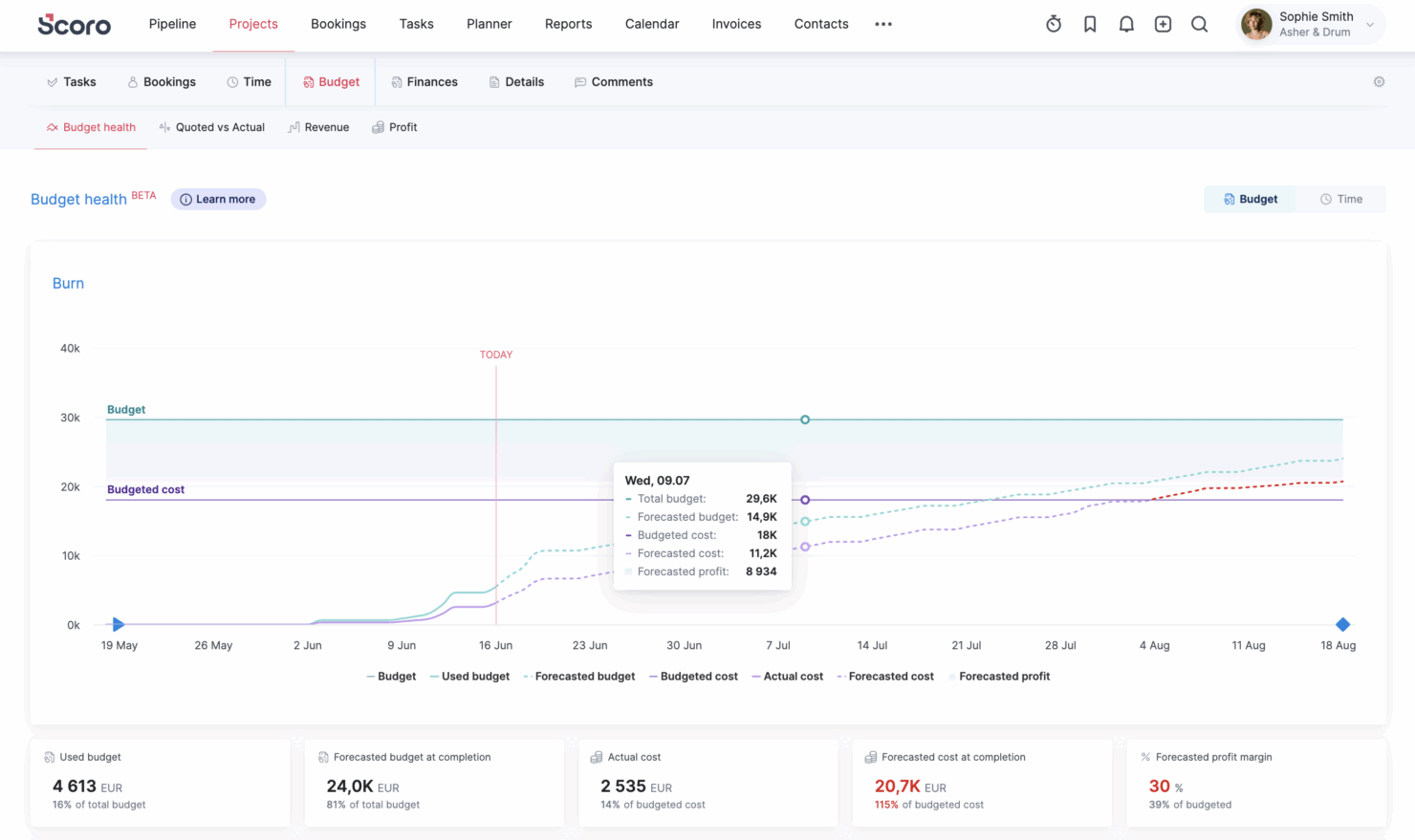
| Financial Tracking | Minimal native financial tools; relies on integrations for budgeting or revenue tracking. | Robust financial management including cost tracking, revenue forecasting, and profitability analysis. |
| Resource Management | Limited native resource planning; often requires add-ons or external tools. | Advanced built-in resource planning, capacity management, and utilization tracking. |
| Workflow Automation | Advanced automation with custom rules, triggers, and complex issue dependencies across projects. | Strong automation with triggers and actions, especially in higher tiers, but less flexible than Jira’s rule engine. |
| Read Jira ReviewOpens new window | Visit ScoroOpens new window |
Similarities Between Jira and Scoro
| Collaboration | Each includes built-in collaboration tools like comments, notifications, and shared project views to keep teams aligned. |
|---|---|
| Integration Options | Jira and Scoro support integration with popular third-party tools (like Slack, Google Drive, and Zapier) as well as offer an API for deeper connections. |
| Reporting & Dashboards | Both provide customizable dashboards and project reports, letting you visualize work progress, deadlines, or team workload with interactive widgets. |
| Task Management | Both offer robust tools for planning, tracking, and updating project tasks, supporting checklists, status changes, and team assignments. |
| Time Tracking | Each platform includes built-in time tracking so teams can log work and monitor billable hours. |
| Read Jira ReviewOpens new window Visit ScoroOpens new window | |