



Accelo vs. Productive: Confronto e Recensioni Esperte per il 2026



Accelo è una soluzione completa che può aiutarti a gestire facilmente i progetti del tuo team, mentre Productive può aiutarti a ottimizzare l'efficienza e la produttività della tua squadra. Entrambi gli strumenti mirano a migliorare i flussi di lavoro dei progetti, ma differiscono nel loro approccio alla collaborazione e alla reportistica.
Ecco la mia recensione dettagliata di ciascuno strumento e delle loro funzionalità, vantaggi e svantaggi, prezzi e altro ancora. Ho testato e confrontato questi strumenti in modo approfondito per aiutarti a decidere quale software di project management si adatta meglio alle tue esigenze.
Accelo vs. Productive: An Overview
Accelo

Productive



Perché fidarsi dei nostri consigli sui software
Il nostro team testa e recensisce software dal 2012. In quanto project manager noi stessi, sappiamo quanto sia difficile — e importante — scegliere il software giusto.
Per questa guida, abbiamo valutato gli strumenti attraverso test pratici e ricerche indipendenti, assegnando un punteggio agli strumenti in base ai nostri criteri di selezione. Ci basiamo inoltre sulle competenze di leader di pensiero del settore e di professionisti attivi nella gestione dei progetti.
Le nostre recensioni riflettono il nostro giudizio editoriale umano, non un discorso di vendita.
Revisori esperti:
Accelo vs. Productive Pricing Comparison
| Accelo | Productive | |
|---|---|---|
| Free Trial | Free demo available | 14-day free trial + free demo available |
| Pricing | Pricing upon request | From $10/user/month (billed annually) |
Prezzi di Accelo vs. Productive e Costi Nascosti
La struttura dei prezzi di Accelo si basa su un modello di abbonamento con diversi livelli e potrebbero esserci costi aggiuntivi per funzionalità premium o per aumentare il limite degli utenti. Anche il prezzo di Productive si basa su abbonamento e ti permette di scalare in base alle dimensioni della tua squadra e alle funzionalità di cui hai bisogno.
Per scegliere lo strumento giusto, valuta le esigenze specifiche del tuo team e i requisiti dei progetti, e assicurati di ottenere davvero le funzionalità che userai con l’opzione che selezioni.
Accelo vs. Productive Feature Comparison
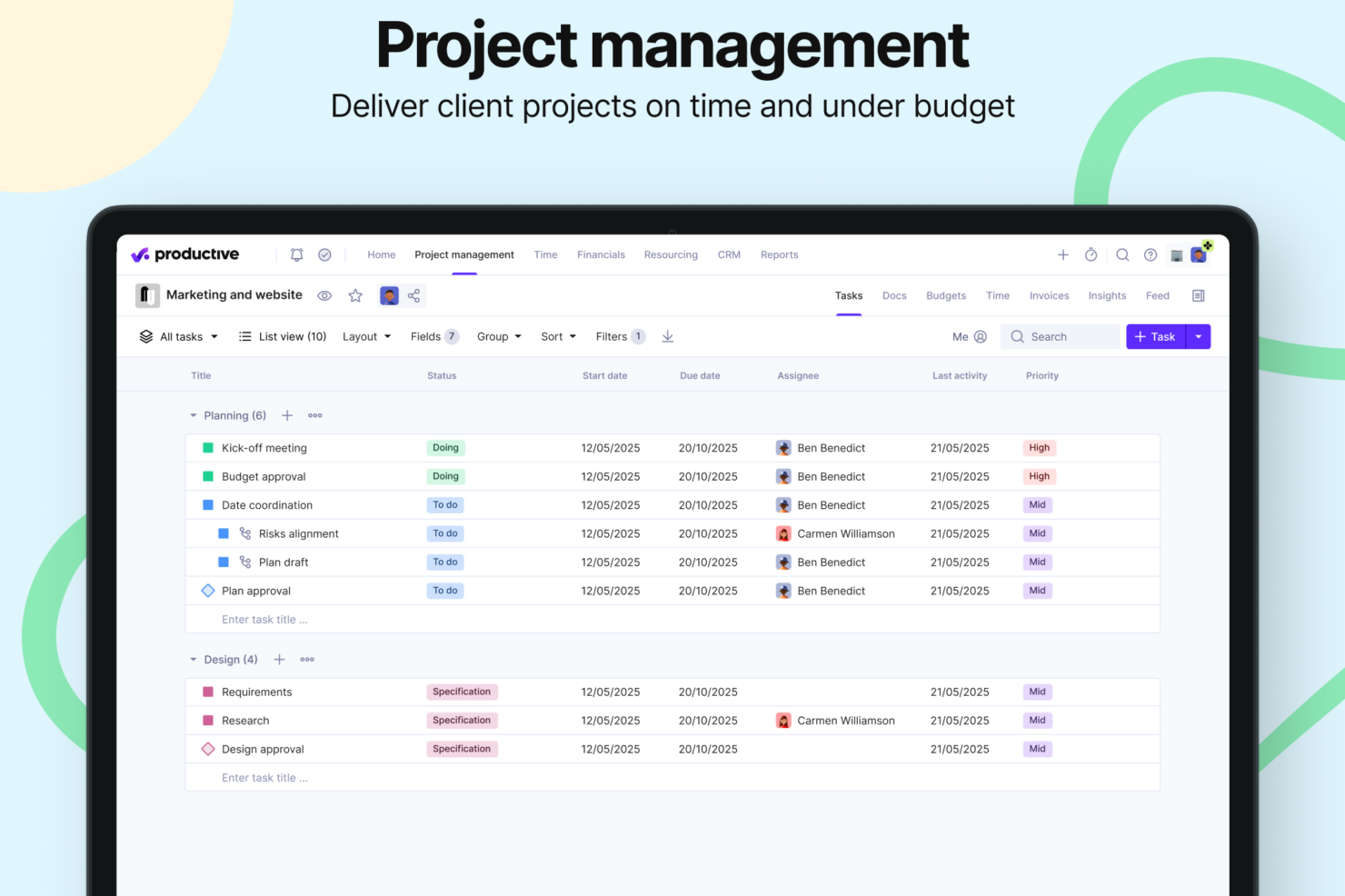
Le funzionalità di visibilità sui progetti di Accelo ti consentono di monitorare l’avanzamento del tuo team e gestire allo stesso tempo più progetti per i clienti. Le funzionalità di gestione finanziaria dei progetti di Productive sono ottime per tenere sotto controllo budget e spese, soprattutto negli ambienti di agenzia.
| Accelo | Productive | |
|---|---|---|
| API | ||
| Billing/Invoicing | ||
| Budgeting | ||
| CRM Integration | ||
| Dashboards | ||
| Data Export | ||
| Data Import | ||
| Document Management | ||
| Expense Tracking | ||
| External Integrations | ||
| Financial Analysis | ||
| Forecasting | ||
| Gantt Charts | ||
| Inventory Tracking | ||
| Multi-Currency | ||
| Multi-User | ||
| Notifications | ||
| Project Management | ||
| Resource Management | ||
| Scheduling | ||
| Status Notifications | ||
| Task Scheduling/Tracking | ||
| Time Management | ||
| Workflow Management |
Integrazioni Accelo vs. Productive
| Integrazione | Accelo | Productive |
|---|---|---|
| Slack | ❌ | ✅ |
| HubSpot | ✅ | ✅ |
| Google Calendar | ✅ | ✅ |
| QuickBooks | ✅ | ✅ |
| Xero | ✅ | ✅ |
| Jira | ✅ | ✅ |
| Trello | ❌ | ❌ |
| Microsoft Teams | ✅ | ❌ |
| Bamboo HR | ❌ | ✅ |
| Salesforce | ✅ | ❌ |
| API | ✅ | ✅ |
| Zapier | ✅ | ✅ |
Sia Accelo che Productive offrono ampie opzioni di integrazione, permettendoti di collegarli a popolari software di contabilità, strumenti di comunicazione e applicazioni di project management. In generale, ciascuna piattaforma si connette ad app critiche che migliorano il flusso dei dati e la produttività nei tuoi processi aziendali, anche se le integrazioni disponibili possono variare leggermente.
Sicurezza, Conformità e Affidabilità di Accelo vs. Productive
| Fattore | Accelo | Productive |
| Certificazioni di conformità | SOC 2 Type II, GDPR, CCPA | SOC 2 Type II, GDPR |
| Crittografia dei dati | In transito e a riposo (standard di settore) | In transito e a riposo (standard di settore) |
| Controlli di accesso | Autenticazione a più fattori, controllo dell’accesso basato sui ruoli, blocco automatico dell’account | Autenticazione a più fattori, controllo dell’accesso basato sui ruoli |
| Audit di sicurezza | Audit regolari di terze parti | Audit regolari di terze parti |
| Backup e ripristino | Backup automatici, piano di disaster recovery | Backup automatici, piano di disaster recovery |
Per le società di servizi professionali, sia Accelo che Productive hanno adattato le loro funzionalità di sicurezza e conformità alle esigenze del tuo settore. I tuoi dati restano protetti su entrambe le piattaforme grazie a protocolli di crittografia standard e all'autenticazione a più fattori obbligatoria. Valuta quanto le misure di sicurezza di ciascuno strumento siano in linea con i requisiti normativi specifici del tuo team e valuta di esaminare le loro capacità di audit e le politiche di protezione dei dati prima di prendere una decisione.
Accelo vs. Productive Facilità d'Uso
| Fattore | Accelo | Productive |
|---|---|---|
| Interfaccia Utente | Accelo offre un'interfaccia pulita e intuitiva con dashboard personalizzabili. | Productive propone una UI moderna e snella con funzionalità drag-and-drop. |
| Esperienza di Onboarding | Onboarding e opzioni di formazione dedicate; alcuni utenti segnalano una curva di apprendimento. | Productive include walkthrough interattivi e suggerimenti in-app per un apprendimento rapido. |
| Processo di Configurazione | Complessità moderata; onboarding guidato disponibile. | Productive offre una configurazione semplice con modelli predefiniti per una rapida implementazione. |
| Supporto Clienti | Accelo dispone di supporto 24/7 e una knowledge base completa. | Productive fornisce supporto via email e chat, oltre a FAQ dettagliate. |
L'interfaccia utente di Accelo è facile da navigare, anche se qualcuno potrebbe trovarsi inizialmente sopraffatto dalla quantità di funzionalità disponibili. Productive è intuitivo grazie alle sue capacità drag-and-drop, ma manca di alcune opzioni avanzate di personalizzazione che i team più grandi potrebbero richiedere.
Accelo vs Productive: Pros & Cons
Accelo
- Unifies operations in one platform, from project management and resource management, to CRM, billing, and time tracking.
- Automates billable time capture, expense tracking, and invoicing workflows, and provides real-time visibility into budgets, utilization, and margins.
- Adaptable to a wide range of service-based business models, including fixed-fee projects, ongoing retainers, or both.
- Accelo packs a lot of information into each screen, which can be overwhelming at first and may add to the learning curve for teams used to lightweight tools.
- While standard reports cover most use cases, teams with niche metrics or complex multi-project views may find themselves wanting more flexibility.
- While the mobile app allows time logging and basic project viewing, full project management and resource planning still require the web version.
Productive
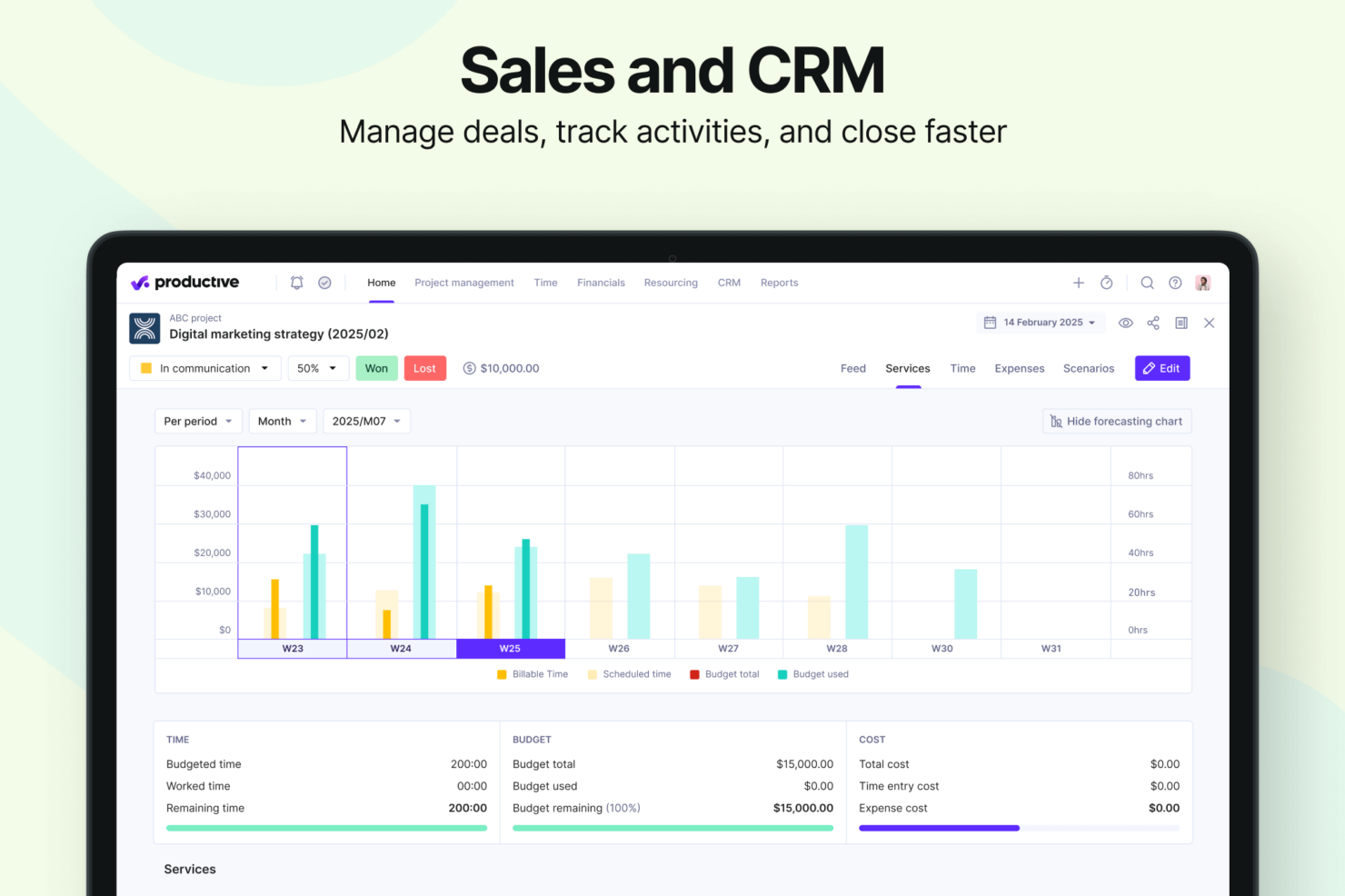
- Strong financial tracking and forecasting tools give you real-time insight into project profitability and overall business performance.
- You can handle agency projects end-to-end, from proposal to payment, which simplifies your workflow.
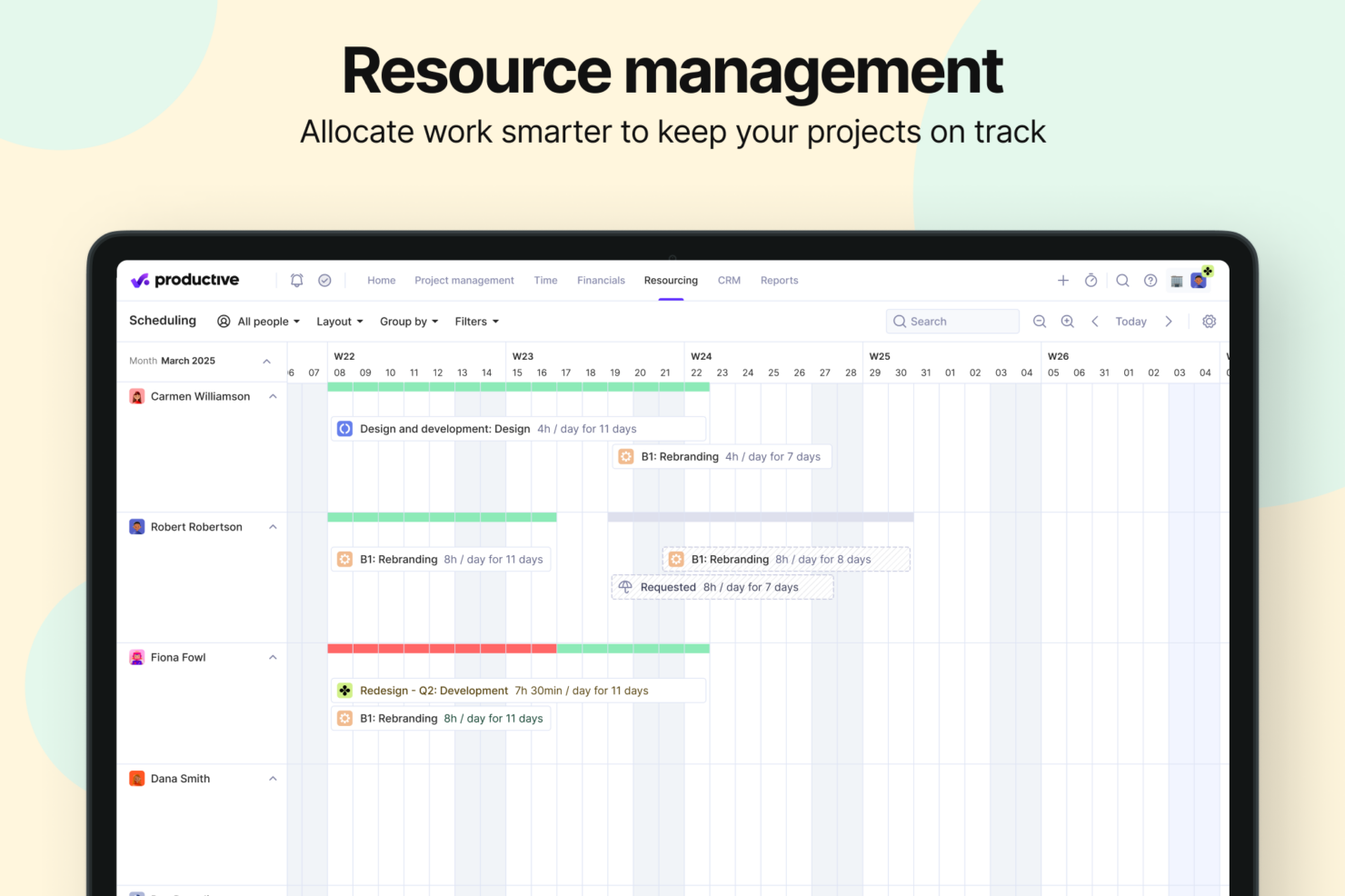
- Robust resource planning and workload management help you allocate people effectively.
- No free option available for teams looking for core project management functions.
- Advanced features can be complicated for small companies that just want basic task tracking.
- There's a minimum 3-seat requirement, so the tool isn't fit for single users or tiny teams.
Best Use Cases for Accelo and Productive
Accelo
- Engineering and Architectural Firms Firms with multi-phase, highly structured projects benefit from Accelo’s configurable workflows and milestone tracking. Its ability to connect project resource management, budget burn, and time tracking gives engineering leaders a clearer sense of whether each phase is pacing toward its goals.
- IT Services & Consulting Firms IT and technology service providers often operate with recurring contracts, SLAs, and consulting projects running in parallel. Accelo’s real-time visibility into workloads, profitability, and contract performance helps leaders make better decisions about staffing, utilization, and whether a project is veering off plan.
- Marketing, Advertising, and Creative Agencies Agencies that manage a mix of campaign work, production schedules, and recurring client support appreciate how Accelo automates time capture, client updates, and budget alerts. The platform helps recover billable hours that often slip through the cracks and reduces the administrative load that creative teams typically struggle with.
- Managed Service Providers Benefit from Accelo’s ability to join ticketing, quoting, invoicing, and project management in one platform, streamlining workflows and saving significant time.
- Legal and Financial Advisory Practices The platform’s robust billing, retainer management, and reporting features help maintain compliance and client transparency.
- Accounting & Business Consulting Firms Consulting teams often rely on strong coordination between sales, delivery, and finance. Accelo’s integrated sales pipelines, scopes, and delivery workflows help reduce friction during handoffs and ensure actual work matches what was sold, making invoicing cleaner and client communication smoother.
Productive
- Creative agencies Agencies managing client retainers or project-based work gain real-time control over budgets, utilization, and profitability. Productive supports collaborative workflows while giving leadership deep financial insights.
- Architecture & Engineering Firms Productive aligns well with your workflows by combining project budgeting, resource planning, phased delivery, and profitability tracking.
- Consulting Firms Consultancies benefit from Productive’s integrated approach to scoping, staffing, project financials, and invoicing—providing clarity across complex engagements and supporting better revenue forecasting.
- Professional Service Providers Productive supports end-to-end service delivery with strong project financials, resource planning, time tracking, and billing workflows.
- IT Services IT service teams can streamline client engagements with robust time tracking, retainer management, cost tracking, and project profitability features.
- Mid-to-Large Businesses Organizations with growing teams benefit from Productive’s scalable project controls, forecasting, custom reporting, and multi-office management capabilities.
Chi dovrebbe usare Accelo e chi dovrebbe usare Productive?
Accelo è ideale per aziende di servizi professionali e agenzie che necessitano di gestione clienti e monitoraggio dei progetti. Se il tuo lavoro ruota attorno a dettagliate analisi di progetto e interazioni con i clienti, le funzionalità chiave di Accelo sono perfette. D'altra parte, Productive è più adatto ai team focalizzati sulla precisione finanziaria e la redditività. Se il tuo team dà valore a una gestione delle attività intuitiva e a una visione finanziaria chiara, Productive è la scelta giusta.
Differences Between Accelo and Productive
| Accelo | Productive | |
|---|---|---|
| Artificial Intelligence | Accelo is investing heavily in future AI through its Forecast acquisition, focusing on upcoming capabilities like AI-powered resource recommendations, profit optimization, and project-risk prediction that are still being rolled out. | Productive offers fully launched, everyday AI tools like task summaries, report generation, and expense autofill that teams can use immediately. |
| Collaboration | Accelo, while collaborative, relies more heavily on external tools for shared documentation and project communication. | Productive offers stronger built-in collaboration tools, including shared project Docs, task comments, @mentions, activity feeds, and a client-facing portal for smooth back-and-forth communication. |
| Document Management | Accelo does not provide a built-in document editor, requiring teams to depend on third-party tools. | Productive has integrated document management through its Docs feature, allowing teams to create, edit, and store project-related content directly inside the platform. |
| Reporting | Accelo offers robust reporting capabilities with service-focused templates, but slightly less customization flexibility. | Productive provides highly customizable, real-time reporting with 50+ pre-built templates designed for agencies and professional services. |
| Visit AcceloOpens new window | Visit ProductiveOpens new window |
Similarities Between Accelo and Productive
| Client Management | Both Productive and Accelo include built-in client management tools, offering CRM capabilities that help teams track leads, manage deals, and maintain clear visibility into client relationships. |
|---|---|
| Customization | You can customize both Accelo and Productive to fit your team's unique workflows, though to varying degrees. |
| Integrations | Both platforms offer a wide range of integrations with tools like Google Calendar and Jira to improve team collaboration. Accelo focuses more on CRM integrations, whereas Productive integrates with financial tools. |
| Project Tracking | Both Accelo and Productive offer extensive project tracking capabilities, so you can monitor progress and deadlines. Accelo provides detailed insights on client work, while Productive emphasizes task completion and workflow management. |
| Subscription Model | Both use subscription models that scale with your team size and needs. Accelo's tiers are feature-based and Productive's pricing is based on the number of users and features required. |
| Visit AcceloOpens new window Visit ProductiveOpens new window | |