

2026’nın En İyi 10 Ücretsiz Faturalama Yazılımı

En İyi Ücretsiz Faturalandırma Yazılımları Kısa Listesi


Ücretsiz faturalandırma yazılımı, aylık ücret ödemeden fatura oluşturup göndermenize, ödemeleri takip etmenize ve faturalandırmayı yönetmenize olanak tanır. Proje işleri, müşteri faturalandırması veya zaman takibiyle ilgileniyorsanız doğru ücretsiz faturalandırma yazılımını bulmak iş akışınızı basitleştirmenize, müşterilerinizi güncel tutmanıza ve daha hızlı ödeme almanıza yardımcı olur. Yıllardır sıkışık teslim tarihlerini ve sürekli değişen müşteri gereksinimlerini dengeledim; projeler yoğunlaştığında faturalandırmanın ne kadar çabuk unutulduğunu biliyorum.
Bu rehber, proje iş akışlarınızla bütünleşen ve düzenli, müşteriye sunulmaya hazır faturalandırmayı destekleyen seçeneklere odaklanarak ücretsiz planlara veya deneme sürümlerine sahip en iyi araçları karşılaştırır. Ekibinize, süreçlerinize ve bütçenize en uygun seçeneği bulacaksınız.
Why Trust Our Software Recommendations
Our team has been testing and reviewing software since 2012. As project managers ourselves, we know how difficult—and important—it is to choose the right software.
For this guide, we evaluated tools using hands-on testing and independent research, scoring tools using our selection criteria. We also draw on insights from industry thought leaders and practicing project management experts.
Our reviews reflect our human editorial judgment, not a sales pitch.
Expert reviewers:
Ücretsiz Faturalandırma Yazılımları Karşılaştırma Tablosu
Bu karşılaştırma tablosu, en iyi ücretsiz faturalandırma yazılımı seçimlerimin fiyatlandırma ayrıntılarını özetler:
Score legend (out of 5)
- Excellent 4.5–5
- Good 4–4.4
- Average 3–3.9
- Below average 2–2.9
- Poor 1–1.9
| Tool | Starting Price | Website | |||||||
|---|---|---|---|---|---|---|---|---|---|
| Best for project billing with EU VAT built in | 4.3 out of 5 | 5 | 4 | 5 | 4 | 4 | 4 | $7/month Free plan available | Website |
| Best for invoicing backed by Square's network | 3.7 out of 5 | 1 | 5 | 5 | 2 | 5 | 4 | $49/month Free plan + free trial available | Website |
| Best for turning tracked hours into invoices | 3.7 out of 5 | 5 | 4 | 4 | 2 | 4 | 3 | $9/user/month Free trial + free plan available | Website |
| Best for time-and-expense-to-invoice billing | 4.0 out of 5 | 5 | 5 | 4 | 4 | 1 | 5 | $19/month Free plan + 14-day free trial available | Website |
| Best for mobile invoicing with Tap to Pay built in | 3.5 out of 5 | 1 | 4 | 5 | 2 | 4 | 5 | $7.60/month Free plan available | Website |
| Best for Kanban project billing | 4.3 out of 5 | 5 | 5 | 5 | 4 | 3 | 4 | $11.67/month Free plan available | Website |
| Best for invoicing with multi-country tax built in | 4.7 out of 5 | 4 | 5 | 5 | 5 | 5 | 4 | Free to use Free plan available | Website |
| Best for invoicing with AI payment alerts | 4.8 out of 5 | 5 | 5 | 5 | 4 | 5 | 5 | Free forever plan Not available | Website |
| Best for mobile invoicing with 20+ payment gateways | 5.0 out of 5 | 5 | 5 | 5 | 5 | 5 | 5 | $6.67/user/month Free demo + 7-day free trial available | Website |
| Best for billing across projects and a client portal | 4.7 out of 5 | 5 | 4 | 5 | 4 | 5 | 5 | $24/month Free plan available | Website |
En İyi Ücretsiz Faturalandırma Yazılımları İncelemeleri
Aşağıda, kısa listeme giren ücretsiz faturalandırma yazılımlarının ayrıntılı özetlerini bulabilirsiniz. İncelemelerim, sizin için en iyi seçeneği bulmanıza yardımcı olmak amacıyla her aracın özelliklerine, en uygun kullanım alanlarına ve entegrasyonlarına ayrıntılı bir bakış sunar.

Elorus
Best for project billing with EU VAT built in
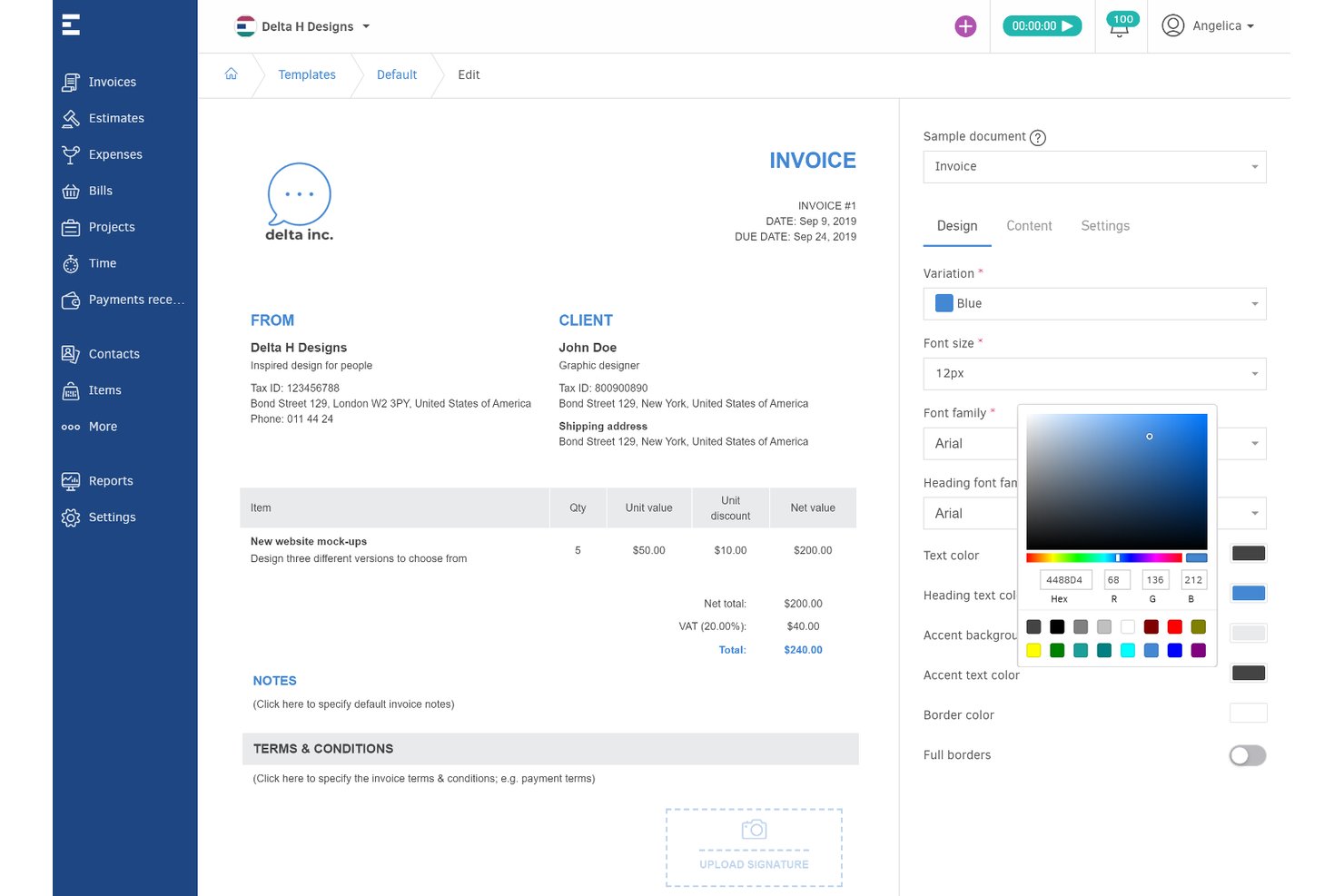
Elorus is an invoicing and billing platform for freelancers and project teams, offering invoice creation, time tracking, project profitability, recurring billing, online payments, and multi-currency support on its free forever plan.
Who Is Elorus Best For?
Freelancers, consultants, and client-focused project teams who need invoicing, time tracking, and EU VAT features in one platform.
Why I Picked Elorus
I picked Elorus as one of the best because it combines project billing, EU VAT support, and time tracking in a single free-forever plan. I like that I can send recurring invoices, accept payments through multiple gateways, and track project profitability—features that are usually locked behind paid tiers elsewhere.
Elorus Key Features
- Multi-currency invoicing: Easily issue invoices in any global currency with automatic exchange rate calculation.
- Automatic payment status notifications: Receive instant alerts when clients view, pay, or miss invoice due dates.
- Advanced estimates and quote-to-invoice conversion: Turn client-approved estimates or quotes into invoices with a single click.
- Developer API access: Integrate Elorus with your workflow or build custom automations using the open API, available on all plans.
Elorus Integrations
Elorus offers native integrations with Stripe, PayPal, Braintree, RevolutPay, Authorize.Net, Asana, Jira, Trello, and Slack. It also provides an API for custom integrations.
What's Free?
Elorus offers a free-forever plan that supports one user, unlimited invoices, and up to five clients. The free plan includes time tracking, project billing, and essential integrations, but you’ll need to upgrade for more users, advanced automations, and higher client limits.
Pros and Cons
Pros:
- No transaction commission on online payments
- Recurring invoices and payment reminders on free tier
- Combines invoicing with project time tracking
Cons:
- Client portal requires upgrading to a paid plan
- Free plan limited to 5 active clients

Best for invoicing backed by Square's network
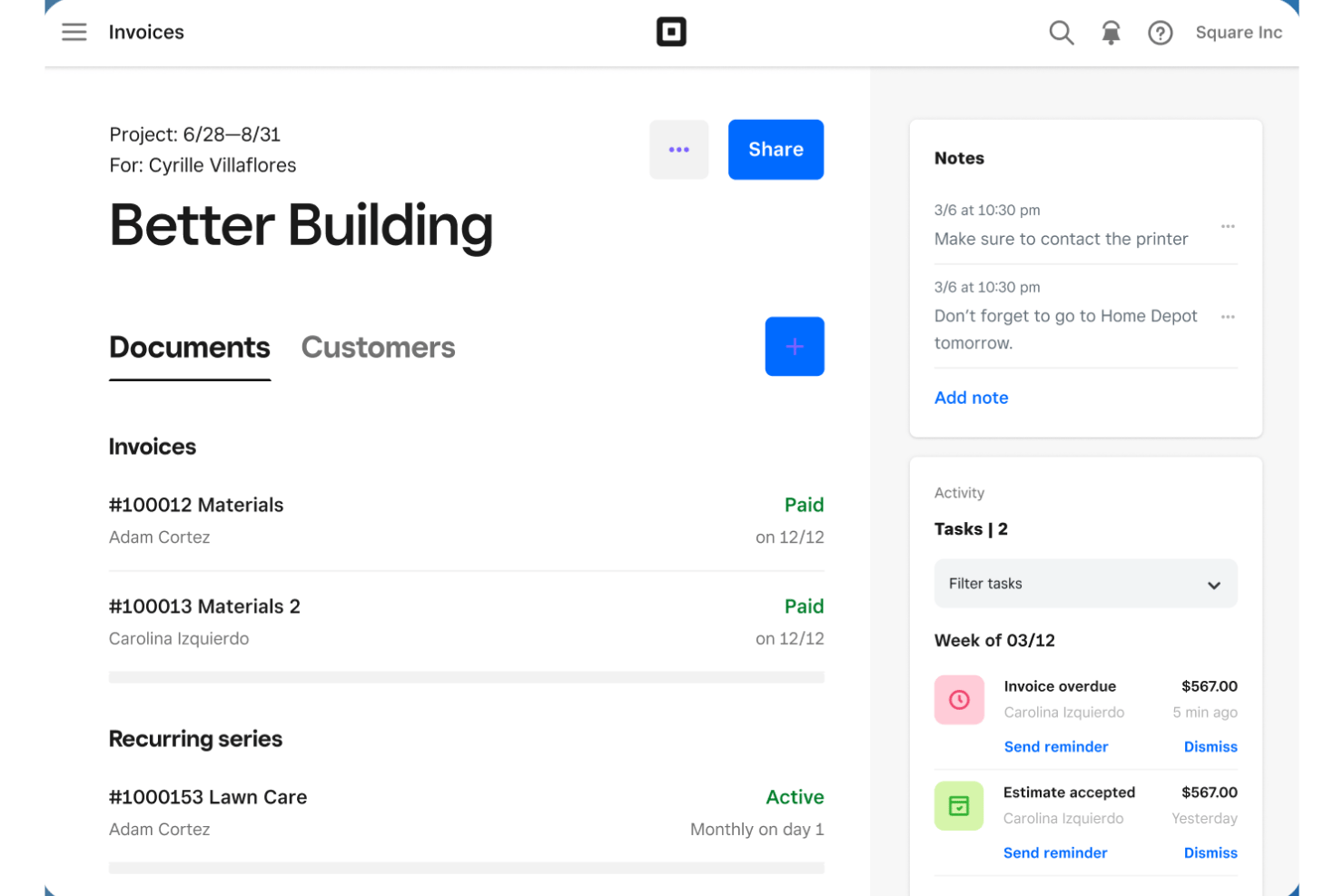
Square Invoices is a free invoicing software tool that lets you create unlimited invoices and estimates, send contracts for e-signature, accept a wide range of online payments, and manage client billing directly from web or mobile apps.
Who Is Square Invoices Best For?
Square Invoices is a strong choice for independent consultants and contractors who need unlimited free invoicing, e-signature contracts, and online payment acceptance across multiple methods.
Why I Picked Square Invoices
I picked Square Invoices because I rely on its unlimited free invoicing and payment options backed by the trusted Square network. I can request contract e-signatures, mix project deposits and milestone payouts on a single invoice, and accept card, ACH, and even Apple Pay payments from clients instantly.
Square Invoices Key Features
- Contracts with e-signature: Send reusable contract templates that clients can review and sign directly online.
- Recurring invoice scheduling: Automate invoice creation and delivery on daily, weekly, monthly, or yearly cycles.
- Batch invoicing: Send one invoice to multiple customers at once for recurring or repeated project fees.
- Estimate-to-invoice conversion: Instantly turn accepted estimates into billable invoices with a single click.
Square Invoices Integrations
Square Invoices offers native integrations with QuickBooks Online, Xero, Square POS, Square Appointments, Square Online, and other Square ecosystem tools. It also connects with Zapier and provides an API for custom integrations.
What's Free?
Square Invoices offers a free-forever plan that lets you send unlimited invoices and estimates. The free plan charges a fee only when you accept payments, and advanced features like custom workflows or automated reminders are part of paid tiers.
Pros and Cons
Pros:
- Contract e-signature included with invoices
- Broadest range of payment methods supported
- Unlimited invoices on the free-forever plan
Cons:
- Multi-currency invoicing is not supported
- No native billable-hours time tracking

Harvest
Best for turning tracked hours into invoices
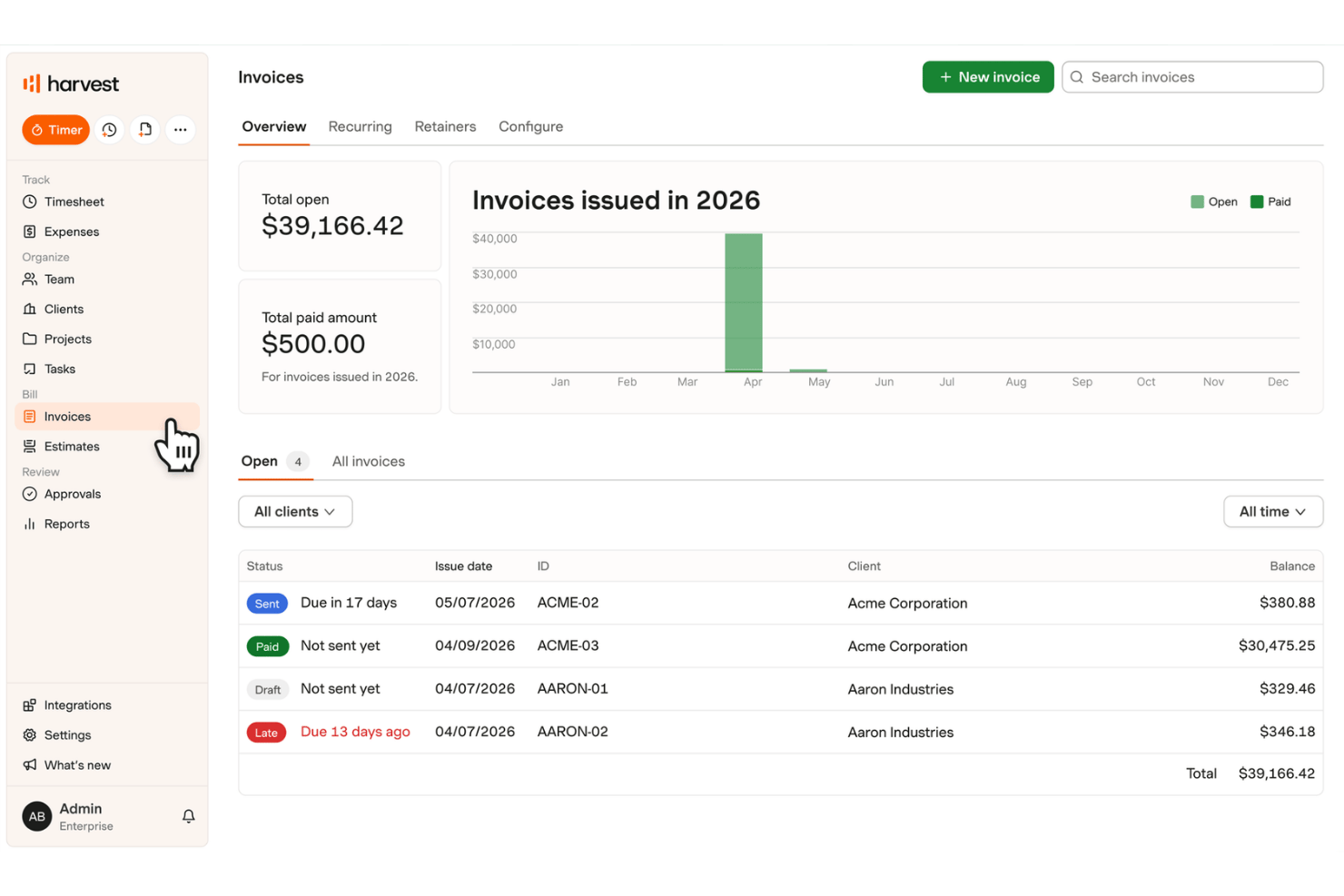
Harvest is a free invoicing and time tracking software that lets you track billable hours, capture expenses, create and customize invoices, manage clients, and send estimates with basic project and reporting capabilities.
Who Is Harvest Best For?
Harvest is a solid choice for solo project managers, freelancers, and consultants who need to quickly turn tracked billable hours and expenses into client invoices.
Why I Picked Harvest
I picked Harvest as one of the best because I can turn billable hours and expenses tracked in real time into branded invoices with just a click. I like how estimates convert straight to invoices after client approval, and the built-in retainer tracking helps with recurring project billing. This tight loop from time tracking to invoicing nails the "best for turning tracked hours into invoices" promise.
Harvest Key Features
- Recurring invoicing: Schedule invoices to send automatically for ongoing projects or retainer work.
- Multi-currency support: Create invoices in various currencies, setting the currency per client or project.
- Estimates-to-invoice conversion: Convert approved estimates directly into invoices without duplicate entry.
- Automated late-payment reminders: Send custom reminders to clients when invoices become overdue.
Harvest Integrations
Harvest offers native integrations with Stripe, PayPal, QuickBooks Online, Xero, Asana, Trello, Jira, Basecamp, and Slack, with access to over 50 integrations on paid plans. An API is available for custom integrations.
What's Free?
Harvest offers a free-forever plan for one user and up to two active projects. If you need more users or projects, you’ll need to upgrade to a paid plan.
Pros and Cons
Pros:
- Converts approved estimates to invoices directly
- Includes built-in timer and expense tracking
- Turns tracked hours into invoices instantly
Cons:
- Online payments not included with free plan
- Free plan limits to two active projects
Hiveage
Best for time-and-expense-to-invoice billing
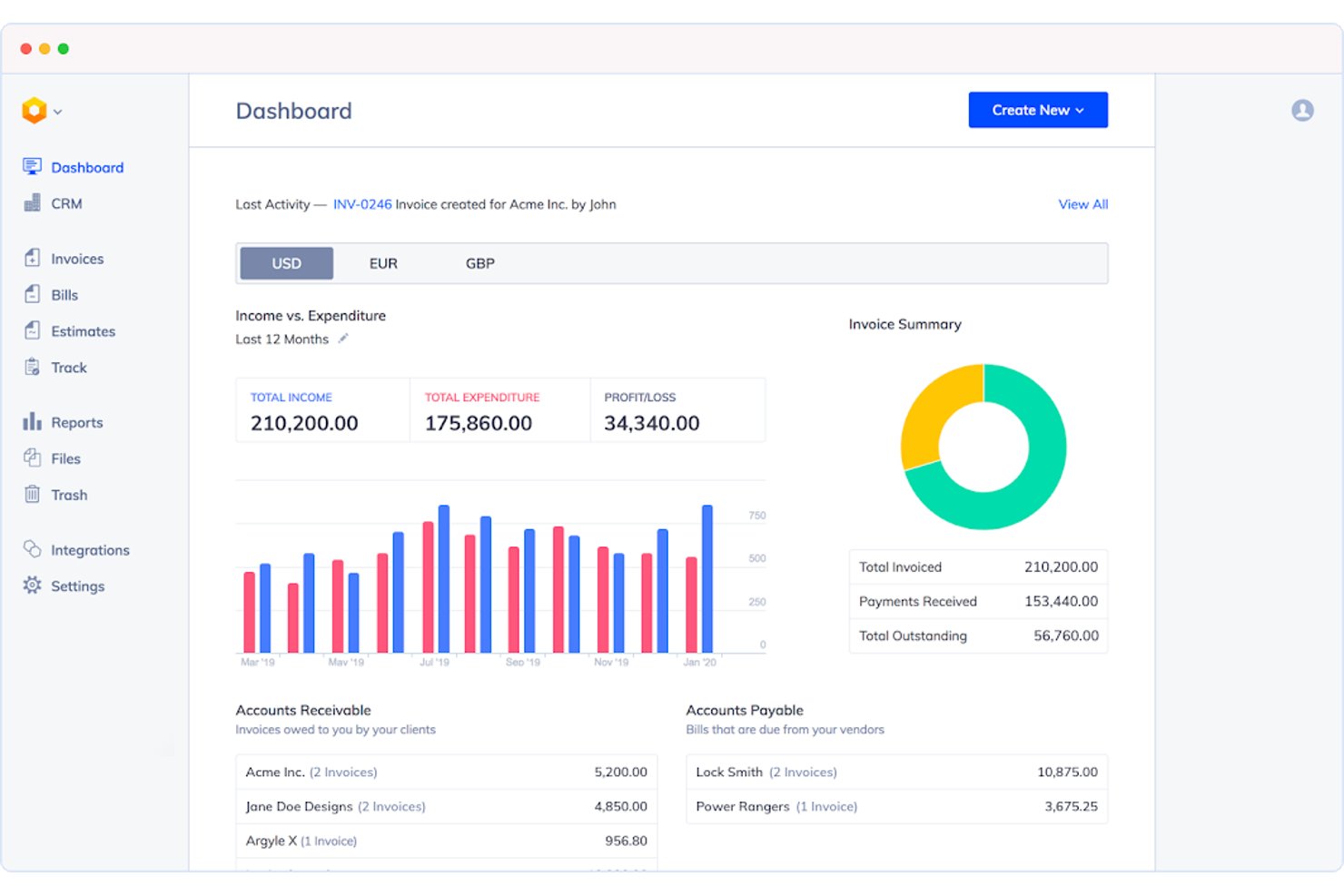
Hiveage is a free invoicing software platform designed for freelancers, consultants, and agencies, offering unlimited invoices, estimates, time tracking, expense capture, and support for 12+ payment gateways.
Who Is Hiveage Best For?
Designed for freelancers, consultants, and small agencies that need unlimited time, expense, and invoice management for project-based work.
Why I Picked Hiveage
I picked Hiveage as a top choice because it’s the only free invoicing platform I’ve used that lets me track time, expenses, and mileage, then convert them directly into invoices. I like that unlimited invoices, estimates, and time tracking are included on the free tier, and 12+ payment gateways give my clients payment flexibility.
Hiveage Key Features
- Multi-currency invoicing: Bill clients worldwide in their preferred currency directly from your dashboard.
- Estimate-to-invoice conversion: Turn client-approved estimates into invoices with a single click.
- Payment gateway integrations: Accept payments through 12+ gateways like PayPal, Stripe, Braintree, and Square.
- Real-time invoice notifications: Get alerts when clients view, partially pay, or fully pay invoices.
Hiveage Integrations
Hiveage offers native integrations with PayPal, Stripe, Braintree, Square, Authorize.Net, 2Checkout, Pin Payments, WePay, and connects with Zapier. An API is available for custom integrations.
What’s Free?
Hiveage offers a free-forever plan with unlimited invoices, estimates, time tracking, and expense capture. Some features—like adding team members or additional payment gateways—require a paid plan.
Pros and Cons
Pros:
- Real-time invoice viewed and paid notifications
- Convert estimates to invoices instantly
- Time, expense, and mileage tracking included
Cons:
- Free plan limited to 5 clients
- Recurring invoices not on free plan

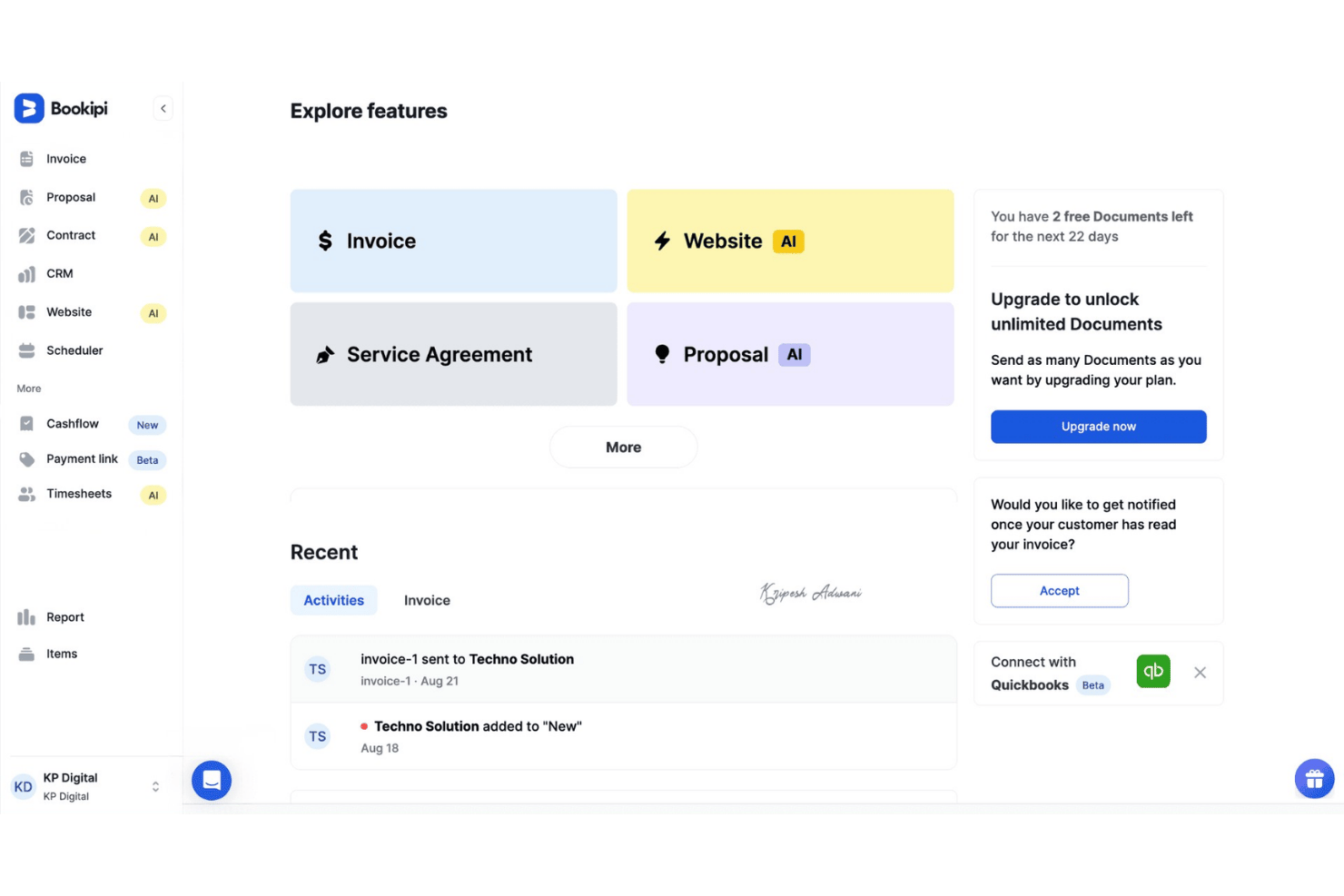
Bookipi is a mobile-first free invoicing software platform with Tap to Pay, automated reminders, recurring billing, CRM pipeline tracking, and card payment support from both web and mobile apps.
Who Is Bookipi Best For?
Freelancers and independent consultants who need a simple way to invoice, accept payments, and manage client billing from their phone.
Why I Picked Bookipi
I picked Bookipi because having Tap to Pay built in makes invoicing and accepting in-person payments from my phone simple. I like that I can instantly send invoices, collect card payments on the spot, and manage a whole client pipeline all in one mobile app. The ability to convert estimates or quotes to invoices with a tap speeds up milestone billing when I’m working on-the-go.
Bookipi Key Features
- Customizable invoice templates: Adjust logo, colors, tax fields, and line items to match your brand and workflow.
- Client Pipeline Kanban CRM: Drag and drop clients through sales, estimate, and invoice stages on a visual board.
- Integrated email correspondence: Send and reply to customer emails directly inside the platform for streamlined client communication.
- Multi-language mobile app: Access invoicing tools in 10+ languages from the Android or iOS app.
Bookipi Integrations
Bookipi offers native integrations with Stripe, PayPal, Gmail, Apple Pay, Google Pay, and Afterpay. Real-time sync is available across web and mobile apps, and CSV export supports bookkeeping hand-off. An open API or Zapier integration is not prominently documented.
What's Free?
Bookipi offers a free-forever plan with basic invoicing, client management, and access from both web and mobile apps. Some advanced features and payment integrations may require a paid upgrade.
Pros and Cons
Pros:
- CRM pipeline Kanban board for tracking clients
- Recurring invoices included on the free plan
- Tap to Pay built into mobile invoicing
Cons:
- No built-in time tracking for invoices
- Free plan capped at 3 invoices monthly

Best for Kanban project billing
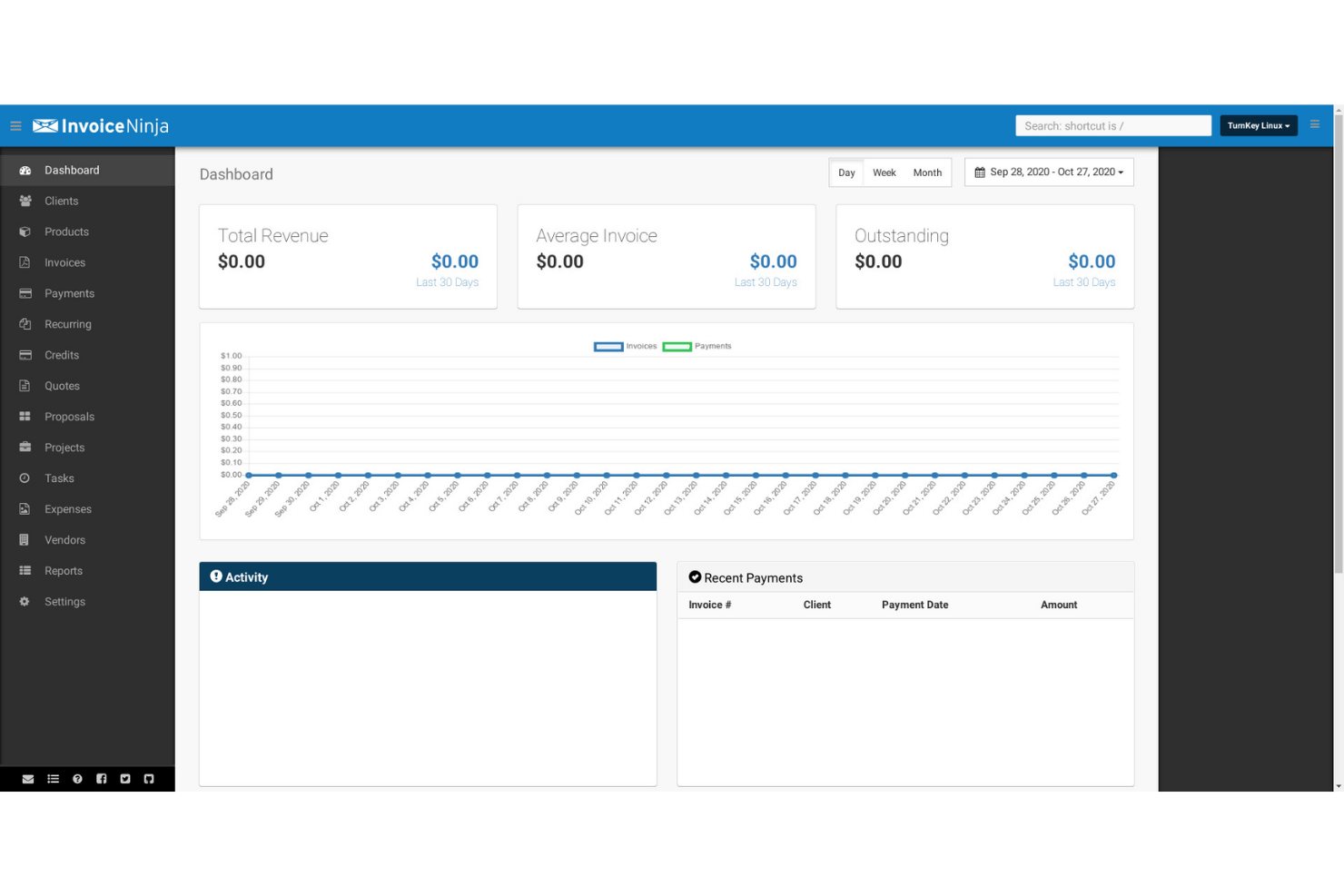
Invoice Ninja is a free invoicing software platform that combines unlimited invoice creation, multi-gateway online payments, project-based billing, time and expense tracking, client management, and native Kanban boards for professionals handling project work.
Who Is Invoice Ninja Best For?
Freelancers, consultants, and small agencies who need project billing, time tracking, Kanban boards, and invoicing in one platform.
Why I Picked Invoice Ninja
I picked Invoice Ninja because I use its Kanban project boards to link tasks and billable time directly to invoices, all on the free plan. The built-in timers let me track project work, switch tasks, and roll hours into invoice line items with one click—no manual entry. This setup works great for managing multi-stage client work and billing by milestone.
Invoice Ninja Key Features
- Branded client portal: Share invoices, payment history, and documents with clients on a secure portal included in the free plan.
- Mobile and desktop apps: Access full invoicing, time tracking, and expense features on iOS, Android, macOS, Windows, and Linux with real-time sync.
- Payment gateway integrations: Connect to over 50 payment providers—like Stripe, PayPal, and Square—to accept client payments online.
- Recurring and auto-billing: Create recurring invoices with automatic billing cycles and pull from saved payment methods for ongoing client work.
Invoice Ninja Integrations
Invoice Ninja offers native integrations with Stripe, PayPal, Square, GoCardless, Authorize.net, Mollie, Braintree, Checkout.com, Gmail, and Microsoft 365. It also connects with Zapier and provides an API for custom integrations.
What's Free?
Invoice Ninja offers a free-forever plan that supports unlimited invoices, clients, and branded client portals for up to 20 clients. Core features like invoicing, time tracking, project management, and Kanban boards are included, but advanced features and white labeling require a paid upgrade.
Pros and Cons
Pros:
- Supports unlimited invoices on the free plan
- Offers client portal for branded invoice sharing
- Includes Kanban boards and billable time tracking
Cons:
- Automated payment reminders require paid upgrade
- Free plan capped at five clients

Best for invoicing with multi-country tax built in
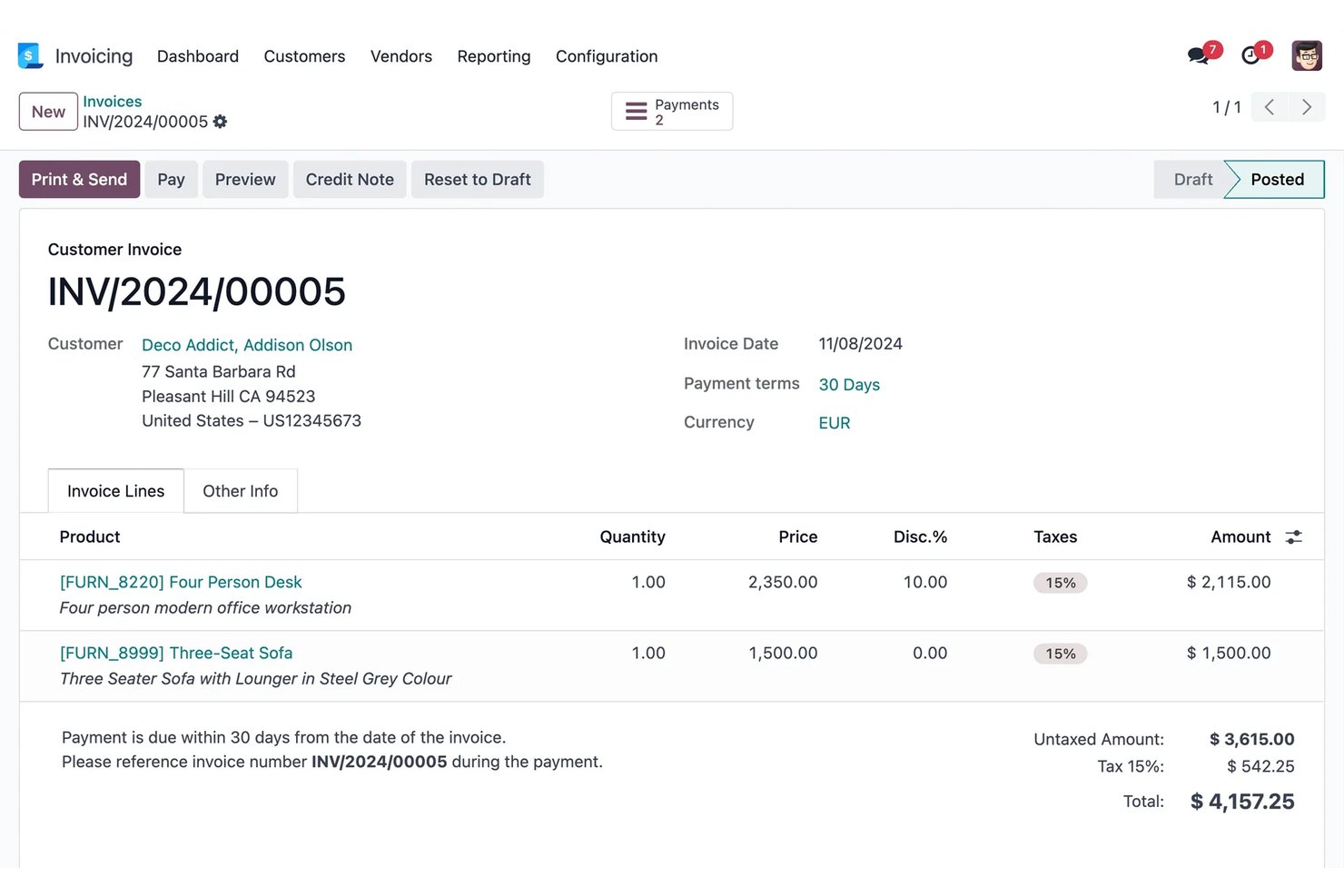
Odoo Invoicing is a cloud-based invoicing software that lets you send unlimited invoices, manage clients and payments, handle multiple currencies, and integrate with tax, payment, and project management tools.
Who Is Odoo Invoicing Best For?
Odoo Invoicing is a smart choice for project-driven consultants, small agencies, and independent contractors managing client billing across multiple countries.
Why I Picked Odoo Invoicing
I picked Odoo Invoicing because I like how it handles multi-country tax compliance out of the box and lets my team send unlimited invoices to clients worldwide for free. I can configure VAT and local fiscal rules for 160+ countries, auto-calculate FX rates, and give clients a self-serve portal with online payments in their preferred currency.
Odoo Invoicing Key Features
- Branded customer portal: Clients can view, download, and pay invoices online and exchange messages in a secure, branded space.
- Automated dunning workflows: Set up follow-up reminders for overdue invoices by email, SMS, and physical mail right from the platform.
- Invoice QR codes: Add QR codes to invoices so clients can pay using their preferred banking or mobile app.
- Credit note and refund management: Issue and track credit notes and refunds directly from the same invoicing dashboard.
Odoo Invoicing Integrations
Odoo Invoicing offers native integrations with Stripe, PayPal, Authorize.net, Adyen, Buckaroo, Ingenico, Ogone, Alipay, AvaTax, UPS, and FedEx. An API is available for custom integrations.
What's Free?
Odoo Invoicing offers a free-forever plan that lets you send unlimited invoices, manage clients, and handle multi-country taxes for one user. Integrations are limited, and you’ll need to upgrade for advanced features or multiple users.
Pros and Cons
Pros:
- Branded customer portal for clients
- Handles multi-country tax compliance by default
- Unlimited invoices and users on free plan
Cons:
- Advanced invoice templates require technical help
- Free plan limited to one app only

Best for invoicing with AI payment alerts
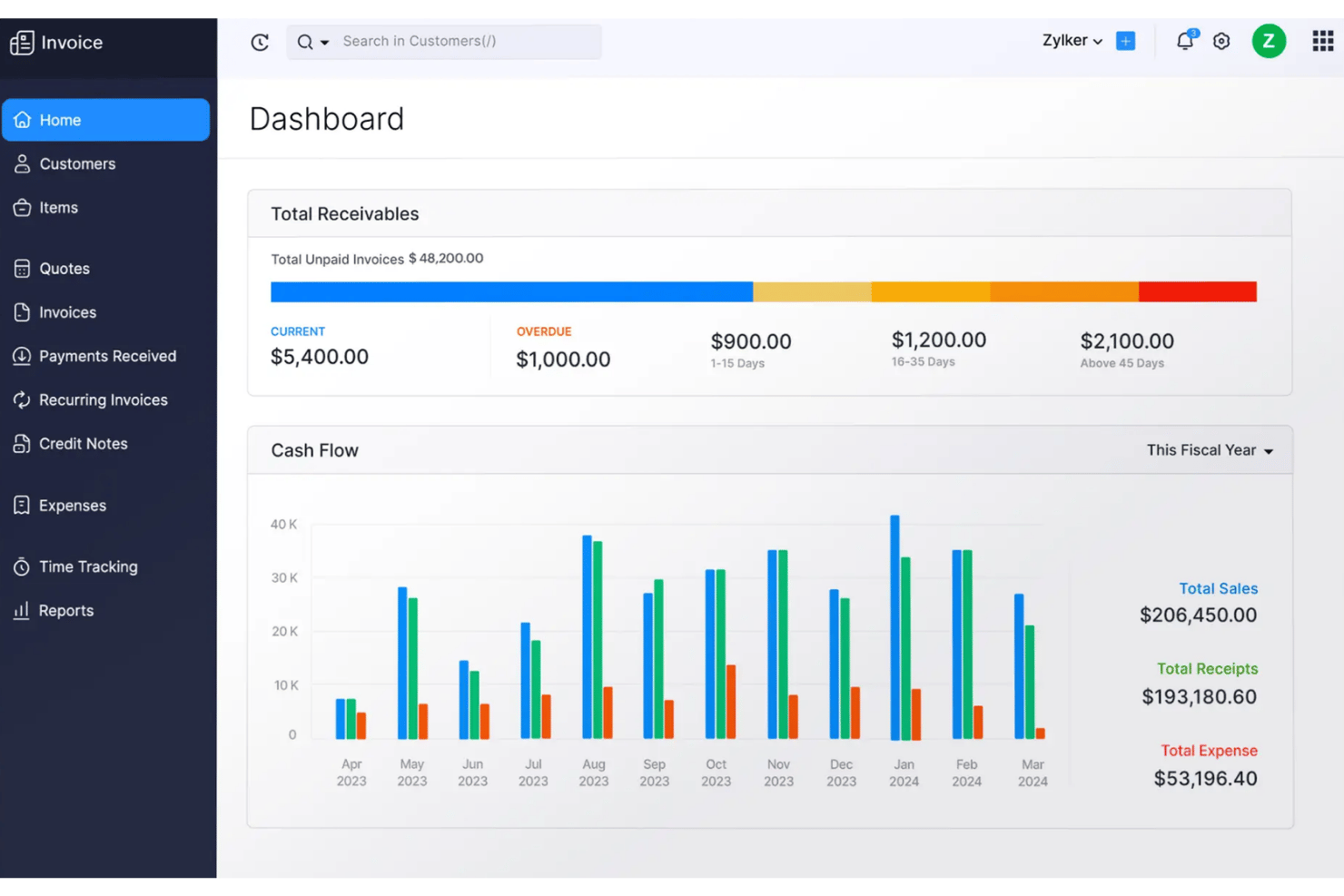
Zoho Invoice is a free invoicing software platform for creating custom invoices, tracking time and expenses, automating reminders and recurring billing, managing client payments, and integrating with 10+ payment gateways.
Who Is Zoho Invoice Best For?
Solo project managers and small service-based businesses that need free, automated invoicing, time tracking, and client portal features without upgrade pressure.
Why I Picked Zoho Invoice
I picked Zoho Invoice because the AI-driven payment alerts from Zia save my team from chasing overdue invoices, especially on retainers. I also rely on the client portal for real-time invoice tracking and letting clients pay online instantly. The built-in time tracking converts hours to invoices in just one click.
Zoho Invoice Key Features
- Multi-currency and tax support: Send invoices in multiple currencies and automatically apply region-specific tax rates and exemptions.
- Client self-serve portal: Let clients view invoices, make online payments, and download PDFs from a branded portal.
- Expense and mileage tracking: Categorize expenses, attach receipts, and track vehicle mileage directly in the platform.
- Mobile and desktop apps: Access invoicing, time tracking, and expense features on iOS, Android, macOS, Windows, and through a Chrome extension.
Zoho Invoice Integrations
Zoho Invoice offers native integrations with Stripe, PayPal, Authorize.Net, Square, Zoho CRM, Google Workspace, Microsoft 365, Dropbox, and Zapier. An API is available for custom integrations.
What's Free?
Zoho Invoice offers a free-forever plan with no user or invoice limits. You get access to core invoicing, time tracking, expense management, and payment integrations, but advanced accounting features are not included.
Pros and Cons
Pros:
- Branded client portal for online payments
- AI predicts payment delays for follow-up
- Recurring and scheduled invoices fully supported
Cons:
- Must migrate to Zoho Books to upgrade
- Free plan limits users and invoices
Best for mobile invoicing with 20+ payment gateways
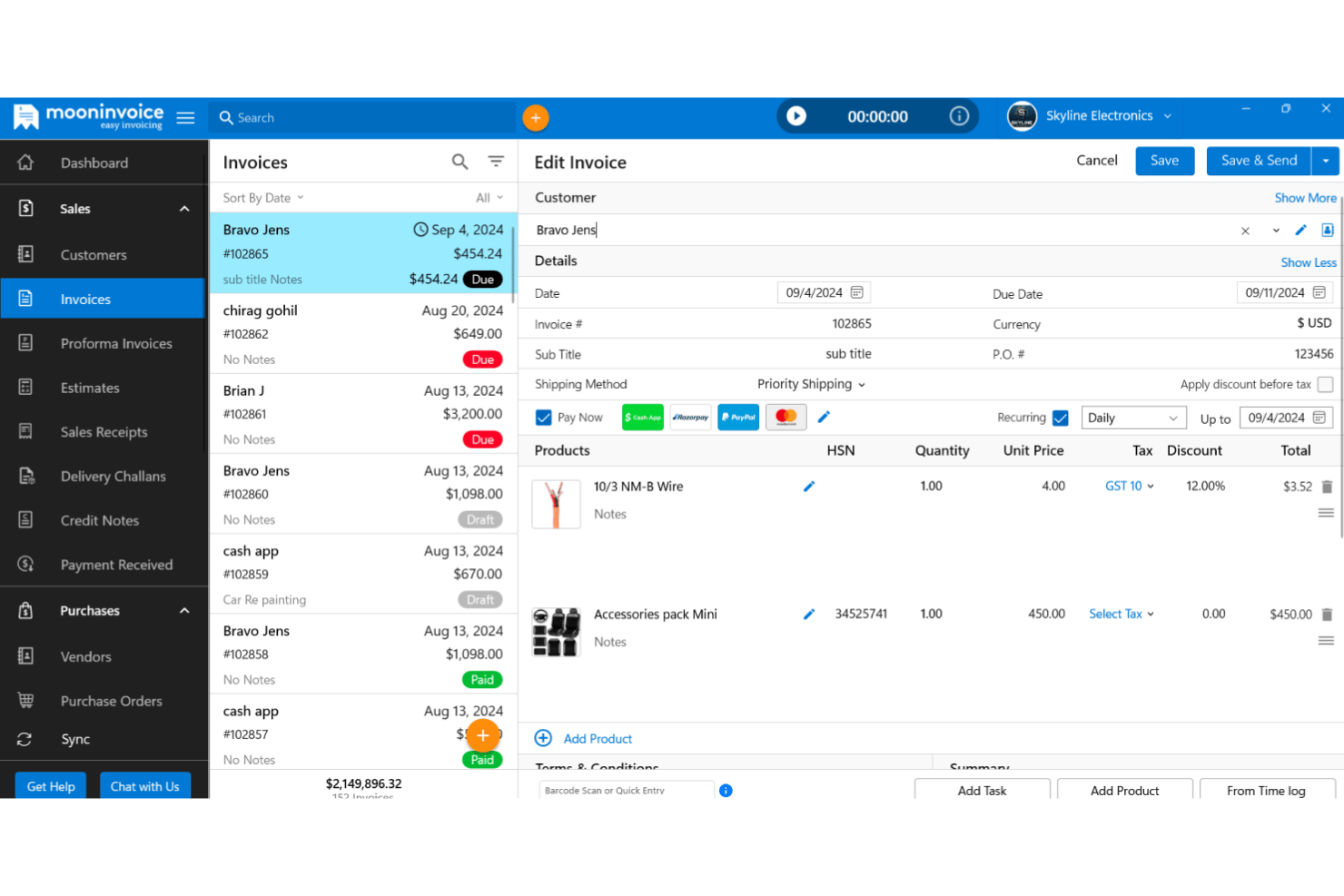
Moon Invoice is an invoicing software platform for freelancers and small teams, offering customizable templates, time and expense tracking, online payment integration, project-linked billing, reports, and mobile access across iOS, Android, and web.
Who Is Moon Invoice Best For?
Freelancers, consultants, and small teams who need fast invoice creation, project-linked billing, and integrated mobile access on iOS and Android.
Why I Picked Moon Invoice
I picked Moon Invoice because I like how quickly I can create professional invoices using over 60 customizable templates right from my phone. I’ve used the mobile app to link billing directly to project tasks and accept payments through regional gateways like UPI and Paytm, not just Stripe or PayPal. That flexibility is a game changer for remote or on-the-go project work.
Moon Invoice Key Features
- Customer self-serve portal: Clients can view invoices, track payments, and download statements without emailing your team.
- Quick Scan AI for receipts: Snap and upload paper receipts to auto-extract expense details for billing.
- 66+ invoice and estimate templates: Access a wide range of professionally designed, customizable PDF formats for invoices and estimates.
- Multi-currency and group tax support: Issue invoices in over 100 currencies and calculate layered taxes for global clients.
Moon Invoice Integrations
Moon Invoice offers native integrations with Stripe, PayPal, Square, Braintree, Google Pay, Apple Pay, Razorpay, WooCommerce, Gmail, and Basecamp, and connects with Zapier. An API is also available for custom integrations.
What's Free?
Moon Invoice offers a 7-day free trial with access to its full features. After the trial, you'll need to upgrade to a paid plan to continue creating invoices or accessing premium functionality—there's no free-forever plan.
Pros and Cons
Pros:
- Built-in AI for fast receipt scanning
- Supports over 20 payment gateways
- Invoice from mobile with 60+ templates
Cons:
- Some users report missing invoice data
- No free-forever plan currently visible
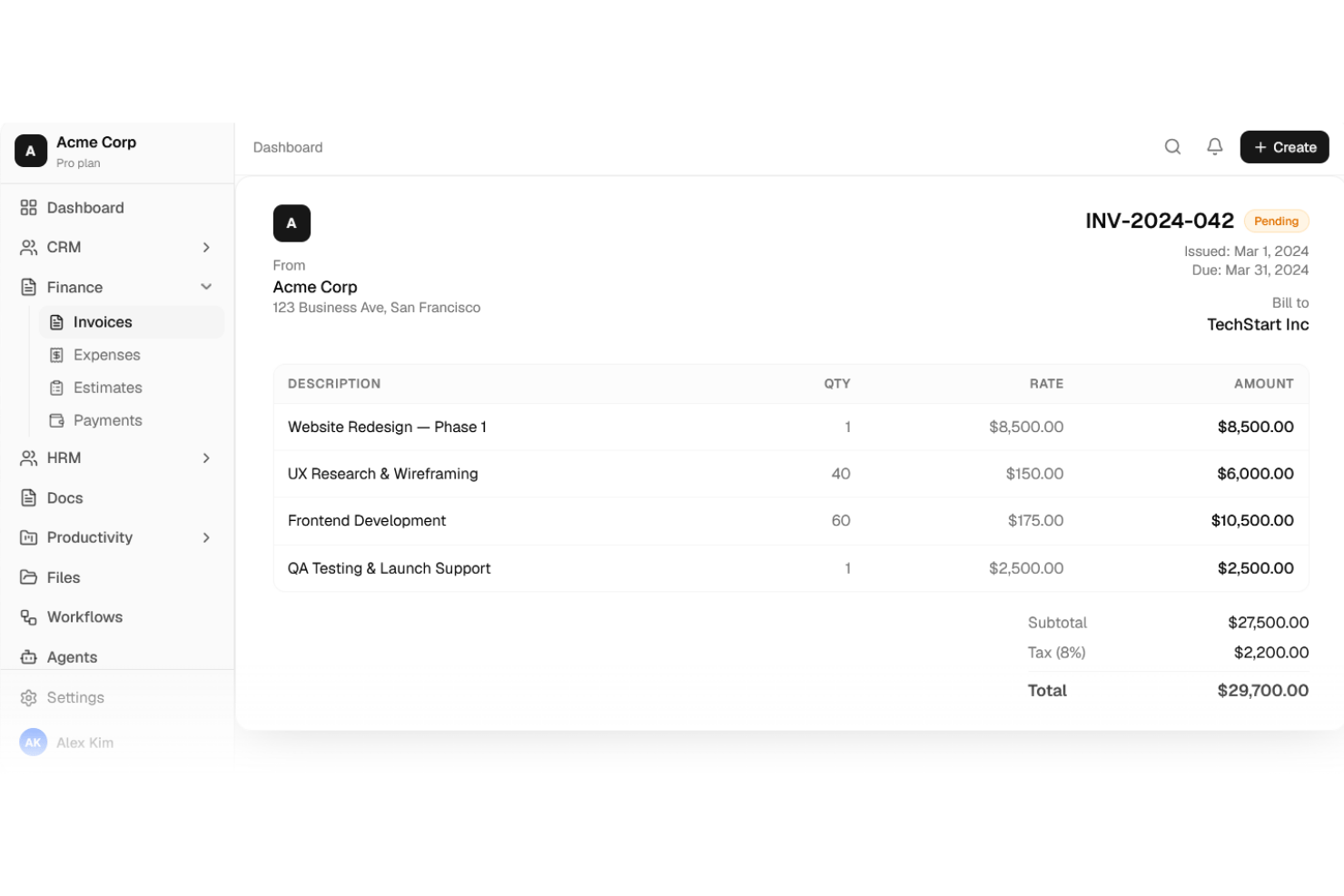
Agiled is an all-in-one invoicing and project management platform that lets you create invoices, manage billable time and expenses, accept online payments, and handle client communications from a unified workspace.
Who Is Agiled Best For?
Agiled is a strong choice for freelancers, consultants, and small agencies who want invoicing tightly connected with project management, time tracking, and a branded client portal in one workspace.
Why I Picked Agiled
I picked Agiled because I can invoice across multiple projects and let clients access everything through a branded portal. I like that I can send recurring invoices, track billable time, and link milestones or expenses right to invoices. The client portal keeps communication, payments, and files organized in one place for each client.
Agiled Key Features
- Centralized invoice dashboard: View, filter, and manage all invoices with real-time status updates in one workspace.
- Partial and milestone payments: Handle deposits, scheduled payments, and progress billing directly from each invoice.
- Built-in time and expense tracking: Track billable hours and expenses that flow straight onto invoices as line items.
- Multi-currency invoicing: Invoice clients in any currency with automatic exchange rates and region-specific tax fields.
Agiled Integrations
Agiled offers 40+ native integrations, including Stripe, PayPal, Wise, QuickBooks Online, Xero, Slack, Zoom, Google Calendar, Mailchimp, and HubSpot. It also connects with Zapier and provides an API for custom integrations.
What's Free?
Agiled offers a 14-day free trial with access to its full features. After the trial, you'll need to upgrade to a paid plan to continue creating invoices or accessing premium functionality—there's no free-forever plan.
Pros and Cons
Pros:
- Unlimited invoice templates for multiple industries
- Project-linked invoicing with milestone payments
- Built-in client portal for invoices and projects
Cons:
- Branded portal requires paid upgrade
- Free plan limited to two clients
Diğer Ücretsiz Faturalandırma Yazılımları
İşte kısa listeme girmeyen ancak yine de göz atmaya değer bazı ek ücretsiz faturalandırma yazılımı seçenekleri:
- Clientary
For retainer billing with a client portal
- Paymo
For time-tracked project billing on a free plan
- Wave
For invoicing with ACH and bookkeeping
- InvoiceBerry
For invoicing with multi-language quotes
- Helcim
For recurring billing with card vault
- ZipBooks
For solo project billing with Square or PayPal
- Akaunting
For open-source self-hosted invoicing
- Refrens
For quoting and invoicing with a client portal
- SolidInvoice
For self-hosted invoicing with no caps
- PayPal Invoicing
For milestone billing backed by PayPal's network


How I Evaluate Free Invoicing Software
First, I define what counts as free. For invoicing software, that means a free-forever plan—not a trial—since client billing is ongoing and a 14-day window won't cut it for retainer work or recurring project milestones. From there, I split my evaluation into core functionality every tool must cover and the differentiators that separate a good fit from the right one.
Core Functionality (Table Stakes For This List)
In addition to my free offer requirements, I also use a scoring system to select tools for my list. Here's how it works:
When I'm selecting tools for my list, I rank each one on a scale from 0 (does not offer the functionality) to 5 (excels in this area) for each core functionality listed below. I then calculate the tool's total score into a percentage, using 75% as a benchmark to help assess its overall fit for the list.
- Invoice creation & customization: I look for editable templates with branding options, line items, and tax fields so your invoices look professional when they land in a client's inbox.
- Client & invoice management: Each tool should let you store client records and track invoice status—sent, viewed, paid, overdue—without toggling between spreadsheets and email threads.
- Online payment acceptance: I check which payment gateways are included on the free plan, since tools like Square Invoices and Zoho Invoice take different approaches to card, ACH, and PayPal support.
- Recurring & automated invoicing: For retainer work, I evaluate whether you can set up recurring schedules and automatic payment reminders rather than manually duplicating invoices each billing cycle.
- Time & expense billing: I look at how each tool handles logging billable hours and project expenses and converting them into invoice line items—especially useful when billing hourly across multiple client projects.
- Multi-currency & tax support: The tool should handle invoicing in different currencies and let you configure tax rates for the regions you operate in, whether that's VAT, GST, or sales tax.
Once I have a list of tools that meet the criteria, I consider what sets each platform apart.
Differentiating Factors (What Sets Vendors Apart)
Here's how I compare and contrast different vendors:
Standout Features
I look for a client self-serve portal where clients can view invoices, download PDFs, and pay balances on their own. That cuts down on status-check emails mid-sprint. I also evaluate quote-to-invoice conversion, since project work starts with estimates and one-click conversion keeps billing aligned with approved scope. Tools like Invoice Ninja and Clientary handle this differently, so I check how each connects quoting to invoicing. Beyond that, I consider Zapier and native integrations that push invoice data into your existing stack without manual re-entry.
Beyond Features
I check how fast you can go from signup to a sent invoice. Tools like Square Invoices and Zoho Invoice offer guided setup flows that walk you through logo upload, tax IDs, and gateway connection, so you're billing within minutes rather than hours. I also evaluate payment gateway choice, since a free plan that only supports one gateway limits how clients can pay you. Some tools let you enable multiple options per invoice, which matters when a retainer client prefers bank debit over card. Finally, I look at data export options—CSV and PDF archives keep you from getting locked into any single platform.
Ücretsiz Faturalandırma Yazılımı Nasıl Seçilir?
Ekibinizin faturalandırılabilir işleri takip etme, müşterilerle ilgilenme ve devam eden projeleri yönetme biçimine gerçekten uyan ücretsiz faturalandırma yazılımını nasıl bulabilirsiniz?
| Önceliğiniz | Şunları arayın |
|---|---|
| Esnek proje faturalandırması | Ücretsiz planda saatlik, sabit ücretli ve kilometre taşı seçenekleri |
| Kolay zaman takibi entegrasyonu | Faturalara bağlı zaman kaydı ve gider girişi |
| Müşteri şeffaflığı | Müşterilerin kendi işlemlerini yapabildiği portallar veya canlı fatura durumu takibi |
| Uluslararası uyumluluk | Ücretsiz çoklu para birimi ve bölgeye özgü vergi yapılandırması |
| Mobil ve uzaktan erişim | Tam özellikli mobil uygulama ve ödeme ağ geçidi desteği |
Kısa Listenizi Nasıl Değerlendirmelisiniz?
- Gerçek proje faturalandırmasını test edin: Saatlik ve kilometre taşı gibi seçeneklerin iş akışınızla gerçekten senkronize olup olmadığını görmek için farklı faturalandırma modellerini kullanarak 2 fatura oluşturup gönderin.
- Zaman takibi iş akışlarını inceleyin: Bir zaman çizelgesini veya gider kaydını faturaya bağlayın; faturalandırılabilir saatleri manuel giriş yapmadan aktarabildiğinizi doğrulayın.
- Müşteri erişimini değerlendirin: Bir iş ortağına müşteri portalı erişimi verin ve bekleyen, ödenmiş ve vadesi geçmiş faturaların onun ekranında nasıl göründüğünü inceleyin.
- Uluslararası bir fatura oluşturun: Yerel olmayan bir para biriminde fatura düzenleyin ve en az bir yabancı konum için vergi ekleyin.
- Ödünleşim—açık kaynak esnekliği ve ödeme entegrasyonları: Satıcıya bağımlı olmamak ancak sınırlı ödeme ağ geçitlerine sahip olmak mı, yoksa yönetilen bir platform tarafından desteklenen geniş ödeme seçeneklerine sahip olmak mı istediğinize karar verin.
Ücretsiz Faturalandırma Yazılımı Nedir?
Ücretsiz faturalandırma yazılımı, abonelik ücreti ödemeden fatura oluşturmanıza, göndermenize ve yönetmenize olanak tanıyan dijital bir araçtır. Bu platformlar; fatura özelleştirme, müşteri ve ödeme takibi ve yinelenen faturalandırma desteği gibi temel özellikler sunar. Ücretsiz faturalandırma yazılımı, ekiplerin ve serbest çalışanların maliyetleri düşük tutarken faturalandırılabilir işleri, müşteri iletişimini ve proje giderlerini yönetmesine ve doğru, düzenli kayıtlar tutmasına yardımcı olur.
Özellikler
Faturalandırma yazılımında yaygın olarak bulunan özellikleri ve bunlardan hangilerinin genellikle ücretsiz ve ücretli planlara dahil edildiğini inceleyelim.
Genellikle Ücretsiz Faturalandırma Yazılımı Özellikleri
- Fatura oluşturma ve özelleştirme: Çoğu platform, şablonları kullanarak profesyonel faturalar oluşturmanıza olanak tanır. Logonuzu ekleyebilir, renkleri ayarlayabilir ve her müşteri için kişiselleştirilmiş mesajlar veya koşullar ekleyebilirsiniz.
- Müşteri yönetimi: İletişim bilgileri ve fatura adresleri gibi temel müşteri bilgilerini merkezi bir veritabanında saklayın. Bu, müşteri kayıtlarını yeniden kullanmayı ve fatura geçmişlerini takip etmeyi kolaylaştırır.
- Temel ödeme takibi: Hangi müşterilerin size borcu olduğunu ve kimlere hatırlatma göndermeniz gerektiğini her zaman bilmek için fatura durumunu (gönderildi, görüntülendi, ödendi, vadesi geçti) izleyin.
- Sınırlı çevrim içi ödeme seçenekleri: Kapsamlı özel entegrasyonlar olmadan, genellikle kredi kartı veya PayPal üzerinden varsayılan bir ödeme ağ geçidi aracılığıyla ödeme kabul edin.
- Yinelenen faturalandırma: Aylık sabit ücretli hizmetler veya abonelik ödemeleri gibi yinelenen işler için otomatik faturalar ayarlayarak manuel işlemleri azaltın.
- Gider ve kalem bazında faturalandırma: Faturalandırılabilir giderleri, ürünleri veya hizmetleri kalem olarak ekleyin; böylece müşteriler ücretlerin ayrıntılı bir dökümünü alır.
- PDF olarak dışa aktarma veya indirme: Gönderdiğiniz faturaların indirilebilir kopyalarını oluşturun ve gerektiğinde dijital veya basılı kayıtları saklayın.
- Temel raporlama: Ödenmemiş bakiyeleri, bu ay faturalandırılan toplam tutarı veya vadesi geçmiş faturaların listesini görüntülemek için basit raporlara erişin.
Genellikle Ücretli Faturalandırma Yazılımı Özellikleri
- Gelişmiş özelleştirme ve markalama: Şirketinizin kimliğiyle tamamen uyumlu faturalar oluşturmak için tüm şablon düzenleme seçeneklerinin, özel alan adlarının ve markasız kullanım seçeneklerinin kilidini açın.
- Birden çok ve özel ödeme ağ geçidi: Müşterilerin ek ödeme ağ geçitleri (Stripe, ACH, banka havalesi vb.) aracılığıyla ödeme yapmasını sağlayın veya esnekliği artırmak için bölgeye özgü ödeme yöntemleri sunun.
- Otomatik ödeme hatırlatıcıları: Faturaların son ödeme tarihi yaklaşırken veya vadesi geçtiğinde müşterilere otomatik olarak zamanlanmış e-postalar göndererek manuel takip işlemlerini azaltın.
- Müşteri self servis portalı: Müşterilerin fatura istemelerine gerek kalmadan oturum açarak güncel ve geçmiş faturaları görüntülemesine, bakiyelerini ödemesine ve tekliflere veya makbuzlara erişmesine olanak tanıyın.
- Çoklu para birimi ve gelişmiş vergi işlemleri: Uluslararası müşterilere sahip işletmeleri desteklemek için birden çok para biriminde fatura düzenleyin ve çeşitli ülke ve bölgeler için vergi hesaplamasını otomatikleştirin.
- Zaman takibi entegrasyonu: Zaman çizelgelerini veya proje yönetimi araçlarını doğrudan faturalandırmaya bağlayın; böylece takip edilen saatler yeniden giriş yapılmasına gerek kalmadan anında faturalandırılabilir faturalara dönüştürülür.
- Teklif ve tahminleri dönüştürme: Ayrıntılı teklifler veya tahminler oluşturun ve iş onaylandığında bunları tek tıklamayla faturalara dönüştürün.
- İş akışı otomasyonu ve entegrasyonlar: Verileri senkronize etmek ve tekrarlayan adımları otomatikleştirmek için faturalandırmayı muhasebe, CRM veya görev yönetimi araçlarına bağlayın.
- Ayrıntılı raporlama ve analiz: Finansal planlama için gelir eğilimlerini, müşteri ödeme alışkanlıklarını ve işletmeye ilişkin içgörüleri gösteren kapsamlı panolara erişin.
- Kullanıcı rolleri ve izinleri: Ekip üyeleri için farklı erişim düzeyleri belirleyerek yalnızca yetkili personelin faturaları ve müşteri verilerini görüntüleyebilmesini, gönderebilmesini veya düzenleyebilmesini sağlayın.
Faydalar
Ücretsiz faturalandırma yazılımını uygulamak, ekibiniz ve işletmeniz için çeşitli faydalar sağlar. Yararlanabileceğiniz birkaç fayda şunlardır:
- Faturalandırma maliyetlerinde azalma: Özellik açısından zengin, sonsuza kadar ücretsiz planlar sayesinde aylık ücret ödemeden fatura oluşturabilir, gönderebilir ve yönetebilirsiniz.
- Daha hızlı ödeme döngüleri: Yerleşik ödeme takibi ve çevrim içi ödeme ağ geçitleri desteği, ekibinizin ödemeleri hızlıca almasına ve müşterileri güncel tutmasına yardımcı olur.
- Profesyonel müşteri iletişimi: Düzenlenebilir şablonlar ve markalama seçenekleri, faturalarınıza her zaman temiz ve müşteriye sunulmaya hazır bir görünüm kazandırır.
- Otomatik yinelenen faturalandırma: Yinelenen faturalandırma ve ödeme hatırlatıcıları, sürekli hizmet sözleşmeleri, kilometre taşları veya abonelik tabanlı projeler için faturalandırma yaparken manuel işi azaltır.
- Zaman ve giderlerin doğru takibi: Çalışma saatlerini ve faturalandırılabilir giderleri kaydedebilir, ardından bunları fatura kalemlerine dönüştürerek faturalandırmanızın proje çalışmanızla uyumlu olmasını sağlayabilirsiniz.
- Geliştirilmiş uluslararası uyumluluk: Çoklu para birimi ve özelleştirilebilir vergi alanları, hiçbir ek ücret ödemeden farklı bölgelerdeki müşterileri ve vergileri yönetmenizi sağlar.
- Daha iyi müşteri şeffaflığı: Kullanılabildiği yerlerde self servis müşteri portalları, müşterilerin güncel ve geçmiş faturalarına erişmesine, ödeme durumunu görmesine ve ek yazışmalara gerek kalmadan kayıtları indirmesine olanak tanır.
Maliyetler ve Fiyatlandırma
Bu makaleye ücretsiz olarak sunulan en iyi faturalandırma yazılımı seçeneklerini aradığınız için geldiğinizi biliyorum. Ancak ücretsiz planlar yalnızca sınırlı özellikler sunduğundan, gelecekte planınızı yükseltmeniz gerekme ihtimali oldukça yüksektir.
Aşağıdaki tablo, yaygın planları, ortalama fiyatlarını ve faturalandırma yazılımlarında bulunan tipik özellikleri özetlemektedir:
Faturalandırma Yazılımları için Plan Karşılaştırma Tablosu
| Plan Türü | Ortalama Fiyat | Yaygın Özellikler |
|---|---|---|
| Ücretsiz Plan | $0 | Fatura oluşturma ve gönderme, temel müşteri yönetimi, temel ödeme takibi, PDF dışa aktarma ve sınırlı çevrim içi ödemeler. |
| Bireysel Plan | $5–$15/kullanıcı/ay | Ücretsiz plandaki tüm özellikler, ek şablonlar ve markalama, temel ödeme entegrasyonları, temel raporlama ve sınırlı otomasyon. |
| İşletme Planı | $15–$40/kullanıcı/ay | Bireysel plandaki tüm özellikler, çoklu para birimi ve vergi desteği, yinelenen ve otomatik faturalandırma, gelişmiş raporlama ve entegrasyonlar. |
| Kurumsal Plan | $40–$100+/kullanıcı/ay | İşletme planındaki tüm özellikler, özel roller ve izinler, gelişmiş iş akışı otomasyonu, özel destek, toplu veri dışa aktarma ve özel entegrasyonlar. |
Ücretsiz faturalandırma yazılımı hakkında sık sorulan sorular
Ücretsiz faturalandırma yazılımı hakkında sık sorulan bazı soruların yanıtları:
Ücretsiz faturalandırma yazılımını birden fazla ekip üyesiyle kullanabilir misiniz?
Evet, bazı ücretsiz faturalandırma yazılımları birden fazla kullanıcı eklemenize olanak tanır, ancak çoğu bu özelliği ücretli planlarla sınırlar. Ekip iş birliği önemliyse, karar vermeden önce ücretsiz katmanın çok kullanıcılı erişim veya rol tabanlı izinler içerip içermediğini kontrol edin. Invoice Ninja ve Akaunting gibi çözümler genellikle açık kaynaklı veya ücretsiz planlarında ek kullanıcıları destekler, ancak yönetilen hizmetler bu özelliği ücretli planların arkasına kilitleyebilir.
Ücretsiz faturalandırma araçları müşteri ve ödeme verileri için güvenli midir?
Evet, saygın ücretsiz faturalandırma platformlarının çoğu müşteri ve ödeme verilerini korumak için şifreleme kullanır ve sektör standartlarına uyar. Değerlendirdiğiniz platformun tüm bağlantılar için HTTPS kullandığını ve güvenlik önlemlerini herkese açık bir politika veya yardım merkezi sayfasında açıkladığını her zaman doğrulayın. SolidInvoice veya Akaunting gibi kendi sunucunuzda barındırdığınız seçeneklerde güvenlik yamalarını ve sunucu ayarlarını sürdürme sorumluluğu ekibinize aittir.
Ücretsiz faturalandırma yazılımını zaman takip araçlarına bağlamanın bir yolu var mı?
Evet, ancak entegrasyonlar platforma göre değişir. Zoho Invoice gibi bazı araçlar yerleşik zaman takibi sunarken Wave veya InvoiceBerry gibi diğerlerinde ücretsiz planlarda doğrudan zaman çizelgesi entegrasyonları bulunmayabilir. Zaman takibi önemliyse yerel özellikleri arayın veya yazılımın tercih ettiğiniz araçla entegrasyonları desteklediğini doğrulayın; bu bazen Zapier veya benzer bağlayıcılar aracılığıyla sağlanabilir.
Ücretsiz faturalandırma yazılımıyla hangi ödeme ağ geçitleri çalışır?
Ücretsiz faturalandırma araçlarının çoğu, genellikle PayPal veya Stripe olmak üzere en az bir varsayılan ödeme ağ geçidini destekler. Square Invoices veya Wave gibi diğer platformlar, ücretsiz planda sizi kendi ödeme hizmetleriyle sınırlayabilir. Müşterilerinizin esnek ödeme seçeneklerine (ACH, kredi kartı veya Google Pay gibi) ihtiyacı varsa fatura göndermeye başlamadan önce ücretsiz katmanın ödeme ağ geçidi listesini inceleyin.
Ücretsiz faturalandırma yazılımındaki verilerinizi daha sonra dışa aktarabilir misiniz?
Evet, büyük ücretsiz faturalandırma platformlarının çoğu temel veri dışa aktarma seçenekleri sunar; bunlar genellikle CSV, PDF veya Excel biçimindedir. Bu sayede faturalarınızı, müşterilerinizi ve ödemelerinizi yedekleyebilir veya ücretsiz planın ihtiyaçlarınızı karşılamaması durumunda farklı bir çözüme geçebilirsiniz. Açık kaynaklı araçlar genellikle tüm veritabanınızı yedekleme konusunda size daha fazla kontrol sağlar. Sürece fazla yatırım yapmadan önce dışa aktarma işlemini her zaman test edin.