

2026’da Kurum İçi İletişim İçin Meta Workplace’e 10 Alternatif

Meta Workplace Alternatifleri Kısa Listesi


iş akışlarınıza uyan ve işletmenizle birlikte ölçeklenebilen iş birliği özellikleri. Meta Workplace alternatifleri arıyorsanız, muhtemelen değişen gereksinimlerle, daha iyi entegrasyon ihtiyacıyla veya ekibinizin kendine özgü çalışma biçimine uygun araçlara yönelme gereksinimiyle karşı karşıyasınız.
Doğru çözüm, çalışan iletişimini yönetmenize, projeleri koordine etmenize ve mevcut platformunuzu aşmanın getirdiği zorluklar olmadan çalışan bağlılığını ve genel çalışan deneyimini iyileştirmenize yardımcı olabilir.
Modern çalışan deneyimi platformlarının çoğu ayrıca, ön safta çalışanları ve farklı konumlara dağılmış ekipleri desteklemek üzere tasarlanmış yapay zekâ destekli iletişim araçları, gelişmiş analizler ve içerik etkileşimi özellikleri de sunar.
Bu listede, gerçek dünyadaki iş birliği zorluklarını ele alan ve modern ekiplerin gerçekte çalışma biçimini destekleyen, hem büyüyen şirketler hem de büyük işletmeler tarafından kullanılan seçenekleri bulacaksınız.
Meta Workplace nedir?
Meta Workplace, Meta tarafından geliştirilen ve işletme ekipleri için mesajlaşma, görüntülü görüşmeler, gruplar ve dosya paylaşımını bir araya getiren bir iş birliği yazılımı platformudur. Ayrıca kuruluşların şirket genelinde güncellemeleri ve kaynakları paylaşmasına yardımcı olan haber akışları ve bilgi tabanı özelliklerini de içerir.
Platform, dijital iş yerinde iletişimi kolaylaştırmak üzere tasarlanmış bir intranet çözümü olarak çalışır; ekiplerin modern bir çalışma ortamında bağlantı kurmasına, projeleri yönetmesine ve uyum içinde kalmasına yardımcı olur.
Meta Workplace, işletmeler tarafından iç iletişimi geliştirmek, uzaktan çalışmayı desteklemek ve iş yerine göre uyarlanmış tanıdık sosyal ağ özellikleriyle şirket kültürünü güçlendirmek için kullanılır. Ayrıca diğer iş araçlarıyla kapsamlı entegrasyonu ve çalışan takdiri gibi özellikleri de destekler.
Kuruluşlar Staffbase ve diğer platformlar gibi araçları değerlendirirken, bağlantılı bir çalışan deneyimi oluşturmak için bunların çoğunu en iyi alternatifler arasında görür.
Meta Workplace Alternatifleri Karşılaştırma Tablosu
Bu karşılaştırma tablosu, en iyi Meta Workplace alternatifi seçimlerimin fiyatlandırma ayrıntılarını özetlemektedir:
Score legend (out of 5)
- Excellent 4.5–5
- Good 4–4.4
- Average 3–3.9
- Below average 2–2.9
- Poor 1–1.9
| Tool | Starting Price | Website | |||||||
|---|---|---|---|---|---|---|---|---|---|
| Best for employee news and HR self-service | 3.5 out of 5 | 3 | 4 | 4 | 4 | 3 | 3 | £3.75/user/month Free demo available | Website |
| Best for migrating from Meta Workplace | 3.7 out of 5 | 3 | 4 | 4 | 4 | 4 | 3 | Pricing upon request Free demo available | Website |
| Best for migrating frontline teams off Workplace | 3.7 out of 5 | 4 | 3 | 4 | 4 | 3 | 4 | $3.75/user/month 14-day free trial + free demo available | Website |
| Best for enterprise security and compliance | 3.5 out of 5 | 2 | 3 | 4 | 4 | 5 | 3 | Pricing upon request Free demo available | Website |
| Best for AI-driven internal comms at scale | 3.5 out of 5 | 2 | 4 | 4 | 4 | 4 | 3 | Pricing upon request Free demo available | Website |
| Best for open-source Workplace migration | 3.5 out of 5 | 3 | 4 | 4 | 4 | 4 | 2 | Pricing upon request Free demo available | Website |
| Best for enterprise intranet migration from Workplace | 3.5 out of 5 | 4 | 3 | 4 | 4 | 3 | 3 | Pricing upon request Free demo available | Website |
| Best for frontline-first Workplace migration | 4.0 out of 5 | 4 | 3 | 5 | 4 | 4 | 4 | $9/user/month 14-day free trial + free demo available | Website |
| Best for Workplace migration with a dedicated PM | 3.7 out of 5 | 2 | 4 | 4 | 4 | 4 | 4 | Pricing upon request Free demo available | Website |
| Best for Microsoft 365-native employee communities | 3.5 out of 5 | 3 | 4 | 4 | 4 | 2 | 4 | $2/user/month Not available | Website |
Why Trust Our Software Recommendations
Our team has been testing and reviewing software since 2012. As project managers ourselves, we know how difficult—and important—it is to choose the right software.
For this guide, we evaluated tools using hands-on testing and independent research, scoring tools using our selection criteria. We also draw on insights from industry thought leaders and practicing project management experts.
Our reviews reflect our human editorial judgment, not a sales pitch.
Expert reviewers:
Meta Workplace Alternatifleri İncelemeleri
Kısa listeme giren Meta Workplace alternatiflerinin ayrıntılı özetlerini aşağıda bulabilirsiniz. İncelemelerim, ekibiniz için en iyisini bulmanıza yardımcı olmak amacıyla her platformun özelliklerine, en uygun kullanım alanlarına ve entegrasyonlarına ayrıntılı bir bakış sunuyor.

Hub
Best for employee news and HR self-service
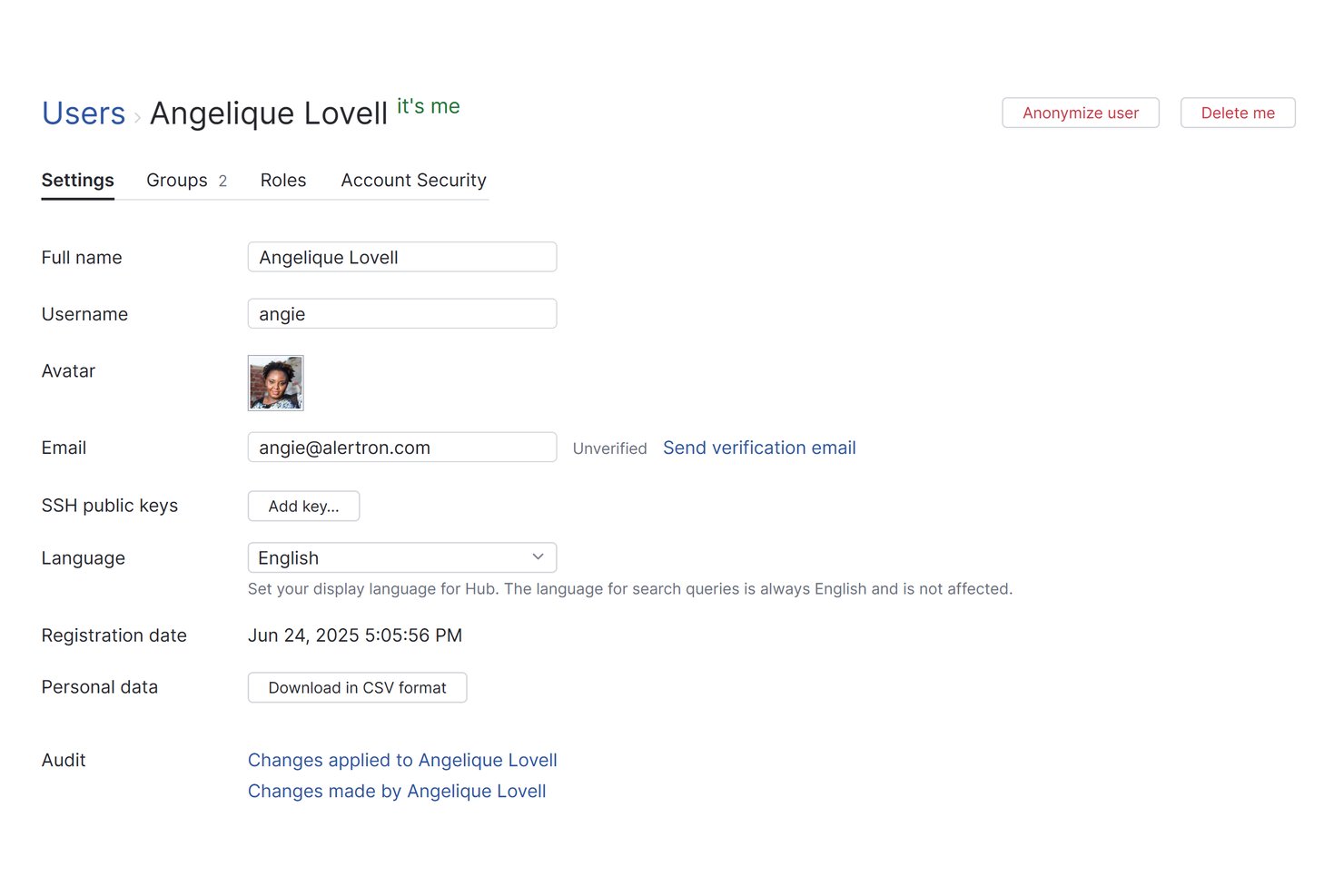
Hub Intranet is an employee intranet platform built for HR and internal comms teams that need to centralise company news, connect dispersed workforces, and give employees self-service access to resources and HR tools in one place.
Who Is Hub Best For?
Hub is a strong fit for HR and internal comms teams that need a single place to publish company news, manage employee resources, and handle HR self-service across dispersed locations.
Why I Picked Hub
I picked Hub as one of the best because it handles both company news publishing and HR self-service in a single environment, which is exactly what dispersed teams lose when Workplace shuts down. I particularly like the news approval workflow, where editors submit drafts to designated owners who can accept, reject, or comment before anything goes live. Pair that with the leave and absence tracking and employee recognition tools, and HR teams get a real operational home base, not just a feed.
Hub Key Features
- Mobile progressive web app: Gives employees mobile access to news, resources, and notifications without requiring an app-store download.
- Federated search: Searches across HUB and connected cloud drives like SharePoint, Google Drive, and Box from a single query.
- Group forums: Creates public, private, or hidden spaces where teams can share messages, start threads, and access group-specific resources.
- Must Reads: Assigns required reading to specific employees and tracks confirmations and read receipts.
Hub Integrations
Hub offers native integrations with Microsoft 365, Google Workspace, Slack, Microsoft Teams, Confluence, Jira, Box, Eventbrite, Zendesk, and BambooHR. It also supports federated search across connected SharePoint, OneDrive, Google Drive, and Box folders.
Pros and Cons
Pros:
- Builds interactive employee communities around shared content
- Supports targeted updates across dispersed teams
- Centralizes company news and HR resources
Cons:
- Reviewers report limits on feed layout control
- Workplace history migration isn't documented

Workvivo
Best for migrating from Meta Workplace
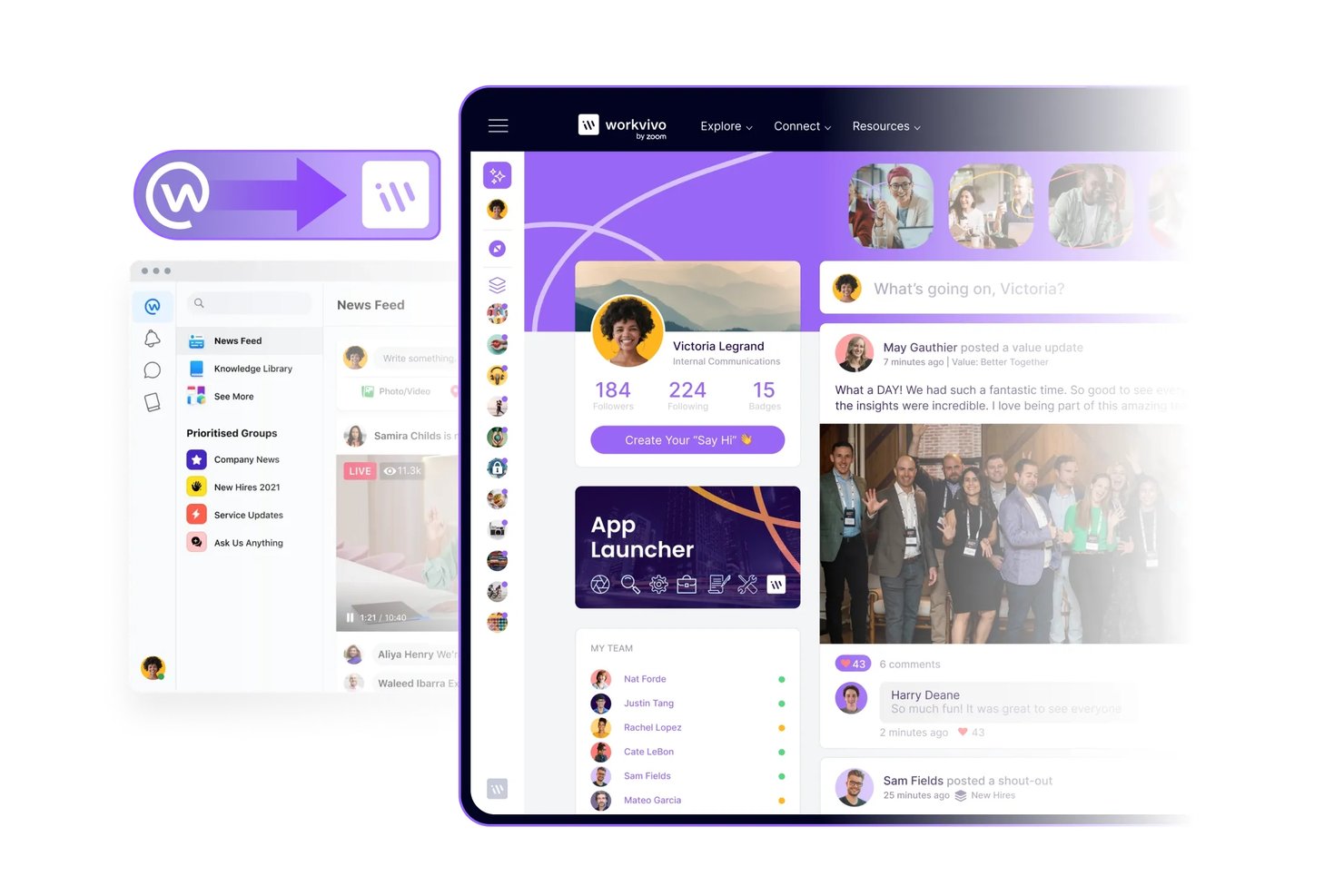
Workvivo is an employee communication and engagement platform for organizations that need to share company updates, connect distributed teams, and give employees a central place for workplace conversations.
Who Is Workvivo Best For?
Workvivo suits organizations moving from Meta Workplace that want a dedicated platform for employee communications and engagement.
Why I Picked Workvivo
I picked Workvivo for “Best for migrating from Meta Workplace” because its migration tool transfers groups, members, permissions, posts, multimedia, and chat history. I like that admins can choose which groups to move into Community Spaces, helping teams preserve active communities and conversations during the switch.
Workvivo Key Features
- Surveys and polls: Collect employee feedback with anonymous or identified responses.
- Event management: Create and manage company events, webinars, and conferences.
- Employee recognition: Give colleagues public shout-outs, badges, and awards.
- Engagement analytics: Review content reach and employee interaction data.
Workvivo Integrations
Workvivo offers 40+ out-of-the-box integrations, including Microsoft 365, Google Workspace, Slack, Microsoft Teams, Zoom, Workday, UKG, BambooHR, Jira, and ServiceNow. It also provides APIs for custom integrations.
Pros and Cons
Pros:
- Community Spaces preserve active workplace conversations
- Familiar social feed supports employee adoption
- Transfers groups, memberships, permissions, and chat history
Cons:
- Notification gaps can hide important updates
- Mobile loading delays can disrupt communication
Blink
Best for migrating frontline teams off Workplace
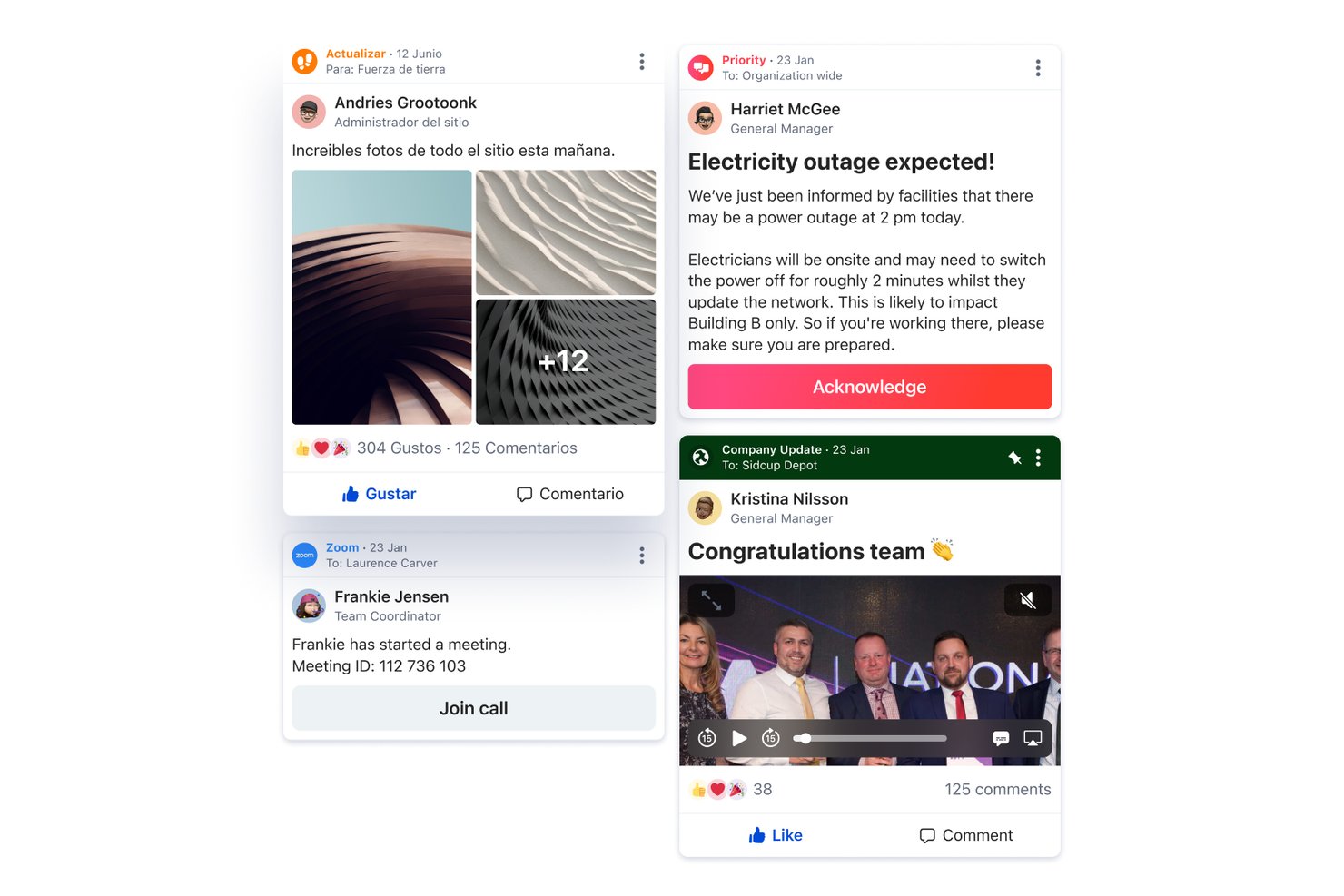
Blink is a frontline employee app that brings team messaging, company updates, and work tools together, helping distributed teams stay informed and coordinate across locations.
Who Is Blink Best For?
Blink is a good fit for organizations moving frontline teams from Workplace to a mobile-first employee communication app.
Why I Picked Blink
I picked Blink as a Best Meta Workplace Alternative because it’s Best for migrating frontline teams off Workplace. I like that frontline employees can use team messaging and company updates in one mobile-first app, while work tools help them coordinate across locations. That gives teams a practical place to keep up with updates and daily work during the transition.
Blink Key Features
- Employee recognition: Send peer-to-peer recognition to colleagues.
- Employee surveys: Create surveys to gather employee feedback.
- Polls: Run polls to collect quick team responses.
- Voice and video: Use voice and video calling within Blink.
Blink Integrations
Blink lists 37 integrations in its app marketplace, including Microsoft 365, Google, Workday, ADP, ServiceNow, Salesforce, Jira, Zoom, Zendesk, and Okta. It also provides an API for custom integrations, which can help connect existing frontline workflows during a Workplace transition.
Pros and Cons
Pros:
- Shared Hub centralizes policies and team documents
- Scheduled, acknowledged posts clarify urgent updates
- Mobile feed reaches staff without company email
Cons:
- Hub organization and file controls feel limited
- Finding older posts and chats takes effort

Xobin
Best for enterprise security and compliance
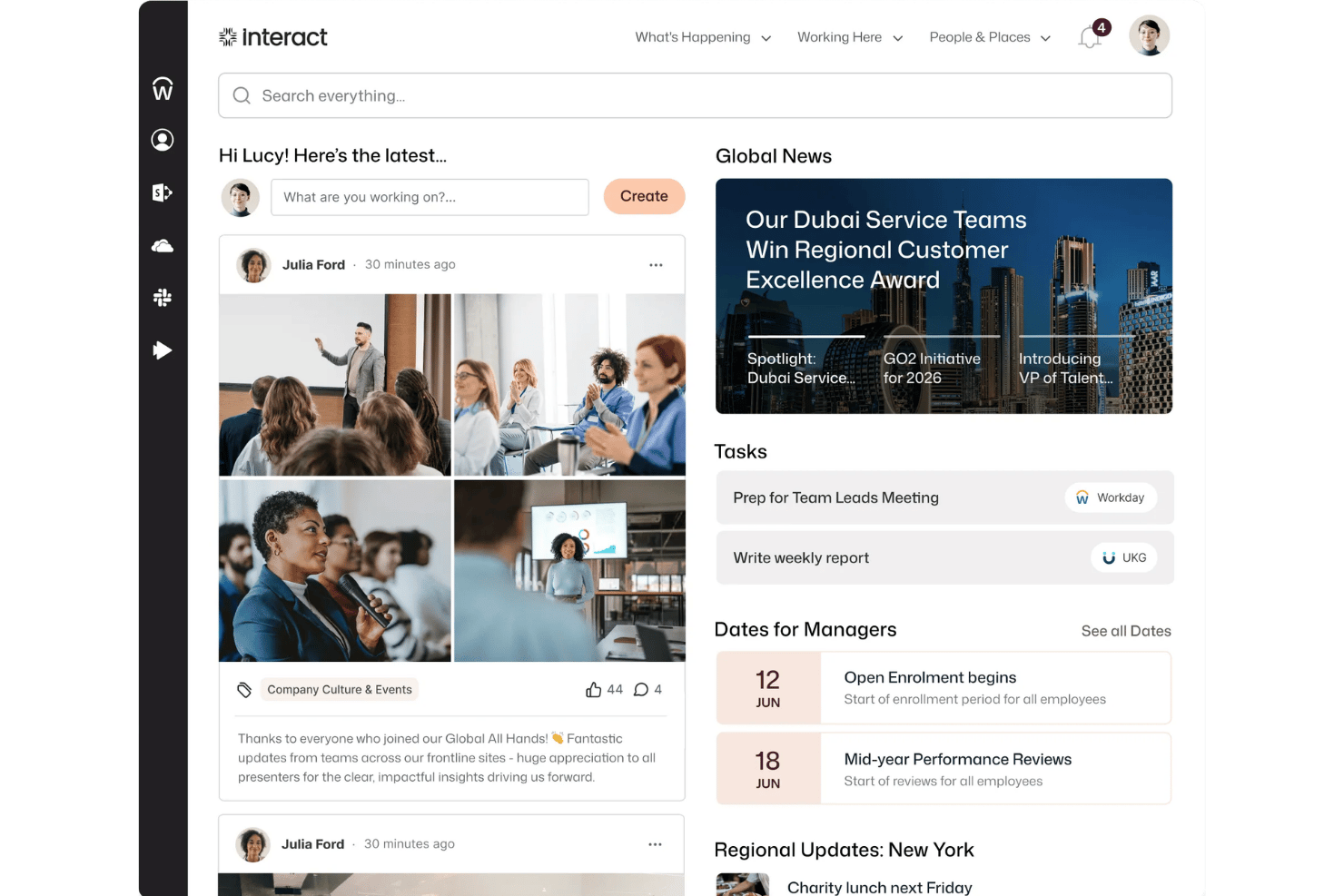
Interact is an online assessment platform for hiring and talent teams that need to evaluate candidates or employees through structured assessments.
Who Is Interact Best For?
Interact suits enterprise HR and talent teams that need candidate assessments aligned with security and compliance requirements.
Why I Picked Interact
I picked Interact for hiring teams that need a secure way to assess candidates, though it isn’t a direct replacement for workplace chat. Its structured assessments and AI proctoring support consistent evaluations, while SOC 2, ISO 27001, GDPR, and CSA STAR credentials align with its focus on enterprise security and compliance.
Interact Key Features
- Branded careers page: Customize the page with your logo, colors, background image, and text.
- XoForms: Collect video applications and schedule assessments or interviews through shareable forms.
- On-demand video interviews: Let candidates record interview responses without a live interviewer.
- Performance reports: Review candidate results and export reports as PDF or Excel files.
Interact Integrations
Interact lists integrations with Greenhouse, Lever, Workable, SmartRecruiters, Slack, Google Calendar, Google Meet, Microsoft Teams, and Google Sheets, and it connects with Zapier. An API is available for custom integrations.
Pros and Cons
Pros:
- Automated scoring and reports aid screening
- AI proctoring supports consistent candidate assessments
- Security certifications suit enterprise hiring teams
Cons:
- Reviewers report glitches during high-volume assessments
- No workplace messaging or employee collaboration
Simpplr
Best for AI-driven internal comms at scale
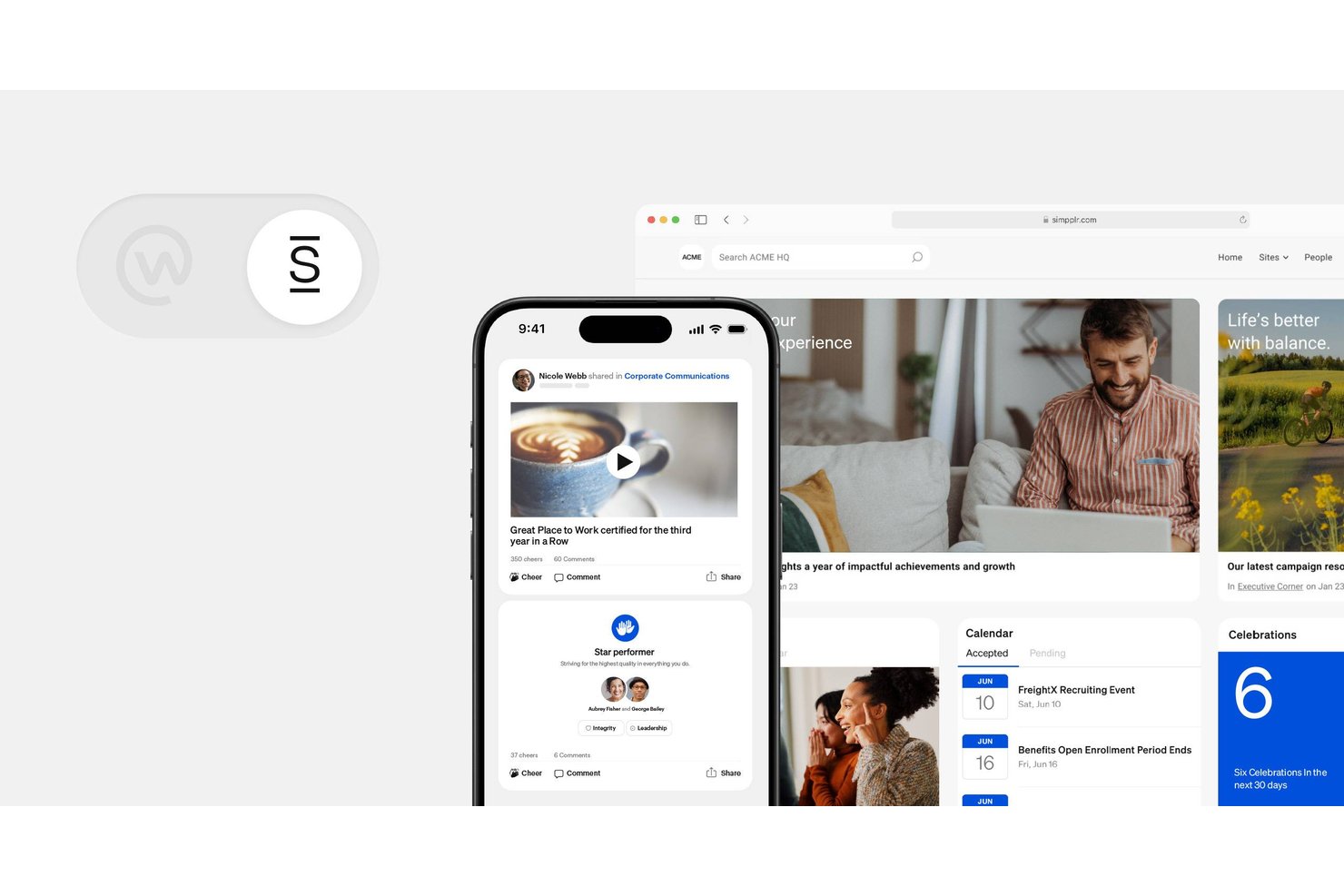
Simpplr is an employee communications and intranet platform for organizations replacing Meta Workplace, helping distributed teams find company updates, resources, and colleagues in one place.
Who Is Simpplr Best For?
Simpplr suits internal communications and HR teams at mid-sized to large organizations that need to coordinate company-wide updates across distributed teams.
Why I Picked Simpplr
I picked Simpplr as a Meta Workplace alternative because it’s Best for AI-driven internal comms at scale. Its AI personalizes intranet content by role and location, while the AI Assistant answers employee questions using company information. I also like that communications teams can use generative content tools to draft updates for distributed staff.
Simpplr Key Features
- Employee communities: Create spaces for employees to share updates and discuss common interests.
- Recognition and rewards: Let employees recognize colleagues and celebrate contributions.
- Employee surveys: Create surveys to collect feedback from employees.
- Communication analytics: Track engagement with intranet content and communications.
Simpplr Integrations
Simpplr offers 200+ prebuilt integrations, including Microsoft 365, Google Workspace, Slack, Microsoft Teams, Workday, ServiceNow, Dropbox, Google Drive, and Okta. It also provides APIs and custom connectors for building integrations.
Pros and Cons
Pros:
- Recognition and communities support employee connection
- AI answers help employees find information
- Role-targeted feeds personalize company updates
Cons:
- Page layouts offer limited customization
- Search relevance can falter in large libraries

Best for open-source Workplace migration
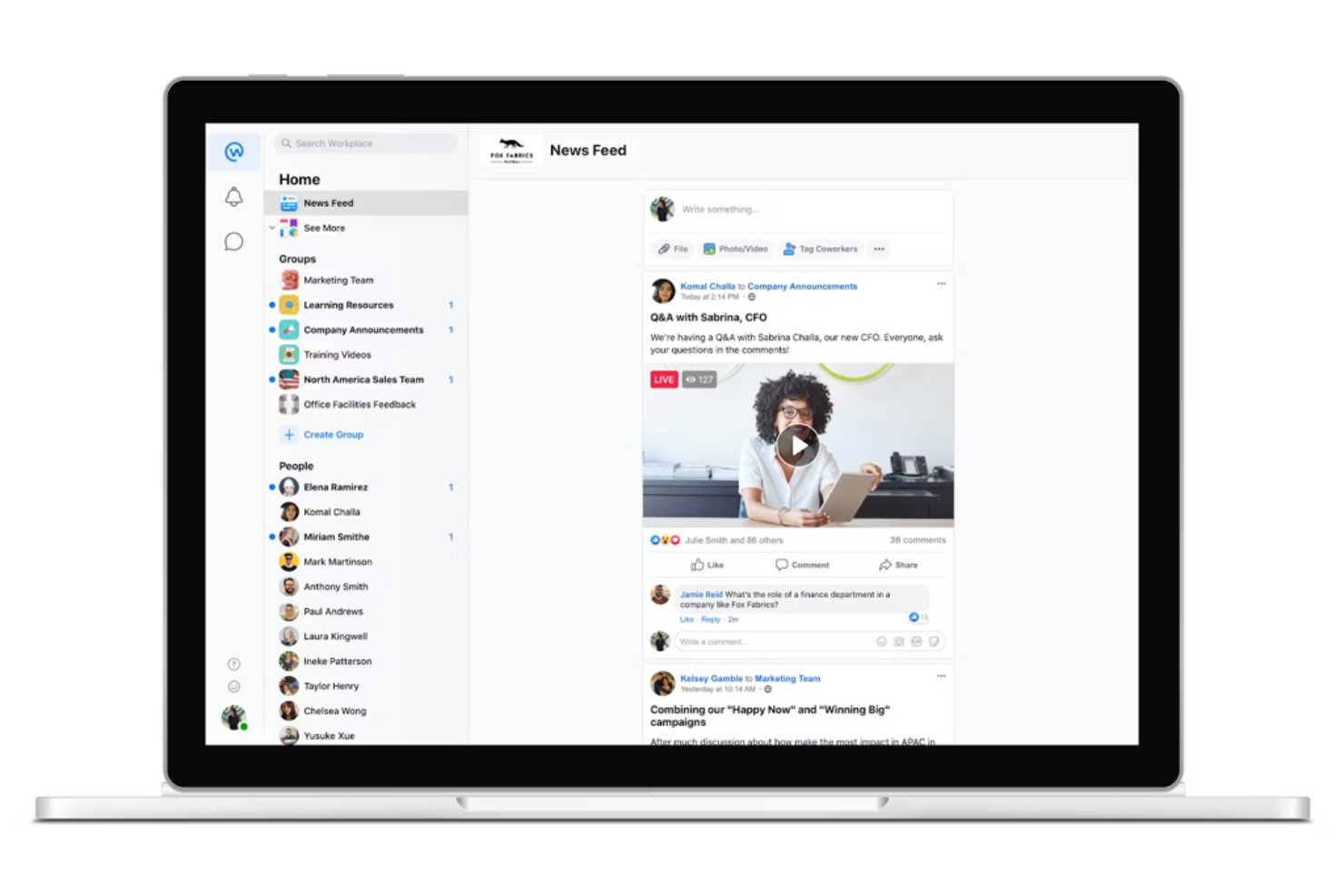
eXo Platform is a digital workplace for organizations that want to bring team communication, collaboration, and shared content into one environment.
Who Is eXo Platform Best For?
eXo Platform suits IT and workplace teams migrating from a legacy intranet to an open-source digital workplace they can adapt and manage.
Why I Picked eXo Platform
I picked eXo Platform for open-source workplace migration because its configurable platform gives organizations room to shape a replacement for a legacy intranet. I like how teams can organize work in shared spaces, post updates in activity streams, and co-edit documents, keeping project knowledge and conversations together during the transition.
eXo Platform Key Features
- Integrated applications: Connect business apps and services to the portal.
- Personalized workspaces: Pin favorite apps and assets, and adjust interface preferences.
- Role-based portal: Configure tools, content, and shortcuts for different user profiles.
- AI assistance: Use natural-language commands to find information and handle routine tasks.
eXo Platform Integrations
eXo Platform offers documented connectors for Microsoft 365 tools, including Outlook, calendars, OneDrive, and Active Directory, plus Google Calendar, Outlook Exchange, Google Drive, Box, SharePoint, Dropbox, and CMIS repositories. It also provides REST APIs for custom integrations.
Pros and Cons
Pros:
- Role-based spaces organize cross-functional project work
- Spaces, streams, and wikis centralize team knowledge
- Open-source deployment gives teams migration control
Cons:
- Some customization requires administrator time
- First-time setup can feel difficult

LumApps
Best for enterprise intranet migration from Workplace
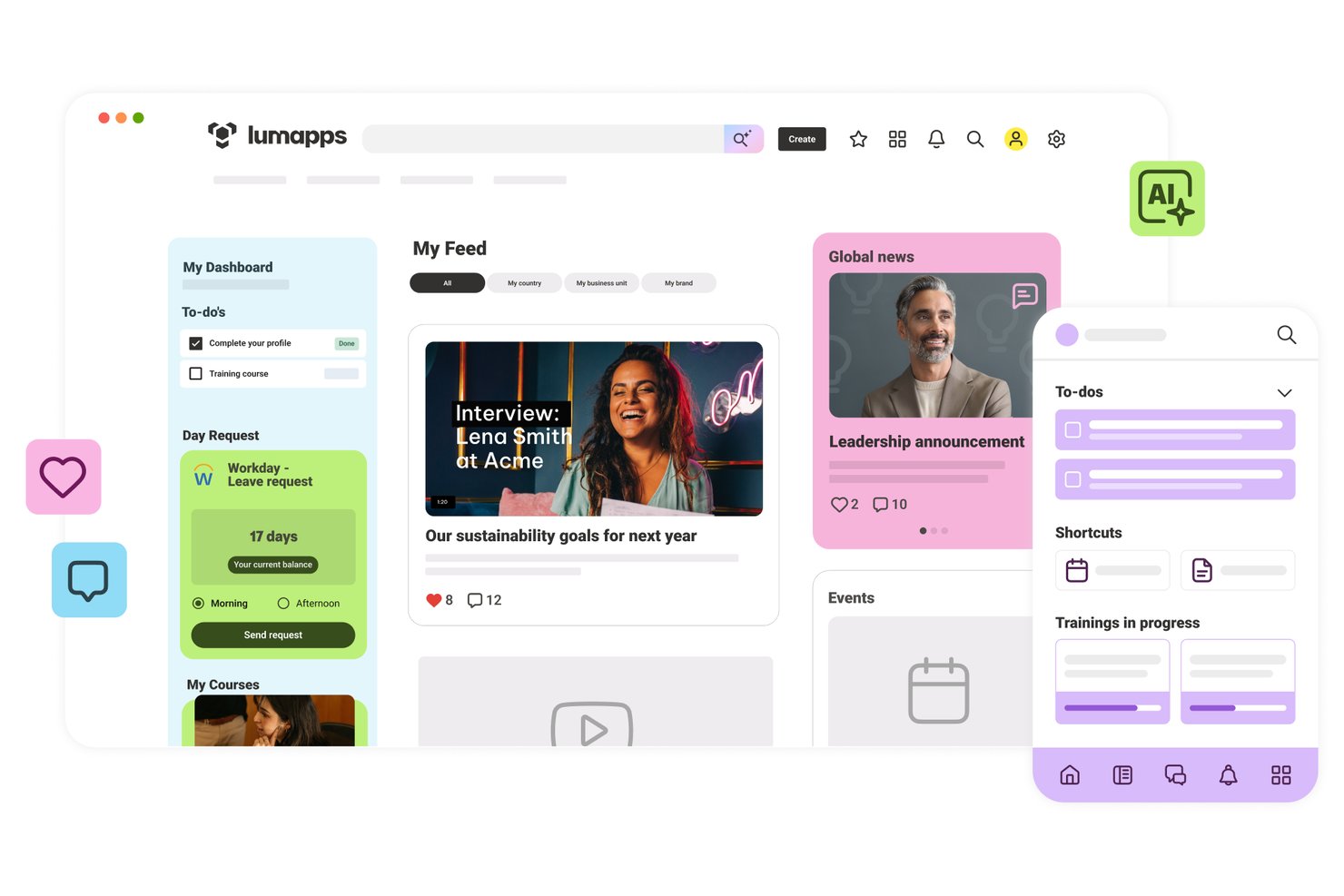
LumApps is an employee experience platform for large organizations that brings company news, resources, and collaboration into one digital workplace, making it Best for enterprise intranet migration from Workplace.
Who Is LumApps Best For?
LumApps suits enterprise IT and communications teams moving their Workplace intranet and employee communities to a new platform.
Why I Picked LumApps
I picked LumApps for Best for enterprise intranet migration from Workplace because its migration experts guide organizations through the transition. Communities and personalized feeds give teams a way to carry employee discussions and company updates into the new intranet. Its targeted content tools also help communications teams reach employees with relevant information.
LumApps Key Features
- Micro-Apps: Employees can submit HR requests and check IT ticket status in the hub.
- No-code workflows: Build digital forms and automate tasks.
- Employee directory: Browse employee profiles and contact details.
- Microsoft and Google integrations: Connect the hub with workplace productivity tools.
LumApps Integrations
LumApps lists 100+ third-party connectors, including Google Workspace, Microsoft 365, Workday, SAP SuccessFactors, ServiceNow, Slack, and Google Chat; it describes Google Workspace as a native integration. It also offers prebuilt API connectors and a flexible API for custom integrations.
Pros and Cons
Pros:
- Communities support distributed employee discussions
- Mobile access reaches deskless and remote teams
- Targeted feeds preserve audience-specific announcements
Cons:
- Admin customization takes training and configuration
- Search results can feel inconsistent

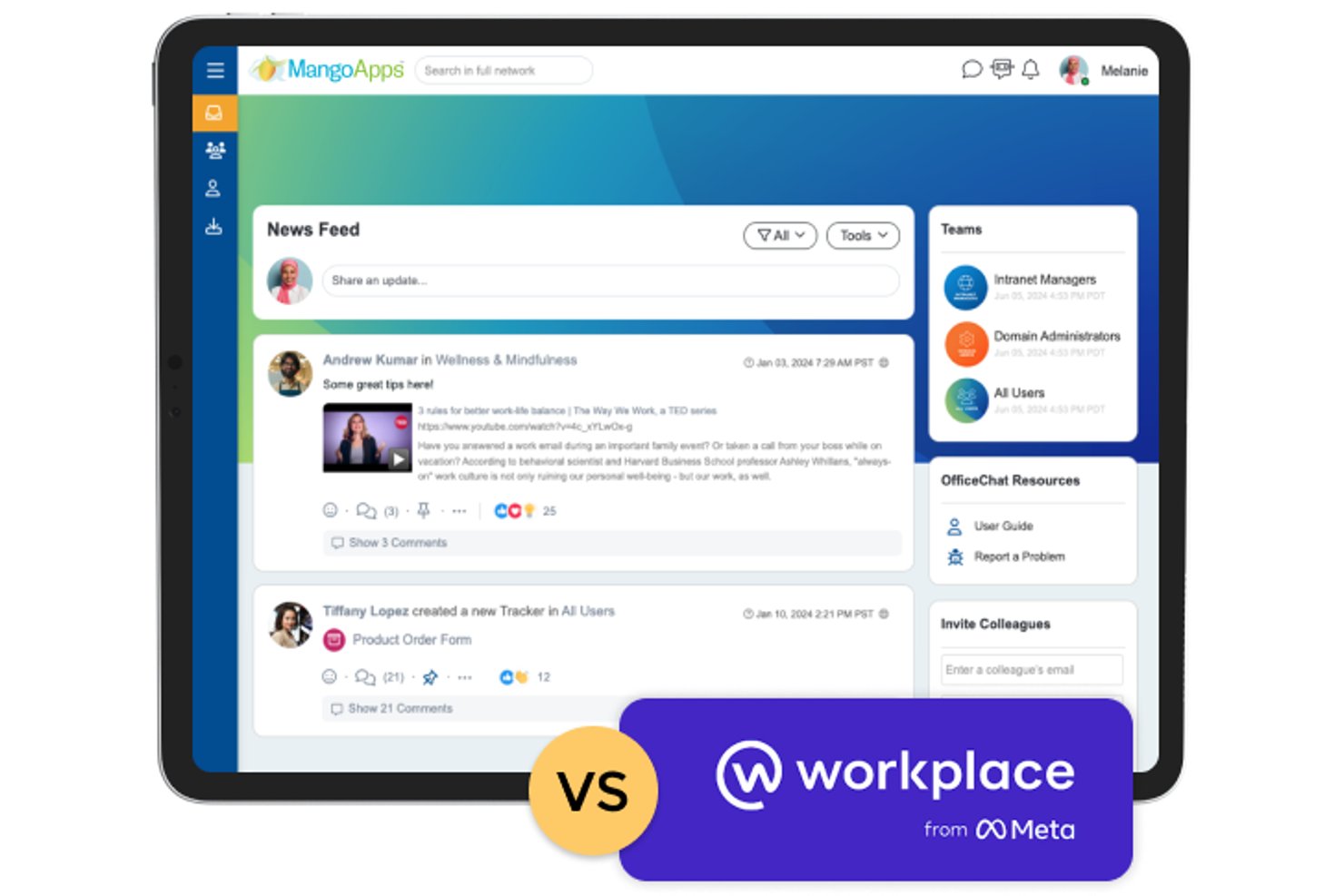
MangoApps is an employee experience and collaboration platform that brings company communications, intranet content, and team workflows together for organizations seeking a more connected alternative to Meta Workplace.
Who Is MangoApps Best For?
MangoApps suits organizations migrating from Meta Workplace that need to connect frontline employees with company communications and team collaboration.
Why I Picked MangoApps
I picked MangoApps as a Best Meta Workplace alternative because it’s Best for frontline-first Workplace migration. Its branded employee app brings targeted news, push and SMS alerts, and group chat to workers without corporate email. I like that managers can target updates by site or role and use read receipts to check whether shift teams received important notices.
MangoApps Key Features
- Project workspaces: Combine task lists, goals, trackers, files, and conversations in shared project areas.
- File versioning: Manage document versions, check files in or out, and review edit history.
- Office 365 co-editing: Create and edit Word, PowerPoint, and Excel files within MangoApps.
- Workflow automation: Configure no-code approvals, task assignments, and status updates.
MangoApps Integrations
MangoApps offers 200+ out-of-the-box integrations, including Microsoft 365, Google Workspace, Workday, UKG, ADP, Paylocity, BambooHR, and Slack, and connects with Zapier. It also provides a REST API and webhooks for custom integrations.
Pros and Cons
Pros:
- Combines employee news, wikis, and team workspaces
- Centralizes unread alerts across web, mobile, desktop
- Reaches frontline staff without corporate email
Cons:
- Some reviewers report dated interfaces and mobile issues
- Editors can find settings and customization daunting
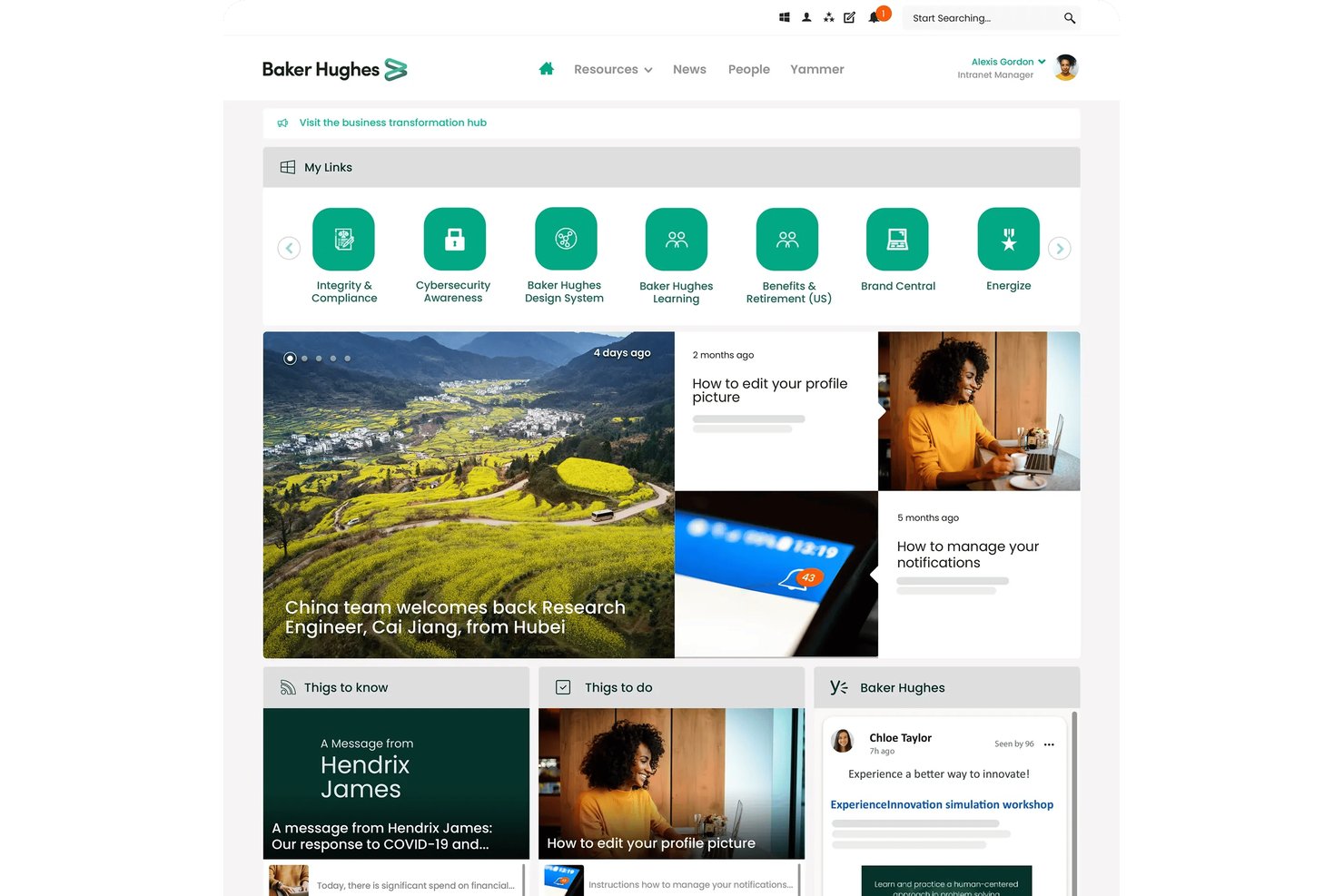
Unily is an enterprise employee experience and intranet platform that gives global teams a shared hub for internal communication, knowledge, and workplace tools, helping desk-based and frontline employees stay connected.
Who Is Unily Best For?
Unily suits enterprise teams migrating to a shared workplace platform who need dedicated project management to coordinate the transition.
Why I Picked Unily
I picked Unily as a Best Meta Workplace alternative because it’s Best for Workplace migration with a dedicated PM. Its migration program transfers existing content and data, mapping it to Unily features such as communities, events, and posts. I value the dedicated project manager and technical support for coordinating that transition.
Unily Key Features
- Enterprise search: Find information across intranet content, documents, people, and connected systems.
- Personalized communications: Target content to employees based on role, location, or other audience criteria.
- Enterprise integrations: Connect tools such as Microsoft 365, SharePoint, and Microsoft Teams.
- Search analytics: Review queries and unanswered searches to identify gaps in discoverability.
Unily Integrations
Unily offers 50+ native integrations, including Microsoft 365, Google Workspace, Workday, ServiceNow, SAP Concur, Salesforce, Zoom, ScreenCloud, and Confluence. It also provides an open integration framework and APIs for custom integrations.
Pros and Cons
Pros:
- Targeted communications reach role-based employee groups
- Migration maps content into communities and posts
- Dedicated project management guides Workplace migration
Cons:
- Complex backend content management complicates administration
- Search can make content harder to find

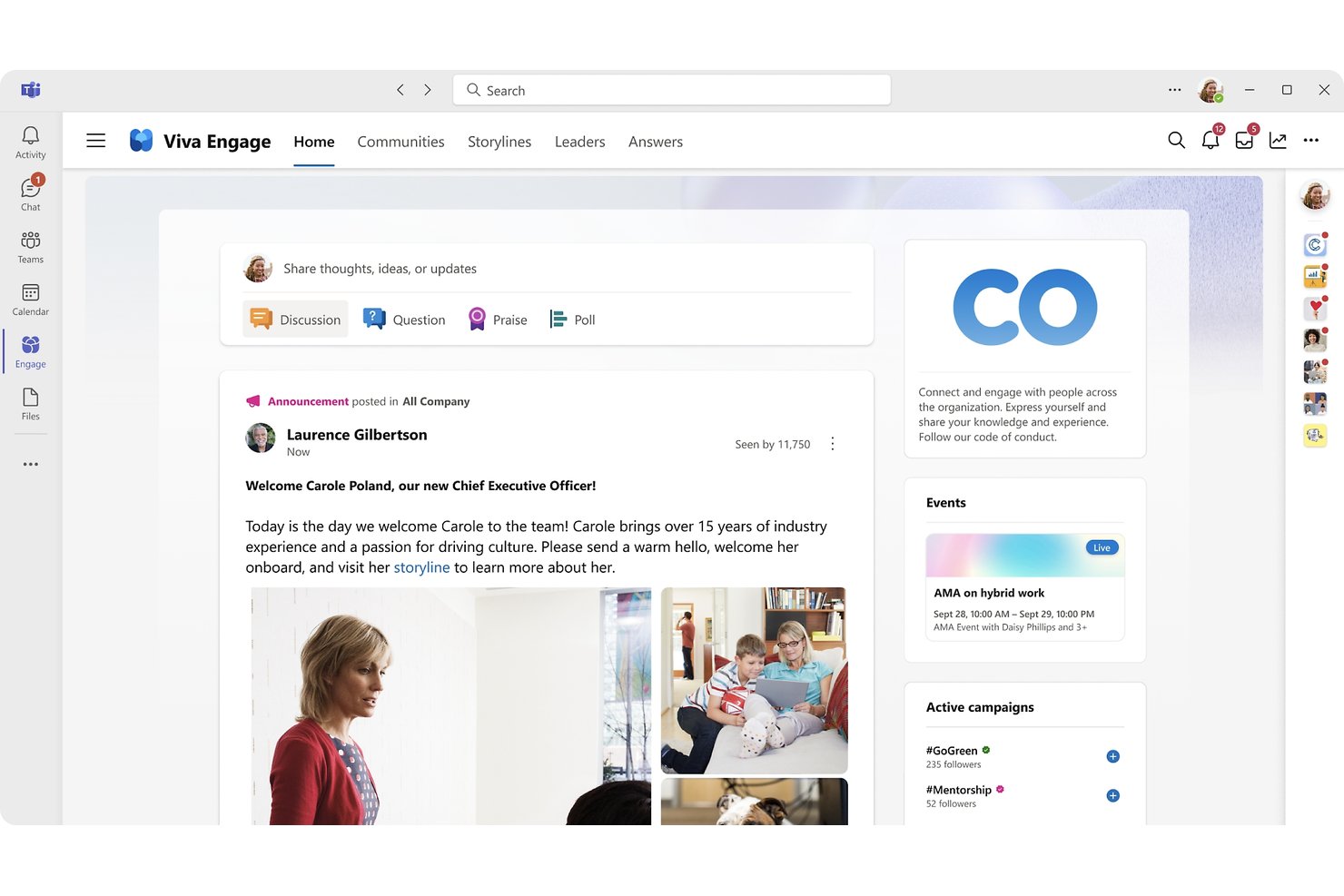
Microsoft Viva Engage is an employee communication platform for organizations that want to connect distributed teams, share internal knowledge, and foster workplace conversations alongside their daily collaboration tools.
Who Is Microsoft Viva Engage Best For?
Microsoft Viva Engage fits organizations built around Microsoft 365, especially internal communications and HR teams that want to support employee communities.
Why I Picked Microsoft Viva Engage
I picked Microsoft Viva Engage as a Meta Workplace alternative for its fit with “Best for Microsoft 365-native employee communities.” Topic-based communities give employees a place to exchange expertise, while Storyline lets leaders share updates across the organization. I like this setup for keeping company-wide conversation distinct from day-to-day project coordination.
Microsoft Viva Engage Key Features
- Answers: Employees can post questions, respond, upvote answers, and mark a best answer.
- Leadership corner: Employees can access leadership content and connect with organizational leaders.
- Campaigns: Organizers can group posts around a topic and hashtag, then track participation.
- Analytics: Community admins and leaders can review engagement and community activity.
Microsoft Viva Engage Integrations
Microsoft Viva Engage integrates with Microsoft Teams and SharePoint, and supports connections with Power Automate, Dynamics CRM Online, and Salesforce. Microsoft Graph and legacy REST APIs are available for custom integrations.
Pros and Cons
Pros:
- Answers captures knowledge through upvoted responses
- Leadership Corner supports visible executive communication
- Connects employees across locations and departments
Cons:
- Low participation can leave communities inactive
- Busy feeds can bury important announcements
Diğer Meta Workplace Alternatifleri
Kısa listeme girmeyen, ancak yine de göz atmaya değer bazı ek Meta Workplace alternatifleri şunlardır:
- Slack
For real-time team messaging
- Staffbase
For frontline workforce communications
- Jostle
For targeted company news with read tracking
- ClickUp
For all-in-one productivity
- Happeo
For Google Workspace intranet knowledge hubs
- Microsoft Teams
For Microsoft 365-connected team chat
- Connecteam
For deskless teams replacing Workplace
- Haiilo
For structured Workplace content migration
- Zoom
For video meeting reliability
- Zoho Workplace
For integrated office suite


How I Evaluate Meta Workplace Alternatives
I split my evaluation into three parts. First, core functionality: an alternative needs to host a company-wide social feed and support group and team chat—these carry the most weight. Second, I look for standout features like live video broadcasting or AI-powered content summarization. Third, I consider migration support and integration depth.
Core Functionality (Table Stakes For This List)
When I'm selecting tools for my list, I score each one on a scale from 0 (does not offer the functionality) to 5 (excels in this area) for each core functionality listed below. I then convert the total into a percentage to help assess each tool's overall fit, with extra weight on any functionalities I’ve deemed essential.
- Company-Wide Feed (Essential): I look for organization-wide posts, comments, and reactions, with audience targeting for updates meant for specific teams or locations.
- Group & Team Chat (Essential): I assess whether employees can organize searchable conversations by team or topic, with threads that keep project and operational discussions clear.
- Employee Directory: I check whether staff can search profiles for colleagues’ roles, departments, and contact details when coordinating across locations.
- Frontline Mobile Access: I look for mobile access to announcements, chats, and shared content that suits employees who don’t work at a desk.
- Content & File Sharing: I assess how easily teams can share and preview documents, images, and videos in relevant groups and conversations.
- Admin & Access Controls: I look for role-based permissions and moderation controls that help IT and HR manage membership and content across the organization.
Once I have a list of tools that meet the criteria, I consider what sets each platform apart.
Differentiating Factors (What Sets Vendors Apart)
Here's how I compare and contrast different vendors:
Standout Features
I look for native live video broadcasting because town halls and executive updates lose impact when routed through a third-party streaming tool. AI-powered content summarization is another feature I evaluate—when a project lead juggles five active threads, an auto-generated digest beats scrolling through hundreds of messages. I also check for no-code workflow automation that can turn a feed post into an approval or a task, cutting the manual handoff between communication and execution.
Beyond Features
I evaluate migration and data portability first—losing years of Workplace group history during a cutover can erase institutional knowledge overnight. Vendors that offer dedicated import tools or white-glove onboarding for mapping existing group structures and permissions save weeks of manual rebuilding. I also check integration depth with project management ecosystems, looking for native two-way syncs with tools like Jira or Asana so status updates flow between platforms without copy-paste work. Vendor stability matters too; a clear product roadmap and active release cadence signal the platform won't leave you searching for another alternative in two years.
Neden bir Meta Workplace alternatifi aramalısınız?
Meta Workplace iyi bir iş birliği yazılımı seçeneği olsa da bazı kullanıcıların alternatif çözümler aramasının çeşitli nedenleri vardır. Meta Workplace alternatifi arıyor olabilirsiniz, çünkü…
- Daha gelişmiş proje yönetimi özelliklerine ihtiyacınız var
- Ekibinizin yerleşik müşteri erişimi veya faturalandırma araçlarına ihtiyacı var
- Daha güçlü veri gizliliği denetimlerine sahip bir platform istiyorsunuz
- Kuruluşunuz Meta Workplace'in kısıtlandığı bölgelerde faaliyet gösteriyor
- Daha esnek entegrasyon seçeneklerine sahip bir aracı tercih ediyorsunuz
Bunlardan herhangi biri size uyuyorsa doğru yere geldiniz. Listemde, Meta Workplace ile ilgili bu zorluklarla karşılaşan ve alternatif çözümler arayan ekipler için daha uygun olan çeşitli iş birliği yazılımı seçenekleri yer alıyor.