

10 bästa e-postapparna recenserade 2026

Kortlista över de bästa e-postapparna


Att hantera projekt kan vara som att jonglera, och e-postmeddelanden bidrar ofta till kaoset. Du behöver en säker e-postapp som hjälper dig att hålla ordning och hålla ditt team på rätt spår. Enligt min erfarenhet kan rätt e-postklient göra stor skillnad.
Jag har testat och granskat otaliga e-postappar för att hitta de bästa alternativen åt dig. Mitt mål är att dela opartiska insikter som tillgodoser dina behov. Oavsett om det handlar om integration med andra verktyg eller unika funktioner finns det något för varje team.
I den här artikeln guidar jag dig genom mina främsta val och lyfter fram vad som gör att varje alternativ sticker ut. Låt oss hitta den e-postapp som passar ditt arbetsflöde och hjälper dig att hantera projekt mer effektivt.
Varför du kan lita på våra programvarurekommendationer
Vårt team har testat och recenserat programvara sedan 2012. Som projektledare själva vet vi hur
svårt — och viktigt — det är att välja rätt programvara.
För den här guiden utvärderade vi verktyg genom praktisk testning och oberoende research, och betygsatte verktygen enligt våra urvalskriterier. Vi drar även nytta av insikter från branschens tankeledare och praktiserande projektledningsexperter.
Våra recensioner speglar vårt mänskliga redaktionella omdöme, inte ett säljbudskap.
Expertgranskare:
Jämförelsetabell för e-postappar
\u003cspan style=\u0022font-weight: 400;\u0022\u003eDen här jämförelsetabellen sammanfattar prisuppgifterna för mina främsta e-postappar:\u003c/span\u003e
| Tool | Best For | Trial Info | Price | ||
|---|---|---|---|---|---|
| 1 | Best for business integration | Free 14-day free trial + free plan available | From $4.03/user/month (billed annually) | Website | |
| 2 | Best for Google Workspace users | Free plan available | From $7/user/month (billed annually) | Website | |
| 3 | Best for Apple device integration | Free plan available | From $0.99/month | Website | |
| 4 | Best for free domain options | Free demo available | Free forever plan | Website | |
| 5 | Best for large email storage | Free 14-day trial + free plan available | From $5/month | Website | |
| 6 | Best for AI-based features | Free plan available | From $14.99/month | Website | |
| 7 | Best for open-source customization | Free to use | Free forever plan | Website | |
| 8 | Best for privacy | Free 7-day trial + free plan available | From $3/month | Website | |
| 9 | Best for Windows users | 30-day free trial | From $9.99/month | Website | |
| 10 | Best for AI-powered assistance | Free plan available | From $25/user/month (billed annually) | Website |
Recension av de bästa e-postapparna
\u003cspan style=\u0022font-weight: 400\u0022\u003eNedan hittar du mina detaljerade sammanfattningar av de bästa e-postapparna som kom med på min kortlista. I mina recensioner får du en detaljerad överblick över de viktigaste funktionerna, för- och nackdelarna, integrationerna och de idealiska användningsområdena för varje verktyg, så att du kan hitta det bästa alternativet för dig.\u003c/span\u003e

Mailbird
Best for business integration
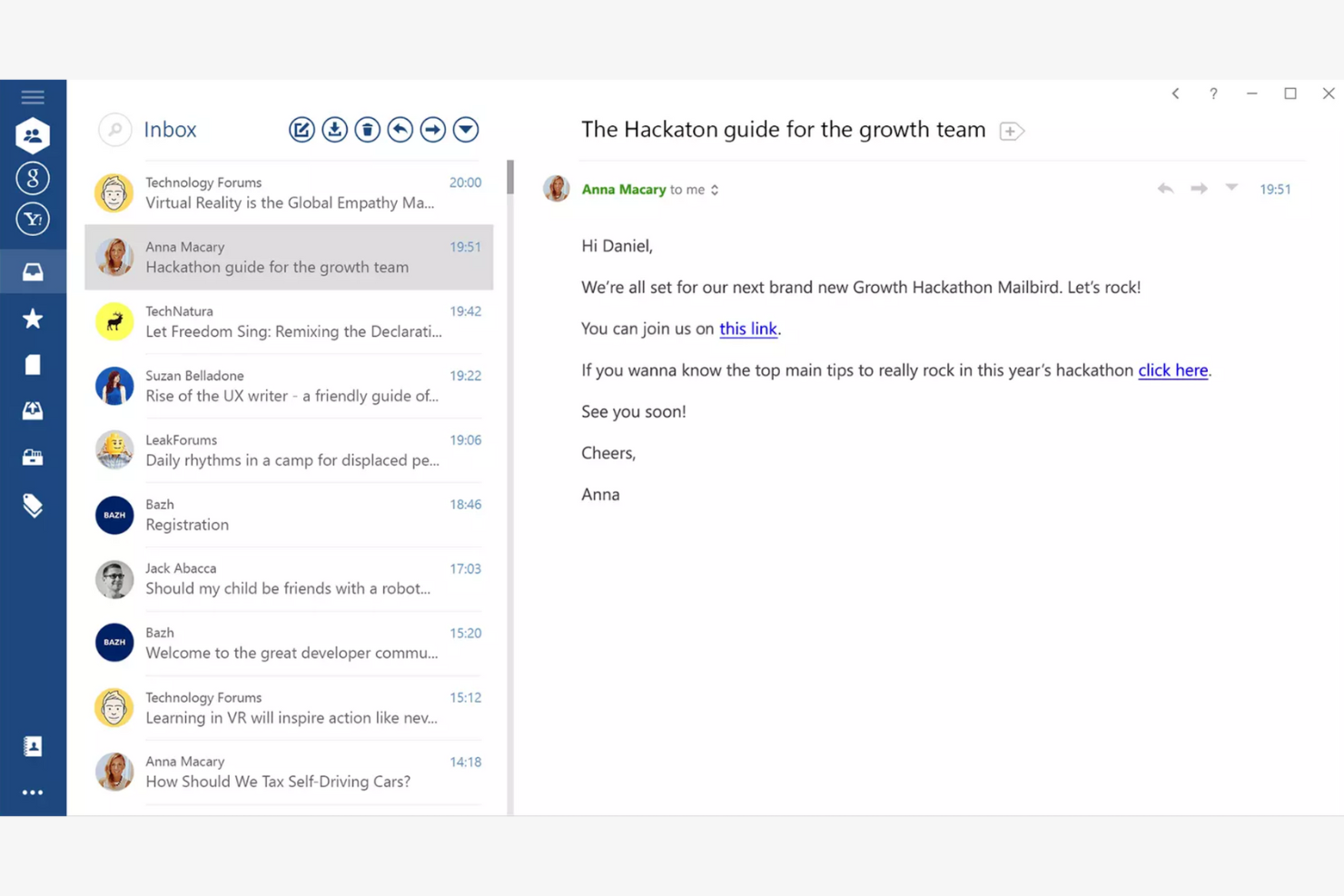
Mailbird is an email client tailored for Windows users, providing an all-in-one platform for managing multiple email accounts. It boosts productivity by offering features that simplify email management and communication.
Why I picked Mailbird: Mailbird is designed specifically for Windows, making it a great choice if your team already uses this operating system. The app's unified inbox lets you manage multiple accounts efficiently, while the speed reader feature helps you process emails quickly. The app's customization options also let you personalize your email experience to fit your needs.
Standout Features and Integrations:
Features include a snooze function to temporarily hide emails and keyboard shortcuts that make navigation quicker and easier. You can also customize the layout to fit your workflow.
Integrations include Slack, Google Calendar, Asana, Dropbox, Evernote, Trello, Facebook, Twitter, WeChat, ZeroBounce, and more.
Pros and Cons
Pros:
- Local-client architecture that keeps data on your device
- Customizable interface
- Unified inbox for multiple accounts
Cons:
- Shallow inbox automation and management tools
- Limited support for non-Windows platforms

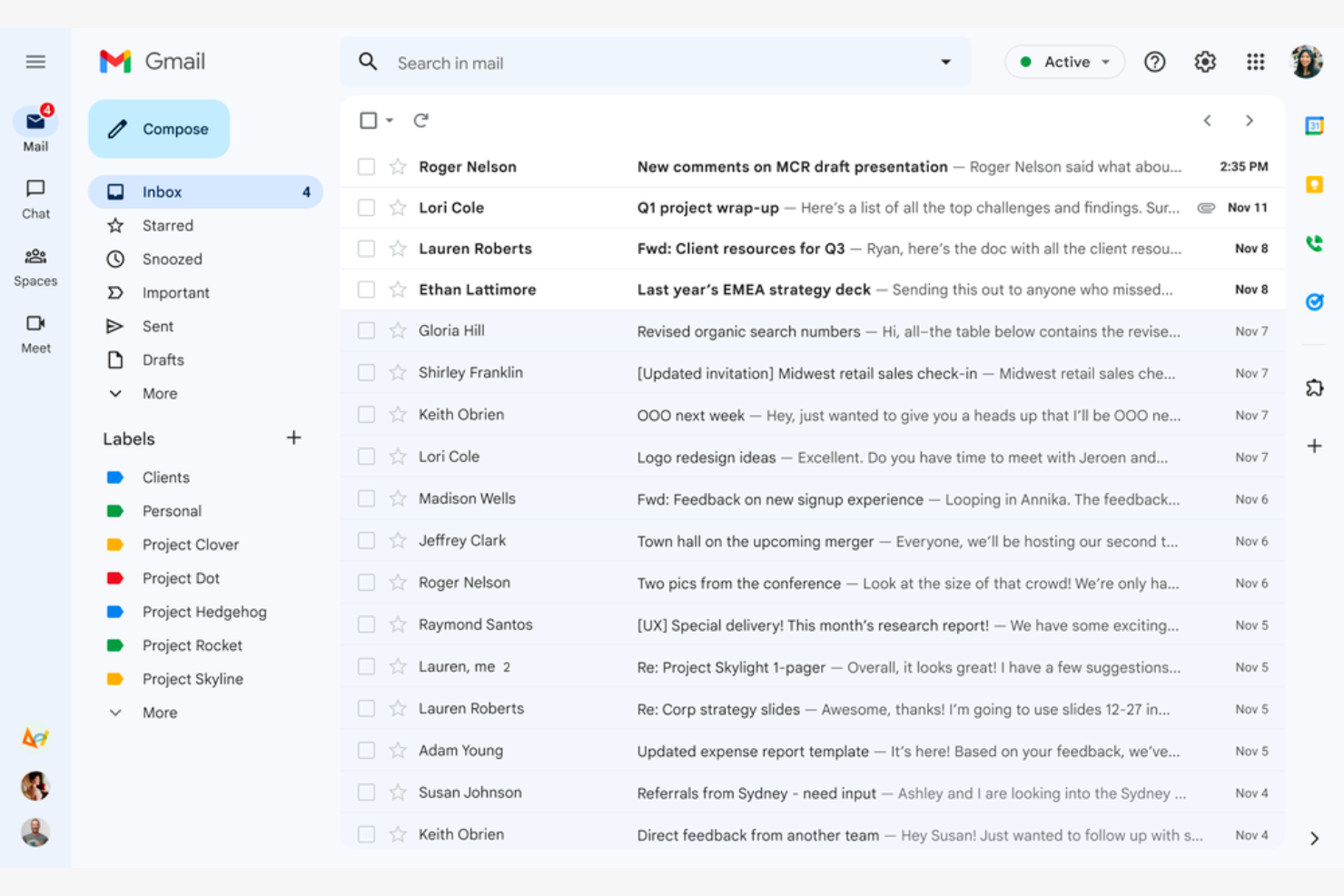
Google Gmail is a widely used email service that caters mainly to Google Workspace users. It offers essential email functions that integrate with Google services, giving both individuals and businesses a connected experience.
Why I picked Google Gmail: Google Gmail is ideal for Google Workspace users because it integrates with Google Drive, Calendar, and Docs. The conversation view groups your emails into threads so you never lose track of the discussion, while labels and filters help you categorize and sort emails efficiently. The Google Gmail app's spam filtering helps keep your inbox clean and protects you from phishing scams.
Standout Features and Integrations:
Features include 15GB of free storage, smart reply suggestions, and advanced search capabilities. You can schedule emails to be sent later, which is handy for coordinating with teams across time zones. The priority inbox also automatically highlights important emails so you never miss critical messages.
Integrations include Google Workspace and more.
Pros and Cons
Pros:
- Search functionality
- Integrates with the Google ecosystem
- Spam and phishing detection
Cons:
- Privacy concerns surrounding Google's data-driven business model
- No folder organization

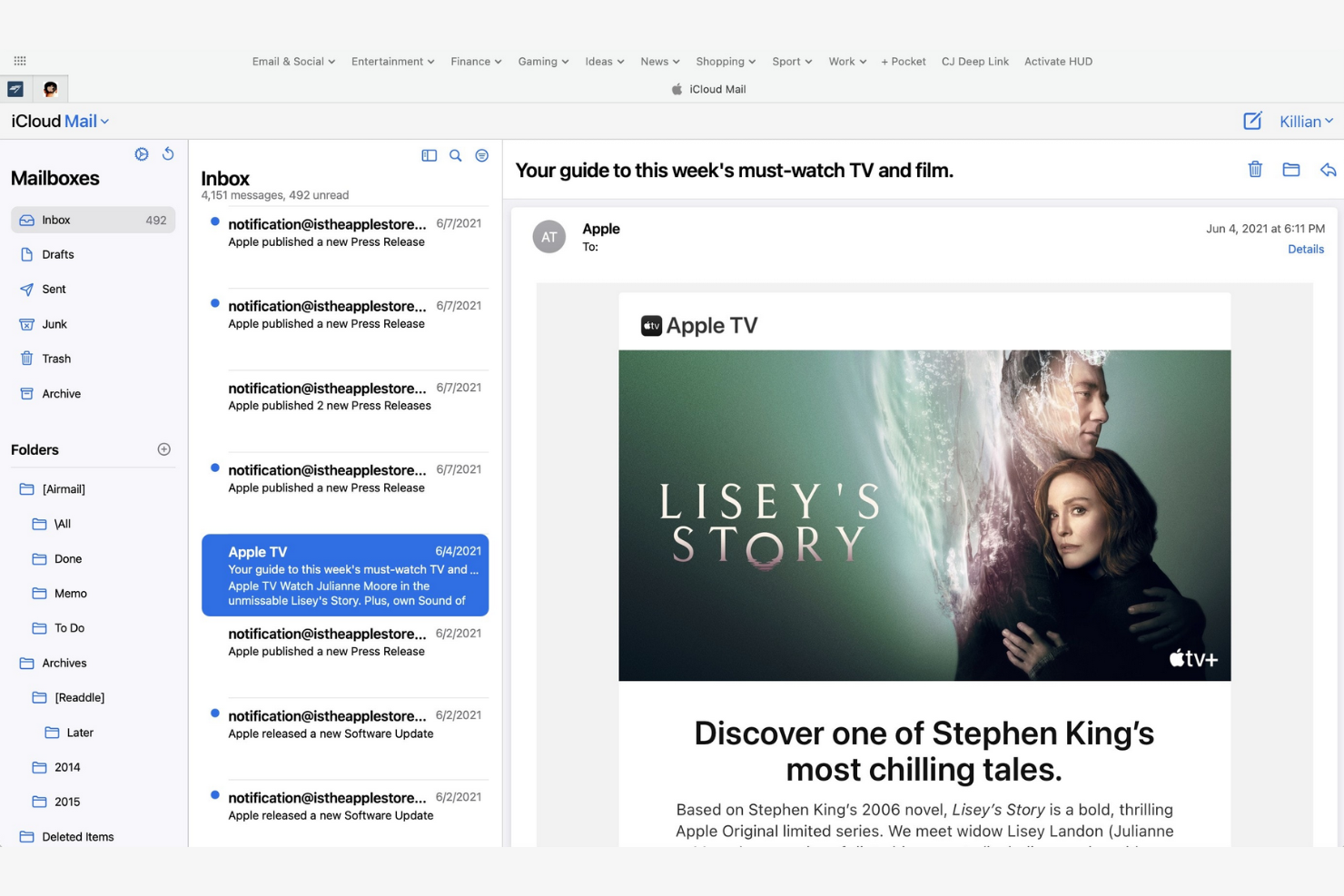
Apple iCloud Mail is an Apple-native email app that offers integration across iPhones, iPads, and Macs. It helps users stay organized and efficient with a suite of essential email management tools.
Why I picked Apple iCloud Mail: Apple iCloud Mail is tailored for Apple users, delivering consistent performance across all your Apple devices. The app's iCloud integration lets you quickly sync emails, contacts, and calendars, while the Handoff feature lets you switch between devices without losing your place. Also, the app's user-friendly interface makes managing emails straightforward.
Standout Features and Integrations:
Features include a priority inbox for important emails, customizable swipe gestures, and support for rich text formatting. You can manage multiple email accounts in one place, and the VIP feature also lets you set notifications for emails from important contacts so you never miss high-priority messages.
Integrations are not publicly listed.
Pros and Cons
Pros:
- Strong privacy protection and minimal data scanning
- Intuitive interface
- Integrates with Apple's ecosystem
Cons:
- Slow search
- Limited free space


mail.com is an email service catering to business owners who need customizable domain options. It lets users create professional-looking email addresses with tailored domain names.
Why I picked mail.com: mail.com's standout feature is free domain options, which let you personalize your email address with a custom domain name. This flexibility is ideal for both individuals and small businesses looking to upgrade their email presence. The tool's simple interface makes managing emails straightforward. The ability to use different domain names sets mail.com apart from other email apps.
Standout Features and Integrations:
Features include unlimited email storage and a customizable spam filter. You can also use the integrated online calendar to manage your schedule efficiently.
Integrations include Opera, Google Chrome, Safari, Mozilla Firefox, Mail Backup X, Mailspring, and more.
Pros and Cons
Pros:
- Intuitive interface
- Generous features included in the free plan
- Wide range of custom domain names
Cons:
- Poor spam protection
- Ads in the free version


Yahoo! Mail is an email service that offers users ample storage for their emails and attachments. Its high-capacity email inbox makes it ideal for both personal and business communication.
Why I picked Yahoo! Mail: Yahoo! Mail's expansive storage capacity is a key feature for users who manage a large volume of emails. You can store thousands of emails without worrying about running out of space. The intuitive interface lets you manage emails efficiently, and thanks to its customizable themes, you can personalize your email experience.
Standout Features and Integrations:
Features include an easy-to-use search function and a built-in calendar that lets you organize your schedule directly from your inbox. You can also customize the interface with unique themes to suit your preferences.
Integrations include Google Drive, Microsoft Office Online, Grammarly, Shift, WiseStamp, CredentialingSpectrum, Reoon Email Verifier, Rambox, Oki-Toki, and more.
Pros and Cons
Pros:
- Built-in calendar and reminder viewer
- Customizable themes available
- Generous email storage space
Cons:
- Track record of major data breaches
- Frequent upselling


Edison Mail is designed for users who value smart features and efficient email management. It increases productivity by automating routine tasks and providing intelligent insights.
Why I picked Edison Mail: Edison Mail's AI-powered features help you manage emails more efficiently. The app includes smart notifications that alert you to important emails, and the one-tap unsubscribe feature is a lifesaver for decluttering your inbox. The built-in assistant also organizes your travel and package information, keeping everything in one place.
Standout Features and Integrations:
Features include a focused inbox that prioritizes emails based on importance and customizable swipe gestures to speed up email management. You can also use dark mode to reduce eye strain during late-night work sessions.
Integrations include Google Workspace, Apple iCloud, Yahoo! Mail, AOL, Hotmail, Amazon, Walmart, Microsoft 365, and more.
Pros and Cons
Pros:
- Focused inbox for priority emails
- One-tap unsubscribing and bulk cleanup features
- Smart notifications
Cons:
- Subscription required
- Syncing errors

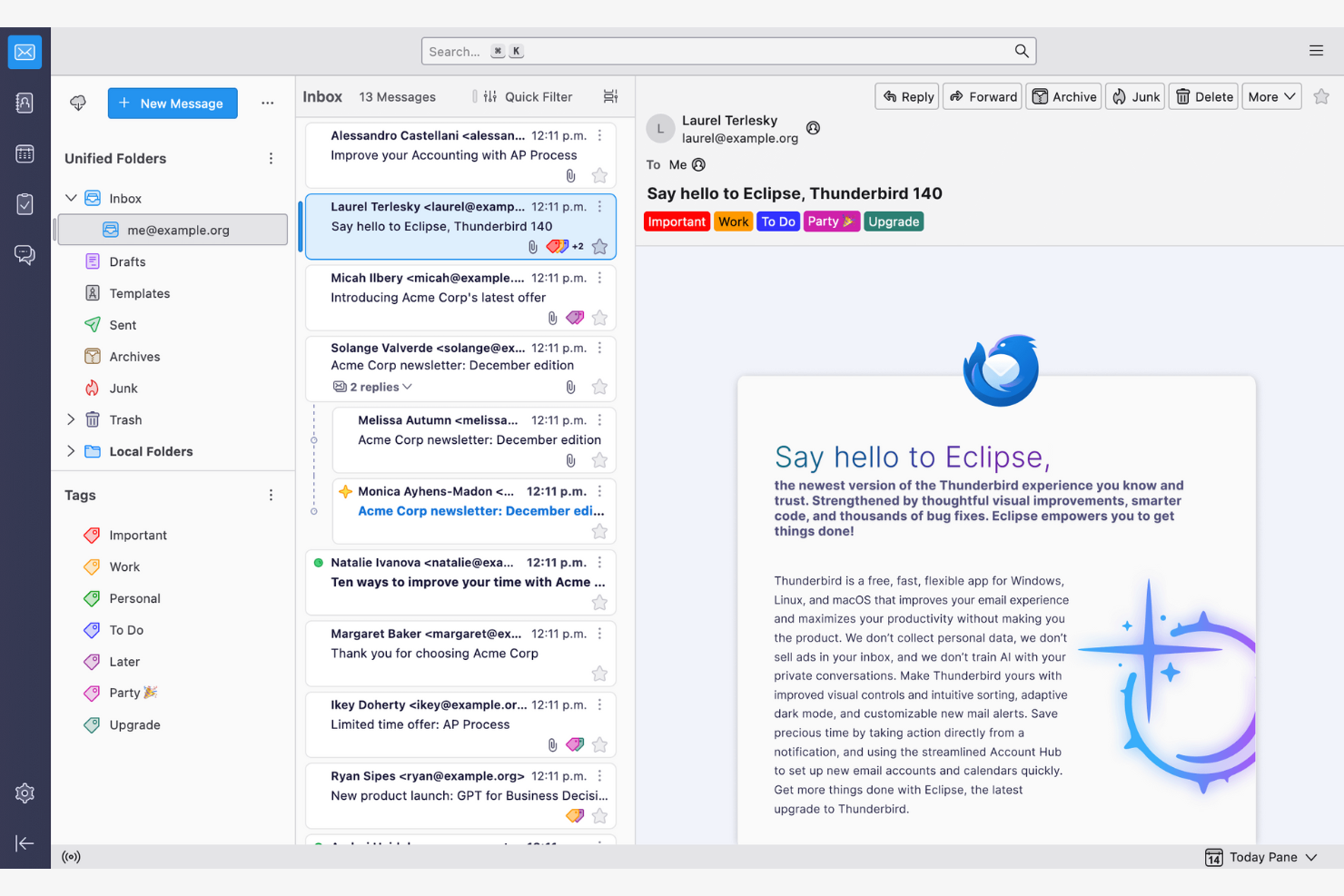
Thunderbird is an open-source email client that lets users customize and control their email environment. Its features make email management and communication more efficient.
Why I picked Thunderbird: Thunderbird is highly customizable, appealing to users who want to tailor it to their specific needs. You can use add-ons to upgrade the app's functionality, while the tabbed email feature lets you manage multiple conversations at once. Because the app is open-source, you can modify it to suit your preferences.
Standout Features and Integrations:
Features include a smart folder system to organize emails across different accounts, powerful spam filtering to block unwanted emails, and a quick filter toolbar to find emails more efficiently.
Integrations include Google Gmail, Yahoo! Mail, McAfee LiveSafe, Kasm Workspaces, Greatmail, PDFCreator, Mailfence, Aid4Mail, 1Tool CRM, and more.
Pros and Cons
Pros:
- Strong spam filtering and privacy options
- Unified inbox with tabs
- Customizable with add-ons
Cons:
- Basic user interface
- No native mobile app

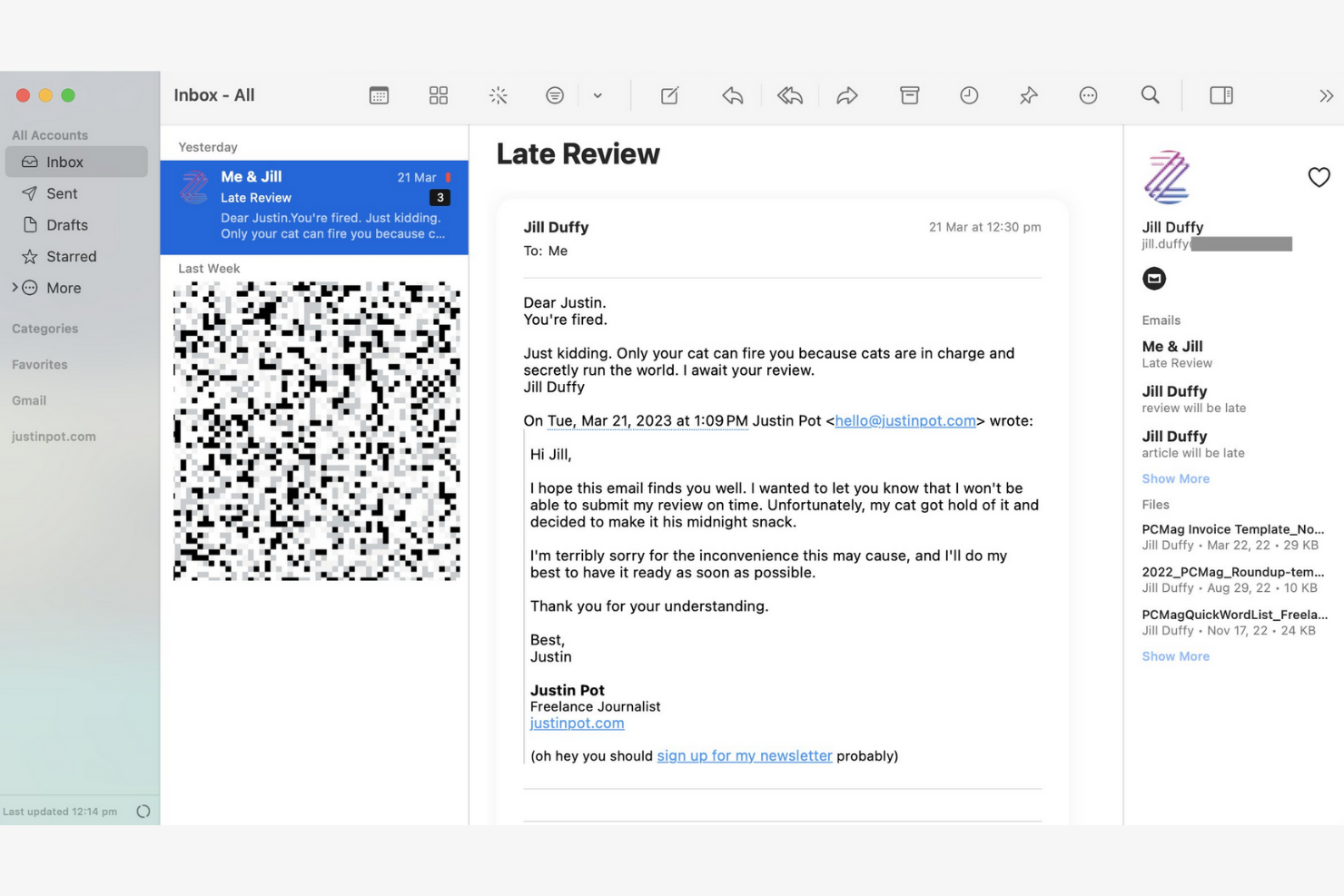
Canary Mail is an email client designed for individuals and teams who prioritize privacy and security in their communications. Its end-to-end encryption keeps your emails confidential and secure.
Why I picked Canary Mail: Canary Mail stands out for its commitment to privacy, offering a suite of data-protection features. You can encrypt emails with a single tap, giving you peace of mind for sensitive communications. The app's focus on security doesn't compromise usability, and the intuitive interface makes it simple to manage your emails while keeping them secure.
Standout Features and Integrations:
Features include search tools that help you find emails quickly, read receipts that show when your emails have been opened, and a snooze feature that temporarily hides emails so you can focus on more important tasks.
Integrations include Google Gmail, Apple iCloud, Proton Mail, Todoist, Asana, and more.
Pros and Cons
Pros:
- Unified inbox across multiple devices
- An AI copilot that functions offline
- Built-in encryption and privacy controls
Cons:
- The best Copilot features require a paid monthly subscription
- Complex encryption


Microsoft Outlook is an email client and personal information manager designed for businesses and professionals. Its integrated calendar features make communicating and scheduling more efficient.
Why I picked Microsoft Outlook: Outlook's strong integration with Microsoft Office makes it ideal for businesses that rely on Microsoft products. You can schedule meetings directly from your inbox to help your team stay organized, and the focused inbox feature shows you your most important emails first. The app's integrated calendar also lets you coordinate schedules.
Standout Features and Integrations:
Features include email categorization to manage messages efficiently, customizable rules to automate email sorting and prioritization, and a built-in task manager to keep track of your to-do lists.
Integrations include Microsoft 365 and more.
Pros and Cons
Pros:
- AI assistance
- Focused inbox for important emails
- Strong integration with the Microsoft 365 ecosystem
Cons:
- Requires regular updates
- Complex interface for new users


Superhuman Mail is an email client tailored for busy professionals who need to manage their emails quickly and efficiently. It focuses on delivering a fast email experience with advanced features that increase productivity.
Why I picked Superhuman Mail: Superhuman Mail prioritizes speed and efficiency, making it a top choice for users who want to process emails quickly. The app's keyboard shortcuts let you navigate and manage emails without a mouse, and the split inbox feature helps you focus by isolating important emails. Also, the app's undo send feature gives you further peace of mind.
Standout Features and Integrations:
Features include a powerful search function to find emails instantly, read-status indicators to see when emails have been opened, and follow-up reminders so you never miss an important response. Superhuman Mail also includes its own built-in AI assistant to help with drafting emails and scheduling meetings.
Integrations include HubSpot, Pipedrive, Salesforce, and more.
Pros and Cons
Pros:
- Minimal, distraction-free interface
- AI integration
- Keyboard shortcuts
Cons:
- Less intuitive for users who prefer traditional mouse-based navigation
- High subscription price relative to other providers
Andra e-postappar
\u003cspan style=\u0022font-weight: 400\u0022\u003eHär är några ytterligare alternativ för e-postappar som inte kom med på min kortlista, men som ändå är värda att kolla in:\u003c/span\u003e
- Mailspring
For cross-platform use
- Spark
For team collaboration
- SaneBox
For email prioritization
- Gmelius
For turning Gmail into a workspace
- Clean Email
For inbox organization
- eM Client
For customization
- Missive
For dedicated team spaces


How I Evaluate Email Apps
I evaluate email apps on two levels: the baseline a PM needs—like task conversion and inbox collaboration—and the differentiators that make one tool click where another doesn't.
Core Functionality (Table Stakes For This List)
When I'm selecting tools for my list, I rank each one on a scale from 0 (does not offer the functionality) to 5 (excels in this area) for each core functionality listed below. Then, I calculate the tool's total score into a percentage. Each tool needs to achieve a minimum total score of 65% to be considered for inclusion.
- Email Send & Receive: I check whether the app supports multi-account access across Gmail, Outlook, and IMAP/SMTP so PMs can manage client and internal accounts from one place.
- Inbox Organization: Sorting, labeling, filtering, and archiving matter—especially when you're juggling dozens of stakeholder threads across multiple active projects at once.
- Email-to-Task Conversion: I look for the ability to turn an email into a trackable task with due dates and assignees, like converting a client change request into a backlog item.
- Project Management Integrations: Native connections to tools like Asana, Jira, Monday, ClickUp, or Trello help ensure emails don't live in a silo outside your delivery workflow.
- Shared Inbox Collaboration: For agency and cross-functional teams, I evaluate whether the app supports thread assignment, internal comments, and visibility into who's handling what.
- Calendar & Scheduling: Meeting scheduling, deadline reminders, and two-way calendar sync with Google or Outlook keep project timelines connected to everyday communication.
Once I have a list of tools that meet this criteria, I consider what sets each platform apart.
Differentiating Factors (What Sets Vendors Apart)
Here's how I compare and contrast different vendors:
Standout Features
AI-assisted drafting is a big differentiator—tools that can summarize long threads or suggest replies save PMs real time during peak delivery weeks. I also look for follow-up automation, like scheduled nudges when a stakeholder hasn't responded to a blocker. A unified project inbox that groups all emails by initiative or client is another feature I weigh, since it cuts down the time spent hunting for context across scattered threads.
Beyond Features
Integration depth matters beyond just having a connector—I check whether the link to tools like Jira or Asana supports bi-directional sync, so task updates flow back into email threads. Security is another factor I weigh, especially for PMs handling client data under SOC 2 or GDPR requirements. Cross-platform availability also plays a role; field-based coordinators in construction or logistics need reliable mobile apps with offline sync, not just a browser tab.
Så väljer du en e-postapp
Det är lätt att fastna i långa funktionslistor och komplicerade prisstrukturer. För att hjälpa dig att hålla fokus när du arbetar dig igenom din unika process för att välja programvara kommer här en checklista över faktorer att tänka på:
| Faktor | Att tänka på |
|---|---|
| Skalbarhet | Kommer appen att växa med ditt team? Ta hänsyn till framtida e-postvolym, tillägg av användare och lagringsbehov. Kontrollera om appen stöder er tillväxt utan extra kostnader. |
| Integrationer | Fungerar appen med dina befintliga verktyg? Leta efter inbyggda integrationer med kalendrar, projekthanterare och CRM-system för att förenkla arbetsflöden. |
| Anpassningsmöjligheter | Kan du anpassa appen efter dina behov? Utvärdera alternativ för layoutjusteringar, anpassade mappar och personliga arbetsflöden för att säkerställa att de passar ditt teams arbetssätt. |
| Användarvänlighet | Är appen intuitiv för alla användare? Testa gränssnittets enkelhet och kontrollera att inlärningskurvan är kort för att undvika förseningar på grund av utbildning. |
| Implementering och introduktion | Hur snabbt kan ni komma igång? Bedöm installationsprocessen, tillgången till handledningar och stödet för att migrera befintliga e-postmeddelanden för att minimera driftstopp. |
| Kostnad | Passar prissättningen din budget? Jämför abonnemang, dolda avgifter och långsiktiga kostnader. Leta efter kostnadsfria provperioder för att testa appen innan du bestämmer dig. |
| Säkerhetsåtgärder | Hur säkra är dina data? Kontrollera krypteringsstandarder, alternativ för säkerhetskopiering av data och efterlevnad av integritetslagstiftning för att skydda känslig information. |
| Tillgång till support | Vilken hjälp finns tillgänglig när problem uppstår? Kontrollera om support finns dygnet runt, svarstider och kundtjänstkanaler så att du får hjälp när du behöver den. |
Vad är en e-postapp?
En e-postapp är ett programverktyg som gör det möjligt för användare att skicka, ta emot och hantera e-post. Yrkesverksamma som projektledare, marknadsförare och företagsledare använder dessa verktyg för att förbättra kommunikation och organisation. Funktioner som kategorisering av e-post, kalenderintegrationer och anpassningsbara aviseringar underlättar hantering av uppgifter, schemaläggning och struktur. Dessa verktyg erbjuder ett strukturerat sätt att hantera kommunikation effektivt, vilket sparar tid och minskar röran.
Funktioner
När du väljer en e-postapp bör du hålla utkik efter följande viktiga funktioner:
- Kategorisering av e-post: Sorterar automatiskt e-postmeddelanden i mappar, vilket hjälper dig att prioritera och hantera meddelanden effektivt.
- Kalenderintegration: Synkroniserar med kalendrar för att förenkla schemaläggning och hjälpa dig att aldrig missa viktiga händelser.
- Anpassningsbara aviseringar: Gör det möjligt för dig att ställa in varningar för specifika e-postmeddelanden, vilket minskar distraktioner och hjälper dig att fokusera på prioriteringar.
- Ändpunkt-till-ändpunkt-kryptering: Skyddar dina e-postmeddelanden och känsliga uppgifter från obehörig åtkomst.
- Enhetlig inkorg: Samlar flera e-postkonton i ett gränssnitt.
- Slumra-funktion: Döljer tillfälligt e-postmeddelanden så att du kan fokusera på brådskande uppgifter utan att tappa bort viktiga meddelanden.
- Läskvitton: Meddelar dig när mottagare öppnar dina e-postmeddelanden.
- Avancerad sökning: Hittar snabbt specifika e-postmeddelanden med hjälp av nyckelord eller filter, vilket sparar tid och ansträngning.
- Anpassningsbara teman: Låter dig anpassa appens utseende efter dina preferenser och förbättra användbarheten.
- Påminnelser om uppföljning: Påminner dig om att återkomma till e-postmeddelanden och hjälper viktig kommunikation att hålla kursen.
Fördelar
Att införa en e-postapp ger flera fördelar för ditt team och ditt företag. Här är några som du kan se fram emot:
- Förbättrad organisation: Funktioner för kategorisering av e-post och en enhetlig inkorg hjälper dig att hålla meddelanden organiserade och lätta att hitta.
- Förbättrad säkerhet: Ändpunkt-till-ändpunkt-kryptering skyddar känslig information och ger dig sinnesro.
- Bättre tidsplanering: Anpassningsbara aviseringar och påminnelser om uppföljning hjälper dig att fokusera på det som är viktigast.
- Ökad produktivitet: Integration med kalendrar och avancerade sökfunktioner förenklar arbetsflöden och sparar tid.
- Personanpassad upplevelse: Anpassningsbara teman låter dig anpassa appens utseende efter dina preferenser, vilket ökar användbarheten.
- Effektiv uppföljning av kommunikation: Läskvitton visar när mottagare öppnar dina e-postmeddelanden och hjälper dig att bedöma engagemanget.
- Prioritering av uppgifter: Slumra-funktionen hjälper dig att hantera uppgifter genom att tillfälligt dölja e-postmeddelanden som inte är brådskande.
Kostnader och prissättning
Att välja en e-postapp kräver förståelse för de olika prismodeller och abonnemang som finns tillgängliga. Kostnaderna varierar beroende på funktioner, teamets storlek, tillägg och annat. Tabellen nedan sammanfattar vanliga abonnemang, deras genomsnittliga priser och typiska funktioner som ingår i e-postlösningar:
Jämförelsetabell för abonnemang för e-postappar
| Abonnemangstyp | Genomsnittligt pris | Vanliga funktioner |
|---|---|---|
| Gratisabonnemang | $0 | Grundläggande e-postfunktioner, begränsat lagringsutrymme och annonser. |
| Privatabonnemang | $0-$10/användare/månad | Anpassningsbara teman, grundläggande support och utökat lagringsutrymme. |
| Företagsabonnemang | $3-$20/användare/månad | Avancerade säkerhetsfunktioner, integration med kalendrar och prioriterad support. |
| Organisationsabonnemang | $12-$40+/användare/månad | Omfattande säkerhet, dedikerad kundansvarig och anpassade integrationer. |
Vanliga frågor om e-postappar
\u003cspan style=\u0022font-weight: 400\u0022\u003eHär är några svar på vanliga frågor om e-postappar:\u003c/span\u003e