

10 Melhores alternativas ao Zoom para reuniões por vídeo em 2026

Lista das melhores alternativas ao Zoom


Enquanto gestor de projetos, enfrenta diariamente o desafio de coordenar equipas, gerir horários e garantir uma comunicação eficaz. O software de videoconferência e de reuniões online pode ajudar a aliviar estas dificuldades, mas é importante encontrar as ferramentas de colaboração certas para as suas necessidades. Poderá estar à procura de uma alternativa às reuniões do Zoom que se adapte melhor aos requisitos específicos da sua equipa, quer se trate de maior segurança, integração com as ferramentas existentes ou uma experiência de utilização melhorada.
Com base na minha experiência, compreender estas necessidades é essencial para escolher a solução certa. Neste artigo, apresentarei uma análise imparcial das melhores alternativas gratuitas ao Zoom, com foco no que torna cada uma delas especialmente adequada a diferentes desafios empresariais. Encontrará informações úteis para selecionar a melhor ferramenta para a sua equipa.
O que é o Zoom?
O Zoom é uma plataforma de videoconferência e um software de reuniões online que lhe permite, a si e à sua equipa, estabelecer ligações virtualmente. Depois de ganhar popularidade durante a pandemia, passou a ser utilizado regularmente por profissionais de vários setores, incluindo a educação, os cuidados de saúde e o mundo empresarial, proporcionando uma plataforma fiável para comunicação e colaboração. Funcionalidades como a partilha de ecrã, as salas simultâneas e as capacidades de gravação de reuniões ajudam a coordenar reuniões, facilitar discussões e registar informações importantes. Em geral, o Zoom oferece uma solução valiosa para manter a comunicação e a produtividade em ambientes de trabalho remotos ou híbridos.
Tabela de comparação das alternativas ao Zoom
Esta tabela de comparação resume os detalhes de preços das minhas principais alternativas ao Zoom:
| Tool | Best For | Trial Info | Price | ||
|---|---|---|---|---|---|
| 1 | Best for SMBs replacing separate phone & meeting tools | Free trial available | From $15/user/month (billed annually) | Website | |
| 2 | Best for Google Workspace integration | Free plan available | Pricing upon request | Website | |
| 3 | Best for user privacy and data ownership | Free plan available; 14-day free trial | From $1/user/month (billed annually) | Website | |
| 4 | Best for Microsoft 365 integration | Free plan + 1-month free trial available | From $4/user/month (billed annually) | Website | |
| 5 | Best for AI-assisted customer conversations | 14-day free trial + free demo available | Pricing upon request | Website | |
| 6 | Best for AI-unified communications for employees | 14-day free trial + free demo | From $30/user/month (billed annually) | Website | |
| 7 | Best for security-controlled external meetings | Free trial + free demo available | From $12/organizer/month (billed annually) | Website | |
| 8 | Best for small-business webinars and meeting engagement | Free demo available | From $27.99/user/month (as part of Intermedia Unite) | Website | |
| 9 | Best for gaming and social interaction | Free plan available | From $2.99/user/month | Website | |
| 10 | Best for pair programming and debugging | Free plan available | From $20/user/month | Website |
Why Trust Our Software Recommendations
Our team has been testing and reviewing software since 2012. As project managers ourselves, we know how difficult—and important—it is to choose the right software.
For this guide, we evaluated tools using hands-on testing and independent research, scoring tools using our selection criteria. We also draw on insights from industry thought leaders and practicing project management experts.
Our reviews reflect our human editorial judgment, not a sales pitch.
Expert reviewers:
Análises das melhores alternativas ao Zoom
Apresentamos abaixo os meus resumos detalhados das melhores alternativas ao Zoom que entraram na minha lista. As minhas análises oferecem uma visão detalhada das principais funcionalidades, vantagens e desvantagens, integrações, limites de tempo e casos de utilização ideais de cada ferramenta, para o ajudar a encontrar a melhor opção para si.

Nextiva
Best for SMBs replacing separate phone & meeting tools
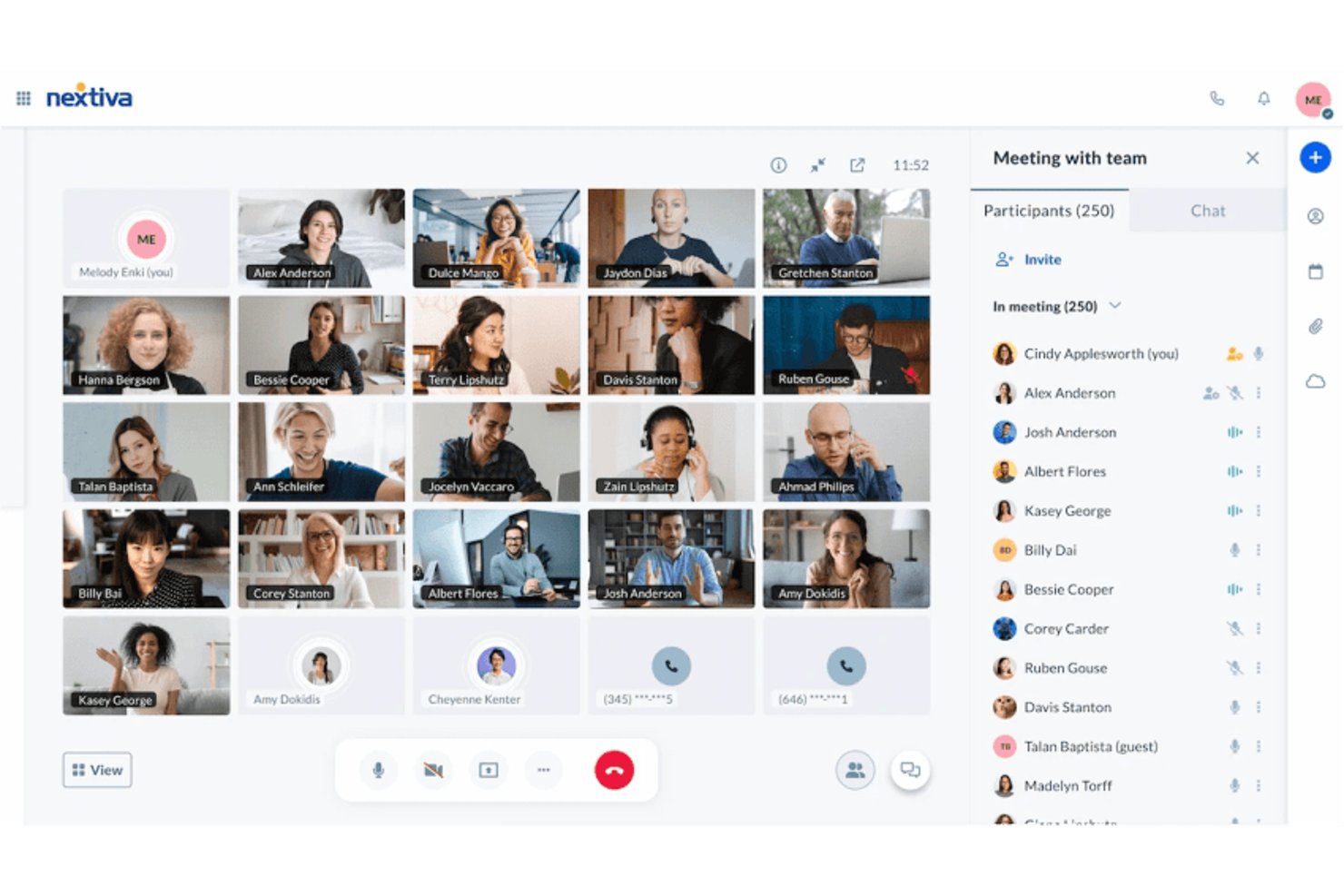
Nextiva combines video meetings, business calling, and messaging in one communications platform, helping small and midsize teams keep conversations organized without jumping between collaboration apps.
Who Is Nextiva Best For?
Small and midsize businesses that want staff to manage phone calls and team meetings in one communications system are a good fit for Nextiva.
Why Nextiva Is a Good Zoom Alternative
I picked Nextiva because it brings business calling, video meetings, and messaging into one communications platform. It’s Best for SMBs replacing separate phone & meeting tools. When a customer call needs a follow-up discussion, staff can use the same platform for a video meeting and team messages.
Nextiva Key Features
- AI agent roles: Choose a prebuilt Receptionist, Sales, or Support role.
- Call routing: Set rules to direct requests to the right staff member.
- Conversation transcripts: Review recorded conversations with transcripts and summaries.
- Calendar and CRM integrations: Connect these tools to support scheduling and customer records.
Nextiva Integrations
Nextiva XBert offers five native integrations: HubSpot, Salesforce, Zoho, Google Calendar, and Outlook Calendar, covering CRM workflows and appointment scheduling. Salesforce supports lead creation and contact lookup, but not contact updates.
Pros and Cons
Pros:
- Call transcripts and summaries capture follow-up context
- AI receptionist handles routine inquiries after hours
- Calls and meetings share one communications platform
Cons:
- Portal settings can complicate call configuration
- App calls sometimes connect without audio

Best for Google Workspace integration
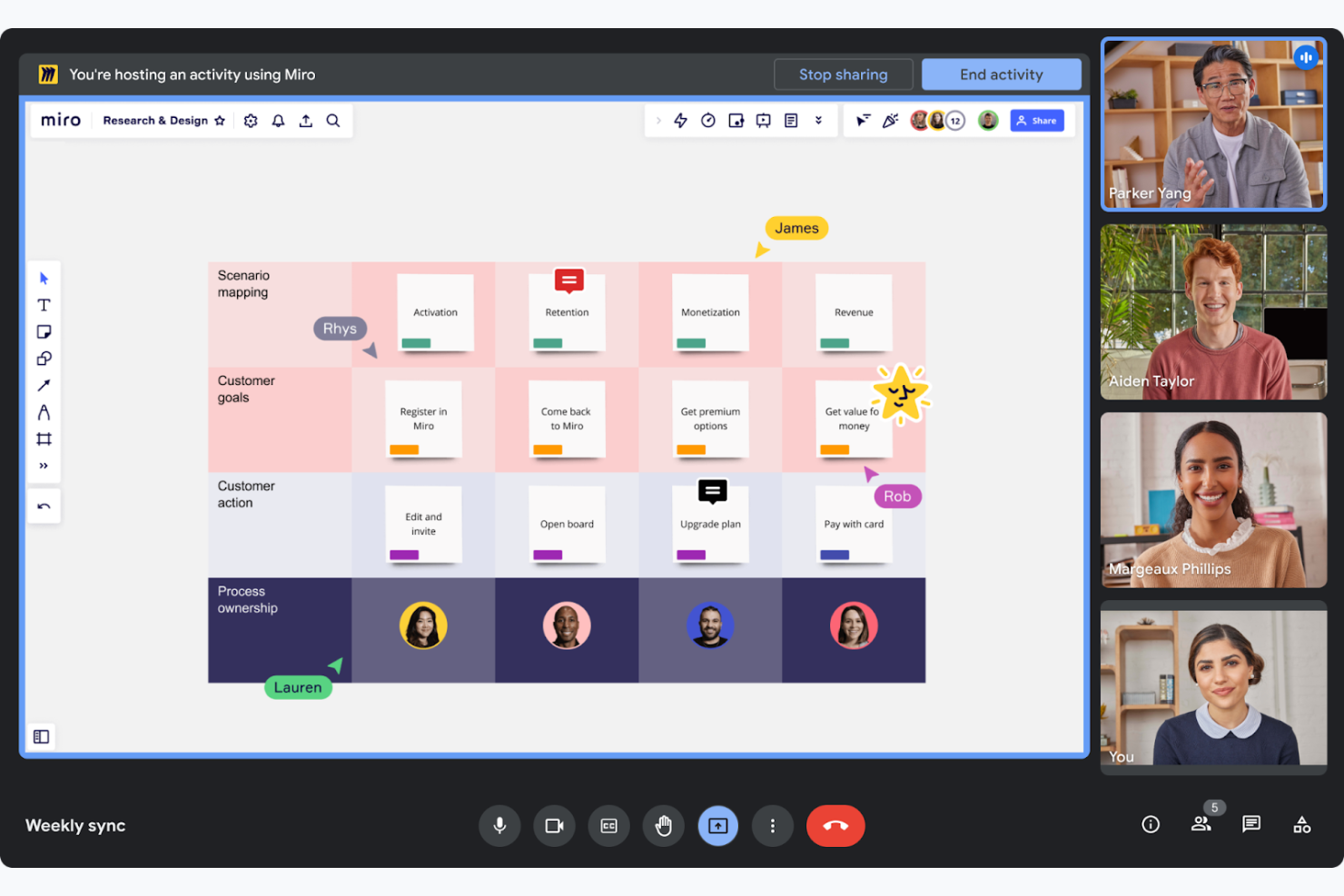
Google Meet is a video conferencing tool designed to facilitate virtual meetings and collaboration for businesses and educational institutions. It allows your team to conduct meetings with ease, directly from their web browsers or mobile devices.
Why it's a good Zoom alternative: Google Meet forms part of Google Workspace, enabling you to schedule one-on-one or team meetings directly from Google Calendar and collaborate on Google Docs during calls. This tight integration coordinates workflows for teams already using Google's suite of productivity tools. Additionally, its browser-based operation means you don't need to install any additional software, making it accessible and convenient.
Standout features and integrations:
Features include real-time live captions powered by Google's speech recognition technology, enhancing accessibility. The platform supports up to 250 participants per call, making it suitable for large meetings. You can also record meetings and save them directly to Google Drive, ensuring easy access and sharing.
Integrations include Google Calendar, Google Drive, Gmail, Google Docs, Google Sheets, Google Slides, Miro, and more.
Pros and Cons
Pros:
- Easy meeting scheduling
- Real-time captions available
- Supports large meetings
Cons:
- Occasional connectivity issues
- Basic interface design
Best for user privacy and data ownership
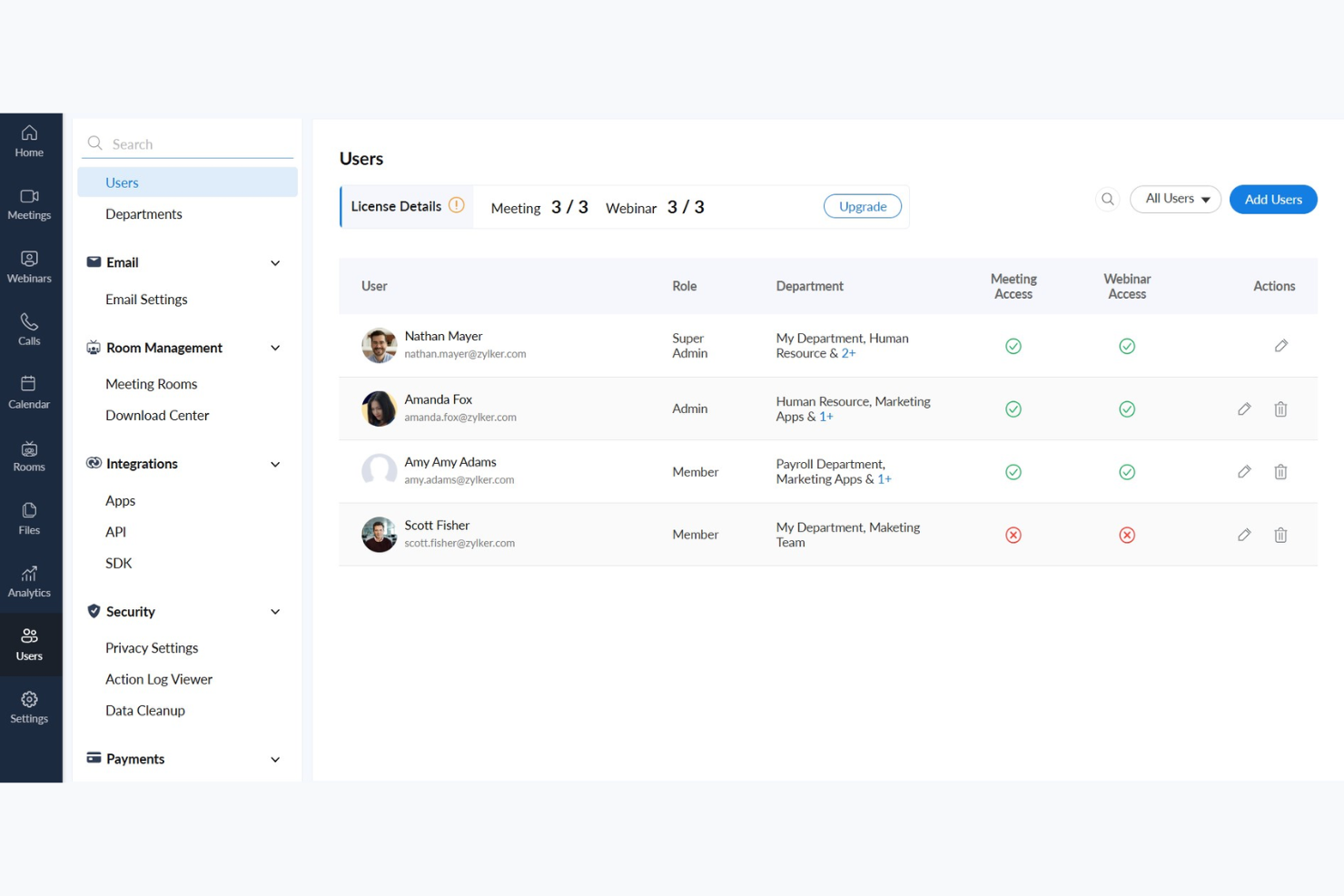
Zoho Meeting is a web-based conferencing solution designed for businesses that need secure and reliable online meeting tools. It serves professionals and teams looking to conduct webinars and virtual meetings efficiently.
Why it's a good Zoom alternative: Zoho Meeting prioritizes user privacy and data ownership, making it a preferred choice for those concerned about data security. It offers features such as meeting encryption and customizable registration forms, helping to ensure that your team's information is protected. The platform also provides detailed analytics and reports for webinars so you can track engagement and refine your presentations.
Standout features and integrations:
Features include screen sharing, which allows you to present your ideas visually to participants. The platform supports webinar polls and Q&A sessions, enabling you to engage your audience effectively. You can also record meetings and webinars, providing a valuable resource for future reference and training.
Integrations include Zoho CRM, Zoho Projects, Zoho Connect, Google Calendar, Microsoft Outlook, Slack, and more.
Pros and Cons
Pros:
- Meeting encryption available
- Detailed analytics for webinars
- Focus on privacy and data security
Cons:
- Limited scalability for large events
- Limited advanced features

Best for Microsoft 365 integration
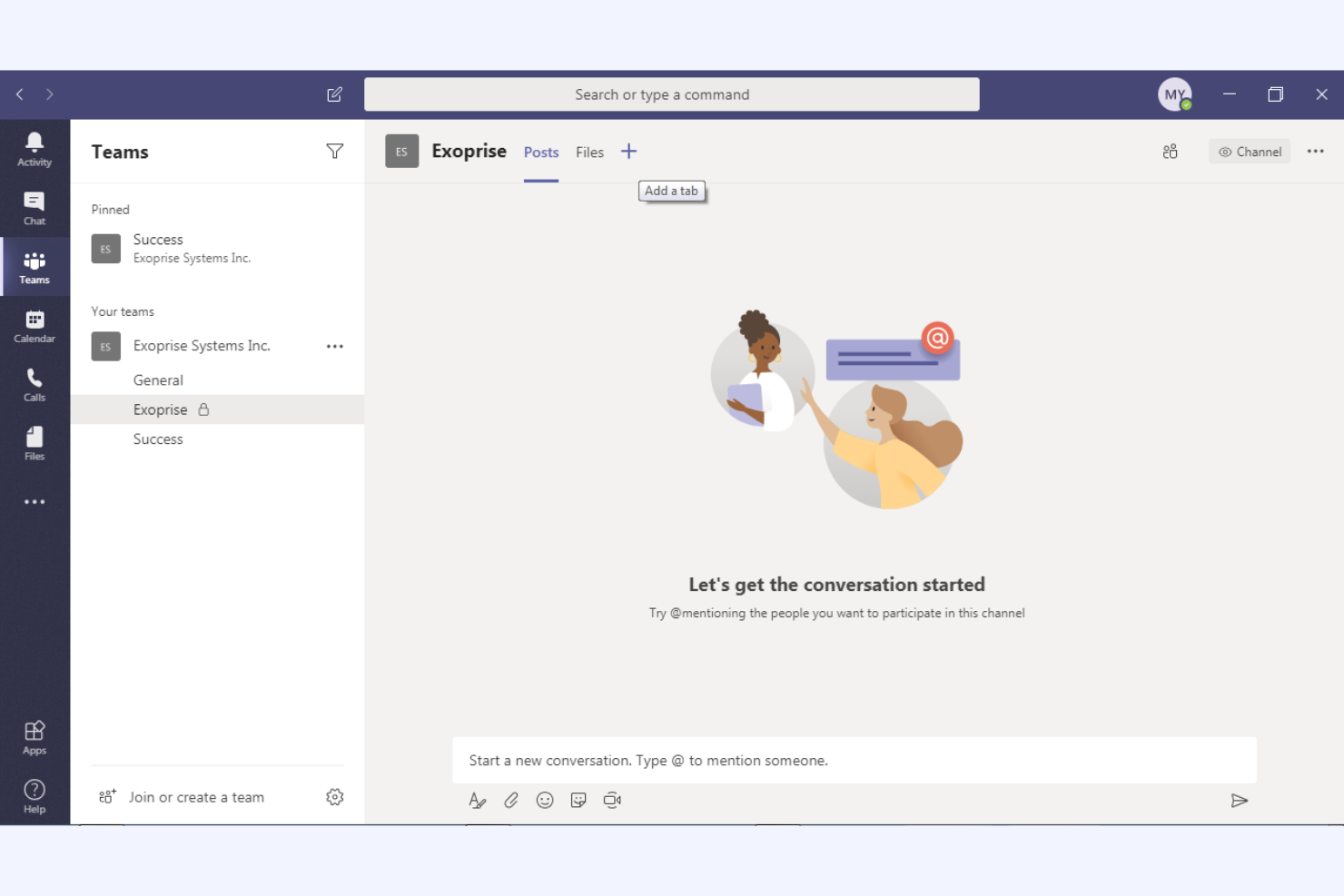
Microsoft Teams is a collaboration platform that integrates chat, video conferencing, and file sharing, designed mainly for business and educational users. It helps your team communicate efficiently and manage projects within a unified workspace.
Why it's a good Zoom alternative: Microsoft Teams offers deep integration with the Microsoft 365 ecosystem, enhancing productivity through real-time document collaboration features and calendar syncing. These capabilities make it ideal if your organization already uses Microsoft products. Additionally, its extensive chat and channel functionalities support ongoing team communication and project management, providing a deeper solution than Zoom's video-focused platform.
Standout features and integrations:
Features include task management tools that let you assign and track tasks within your team. The platform includes a built-in wiki for documenting and sharing knowledge, and it supports live events for larger audiences, making it versatile for different communication needs.
Integrations include Microsoft Outlook, SharePoint, OneDrive, Power BI, Trello, Asana, GitHub, Salesforce, and more.
Pros and Cons
Pros:
- Real-time document collaboration
- Supports large virtual events
- Deep Microsoft 365 integration
Cons:
- Can be resource-intensive
- Limited customization options

Dialpad
Best for AI-assisted customer conversations
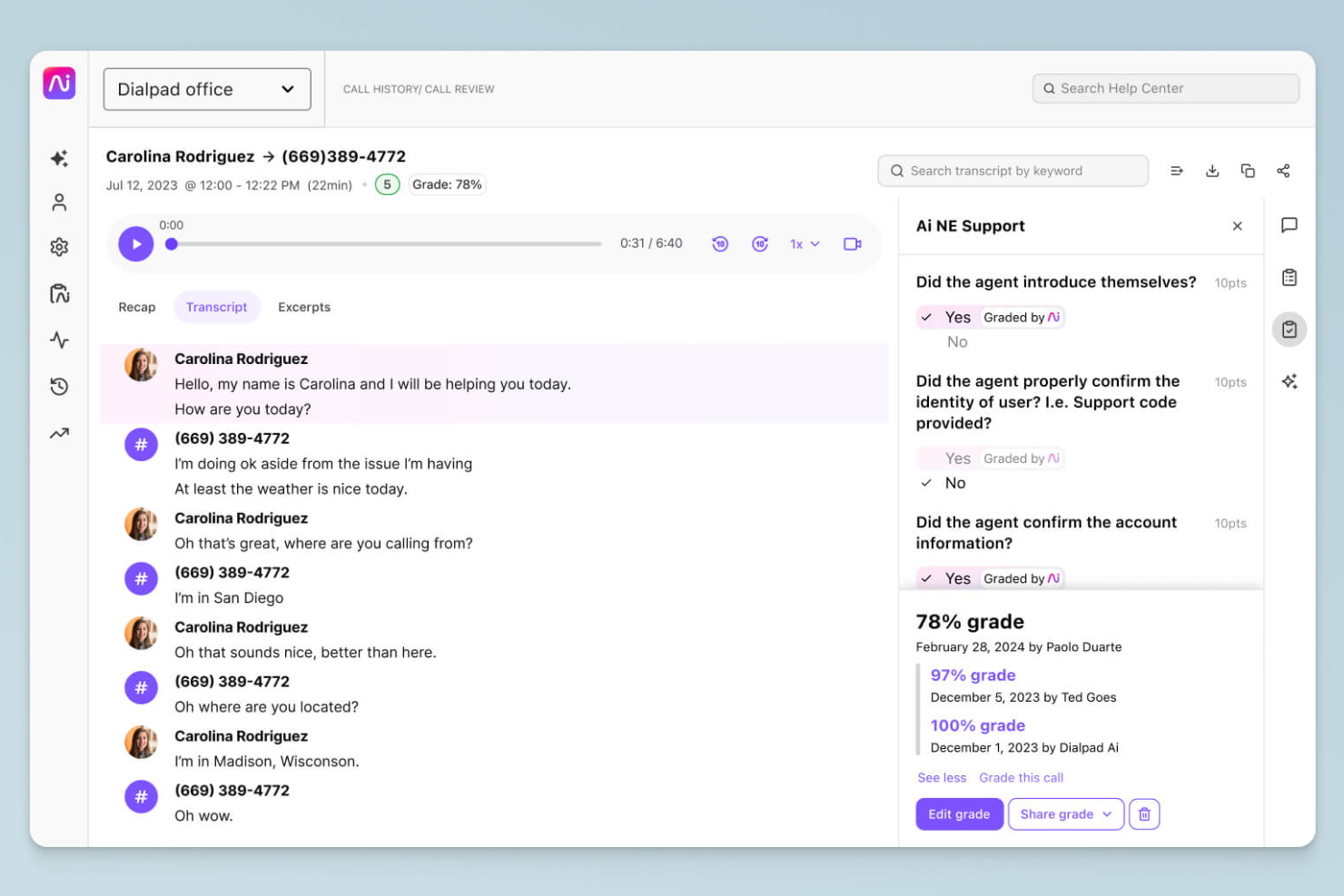
Dialpad is a cloud-based communication platform to enhance communication with AI-driven insights. It caters to companies seeking efficient voice, video, and messaging solutions to support customer and team interactions.
Why it's a good Zoom alternative: Dialpad's AI-powered features provide real-time transcription and voice analytics, offering valuable insights during calls. This allows your team to make informed decisions and improve customer interactions. With built-in call routing and customizable workflows, Dialpad supports efficient communication processes, making it a versatile alternative to Zoom's video-centric approach.
Standout features and integrations:
Features include voice intelligence that offers real-time call coaching and sentiment analysis, helping your team improve conversations. The platform supports cloud recording, cloud storage, and playback of calls, which is useful for training and quality assurance. Additionally, Dialpad provides a unified communication experience with voice, video, and messaging in one app.
Integrations include Salesforce, Microsoft 365, Google Workspace, Slack, HubSpot, Zendesk, ServiceNow, Okta, and more.
Pros and Cons
Pros:
- Efficient call routing
- Real-time transcription
- AI-driven call insights
Cons:
- Occasional system outages
- Hardware compatibility
Best for AI-unified communications for employees
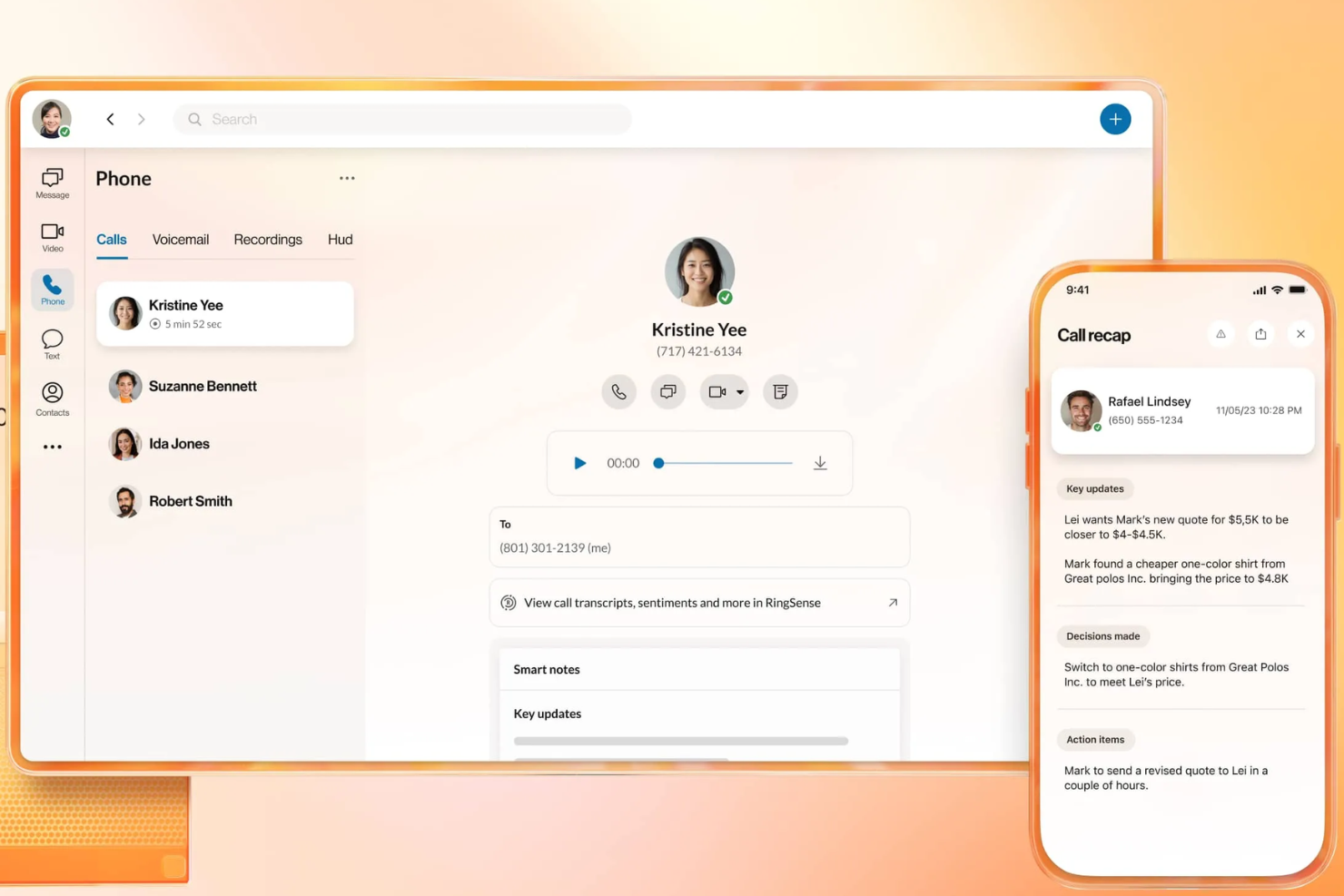
RingEX is a cloud-based communication platform designed to enhance a business's communication capabilities with advanced features. It offers reliable voice, video, and messaging solutions for team collaboration.
Why it's a good Zoom alternative: RingEX offers AI-driven insights and analytics, enabling your team to make informed decisions during calls. The platform supports features such as call recording and real-time transcription, providing useful resources for training and quality assurance. Additionally, RingEX's customizable workflows and robust call management tools make it a versatile choice for businesses of all sizes.
Standout features and integrations:
Features include advanced call routing that ensures calls are directed to the right team members. The platform provides call analytics, giving you insights into your team's communication patterns. You can also use video conferencing with screen sharing capabilities, enhancing collaboration during virtual meetings.
Integrations include Microsoft 365, Google Workspace, Salesforce, Slack, Zendesk, HubSpot, Zapier, Microsoft Teams, Okta, and more.
Pros and Cons
Pros:
- Suitable for large enterprises
- Customizable call management
- AI-driven call analytics
Cons:
- Inconsistent call reliability
- Complex setup and user interface
Best for security-controlled external meetings
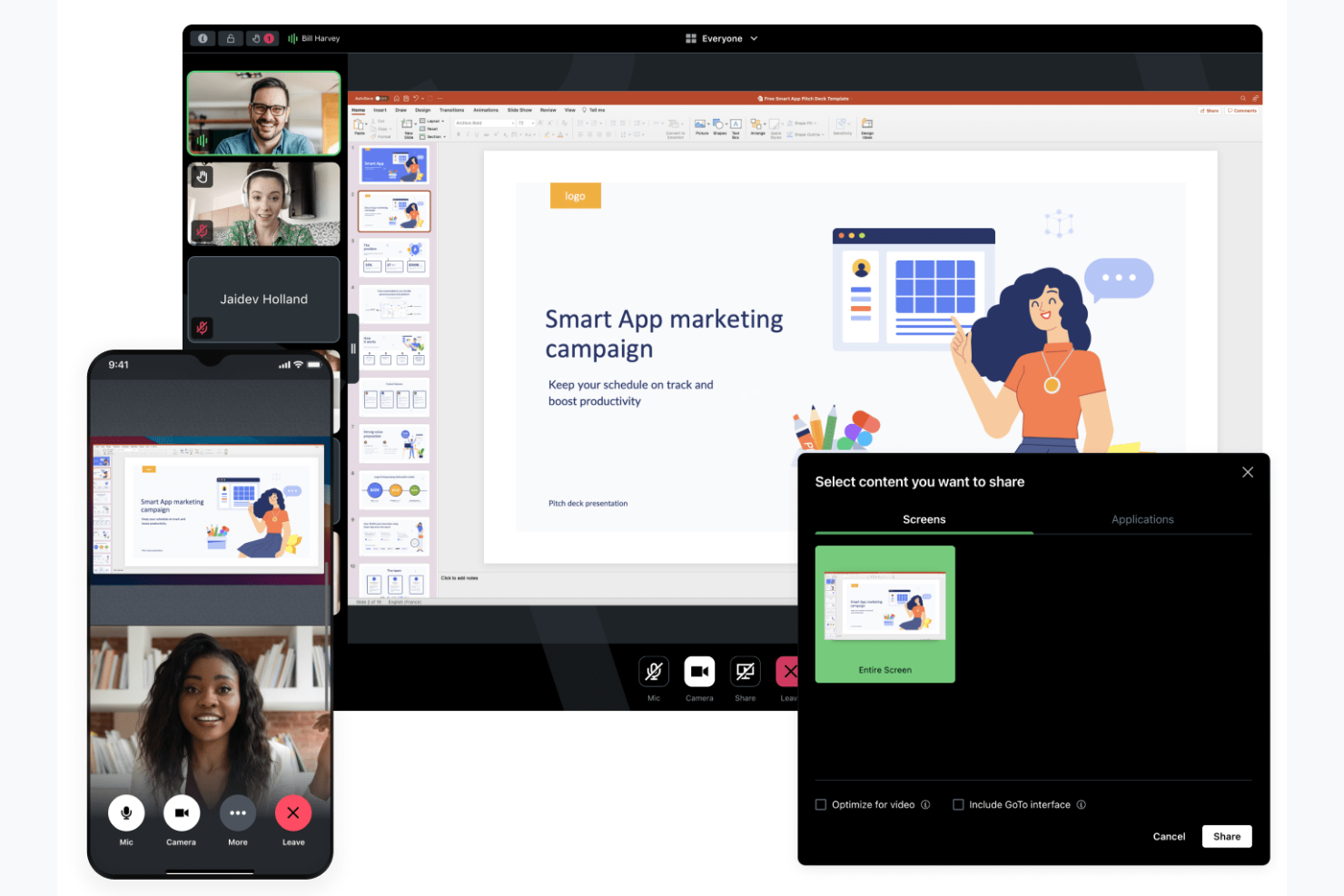
GoTo Meeting is a web conferencing tool designed for businesses that need a reliable platform for hosting virtual meetings. It serves professionals across industries, offering features to support efficient communication and collaboration.
Why it's a good Zoom alternative: GoTo Meeting focuses on providing secure and flexible meeting options with security features such as meeting encryption and admin controls, and customizable meeting settings. These capabilities help your meetings stay private and tailored to your needs. The platform supports HD video conferencing and offers mobile apps, making it convenient for teams on the go.
Standout features and integrations:
Features include a "Call Me" option that simplifies joining meetings by calling participants directly and drawing tools that let you annotate shared screens for better collaboration. You can also take advantage of the personalized meeting rooms, which provide a consistent space for your team to gather.
Integrations include Salesforce, Google Calendar, Zapier, Zoho CRM, Zendesk, Outlook, Trello, and more.
Pros and Cons
Pros:
- HD video quality conferencing
- Flexible meeting settings
- Secure meeting encryption
Cons:
- Multiple steps are required to join a workflow
- Dated interface compared to some competitors

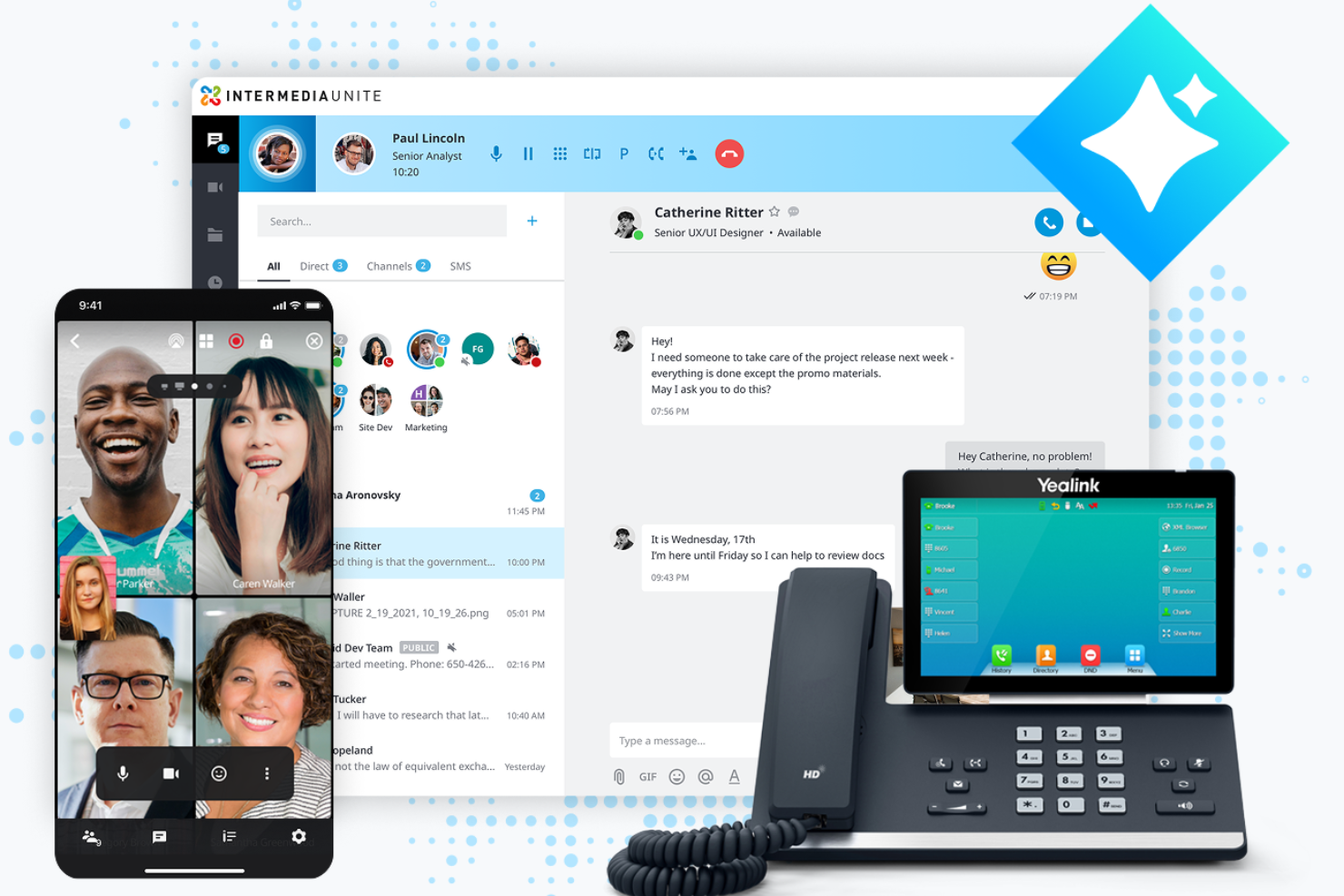
AnyMeeting is a video conferencing platform designed for small to medium-sized businesses looking for an extensive communication solution. Part of the Intermedia Unite cloud-based platform, it offers tools for hosting virtual meetings, webinars, and conference calls, supporting collaboration and connectivity.
Why it's a good Zoom alternative: AnyMeeting provides an all-in-one communication suite with features such as webinar hosting and meeting transcription. These capabilities make it suitable for businesses that need more than just video meetings. AnyMeeting offers screen sharing and customizable meeting layouts, allowing your team to tailor meetings to suit their specific needs.
Standout features and integrations:
Features include meeting transcription, which automatically records and transcribes your meetings for easy reference. The platform offers webinar hosting capabilities, providing tools to engage large audiences and customized layouts to enhance the overall meeting experience.
Integrations include Microsoft Office 365, Google Calendar, Slack, Salesforce, Zendesk, and more.
Pros and Cons
Pros:
- Customizable meeting layouts
- Meeting transcription available
- Supports webinar hosting
Cons:
- Limited scalability for larger enterprises
- Limited advanced features

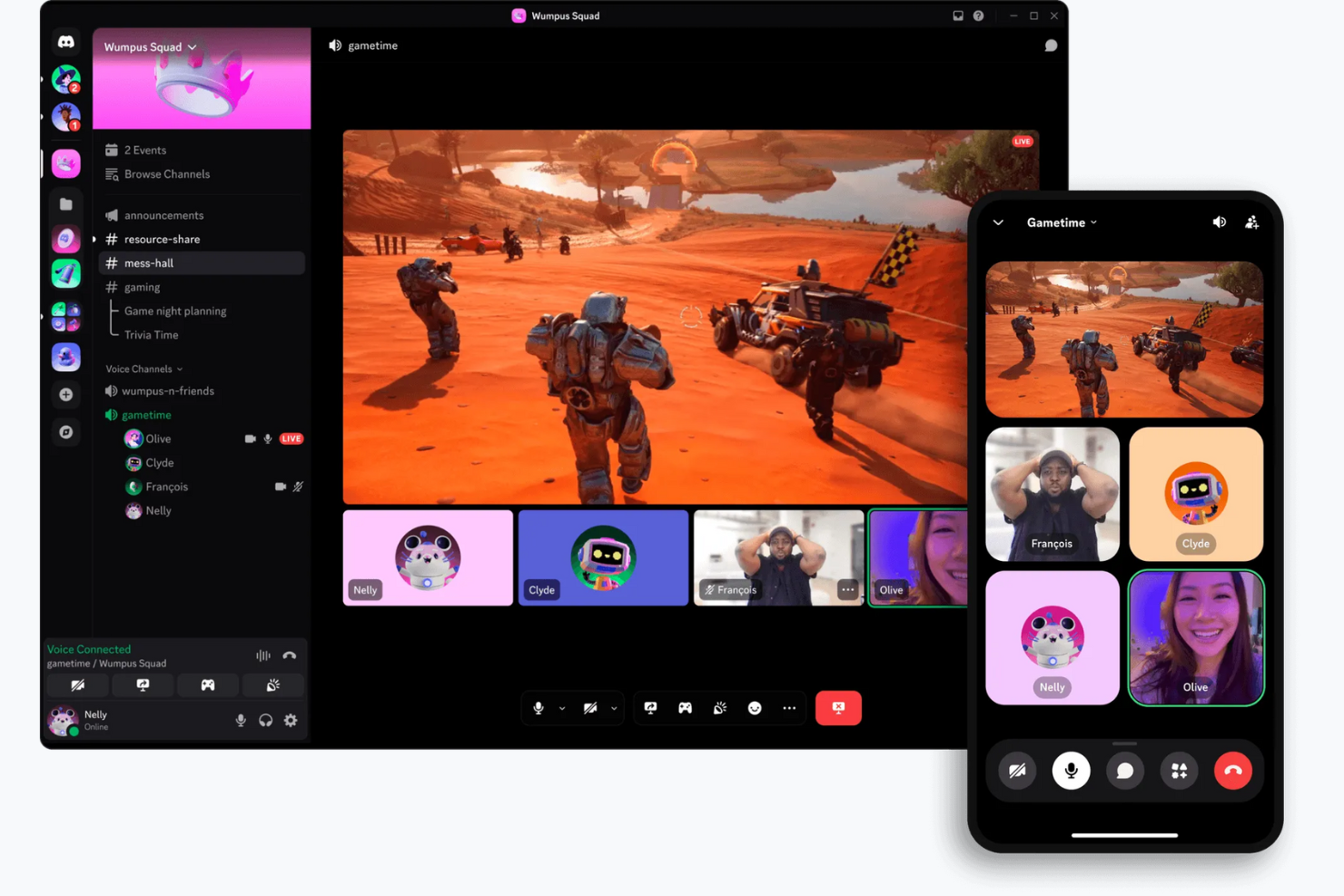
Discord is a communication platform designed primarily for gamers and social communities. Providing voice, video, and text chat capabilities, it's widely used by gaming enthusiasts and online communities for real-time interaction and collaboration.
Why it's a good Zoom alternative: Discord offers persistent voice channels, allowing your team to join and leave conversations at will, unlike Zoom's scheduled meetings. The platform provides customizable server settings and roles to manage user permissions and create organized discussion spaces. Additionally, Discord's free version and community-focused features, such as public servers and user-friendly interfaces, make it ideal for informal gatherings and social interactions.
Standout features and integrations:
Features include screen sharing, which lets you share your screen with others for collaborative gaming or working, as well as video and voice calls. You can also use Discord's direct messaging feature to communicate privately with individuals or through small calls.
Integrations include Spotify, Twitch, YouTube, Reddit, Patreon, Steam, GitHub, and more.
Pros and Cons
Pros:
- Community-focused features
- Customizable server settings
- Persistent voice channels
Cons:
- Low file upload size limits
- Limited enterprise compliance and auditing

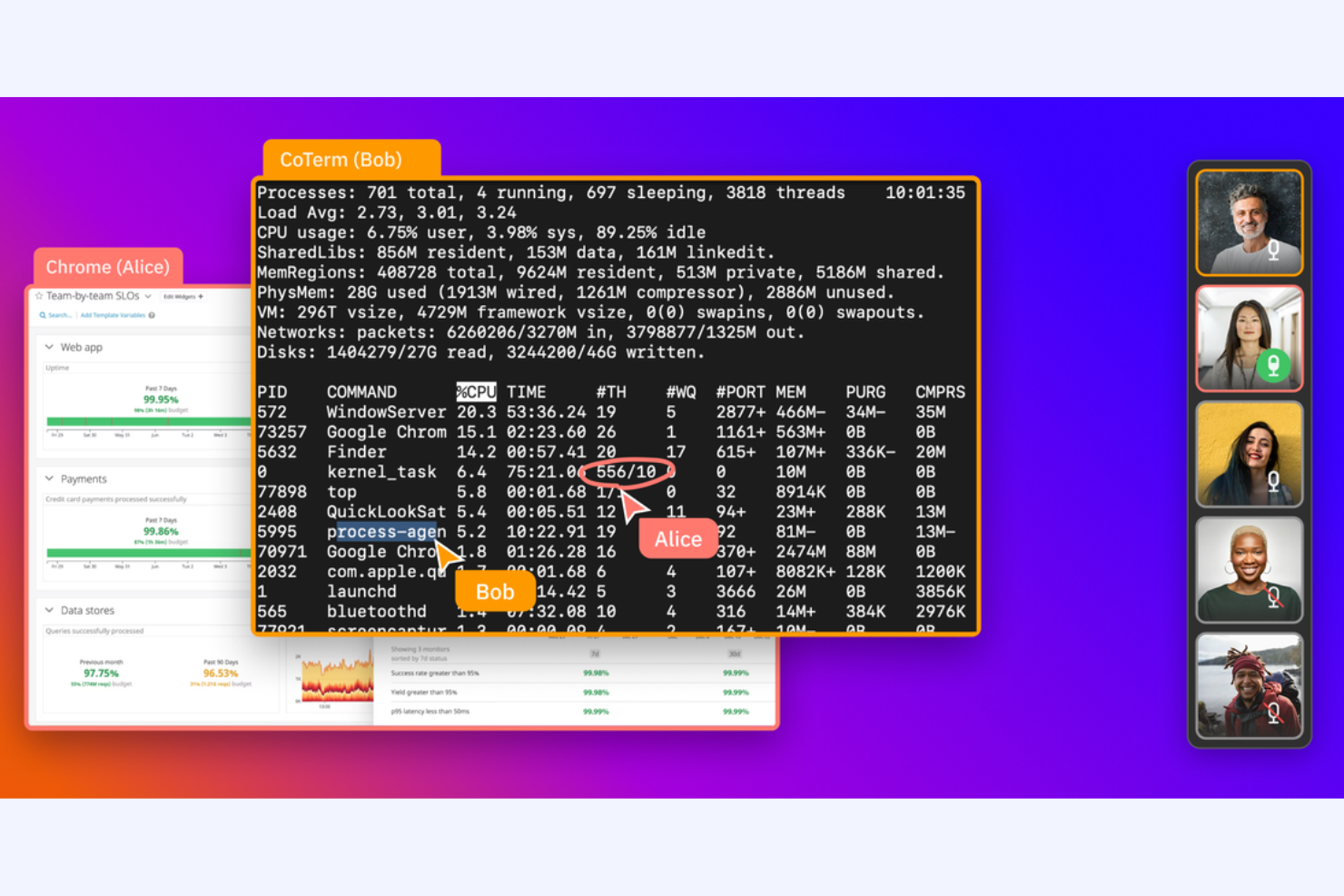
CoScreen is a screen-sharing tool for developers and teams that require real-time collaboration. It's used by software engineers and tech teams to facilitate pair programming and debugging sessions.
Why it's a good Zoom alternative: CoScreen allows multiple users to share their screens simultaneously, making it ideal for technical collaboration. Unlike Zoom, which focuses on video meetings, CoScreen emphasizes real-time code editing and problem-solving. Its low-latency performance ensures that your team's interactions are smooth and efficient, allowing for effective collaboration in coding environments.
Standout features and integrations:
Features include simultaneous screen sharing, which lets everyone on your team share their screen at the same time. You can also use low-latency video calls to ensure smooth communication during sessions. CoScreen supports real-time code editing, making it a valuable tool for developers working together on projects.
Integrations include Slack, GitHub, Jira, Asana, Google Calendar, Zoom, Visual Studio Code, IntelliJ IDEA, and more.
Pros and Cons
Pros:
- Real-time code editing
- Low-latency performance
- Ideal for pair programming
Cons:
- Limited non-technical features
- Geared towards developers
Outras alternativas ao Zoom
Eis algumas alternativas adicionais ao Zoom para software de videoconferência que não entraram na minha lista, mas que vale a pena conhecer:
- Jitsi Meet
For open-source video conferencing
- ON24
For data-driven webinars
- TeamViewer
For remote support
- ClickMeeting
For large webcasts and hosted video conferences
- Miro
For dedicated visual collaboration
- eyeson
For low-bandwidth video calls


How I Evaluate Zoom Alternatives
I split my evaluation into two layers: baseline must-haves (like HD video, recording, and PM integrations) and differentiators that set the best tools apart for project teams.
Core Functionality (Table Stakes For This List)
When I'm selecting tools for my list, I rank each one on a scale from 0 (does not offer the functionality) to 5 (excels in this area) for each core functionality listed below. Then, I calculate the tool's total score into a percentage. Each tool needs to achieve a minimum total score of 65% to be considered for inclusion.
- HD Video & Audio Quality: I evaluate whether the platform delivers stable, high-definition video for calls ranging from a quick 1:1 check-in to a 50+ person sprint review or client demo.
- Screen Sharing & Collaboration: Project teams live in boards, timelines, and docs, so I look for smooth screen sharing with annotation, remote control, and multi-presenter support during working sessions.
- Meeting Recording & Transcription: Capturing sprint planning decisions and stakeholder feedback matters, so each tool is evaluated on cloud recording, auto-transcription accuracy, and searchability of past sessions.
- Chat & Messaging: Beyond in-meeting chat, I check for persistent channels and threaded conversations that keep project discussions organized between meetings.
- Calendar & PM Tool Integrations: I look for native connections to Google Calendar, Outlook, and PM tools like Jira, Asana, or Monday so meetings link directly to the workflows they support.
- Scheduling & Meeting Management: Recurring ceremonies like standups and retros need easy scheduling, so I evaluate host controls, unique meeting links, waiting rooms, and automated invites.
Once I have a list of tools that meet this criteria, I consider what sets each platform apart.
Differentiating Factors (What Sets Vendors Apart)
Here's how I compare and contrast different vendors:
Standout Features
AI-powered meeting summaries are a big differentiator. I look for tools that auto-generate action items and key decisions so project leads can skip manual note-taking after every standup or retro. Breakout rooms also matter when you're running workshops or sprint planning with multiple sub-teams who need parallel working time. For distributed teams across time zones, async video messaging is worth evaluating too, since it lets stakeholders record quick status updates instead of scheduling yet another live call.
Beyond Features
Pricing structure matters a lot when you're switching from Zoom. I evaluate whether per-host licensing makes sense for teams where only a few PMs run meetings versus per-user models that cover everyone. Security is another key factor—I check for E2EE, SSO, and compliance certifications like SOC 2 and GDPR, especially for teams handling sensitive client project data. Integration depth also goes beyond just having a connector. I look at how tightly a tool links to your PM stack, like whether a meeting auto-attaches to a Jira ticket or syncs notes into Confluence.
Por que motivo procurar uma alternativa ao Zoom?
Embora o Zoom seja uma boa opção de software de videoconferência e de reuniões online, existem vários motivos pelos quais alguns utilizadores procuram soluções alternativas. Poderá estar à procura de uma alternativa ao Zoom porque…
- Precisa de funcionalidades de segurança mais avançadas
- A sua equipa necessita de uma melhor integração com as ferramentas
- Está a enfrentar limitações em reuniões de grandes dimensões
- Quer mais opções de personalização
- A sua equipa enfrenta problemas frequentes de conectividade
Se alguma destas situações lhe é familiar, veio ao lugar certo. A minha lista inclui várias opções de software de videoconferência e de reuniões online mais adequadas a equipas que enfrentam estes desafios com o Zoom e procuram soluções alternativas.
Principais funcionalidades do Zoom
Eis algumas das principais funcionalidades do Zoom, para ajudar a contrastar e comparar o que as soluções alternativas oferecem:
- Fundos virtuais: Altere o fundo da sua reunião para qualquer imagem ou vídeo, o que ajuda a manter a privacidade e reduz as distrações.
- Salas simultâneas: Divida a sua reunião em chamadas de grupo mais pequenas para discussões focadas durante workshops ou atividades de equipa.
- Partilha de ecrã: Partilhe o seu ambiente de trabalho ou aplicações específicas com a sua equipa para apresentar informações de forma eficaz durante as reuniões.
- Gravação e transcrições: Grave reuniões e gere automaticamente transcrições, disponibilizando um recurso para quem não pôde participar.
- Chat da reunião: Utilize a funcionalidade de chat para enviar mensagens aos participantes, partilhar ficheiros e melhorar a comunicação durante as reuniões.
- Sondagens e inquéritos: Recolha feedback ou tome decisões rapidamente com sondagens e inquéritos durante a reunião, envolvendo ativamente os participantes.
- Encriptação ponto a ponto: Garanta a segurança das suas reuniões através de encriptação, protegendo os seus dados e comunicações.
- Sala de espera: Controle o momento em que os participantes entram na sua reunião, colocando-os numa sala de espera antes do início da sessão.
- Ferramentas de anotação: Utilize ferramentas de anotação para realçar ou marcar o conteúdo partilhado, melhorando a colaboração e a compreensão.
- Levantar a mão virtualmente: Permita que os participantes levantem a mão virtualmente quando quiserem falar, ajudando a gerir reuniões maiores de forma eficiente.