

10 systemów zarządzania dokumentami pod własną marką w 2026 roku

Lista systemów zarządzania dokumentami z białą etykietą


System zarządzania dokumentami z białą etykietą to platforma, którą możesz oznaczyć własną marką i dostosować do swoich potrzeb, aby bezpiecznie organizować, przechowywać i udostępniać dokumenty klientom lub zespołom wewnętrznym. Jeśli szukasz najlepszego systemu zarządzania dokumentami z białą etykietą, prawdopodobnie chcesz zapewnić spójne doświadczenie oznaczone własną marką, zachowując jednocześnie kontrolę nad obiegiem dokumentów i dostępem do nich.
W tym przewodniku znajdziesz rozwiązania obsługujące wszystko — od szczegółowych uprawnień po niestandardową automatyzację obiegu pracy — dzięki czemu wybierzesz rozwiązanie odpowiadające potrzebom Twojej firmy i oczekiwaniom klientów.
Why Trust Our Software Recommendations
Our team has been testing and reviewing software since 2012. As project managers ourselves, we know how difficult—and important—it is to choose the right software.
For this guide, we evaluated tools using hands-on testing and independent research, scoring tools using our selection criteria. We also draw on insights from industry thought leaders and practicing project management experts.
Our reviews reflect our human editorial judgment, not a sales pitch.
Expert reviewers:
Tabela porównawcza systemów zarządzania dokumentami z białą etykietą
Ta tabela porównawcza przedstawia szczegóły cenowe moich najlepszych systemów zarządzania dokumentami z białą etykietą:
| Tool | Best For | Trial Info | Price | ||
|---|---|---|---|---|---|
| 1 | Best for integrated client portals features | 14-day free trial | From $19/month | Website | |
| 2 | Best for granular workflow automation and role-based access control | Free demo available | Pricing upon request | Website | |
| 3 | Best for on-premises deployment flexibility | Free demo + 14-day free trial available | From $14/user/month (billed annually) | Website | |
| 4 | Best for metadata-driven document search | Free demo available | From $65/user/month | Website | |
| 5 | Best for granular access permissions | Free plan available | From $52/month | Website | |
| 6 | Best for advanced workflow automation | Free demo available | Pricing upon request | Website | |
| 7 | Best for custom systems with source code ownership | Free demo available | Pricing upon request | Website | |
| 8 | Best for custom workflow automation options | Free consultation available | Pricing upon request | Website | |
| 9 | Best for multi-format document processing | Free plan available | From $9/user/month | Website | |
| 10 | Best for building client-facing document portals on top of Airtable or Google Sheets | Free plan + free demo available | From $49/month (billed annually) | Website |
Recenzje systemów zarządzania dokumentami z białą etykietą
Poniżej znajdziesz moje szczegółowe podsumowania systemów zarządzania dokumentami z białą etykietą, które trafiły na moją listę. W recenzjach szczegółowo omawiam funkcje, najlepsze zastosowania i integracje każdej platformy, aby pomóc Ci znaleźć najlepsze rozwiązanie dla siebie.

Best for integrated client portals features
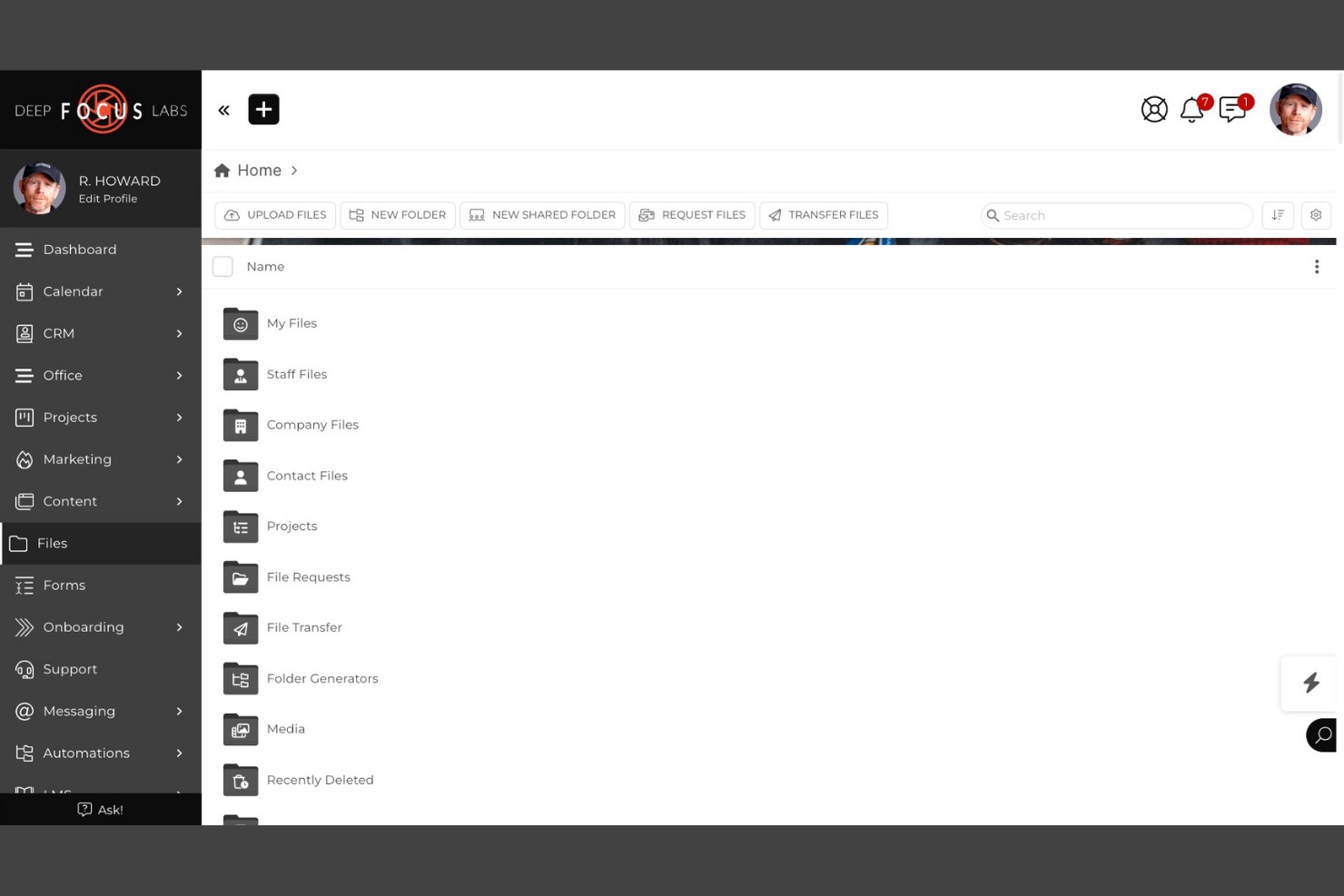
SuiteDash is a white label document management system that combines document sharing, e-signatures, secure file storage, and integrated client portals in one platform.
Who Is SuiteDash Best For?
SuiteDash is a good fit for small businesses and agencies that need to manage client documents and communications in a branded portal.
Why I Picked SuiteDash
I picked SuiteDash as one of the best because I can set up fully branded client portals that let my clients securely access, upload, and sign documents. I like that I can automate document requests and approvals directly inside the portal. My team uses its granular permission controls to manage what each client or team member can see and do.
SuiteDash Key Features
- Document versioning: Track and manage multiple versions of uploaded files.
- Customizable intake forms: Build and embed forms to collect client information and documents.
- Task automation: Set up automated workflows for document-related tasks.
- Granular user roles: Assign detailed permissions to control document access and actions.
SuiteDash Integrations
SuiteDash offers native integrations with Google Workspace, Stripe, PayPal, QuickBooks Online, and Zoom. An API is available for custom integrations.
Pros and Cons
Pros:
- Customizable intake forms for document collection
- Built-in e-signature and document request tools
- Fully white label client and team portals
Cons:
- Limited document editing within the platform
- No native integration with Microsoft 365

Best for granular workflow automation and role-based access control
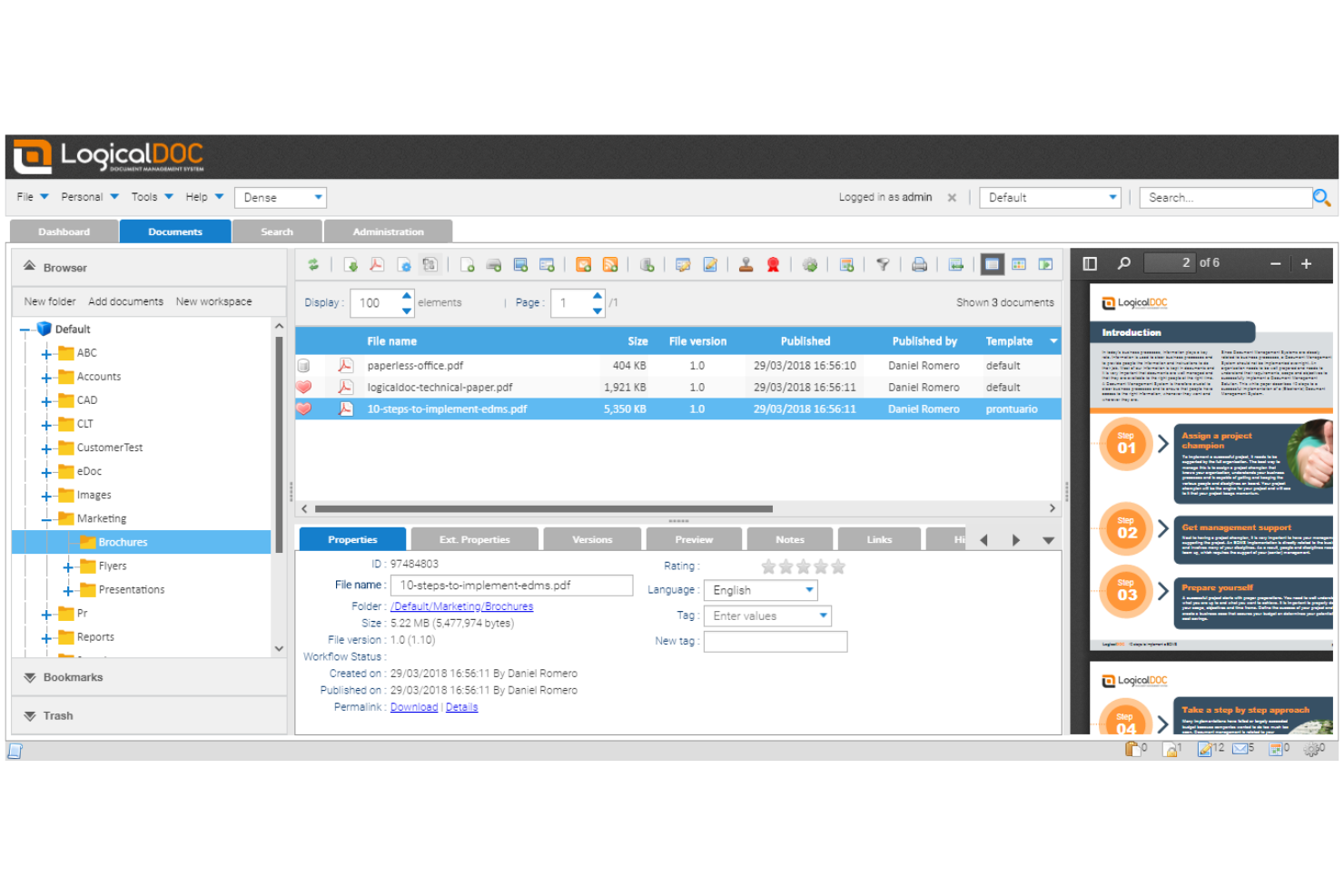
LogicalDOC is a document management system for businesses that need advanced workflow automation, granular role-based access, and customizable document organization features.
Who Is LogicalDOC Best For?
LogicalDOC is a strong choice for mid-sized businesses and enterprises that need strict document control and automated workflows.
Why I Picked LogicalDOC
I picked LogicalDOC as one of the best because I can design multi-step document workflows with granular triggers and actions for each user role. I like that my team can set up detailed access controls, so only specific users or groups can view, edit, or approve documents at each stage. In practice, that means we can automate document routing and approvals while keeping sensitive content tightly controlled.
LogicalDOC Key Features
- Custom branding: Apply your own logo, colors, and interface elements.
- Document versioning: Track, compare, and restore previous document versions.
- Full-text search: Search document content and metadata across repositories.
- Audit trail: Monitor all document actions and user activities.
LogicalDOC Integrations
LogicalDOC Integrations with Microsoft Office, OnlyOffice, ChatGPT and more. It also offers a well-documented API for custom integrations and supports no-code connectivity through automation platforms, allowing teams to send data to other systems.
Pros and Cons
Pros:
- Full-text search across documents
- Role-based permissions for access control
- Highly configurable workflow automation
Cons:
- On-premise setup requires dedicated IT resources
- Limited prebuilt integrations outside core platforms

Best for on-premises deployment flexibility
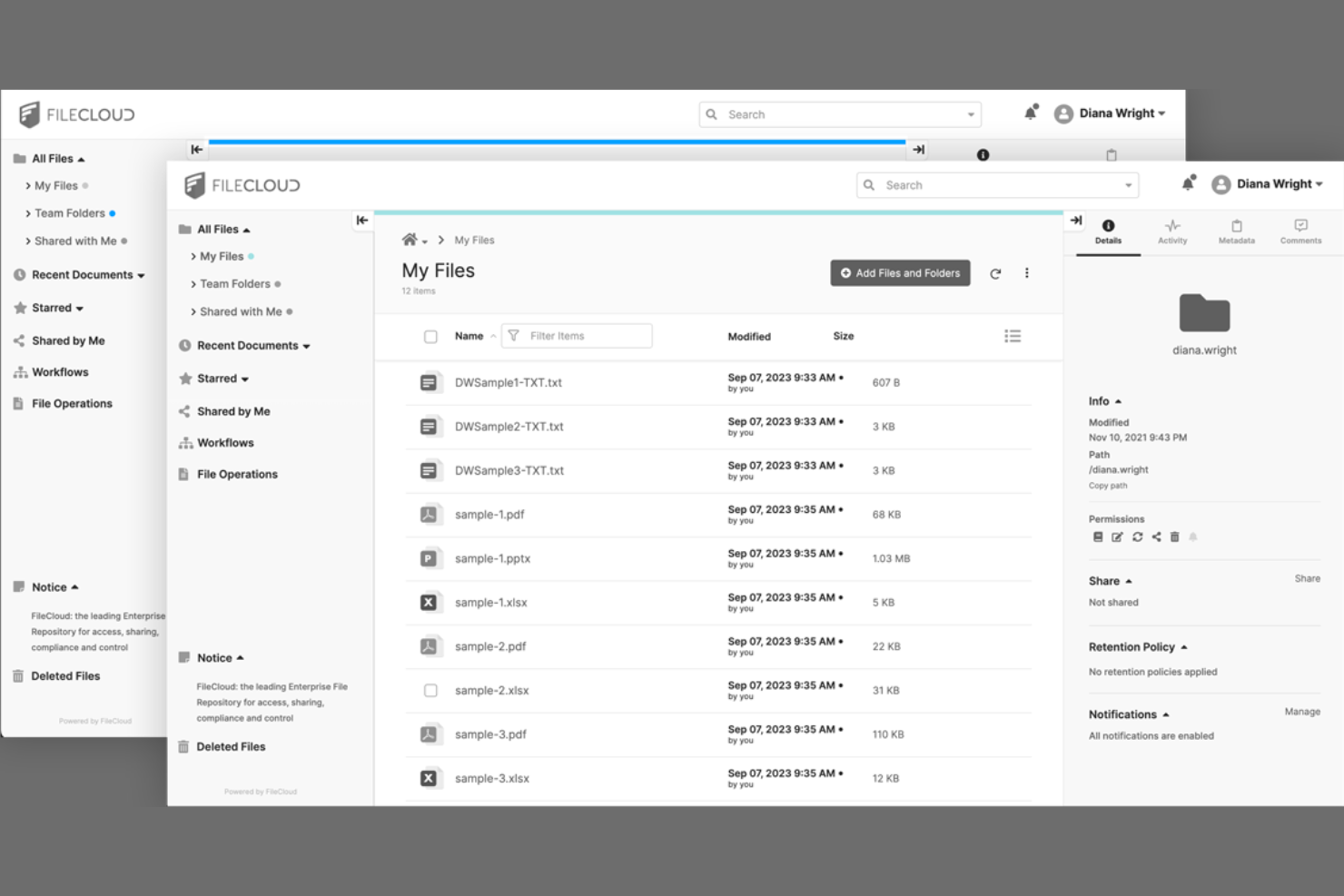
FileCloud is a document management system for teams that need private, branded file sharing, granular access controls, and on-premises or cloud deployment options.
Who Is FileCloud Best For?
FileCloud is a strong choice for IT teams at mid-sized to large organizations that require on-premises or hybrid document management.
Why I Picked FileCloud
I picked FileCloud as one of the best because I can deploy it on-premises or in a private cloud, which is rare among document management systems. I like that the interface is fully white-label, including custom domains and branding. My team uses its granular admin controls to manage user access and compliance across multiple locations.
FileCloud Key Features
- Document versioning: Track, restore, and manage multiple versions of files.
- Granular file sharing controls: Set detailed permissions for file and folder access.
- Automated retention policies: Configure rules for document lifecycle management and compliance.
- Integrated workflow automation: Build custom document approval and review workflows.
FileCloud Integrations
FileCloud offers native integrations with Microsoft 365, Microsoft Teams, Google Workspace, OnlyOffice, and Outlook, and provides an API for custom integrations.
Pros and Cons
Pros:
- Bulk import for large document migrations
- White label branding with custom domain support
- AI auto-tags and organizes uploaded documents
Cons:
- Mobile app lacks advanced document features
- A few prebuilt workflow automation templates

M-Files
Best for metadata-driven document search
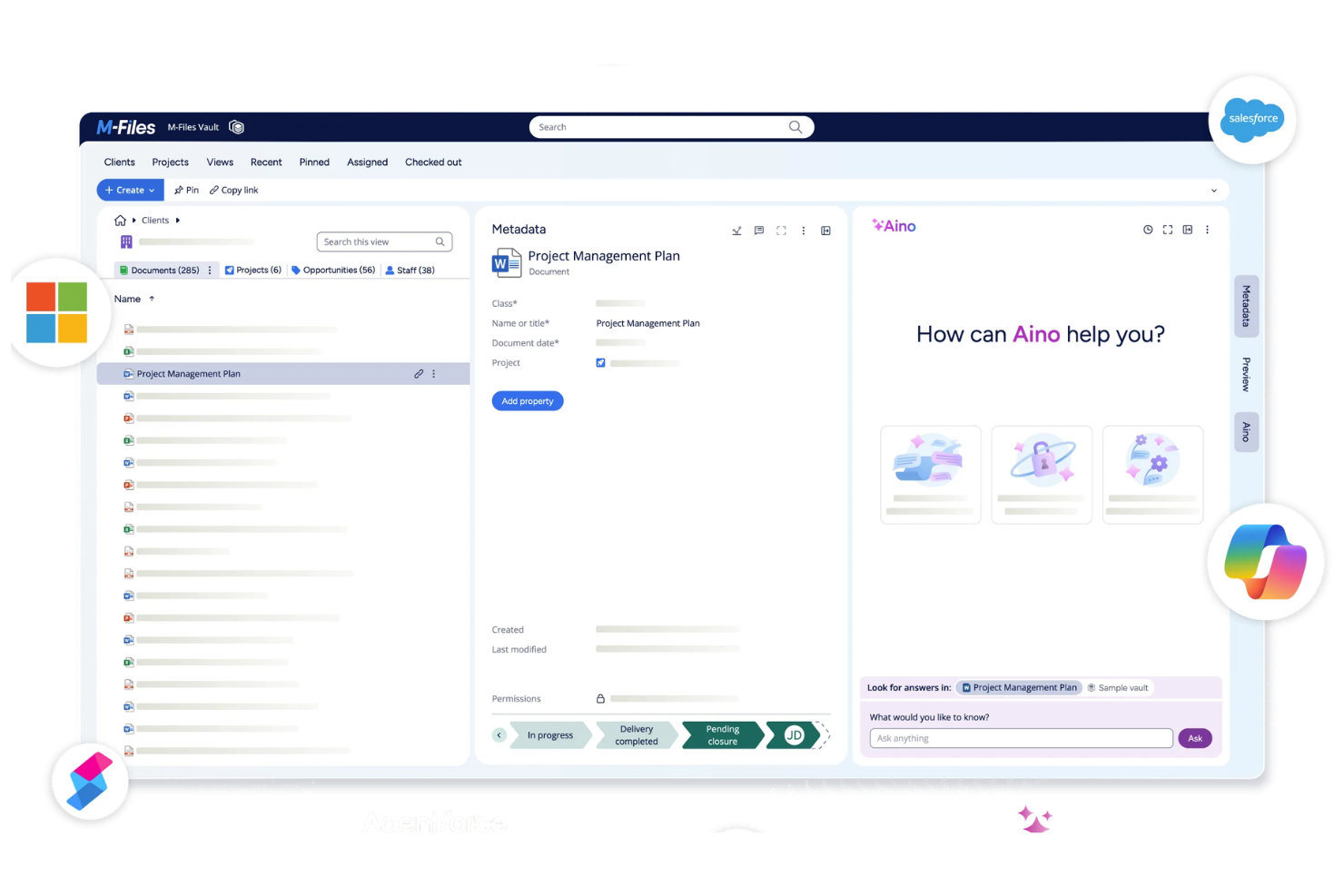
M-Files is a document management platform that organizes, stores, and secures business documents using metadata-driven workflows, version control, and advanced search capabilities.
Who Is M-Files Best For?
M-Files is a strong fit for mid-sized and enterprise organizations that need advanced document search and compliance features.
Why I Picked M-Files
I picked M-Files as one of the best because I can tag, organize, and retrieve documents using metadata fields instead of relying on folder structures. I like that my team can automate document classification and set up custom metadata properties for different document types. In practice, that means we can quickly surface the right files even in large, complex repositories.
M-Files Key Features
- Automated workflow management: Build and manage document approval and review workflows.
- Granular access permissions: Set detailed user and group permissions for document access.
- Version control: Track, compare, and restore previous document versions.
- Audit trail reporting: Monitor document activity and user actions with detailed logs.
M-Files Integrations
M-Files offers native integrations with Microsoft 365, Salesforce, Google Workspace, SharePoint, Docusign, and Adobe Sign, and provides an API for custom integrations.
Pros and Cons
Pros:
- Strong access control for sensitive data
- Advanced workflow configuration options
- Metadata-driven search across repositories
Cons:
- Customization can require setup effort
- Interface may feel outdated

Folderit
Best for granular access permissions
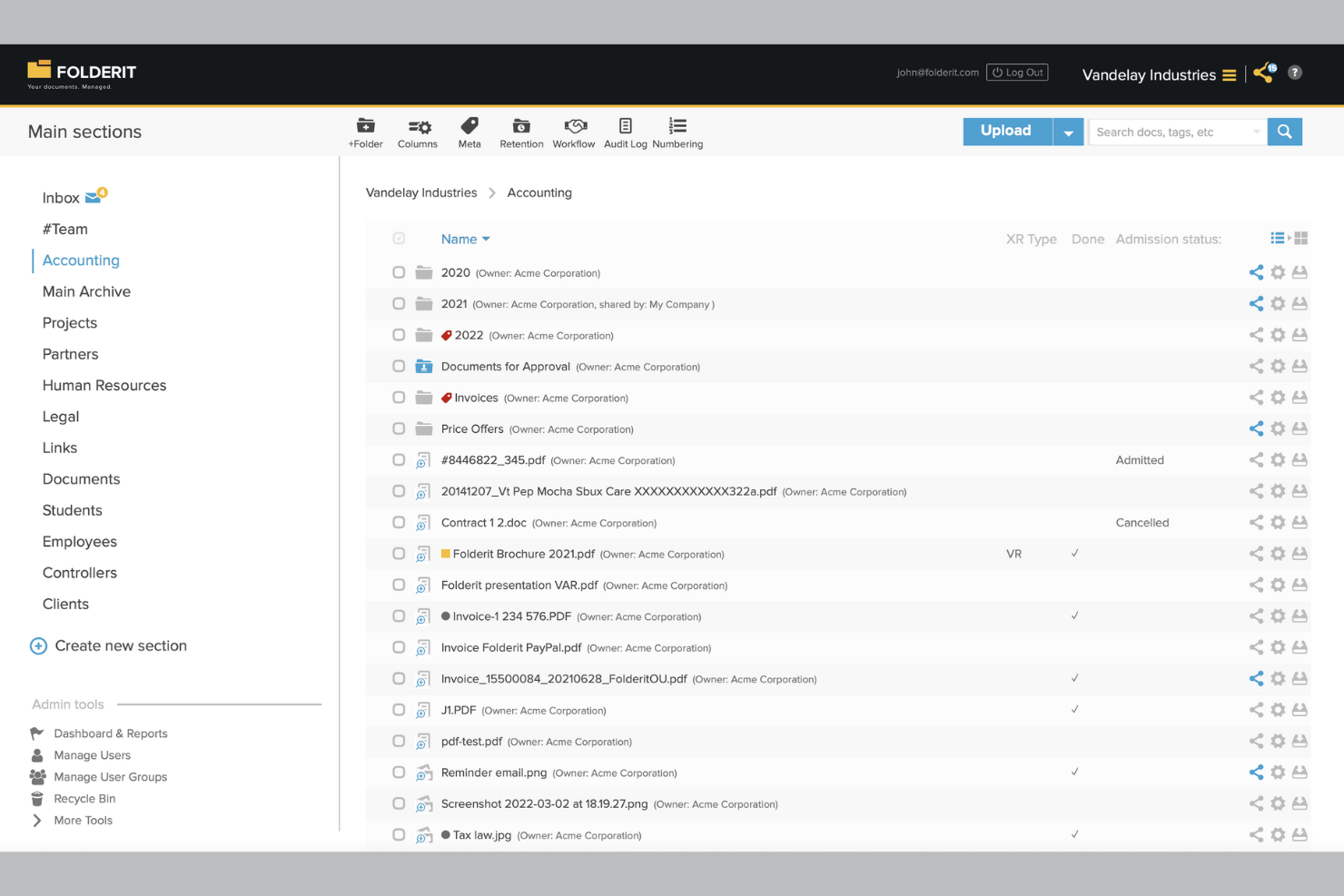
Folderit is a cloud-based document management system designed for teams that need customizable branding, detailed access controls, and secure file storage.
Who Is Folderit Best For?
Folderit is a good fit for small to midsize businesses that need secure, branded document management with detailed user access controls.
Why I Picked Folderit
I picked Folderit as one of the best because I can set up highly detailed access permissions for every folder and document, letting me control exactly who sees or edits what. I like that I can assign user roles and create approval workflows for sensitive files.
My team uses Folderit’s audit trails to track document activity, which is especially useful when managing client-facing portals.
Folderit Key Features
- Custom branding: Add your company logo and colors to the document portal interface.
- Automated document retention: Set rules for automatic archiving or deletion of files based on retention policies.
- Version control: Keep track of document revisions and restore previous versions as needed.
- Metadata tagging: Organize and search documents using custom metadata fields.
Folderit Integrations
Folderit offers native integrations with Microsoft Office 365, Outlook, and DocuSign. An API is available for custom integrations.
Pros and Cons
Pros:
- Automated document retention and archiving rules
- Custom branding for client-facing portals
- Granular user and group permission settings
Cons:
- No built-in e-signature beyond DocuSign
- Limited native integrations with third-party tools

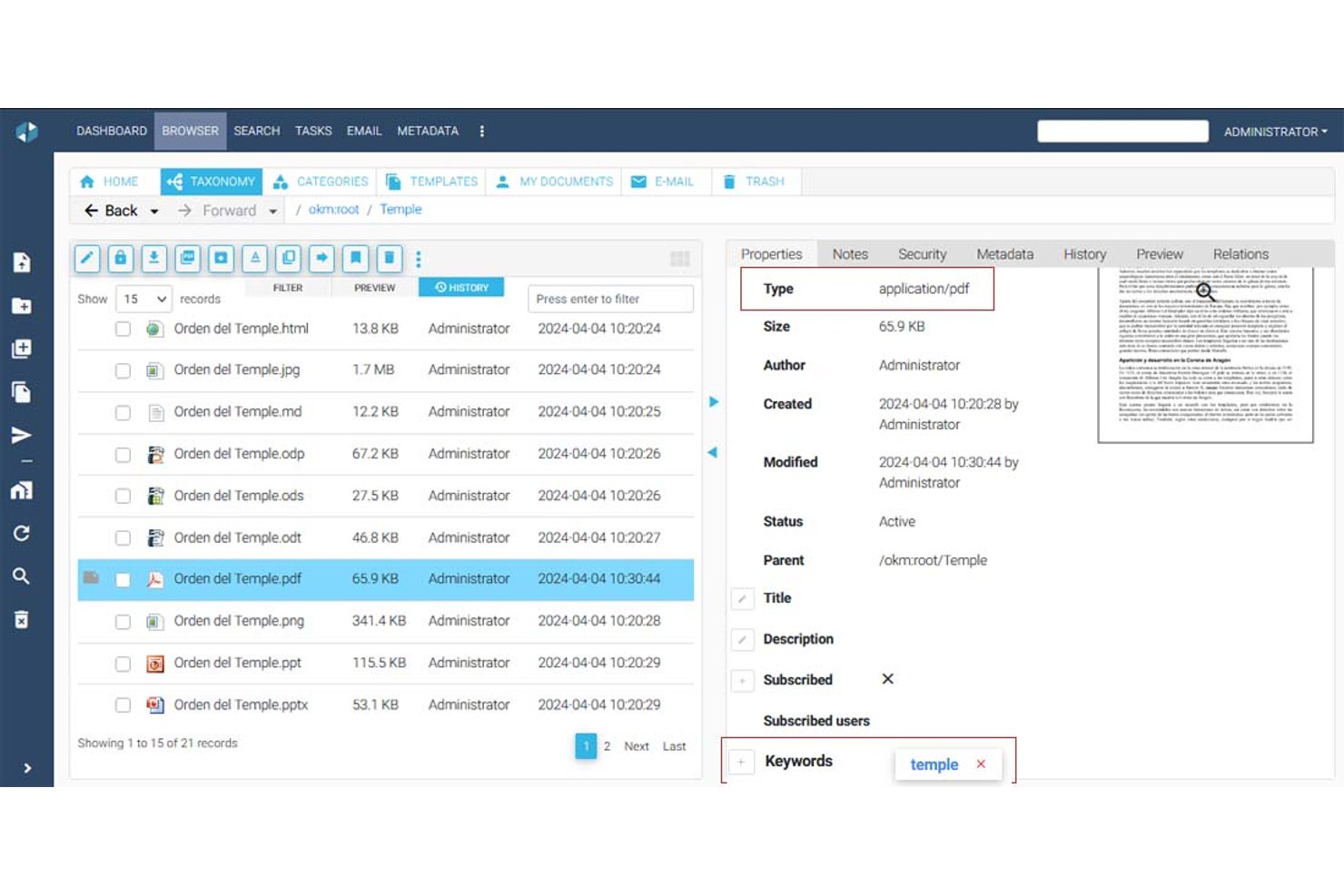
OpenKM is a document management system with a multi-tenant architecture that supports folder hierarchies, metadata management, version control, full-text search, OCR, e-signatures, and a native workflow engine for building approval and review processes.
Who Is OpenKM Best For?
OpenKM suits compliance-focused teams and PMOs that need to automate document approval workflows across multiple departments or client environments.
Why I Picked OpenKM
OpenKM earns its spot on my shortlist because its native workflow engine, OKMFlow, goes well beyond basic approvals. I like that you can build serial and parallel review chains, assign tasks dynamically to users or groups, and edit live workflows without interrupting active processes. Its multi-tenant architecture lets you provision isolated environments per client, each with its own admin, storage root, and UI customization. That combination makes it genuinely well-suited to running document approval processes across multiple client accounts from a single instance.
OpenKM Key Features
- Multi-tenant architecture: Provision isolated environments per client or department, each with its own admin, storage root, and independent configuration.
- Doc-Request module: Send encrypted, secure document requests directly to clients and receive files through a protected delivery channel.
- Full-text search engine: Index and search across PDF, Office, HTML, XML, and other file types using synonyms, stemming, and saved queries.
- Version comparison: Compare two document versions side-by-side, reviewing both metadata changes and text differences within the same interface.
OpenKM Integrations
OpenKM has native integrations across the Microsoft ecosystem, including Outlook, Word, Excel, PowerPoint, Visio, Project, and Access, plus CMIS support. Its REST API connects with SAP and Microsoft Dynamics and supports custom integrations.
Pros and Cons
Pros:
- Version history strengthens client accountability
- Tenant-level workflows support customized approvals
- Multi-tenant environments isolate client workspaces
Cons:
- Dated interface can slow client adoption
- Branding stops short of full white-labeling
Who Is Suffescom Solutions Best For?
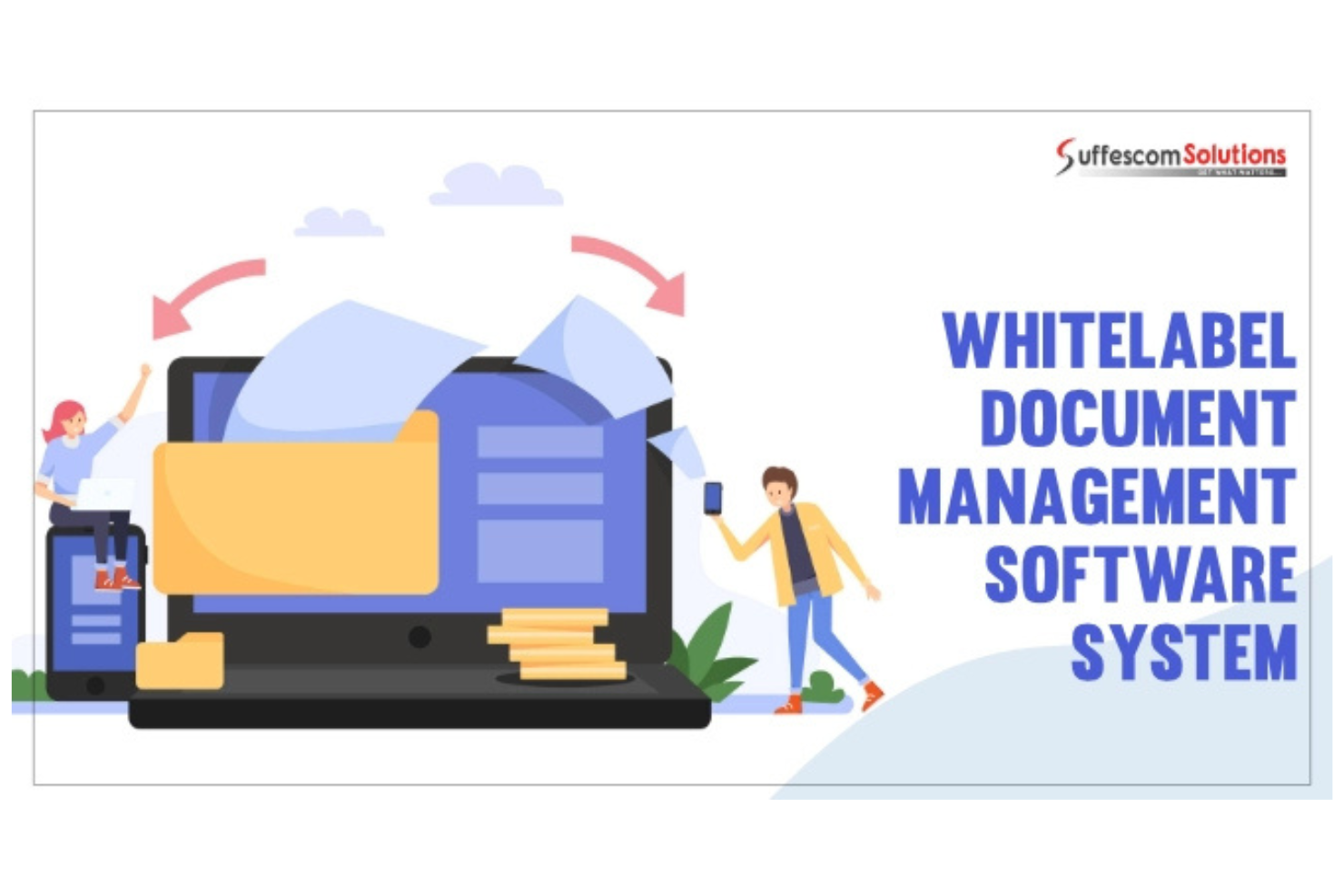
Suffescom Solutions is a good fit for enterprises or consultancies that need a fully custom document management system with source code ownership.
Why I Picked Suffescom Solutions
I picked Suffescom Solutions as one of the best because I can work directly with their team to build a fully custom document management system and retain full source code ownership. I like that I can specify unique workflows, branding, and user roles that match my business requirements.
My team can request custom integrations and features during development, which is rare among white-label DMS vendors.
Suffescom Solutions Key Features
- Document version control: Track and manage multiple versions of documents within the system.
- Granular permission settings: Assign detailed access rights to users and groups.
- Audit trail reporting: Monitor document activity and user actions with detailed logs.
- Customizable dashboard: Configure dashboards to display relevant document and workflow metrics.
Suffescom Solutions Integrations
Native integrations are not clearly documented. An API is available for custom integrations.
Pros and Cons
Pros:
- Flexible deployment options
- Highly tailored workflow configuration
- Full source code ownership for customization
Cons:
- Limited self-serve resources
- Requires vendor involvement for changes

Hyperlocal Cloud is a white label document management system platform that offers custom workflow automation, document storage, user management, and branded client portals.
Who Is Hyperlocal Cloud Best For?
Hyperlocal Cloud is a good fit for mid-sized businesses and agencies that need tailored document workflows and branded client portals.
Why I Picked Hyperlocal Cloud
I picked Hyperlocal Cloud as one of the best because I can design custom workflow automations that match my team’s exact document review and approval processes. I like that I can set up branded client portals and tailor user roles for different departments. My team uses its drag-and-drop workflow builder to automate multi-step document routing and notifications.
Hyperlocal Cloud Key Features
- Document version control: Track, manage, and restore previous versions of documents.
- Role-based access permissions: Assign granular access rights to users and groups.
- Custom branding options: Add your logo, colors, and domain to client-facing portals.
- Audit logs: Monitor all document activity and user actions for compliance.
Hyperlocal Cloud Integrations
Native integrations are not clearly documented. The tool supports integrations via API for custom workflows and connections.
Pros and Cons
Pros:
- Role-based access and permissions control
- White label branding for client portals
- Custom workflow builder for document processes
Cons:
- Limited native integrations
- No built-in document editing tools

DocStudio is a document management system for teams who need to process, convert, and organize documents in multiple formats with customizable workflows and branding options.
Who Is DocStudio Best For?
DocStudio is a good fit for mid-sized businesses and service providers who need to manage and process documents in various digital formats.
Why I Picked DocStudio
I picked DocStudio as one of the best because I can process and convert documents across formats like PDF, Word, Excel, and images without leaving the platform. I like that I can set up custom branding and workflows for each client, making it easy to deliver a true white-label experience. My team uses its batch processing and template-driven automation to handle high volumes of multi-format files for different business units.
DocStudio Key Features
- Role-based access controls: Set granular permissions for users and groups.
- Audit logging: Track all document actions and changes for compliance.
- Custom metadata fields: Add and manage searchable metadata for each document.
- Bulk document import: Upload and organize large volumes of files at once.
DocStudio Integrations
Native integrations are not clearly documented. DocStudio provides an API for custom integrations.
Pros and Cons
Pros:
- Audit logs track all document activity
- Custom branding options for client-facing portals
- Supports editing and viewing multiple file types
Cons:
- Limited workflow automation templates available
- No native Google Workspace integration
Best for building client-facing document portals on top of Airtable or Google Sheets

Softr is a no-code document management system builder that lets you create custom client-facing portals using Airtable or Google Sheets as your data source.
Who Is Softr Best For?
Softr is a good fit for small businesses and consultancies that want to build branded client document portals using Airtable or Google Sheets.
Why I Picked Softr
I picked Softr as one of the best because I can quickly build branded document portals that connect directly to Airtable or Google Sheets. I like that I can set up granular user permissions and create custom client dashboards without coding. My team uses its prebuilt blocks to add file upload, search, and document preview features for each client portal.
Softr Key Features
- Custom domain support: Publish document portals under your own branded URL.
- Role-based access controls: Assign different permissions to users and groups.
- Document versioning: Track and manage changes to uploaded files.
- Audit logs: Monitor user activity and document access history.
Softr Integrations
Softr offers native integrations with Airtable, Google Sheets, Stripe, Google Analytics, HubSpot, Mailchimp, Zapier, and more. A REST API is available for custom integrations.
Pros and Cons
Pros:
- Strong user authentication and access control
- Flexible design with drag-and-drop blocks
- No-code builder for client document portals
Cons:
- Limited workflow automation capabilities
- Relies on external data sources for storage
Inne systemy zarządzania dokumentami z białą etykietą
Oto kilka dodatkowych systemów zarządzania dokumentami z białą etykietą, które nie trafiły na moją listę, ale nadal warto się z nimi zapoznać:


How I Evaluate White Label Document Management Systems
I look at these in two layers: what a team needs to create and manage a custom-branded document portal without any trace of the vendor, and the differentiators that matter depending on how you plan to use it.
Core Functionality (Table Stakes For This List)
When I'm selecting tools for my list, I rank each one on a scale from 0 (does not offer the functionality) to 5 (excels in this area) for each core functionality listed below. Then, I calculate the tool's total score into a percentage. Each tool needs to achieve a minimum total score of 55% to be considered for inclusion.
- White-Label Branding Controls: I check whether you can replace every visible vendor reference with your own logo, color palette, favicon, and login page so clients never see the underlying platform.
- Document Storage & Organization: Folder hierarchies, tagging, and metadata schemas matter here—especially when you're managing SOWs, contracts, and deliverables across dozens of client accounts.
- Version Control & Audit Trails: I evaluate how each tool tracks revisions and logs user activity, since project documentation often goes through multiple review cycles before final approval.
- Access Controls & Permissions: Granular, role-based rules at the folder and file level are what I look for—particularly the ability to set different permission tiers for internal teams vs. external stakeholders.
- Client Portal & Collaboration: The portal experience is where your brand lives for the end client, so I evaluate whether reviewers can comment, approve, and interact with documents inside a branded workspace.
- Custom Domain & Multi-Tenant Support: Each client account should sit behind your own domain with isolated data and independent branding, which is essential when you're reselling across a portfolio of projects.
Once I have a list of tools that meet the criteria, I consider what sets each platform apart.
Differentiating Factors (What Sets Vendors Apart)
Here's how I compare and contrast different vendors:
Standout Features
API and webhook access is a big differentiator—it determines whether you can embed document workflows directly into your own PM tools or client-facing apps. I also evaluate automated approval routing, since manually chasing stakeholders for sign-off on SOWs and change orders doesn't scale across multiple client accounts. Usage analytics round out the picture. Per-tenant reporting on document views, downloads, and storage helps resellers identify upsell opportunities and prove value to clients during QBRs.
Beyond Features
Reseller licensing structure matters a lot here. I look at whether the pricing model supports margin stacking and unlimited sub-accounts, since per-client caps can kill profitability as your portfolio grows. Integrations with the broader PM ecosystem are equally important—tools that connect natively with platforms like Jira, Asana, or Monday keep documents tied to the workstreams they belong to. I also check for compliance certifications like SOC 2 and ISO 27001, especially when onboarding enterprise clients who require proof of security posture before granting access.
Jak wybrać system zarządzania dokumentami z białą etykietą
Łatwo ugrzęznąć w długich listach funkcji i skomplikowanych strukturach cenowych. Aby zachować koncentrację podczas wyboru oprogramowania dopasowanego do Twoich potrzeb, skorzystaj z poniższej listy czynników, o których warto pamiętać:
| Czynnik | Na co zwrócić uwagę |
|---|---|
| Skalowalność | Czy system będzie obsługiwać rosnącą z czasem liczbę dokumentów i użytkowników? Zapytaj o limity przestrzeni i liczbę użytkowników. |
| Integracje | Czy łączy się natywnie z Twoimi kluczowymi narzędziami (np. Microsoft 365, Google Drive)? Jeśli potrzebujesz niestandardowych połączeń, sprawdź dostęp do interfejsu API. |
| Możliwość dostosowania | Czy możesz w pełni oznaczyć interfejs własną marką i dostosować obiegi pracy do swoich procesów? Poszukaj szczegółowych opcji dotyczących marki i obiegu pracy. |
| Łatwość obsługi | Czy Twój zespół szybko zacznie z niego korzystać? Przetestuj przejrzystość interfejsu i sprawdź, czy wymaga on minimalnego szkolenia. |
| Wdrożenie i rozpoczęcie pracy | Ile czasu zajmą konfiguracja i migracja? Zapytaj o narzędzia do importowania danych, wsparcie podczas wdrożenia i dostępne materiały szkoleniowe. |
| Koszt | Czy poziomy cenowe są przejrzyste i przewidywalne w miarę rozwoju firmy? Uważaj na ukryte opłaty lub wymagane dodatki. |
| Zabezpieczenia | Czy system oferuje szyfrowanie, ścieżki audytu i szczegółową kontrolę dostępu? Potwierdź zgodność ze standardami obowiązującymi w Twojej branży. |
| Dostępność wsparcia | Czy otrzymasz szybką pomoc w razie wystąpienia problemów? Sprawdź, czy dostępne są czat na żywo, pomoc telefoniczna i dedykowana obsługa klienta, jeśli ich potrzebujesz. |
Czym są systemy zarządzania dokumentami?
System zarządzania dokumentami pod własną marką to platforma SaaS, która pozwala zespołom przechowywać, organizować i kontrolować dokumenty pod własną marką. Systemy te obsługują współpracę w czasie rzeczywistym, poprawiają doświadczenia użytkowników i pomagają firmom zapewnić spójny interfejs pod własną marką dla klientów lub zespołów wewnętrznych. Chociaż nie są dedykowanymi narzędziami do zarządzania projektami, wiele platform można wykorzystywać wraz z procesami zarządzania projektami do obsługi plików, zatwierdzeń i dokumentacji w ramach kompleksowych narzędzi do współpracy.
Funkcje
Wybierając system zarządzania dokumentami pod własną marką, zwróć uwagę na następujące kluczowe funkcje:
- Niestandardowe oznakowanie marki: Umożliwia zastosowanie własnego logo, kolorów i domeny, dzięki czemu platforma wygląda i działa jak własny produkt przeznaczony dla klientów lub zespołów wewnętrznych.
- Kontrola dostępu oparta na rolach: Pozwala ustawiać szczegółowe uprawnienia dla użytkowników lub grup, zapewniając, że tylko upoważnione osoby mogą wyświetlać, edytować lub zatwierdzać określone dokumenty.
- Wersjonowanie dokumentów: Śledzi zmiany i przechowuje historię edycji dokumentów, ułatwiając przywrócenie wcześniejszych wersji lub sprawdzenie, kto wprowadził aktualizacje.
- Automatyzacja przepływów pracy: Umożliwia projektowanie i automatyzowanie procesów przeglądu, zatwierdzania i przekazywania dokumentów, ograniczając liczbę czynności ręcznych i przyspieszając współpracę.
- Wyszukiwanie pełnotekstowe: Pozwala użytkownikom przeszukiwać treść i metadane dokumentów, dzięki czemu można szybko znaleźć pliki nawet w dużych repozytoriach.
- Ścieżki audytu: Rejestrują każde działanie wykonane na dokumentach, zapewniając przejrzysty dziennik na potrzeby zgodności, bezpieczeństwa i rozwiązywania problemów.
- Możliwości integracji: Łączą system z innymi narzędziami biznesowymi, takimi jak poczta e-mail, pamięć masowa w chmurze lub systemy CRM, usprawniając udostępnianie dokumentów i współpracę.
- Obsługa wielu języków: Oferuje interfejsy i powiadomienia w wielu językach, dzięki czemu system jest dostępny dla globalnych zespołów lub klientów.
- Zbiorcze przesyłanie i importowanie: Pozwala jednocześnie dodawać duże liczby dokumentów, upraszczając migrację ze starszych systemów lub wdrażanie nowych klientów.
- Dostęp mobilny: Zapewnia bezpieczny dostęp do dokumentów i przepływów pracy ze smartfonów lub tabletów, wspierając pracę zdalną i pracę w drodze.
Korzyści
Wdrożenie systemu zarządzania dokumentami pod własną marką zapewnia zespołowi i firmie wiele korzyści. Oto kilka z nich:
- Spójna identyfikacja marki: Zapewnia klientom i użytkownikom jednolite, profesjonalne doświadczenie dzięki dostosowaniu platformy za pomocą własnego logo, kolorów i domeny.
- Większe bezpieczeństwo: Chroni poufne informacje za pomocą kontroli dostępu opartej na rolach, ścieżek audytu i funkcji szyfrowania, które pomagają spełniać wymagania dotyczące zgodności.
- Usprawnione przepływy pracy: Automatyzuje procesy przeglądu, zatwierdzania i przekazywania dokumentów, ograniczając pracę ręczną i przyspieszając współpracę między zespołami.
- Lepsza kontrola dokumentów: Utrzymuje przejrzystą historię wersji i ustawienia uprawnień, dzięki czemu zawsze wiadomo, kto i kiedy uzyskał dostęp do dokumentu lub go edytował.
- Skalowalna współpraca: Wspiera rozwijające się zespoły i bazy klientów dzięki funkcjom takim jak zbiorcze przesyłanie, obsługa wielu języków i dostęp mobilny do pracy zdalnej.
- Płynne integracje: Łączy się z istniejącymi narzędziami biznesowymi, aby scentralizować zarządzanie dokumentami i ograniczyć konieczność przełączania kontekstu przez zespół.
- Szybsze wdrażanie: Wykorzystuje szablony, materiały szkoleniowe i intuicyjne interfejsy, aby pomóc nowym użytkownikom szybko rozpocząć pracę i zacząć wnosić wartość.
Koszty i ceny
Wybór systemu zarządzania dokumentami pod własną marką wymaga zrozumienia różnych dostępnych modeli cenowych i planów. Koszty różnią się w zależności od funkcji, wielkości zespołu, dodatków i innych czynników. Poniższa tabela przedstawia typowe plany, ich średnie ceny oraz standardowe funkcje uwzględniane w rozwiązaniach systemu zarządzania dokumentami pod własną marką:
Tabela porównawcza planów systemu zarządzania dokumentami pod własną marką
| Rodzaj planu | Średnia cena | Typowe funkcje |
|---|---|---|
| Plan bezpłatny | $0 | Podstawowe przechowywanie dokumentów, ograniczona liczba użytkowników, proste wyszukiwanie i podstawowa pomoc techniczna. |
| Plan osobisty | $5-$15/user/month | Dostęp dla jednego użytkownika, niestandardowe oznakowanie marki, podstawowa automatyzacja przepływów pracy i ograniczone integracje. |
| Plan biznesowy | $15-$40/user/month | Obsługa wielu użytkowników, zaawansowana automatyzacja przepływów pracy, uprawnienia oparte na rolach, ścieżki audytu i integracje. |
| Plan dla przedsiębiorstw | $40-$100/user/month | Nieograniczona liczba użytkowników, pełne dostosowanie pod własną marką, zaawansowane zabezpieczenia, dedykowana pomoc techniczna i narzędzia do zapewniania zgodności. |
Najczęściej zadawane pytania dotyczące systemu zarządzania dokumentami pod własną marką
Oto odpowiedzi na często zadawane pytania dotyczące systemu zarządzania dokumentami pod własną marką:
Co sprawia, że system zarządzania dokumentami jest dostępny pod własną marką?
System zarządzania dokumentami pod własną marką pozwala w pełni dostosować platformę do własnej marki, dodając własne logo, kolory i domenę. Oznacza to, że klienci i użytkownicy widzą markę firmy zamiast marki dostawcy oprogramowania, co jest szczególnie przydatne dla agencji, odsprzedawców lub firm oferujących portale dla klientów.
Czy mogę zintegrować system zarządzania dokumentami pod własną marką z używanymi już narzędziami?
Tak, większość systemów zarządzania dokumentami pod własną marką oferuje integracje z popularnymi narzędziami biznesowymi, takimi jak Microsoft 365, Google Drive i platformy CRM. Niektóre udostępniają również interfejsy API do tworzenia niestandardowych integracji, dzięki czemu można połączyć system z własnymi procesami pracy.
Jak bezpieczne są systemy zarządzania dokumentami pod własną marką?
Systemy zarządzania dokumentami pod własną marką zazwyczaj obejmują funkcje bezpieczeństwa, takie jak szyfrowanie, mechanizmy kontroli dostępu oparte na rolach i ścieżki audytu. Zawsze sprawdzaj certyfikaty zgodności i pytaj o lokalizację przechowywania danych, jeśli Twoja firma musi spełniać określone wymogi prawne.
Czy można przenieść dokumenty ze starego systemu?
Tak, większość rozwiązań oferuje narzędzia do zbiorczego przesyłania lub migracji, które pomagają przenieść dokumenty ze starszych systemów. Niektórzy dostawcy zapewniają również wsparcie przy wdrożeniu lub usługi migracji, aby usprawnić ten proces.
Kto powinien rozważyć korzystanie z systemu zarządzania dokumentami pod własną marką?
Systemy zarządzania dokumentami pod własną marką są dobrym rozwiązaniem dla firm, które muszą zapewnić klientom obsługę zgodną z własną marką, agencji zarządzających wieloma kontami klientów oraz organizacji o rygorystycznych wymaganiach dotyczących marki i możliwości dostosowania.