

10 migliori alternative a Loom per video asincroni nel 2026

10 Elenco delle migliori alternative a Loom


Il ruolo di project manager può essere impegnativo. Devi gestire le scadenze, coordinare i team e promuovere la produttività. Gli strumenti di comunicazione video come Loom sono diventati una scelta comune per molti, ma a volte semplicemente non soddisfano le esigenze del tuo team.
Forse cerchi funzionalità migliori, più spazio di archiviazione o requisiti di conformità specifici. Nella mia esperienza, trovare lo strumento giusto può fare la differenza nella collaborazione e nell'efficienza.
In questo articolo ti illustrerò le migliori alternative a Loom. Ho testato e recensito in modo indipendente ogni opzione per aiutarti a trovare quella più adatta alle tue esigenze. Scopriamo insieme soluzioni in grado di supportare davvero le sfide specifiche del tuo team.
Che cos'è Loom?
Loom è un software di comunicazione e collaborazione video che consente di registrare e condividere facilmente messaggi video. È ampiamente utilizzato da professionisti come project manager, educatori e operatori di marketing che devono comunicare rapidamente idee complesse.
Grazie alle funzionalità di registrazione, condivisione dello schermo e condivisione istantanea, Loom aiuta te e il tuo team a trasmettere i messaggi in modo efficace. Nel complesso, Loom offre un modo semplice per migliorare la comunicazione e la collaborazione all'interno dei team.
Riepilogo delle migliori alternative a Loom
Questa tabella comparativa riassume i dettagli dei prezzi delle mie migliori alternative a Loom, per aiutarti a trovare quella più adatta al tuo budget e alle esigenze della tua azienda.
| Tool | Best For | Trial Info | Price | ||
|---|---|---|---|---|---|
| 1 | Ideale per la documentazione di tutorial multilingue | Prova gratuita di 10 giorni + demo gratuita disponibile | A partire da $40/mese (con fatturazione annuale) | Website | |
| 2 | Ideale per i team di marketing | Piano gratuito disponibile | A partire da $79/mese (fatturato annualmente) | Website | |
| 3 | Ideale per il montaggio video | Piano gratuito disponibile | A partire da $39/anno | Website | |
| 4 | Ideale per la trascrizione | Piano gratuito disponibile | A partire da $12/utente/mese | Website | |
| 5 | Ideale per l'analisi dei video | Piano gratuito + prova gratuita + demo gratuita | A partire da $59/utente/mese (con fatturazione annuale) | Website | |
| 6 | Ideale per la condivisione di file | Prova gratuita di 7 giorni | A partire da $8.25 /membro/mese | Website | |
| 7 | Ideale per il coinvolgimento nelle vendite | Demo gratuita disponibile | A partire da $42/mese | Website | |
| 8 | Ideale per registrazioni semplici dello schermo | Piano gratuito disponibile | Da $8.16/utente/mese (fatturato annualmente) | Website | |
| 9 | Ideale per la narrazione creativa | È disponibile una prova gratuita di 7 giorni | A partire da $13/mese (con fatturazione annuale) | Website | |
| 10 | Ideale per gli approfondimenti basati sull'IA | Prova gratuita di 7 giorni disponibile | A partire da $120/mese (con fatturazione annuale) | Website |
Perché fidarsi dei nostri consigli sui software
Il nostro team testa e recensisce software dal 2012. In quanto project manager noi stessi, sappiamo quanto sia difficile — e importante — scegliere il software giusto.
Per questa guida, abbiamo valutato gli strumenti attraverso test pratici e ricerche indipendenti, assegnando un punteggio agli strumenti in base ai nostri criteri di selezione. Ci basiamo inoltre sulle competenze di leader di pensiero del settore e di professionisti attivi nella gestione dei progetti.
Le nostre recensioni riflettono il nostro giudizio editoriale umano, non un discorso di vendita.
Revisori esperti:
Recensioni delle migliori alternative a Loom
Di seguito trovi i miei riepiloghi dettagliati delle migliori alternative a Loom incluse nel mio elenco. Le mie recensioni offrono uno sguardo approfondito sulle funzionalità principali, sui vantaggi e gli svantaggi, sulle integrazioni e sui casi d’uso ideali di ogni strumento, per aiutarti a trovare quello più adatto a te.

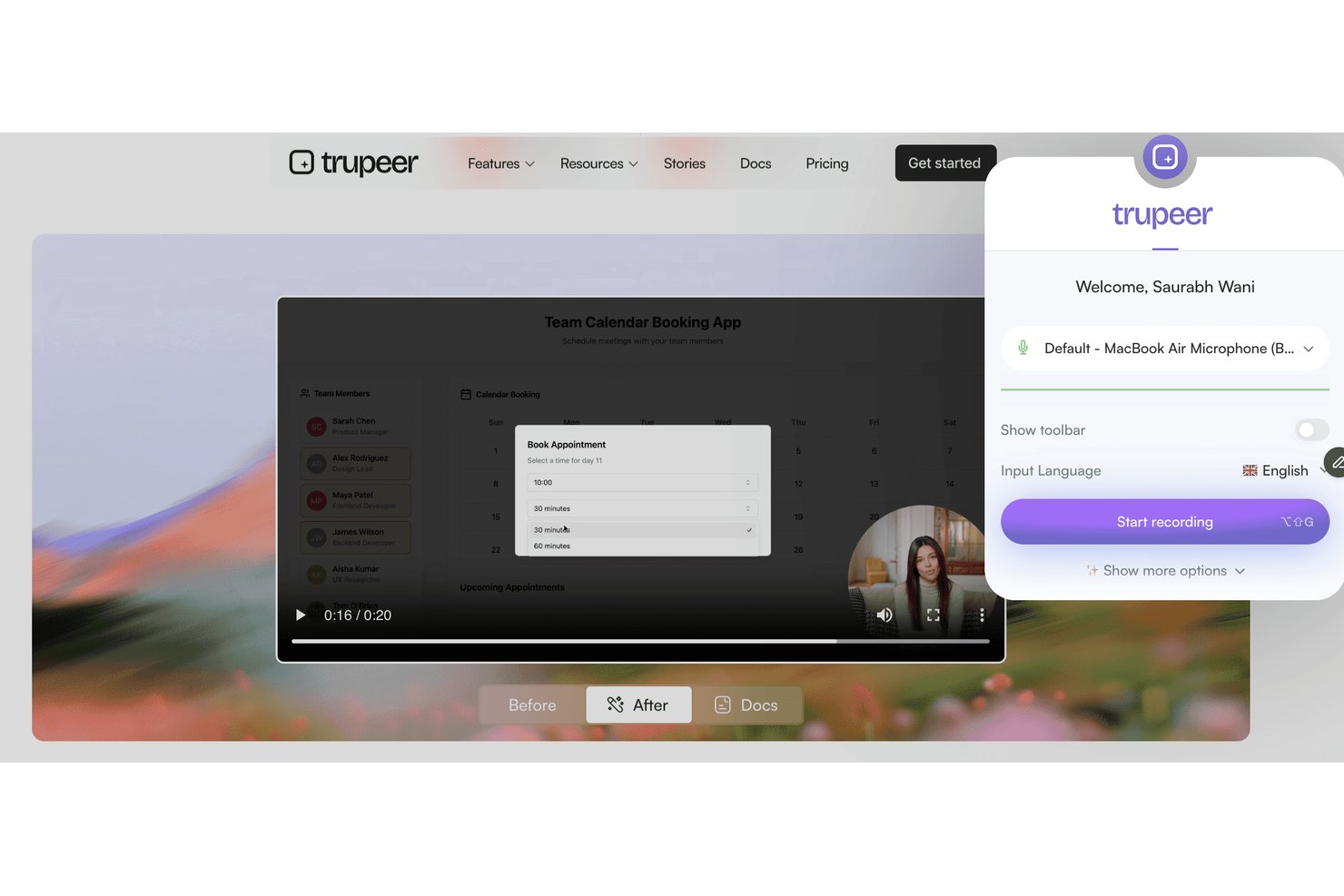
Trupeer è una piattaforma di registrazione dello schermo e messaggistica video progettata per i team che devono fornire istruzioni visive chiare, formare nuovi utenti o condividere procedure guidate sui processi tra team distribuiti o multiculturali.
Per chi è più adatto Trupeer?
Trupeer è adatto ai team internazionali che devono creare, condividere e localizzare la documentazione visiva dei processi in lingue diverse.
Perché Trupeer è una buona alternativa a Loom
Ho scelto Trupeer perché il mio team deve fornire formazione e procedure guidate in diverse lingue. Le funzionalità di Trupeer per la registrazione automatica dello schermo in più lingue e la messaggistica video mi consentono di creare documentazione sui processi per i team internazionali, quindi di localizzare istantaneamente le istruzioni e condividere tutorial con gli utenti nella loro lingua preferita.
Funzionalità principali di Trupeer
- Pannello di registrazione nell'app: Registra lo schermo, la videocamera o entrambi direttamente dal browser senza installare software aggiuntivo.
- Modelli video personalizzati: Personalizza le registrazioni con il logo, i colori e i layout coordinati del tuo brand.
- Analisi avanzate degli spettatori: Monitora chi ha guardato ogni video, per quanto tempo lo ha visualizzato e i punti di abbandono.
- Controlli granulari degli accessi: Imposta le autorizzazioni per i video a livello di area di lavoro, team o utente per gestire privacy e condivisione.
Integrazioni di Trupeer
Trupeer offre integrazioni native con Slack, Notion, Jira e Confluence, oltre all'importazione da Loom e Zoom. I clienti aziendali possono creare integrazioni personalizzate tramite l'API REST, mentre MCP collega Trupeer a Claude e ChatGPT.
Pros and Cons
Pros:
- Tutorial multilingue generati automaticamente dalle registrazioni
- Modelli video personalizzati per mantenere la coerenza aziendale
- Monitoraggio granulare degli spettatori e controlli degli accessi
Cons:
- Nessuna integrazione diretta nativa con servizi di terze parti
- Prezzi non trasparenti senza contattare il reparto vendite

Wistia
Ideale per i team di marketing

Wistia è una piattaforma di hosting video pensata per le aziende che desiderano creare e gestire contenuti video. È ideale per i team di marketing e creativi che vogliono migliorare lo storytelling del brand e coinvolgere il pubblico.
Perché è una buona alternativa a Loom: Wistia offre strumenti di marketing avanzati che consentono di monitorare il coinvolgimento degli spettatori e integrare nei video una call to action cliccabile. È possibile personalizzare il lettore video in linea con il proprio brand, creando un aspetto coerente. La piattaforma consente inoltre di ottenere analisi dettagliate dei video, aiutandoti a comprendere il comportamento del pubblico. Queste funzionalità rendono Wistia una scelta eccellente per i team di marketing che si concentrano su strategie video basate sui dati.
Funzionalità e integrazioni principali:
Le funzionalità includono strumenti SEO per i video per migliorarne la reperibilità e mappe di calore per visualizzare il coinvolgimento degli spettatori. Wistia offre anche moduli per acquisire informazioni sul pubblico e generare contatti.
Le integrazioni includono HubSpot, Mailchimp, Salesforce, Adobe Marketo Engage, Zapier, Google Analytics, Pardot e altro ancora.
Pros and Cons
Pros:
- Lettore video personalizzabile
- Strumenti di marketing avanzati
- Include analisi dettagliate
Cons:
- Strumenti di editing integrati limitati
- Include solo strumenti di annotazione di base

Camtasia
Ideale per il montaggio video
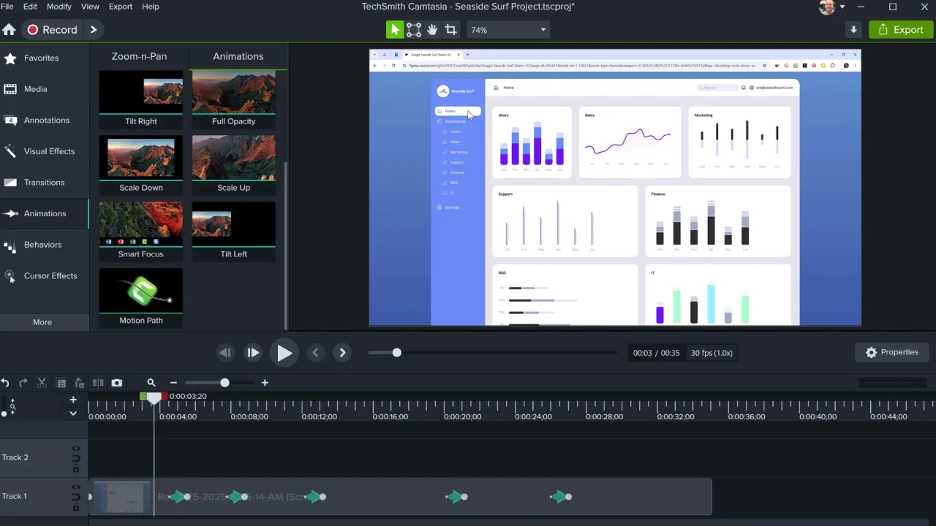
Camtasia è un software per il montaggio video e la registrazione dello schermo progettato per creare video di qualità professionale. È ampiamente utilizzato da educatori, team di marketing e formatori aziendali che devono produrre contenuti curati con facilità.
Perché è una buona alternativa a Loom: Camtasia offre strumenti di montaggio avanzati che consentono di perfezionare i video con precisione. Funzionalità come le linee temporali multitraccia e le animazioni permettono una personalizzazione dettagliata. Il software offre inoltre modelli integrati e opzioni per migliorare i progetti. Queste funzionalità rendono Camtasia una scelta eccellente per gli utenti interessati a un montaggio video completo.
Caratteristiche distintive e integrazioni:
Funzionalità includono effetti a schermo verde per sfondi creativi, narrazione vocale per aggiungere un tocco personale ai video e creazione di quiz per realizzare contenuti interattivi.
Integrazioni non sono elencate pubblicamente.
Pros and Cons
Pros:
- Funzionalità di montaggio avanzate
- Risultati di alta qualità
- Offre quiz interattivi
Cons:
- Nessuna modifica collaborativa in tempo reale
- Le funzionalità video interattive potrebbero essere considerate basilari

VEED
Ideale per la trascrizione

Veed è uno strumento di montaggio video online per creatori e squadre che hanno bisogno di una produzione e di un montaggio video semplici. È popolare tra le squadre di marketing, gli educatori e i creatori di contenuti che desiderano produrre rapidamente video curati.
Perché è una buona alternativa a Loom: Veed offre servizi di trascrizione che convertono automaticamente il parlato in testo, semplificando la creazione di contenuti accessibili. La sua interfaccia intuitiva consente di modificare i video con funzionalità come sovrapposizioni di testo e sottotitoli. La piattaforma supporta l'esportazione dei video in diversi formati, adattandosi a varie esigenze di distribuzione. Queste funzionalità rendono Veed un'opzione valida per chi si concentra sulla trascrizione e sull'accessibilità.
Funzionalità e integrazioni principali:
Le funzionalità includono il taglio e il ritaglio dei video per perfezionare i contenuti, filtri ed effetti per migliorarne l'aspetto visivo e la rimozione del rumore di fondo per un audio più nitido.
Le integrazioni non sono elencate pubblicamente.
Pros and Cons
Pros:
- Strumenti di trascrizione intuitivi
- Interfaccia di montaggio semplice
- Non è necessario scaricare software
Cons:
- Funzionalità avanzate limitate
- Limitazioni di montaggio per i file di grandi dimensioni

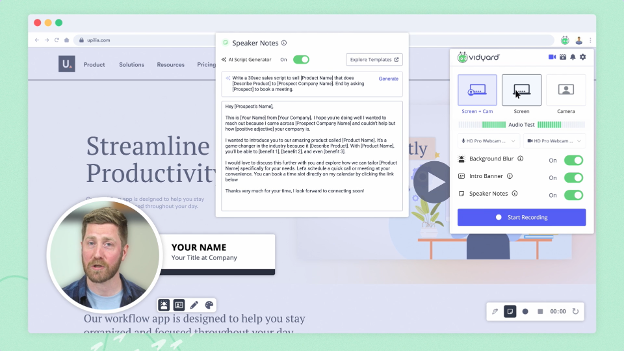
Vidyard è una piattaforma video progettata per le aziende per creare, ospitare e condividere contenuti video. Viene utilizzata principalmente dai team di marketing e vendite che desiderano aumentare il coinvolgimento e monitorare le prestazioni dei video.
Perché è una buona alternativa a Loom: Vidyard offre analisi video avanzate, aiutandoti a monitorare il coinvolgimento degli spettatori e le prestazioni dei video. Grazie a funzionalità come la creazione di video personalizzati e gli inviti all'azione interattivi, supporta una comunicazione mirata. La piattaforma consente di condividere facilmente i video attraverso vari canali, ampliando la tua portata. Queste funzionalità rendono Vidyard una scelta eccellente per le aziende focalizzate su strategie video basate sui dati.
Funzionalità e integrazioni distintive:
Le funzionalità includono l'hosting video per una gestione semplice, lettori video personalizzabili in linea con il tuo marchio e strumenti SEO per video per aumentare la visibilità nelle ricerche.
Le integrazioni includono Salesforce, HubSpot, Marketo, LinkedIn, Facebook, YouTube, Slack, Google Analytics e altro.
Pros and Cons
Pros:
- Include strumenti di analisi avanzati
- Funzionalità interattive
- Solide funzionalità di branding
Cons:
- Strumenti di collaborazione limitati
- Annotazioni minime sui video

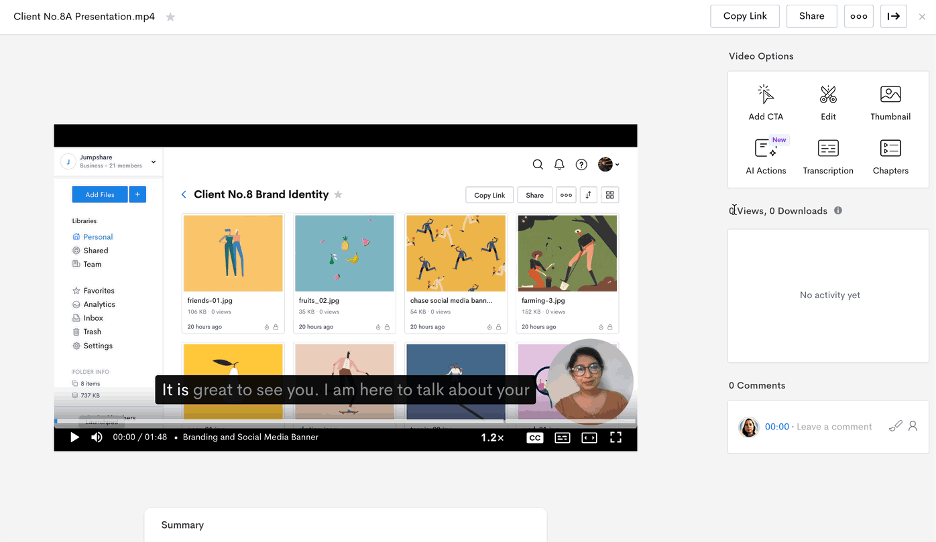
Jumpshare è uno strumento per la condivisione di file e la registrazione dello schermo, progettato per squadre e singoli utenti che necessitano di condividere contenuti in modo rapido ed efficiente. È ampiamente utilizzato dai professionisti che danno priorità alla collaborazione e alla comunicazione attraverso contenuti visivi.
Perché è una valida alternativa a Loom: Jumpshare eccelle nella condivisione di file grazie alla sua funzionalità di trascinamento, che consente di condividere i file all'istante. È possibile registrare lo schermo e condividere collegamenti ai video senza lunghi caricamenti. Lo strumento offre anche annotazioni visive per aiutarti a comunicare il tuo messaggio con chiarezza. Queste funzionalità lo rendono ideale per le squadre che puntano a una comunicazione rapida ed efficace.
Funzionalità e integrazioni principali:
Le funzionalità includono l'acquisizione di schermate con annotazioni per evidenziare i punti chiave, la creazione di GIF per contenuti coinvolgenti e la condivisione programmata per controllare l'accesso ai file.
Le integrazioni includono Slack, Trello, Asana, Microsoft Teams, Google Drive, Dropbox, Jira, Salesforce, Zendesk e Basecamp.
Pros and Cons
Pros:
- Condivisione istantanea di file
- Annotazioni visive
- Creazione di GIF
Cons:
- Modifica video limitata
- Funzionalità minime di modifica audio

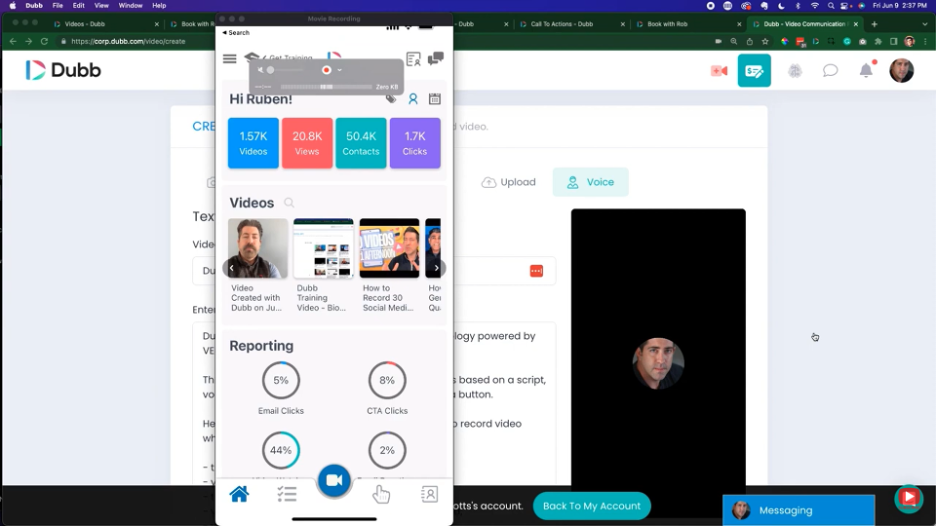
Dubb è una piattaforma di comunicazione video progettata per migliorare le attività di vendita e marketing attraverso messaggi video personalizzati. Viene utilizzata principalmente dai team di vendita e marketing che desiderano coinvolgere potenziali clienti e clienti attuali con contenuti video interattivi.
Perché è una buona alternativa a Loom: Dubb offre funzionalità come campagne video via email e SMS che aiutano a raggiungere direttamente il pubblico. È possibile includere pulsanti di invito all'azione nei video per aumentare il coinvolgimento e le conversioni. La piattaforma consente inoltre di monitorare i video, così da sapere come il pubblico interagisce con i contenuti. Queste funzionalità rendono Dubb uno strumento prezioso per i team che puntano a incrementare il coinvolgimento nelle vendite.
Funzionalità e integrazioni distintive:
Le funzionalità includono pagine di destinazione video personalizzabili per adattarsi al brand, flussi di lavoro automatizzati per semplificare la comunicazione e analisi video per monitorare le prestazioni.
Le integrazioni includono Salesforce, HubSpot, Mailchimp, YouTube, Zoho CRM e altro ancora.
Pros and Cons
Pros:
- Messaggi video personalizzati
- Pulsanti di invito all'azione interattivi
- Funzionalità di monitoraggio dei video
Cons:
- Pochi strumenti di annotazione
- Controlli audio limitati


Cap è uno strumento open source per la registrazione dello schermo, progettato per gli utenti che necessitano di acquisire video in modo semplice. È ideale per team e singoli utenti che desiderano registrare lo schermo in alta qualità.
Perché è una buona alternativa a Loom: Cap offre una registrazione dello schermo semplice, con funzionalità come la registrazione in 4K e l'acquisizione a 60 fps. La sua compressione intelligente garantisce video di alta qualità senza file di grandi dimensioni. Le modalità Istantanea e Studio offrono flessibilità nel modo in cui acquisisci i tuoi contenuti. Queste funzionalità lo rendono un'ottima scelta per chi si concentra su una registrazione video efficiente e di alta qualità.
Funzionalità e integrazioni principali:
Funzionalità tra cui trascrizioni generate automaticamente per l'accessibilità, oltre a titoli e riepiloghi che aiutano a mantenere organizzati i contenuti. Cap dispone anche di strumenti per la collaborazione asincrona, con commenti e reazioni per il feedback del team.
Integrazioni tra cui Google Drive, Dropbox, Slack, Trello, Asana, Jira, Zoom, Microsoft Teams e monday.com.
Pros and Cons
Pros:
- Registrazione di alta qualità
- Flessibilità dell'open source
- Facile da configurare
Cons:
- Editing avanzato limitato
- Nessuna app mobile


Tella è uno strumento di registrazione e modifica video progettato per creatori e squadre che desiderano produrre contenuti video coinvolgenti. È molto apprezzato dalle squadre di marketing, dagli educatori e dai creatori di contenuti che si concentrano sulla narrazione e sulle presentazioni.
Perché è una buona alternativa a Loom: Tella offre funzionalità creative per la narrazione che consentono di combinare clip video, registrazioni dello schermo e sovrapposizioni di testo. Puoi personalizzare i tuoi video con disposizioni e sfondi diversi, aggiungendo un tocco unico ai tuoi contenuti. Lo strumento supporta inoltre la condivisione e la collaborazione semplici, rendendolo ideale per i progetti di squadra. Queste funzionalità sono pensate per chi desidera arricchire la propria narrazione attraverso i video.
Funzionalità distintive e integrazioni:
Le funzionalità includono modelli video personalizzabili per modifiche rapide, sottotitoli automatici per rendere i contenuti accessibili e la possibilità di esportare i video in diversi formati per piattaforme differenti.
Le integrazioni includono Google Drive, Dropbox, Slack, Trello, Asana, Zoom, Microsoft Teams, YouTube, Vimeo e LinkedIn.
Pros and Cons
Pros:
- Opzioni creative per la modifica
- Modelli coinvolgenti
- Include sottotitoli automatici
Cons:
- Opzioni di controllo dell'audio limitate
- Mancano elementi visivi ed effetti avanzati

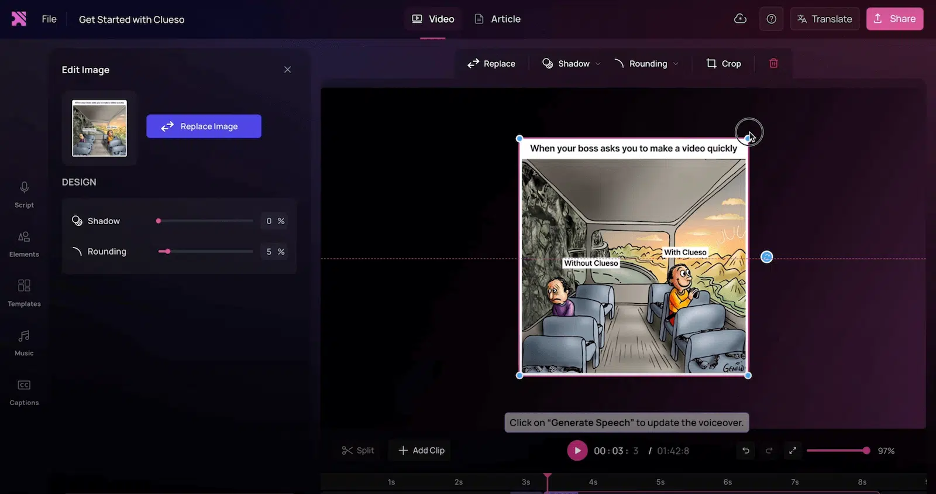
Clueso è una piattaforma basata sull'IA progettata per trasformare registrazioni dello schermo grezze in video di prodotto rifiniti e istruzioni passo passo. Viene utilizzata principalmente dai team che si occupano di formazione dei clienti, marketing dei prodotti e supporto alle vendite, per semplificare la creazione di contenuti.
Perché è una buona alternativa a Loom: Clueso offre funzionalità avanzate basate sull'IA che automatizzano il montaggio video e forniscono voci fuori campo IA realistiche, facendoti risparmiare tempo e fatica. Puoi utilizzare zoom automatici intelligenti e didascalie accattivanti per migliorare i tuoi video. La piattaforma genera automaticamente anche procedure operative standard (SOP), rendendola uno strumento prezioso per la documentazione dettagliata. Queste funzionalità rendono Clueso un'ottima opzione per i team che desiderano sfruttare l'IA per creare contenuti in modo efficiente.
Funzionalità e integrazioni principali:
Le funzionalità includono opzioni musicali personalizzabili per arricchire i tuoi video, miglioramenti visivi per un risultato di qualità professionale e funzionalità di ridimensionamento per adattarsi a vari formati.
Le integrazioni non sono elencate pubblicamente.
Pros and Cons
Pros:
- Offre il montaggio video automatizzato
- Voci fuori campo IA realistiche
- Include SOP generate automaticamente
Cons:
- Controlli di modifica limitati
- Strumenti minimi per sottotitoli/sovrimpressioni personalizzate
Altre alternative a Loom
Ecco alcune ulteriori alternative a Loom che non sono state incluse nel mio elenco, ma che vale comunque la pena prendere in considerazione:
- ScreenRec
Ideale per i controlli sulla privacy
- Poindeo
Ideale per la collaborazione tra team
- UserGuiding
Ideale per l'introduzione degli utenti
- OBS Studio
Ideale per lo streaming live


Perché cercare un'alternativa a Loom?
Sebbene Loom sia una buona scelta per la comunicazione e la collaborazione video, ci sono diversi motivi per cui alcuni utenti cercano soluzioni alternative. Potresti cercare un'alternativa a Loom per motivi come:
- Hai bisogno di funzionalità avanzate di editing video
- I membri del tuo team necessitano di più spazio di archiviazione
- Vuoi analisi migliori per i video
- Devi rispettare le normative sui dati
- Il tuo team ha bisogno di accedere ai contenuti offline
- Hai bisogno di più opzioni di personalizzazione
Se ti riconosci in una di queste situazioni, sei nel posto giusto. Il mio elenco include diverse opzioni di software per l'editing video basate sul web e per computer desktop, adatte ai team che cercano un'alternativa a Loom a pagamento o gratuita.
Funzionalità principali di Loom
Ecco alcune delle funzionalità principali di Loom, che ti aiuteranno a confrontare ciò che offrono le soluzioni alternative:
- Acquisizione audio e dello schermo: è possibile registrare lo schermo e l'audio su macOS, Windows e dispositivi mobili, semplificando la creazione di contenuti video per i team su qualsiasi piattaforma.
- Condivisione istantanea: condividi i video istantaneamente tramite link, e-mail o incorporandoli nei siti web.
- Strumenti di modifica di base: le funzioni di ritaglio e annotazione consentono di personalizzare i video e mettere in evidenza i punti importanti per il pubblico.
- Opzioni di feedback: coinvolgi gli spettatori con commenti ed emoji per incoraggiare la comunicazione interattiva e il feedback.
- Sottotitoli: aggiungi sottotitoli ai video per migliorare l'accessibilità e raggiungere un pubblico più ampio.
- Estensione per Chrome: l'estensione è facile da installare e offre un accesso rapido e pratico alle funzioni di registrazione.
- Opzioni di registrazione: la possibilità di acquisire solo lo schermo, solo la webcam o entrambi offre flessibilità nella presentazione dei contenuti.
- Compatibilità con i dispositivi: l'accessibilità su dispositivi Mac, Windows, iOS e Android garantisce ai team la possibilità di utilizzarlo ovunque si trovino.
- Registrazione a 720p: nella versione gratuita è possibile registrare fino a 720p, con opzioni di aggiornamento per una produzione video di qualità superiore.
Qual è il prossimo passo:
Se stai cercando software per la comunicazione e la collaborazione tramite video, mettiti in contatto gratuitamente con un consulente di SoftwareSelect per ricevere consigli personalizzati.
Compili un modulo e fai una breve conversazione durante la quale vengono analizzate nel dettaglio le tue esigenze. Dopodiché riceverai una selezione ristretta di software da valutare. Ti assisteranno anche durante l'intero processo di acquisto, comprese le negoziazioni sui prezzi.