


Lucidchart-arvostelu: hyvät ja huonot puolet, ominaisuudet ja hinnoittelu



Somewhere in a tangle of static drawings and version-controlled chaos, a good idea is waiting to be understood. The way your team maps its work shouldn't be the thing slowing that work down.
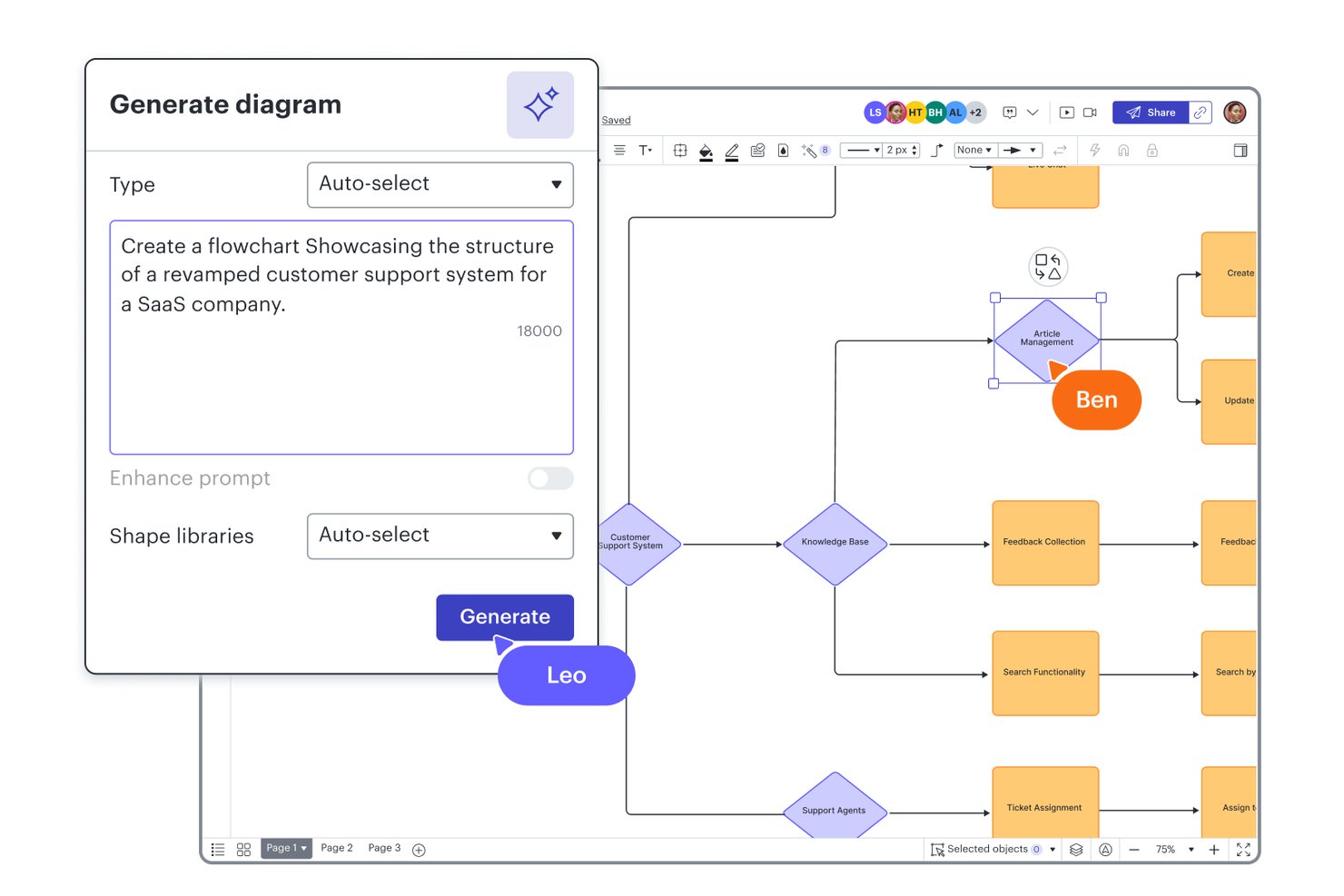
Lucidchart is a modern workflow diagram software that helps teams map, visualize, and improve complex processes on an intuitive, browser-based canvas. You’re likely here because your current diagramming tools can’t keep up with today’s cross-functional workflows, or you’re tired of hitting collaboration or integration roadblocks. While certain tools have been industry staples for years, Lucidchart stands out when you need real-time collaboration, flexible integrations, and the freedom to work anywhere your projects take you.
If you’re weighing your options, here’s why teams wanting speed and adaptability consistently pick Lucidchart over slower, more traditional competitors.
Lucidchart Evaluation Summary
- From $9/month (billed annually)
- Free plan + 7-day free trial available
Miksi luottaa ohjelmistosuosituksiimme
Tiimimme on testannut ja arvioinut ohjelmistoja vuodesta 2012 lähtien. Projektipäällikköinä tiedämme itse, kuinka vaikeaa — ja tärkeää — oikean ohjelmiston valitseminen on.
Tätä oppaata varten arvioimme työkaluja käytännön testauksen ja itsenäisen tutkimuksen avulla, pisteyttäen työkalut valintakriteeriemme perusteella. Hyödynnämme myös alan ajatusjohtajien ja käytännön projektipäällikköasiantuntijoiden näkemyksiä.
Arvostelumme perustuvat inhimilliseen toimitukselliseen harkintaamme, eivät myyntipuheeseen.
Asiantuntija-arvioijat:
Lucidchart Overview
Among the diagramming and collaboration tools I've used, Lucidchart consistently stands out for its easy onboarding, clean interface, and strong collaboration features. I find its integrations with project management and cloud storage platforms a deciding factor for teams working across apps, and the pricing is fair for the value—especially if you want scalable access. While it's not the lowest cost solution and some advanced data features are reserved for the Enterprise plan, I'd choose Lucidchart for teams who need quick setup and real-time sharing rather than heavyweight customization. If your environment values speed, modern UX, and smooth collaboration, Lucidchart is probably the right call.
pros
-
Real-time collaboration works smoothly across distributed teams
-
Extensive template library speeds up diagram creation
-
Browser-based editor requires no software installation
cons
-
Offline editing options are extremely limited
-
More advanced data features require an Enterprise plan
-
Accessing the full toolset can mean switching between Lucidchart and Lucidspark
-

Celoxis
Visit WebsiteThis rating combines scores from multiple user review sites to reflect overall customer sentiment about the product.4.5 -
Smartsheet
Visit WebsiteThis rating combines scores from multiple user review sites to reflect overall customer sentiment about the product.4.5 -
Accelo
Visit WebsiteThis rating combines scores from multiple user review sites to reflect overall customer sentiment about the product.4.4





Core Features
Drag-and-Drop Diagramming
Quickly build workflows by dragging shapes onto the canvas and connecting them. This saves teams time mapping processes and ensures layouts stay clean.
Real-Time Collaboration
Multiple users can edit the same document at once with instant updates. You’ll see others’ changes live, making group workflows much smoother.
Extensive Template Library
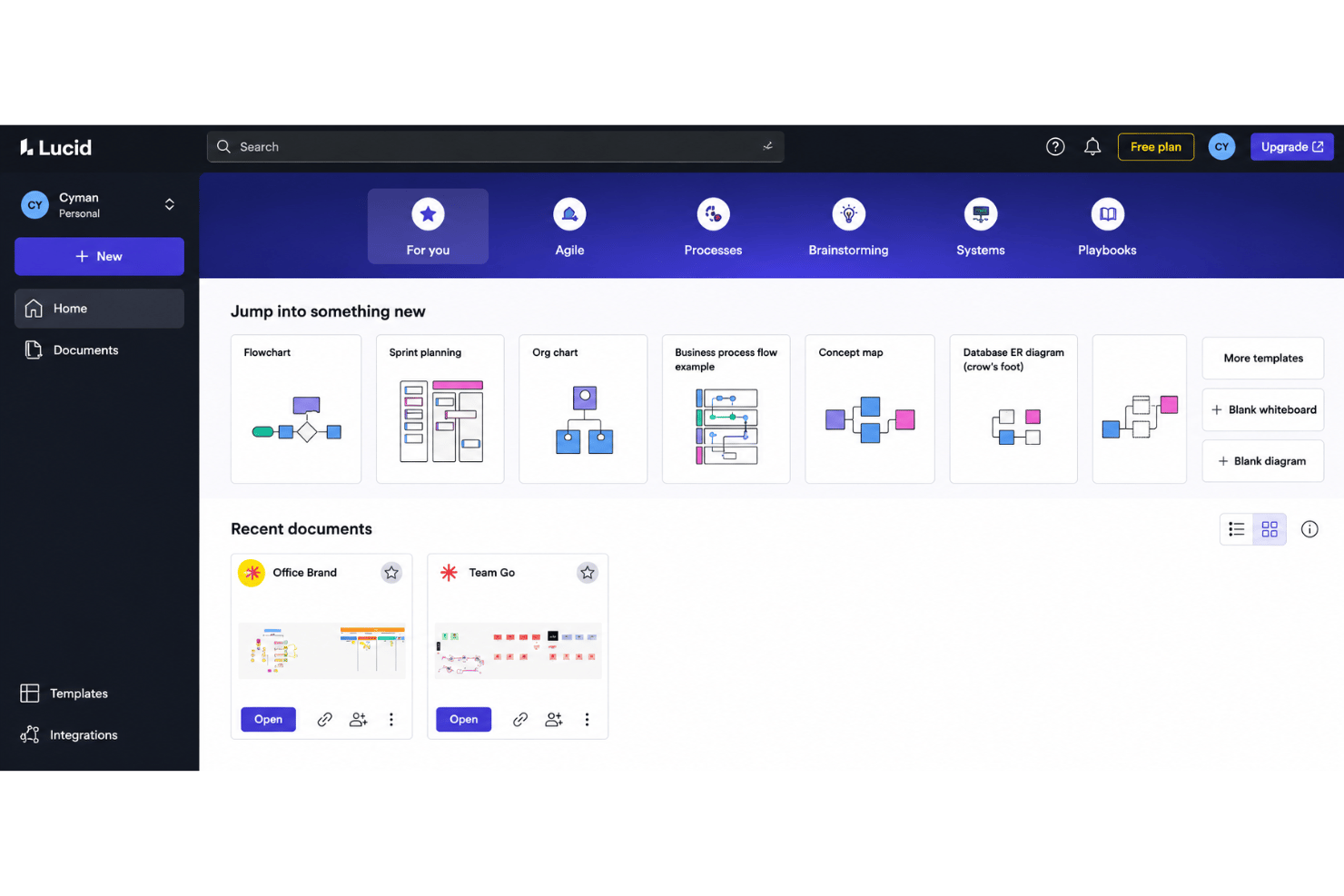
Start diagrams fast with workflow, flowchart, and process templates, or save your own custom templates to standardize recurring work. Templates help new users skip setup and get to diagramming right away.
Revision History
You can view and restore earlier diagram versions any time. This feature helps you track project changes, especially with large or complex workflows.
Commenting and In-Context Feedback
Users can leave comments directly on shapes or diagram sections. This supports focused feedback and reduces back-and-forth over email.
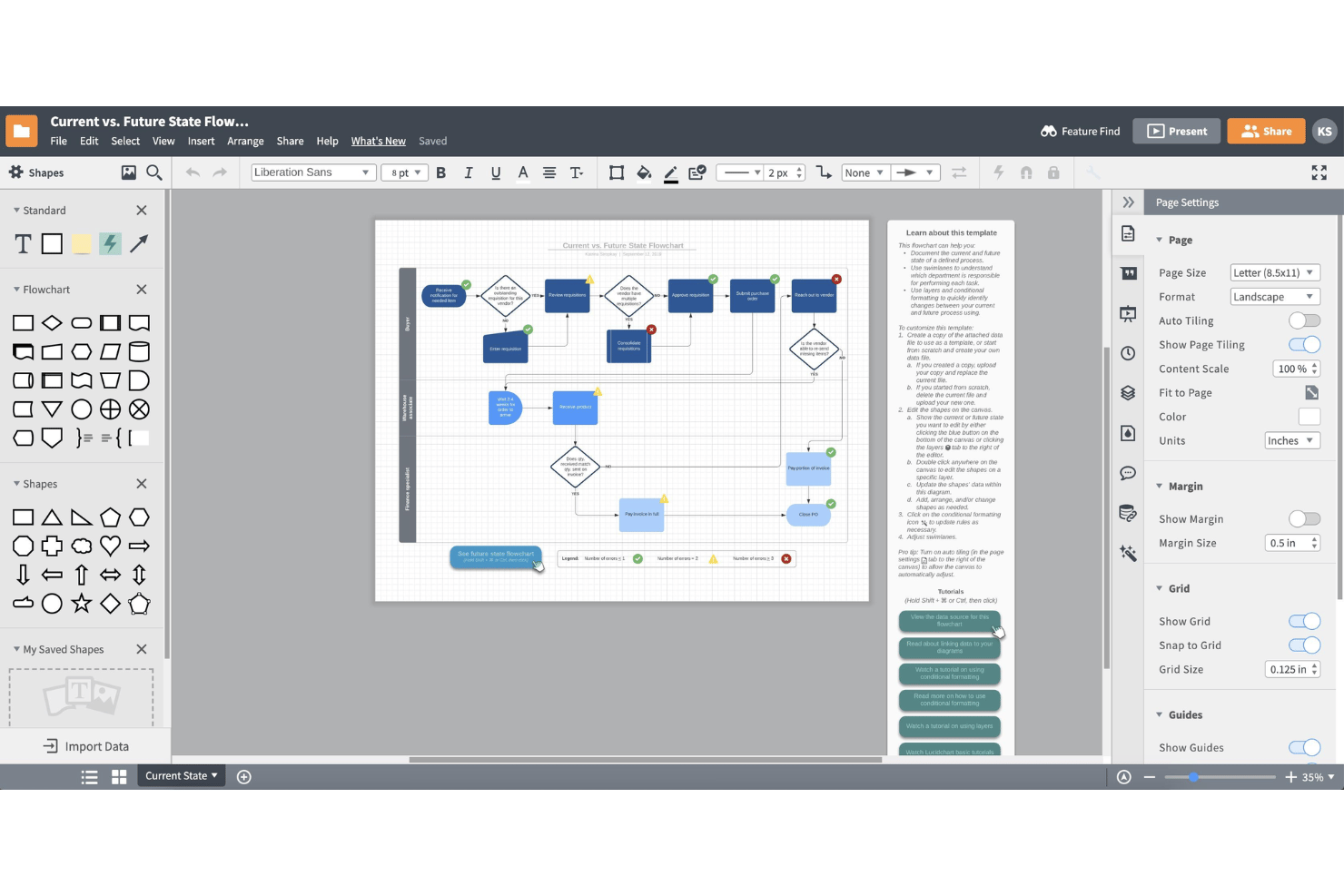
Conditional Formatting
Shapes and lines automatically change style based on set rules or data. This lets you flag bottlenecks or highlight process steps visually for your team, and Lucid AI can even write the formatting rules.
Ease of Use
Lucidchart feels genuinely intuitive, with drag-and-drop tools, a clean user interface, searchable templates, and clear onboarding cues that help users start diagramming fast. I think most teams find navigation simple, and reviews often mention how easy it is to work together in real time. Even users with limited diagramming experience can create tidy, professional workflows without much training.
Integrations
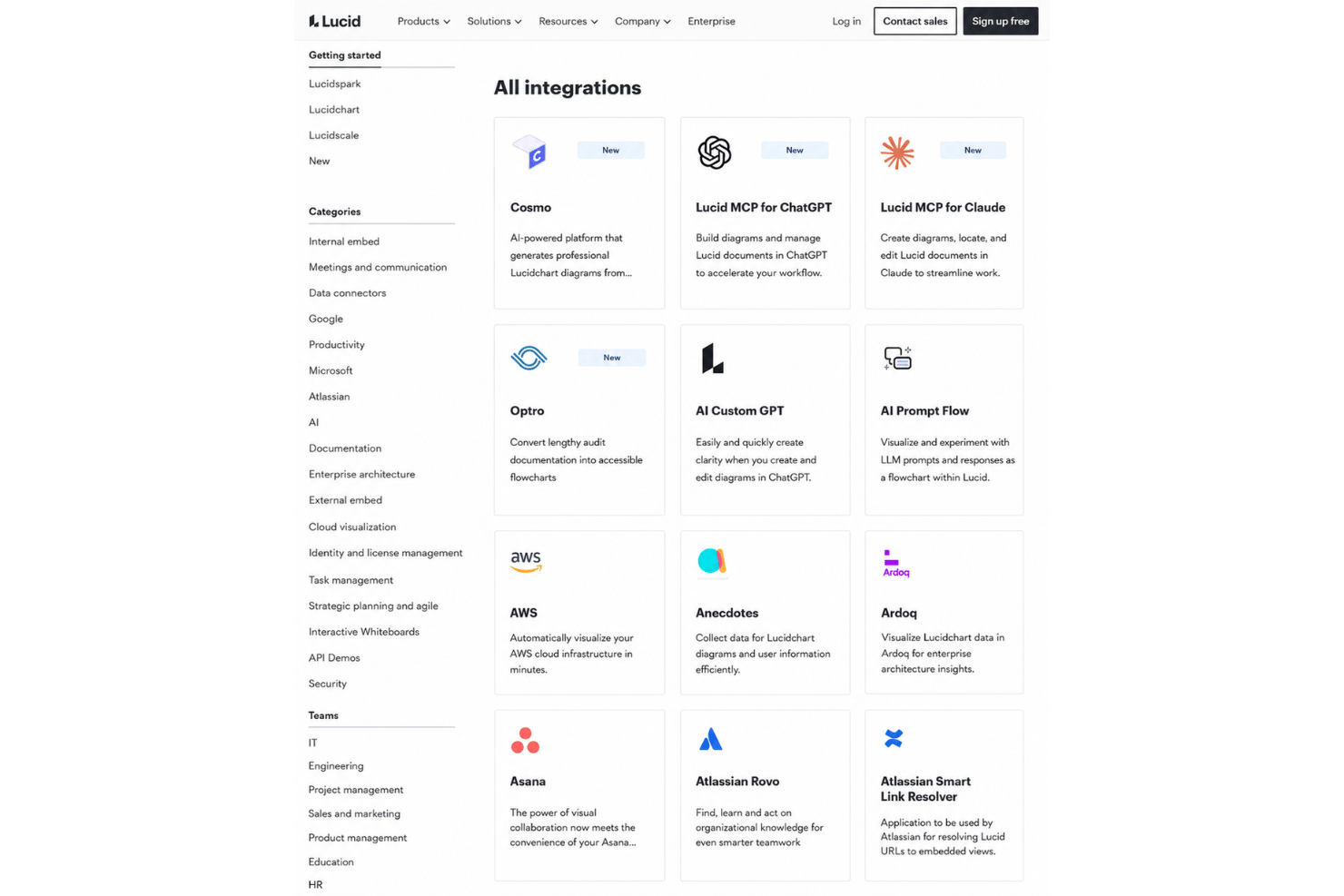
Lucidchart integrates with Google Workspace, Microsoft 365, Notion, Jira, Slack, Confluence, Ardoq, and AWS, among others.
Lucid also offers a REST API and connects with third-party integration tools like Zapier.
Lucidchart Specs
- Data Visualization
- Multi-User
- Pixel Graphics
- Third-Party Plugins/Add-Ons
- Vector File Support
Lucidchart FAQs
Can I restrict access to sensitive diagrams or folders in Lucidchart?
How does Lucidchart handle data security and compliance?
What happens if my team needs to work offline?
Does Lucidchart support versioning for workflow process diagrams?
Can I import existing diagrams from other tools?
Is it easy to collaborate with external partners or clients?
What limits or quotas exist on the free plan?
How quickly can my team get started with Lucidchart?
Can I use Lucidchart for personal projects?
Mitä seuraavaksi?
Haluatko verkostoitua muiden digiprojektipäälliköiden kanssa jakaaksesi resursseja ja parhaita käytäntöjä? Liity jäsenyhteisöömme ja saat käyttöösi yli 100 mallipohjaa, näytettä ja esimerkkiä sekä verkostoidu Slackissa satojen muiden digiprojektipäälliköiden kanssa.