


Teamwork.com mod Asana: Sammenligning og ekspertanmeldelser for 2026



Teamwork.com tilbyder en stærk platform til effektiv projektstyring, der fungerer som én fælles sandhedskilde for at strømline projektdata, mens Asana har en intuitiv grænseflade til håndtering af opgaver og teamsamarbejde.
Begge værktøjer understøtter organiserede arbejdsgange, men de adskiller sig med hensyn til tilpasnings- og integrationsmuligheder, hvilket kan påvirke dit valg.
I denne artikel finder du en detaljeret sammenligning af disse værktøjer, hvor vi gennemgår deres funktioner, fordele og ulemper, priser og mere om valg af projektstyringssoftware.
Teamwork.com vs. Asana: An Overview
Teamwork.com
Asana


Why Trust Our Software Recommendations
Our team has been testing and reviewing software since 2012. As project managers ourselves, we know how difficult—and important—it is to choose the right software.
For this guide, we evaluated tools using hands-on testing and independent research, scoring tools using our selection criteria. We also draw on insights from industry thought leaders and practicing project management experts.
Our reviews reflect our human editorial judgment, not a sales pitch.
Expert reviewers:
Teamwork.com vs. Asana Pricing Comparison
| Teamwork.com | Asana | |
|---|---|---|
| Free Trial | 14-day free trial | Free plan + free demo available |
| Pricing | From $9.99/user/month (billed annually) | From $10.99/user/month (billed annually) |
Teamwork.com-priser tilbyder trindelte abonnementer, der passer til forskellige teamstørrelser og behov, med potentielle ekstra omkostninger for premiumfunktioner og yderligere brugere.
Asana-priser følger en lignende trindelt model med en gratis basisplan, men opkræver betaling for avancerede funktioner og udvidet adgang.
For at vælge den rigtige leverandør til dine behov bør du vurdere, hvordan hver prisstruktur stemmer overens med dit teams vækstplaner og funktionskrav, og tage højde for eventuelle skjulte omkostninger, der kan påvirke dit budget.
Teamwork.com vs. Asana Feature Comparison
Teamwork.com tilbyder en korrekturfunktion, der gør det nemt at håndtere projekter, som kræver regelmæssig feedback fra kunder, hvilket især er nyttigt for kreative bureauer.
Asanas opgavestyring understøtter ansvarlighed i teamet og et tydeligt projektoverblik, så teams kan holde sig på sporet med stramme deadlines.
Teamwork.com skiller sig ud med hensyn til kundesamarbejde, mens Asana er fremragende til at organisere opgaver, underopgaver og opgaveafhængigheder for at bevare gennemsigtigheden.
| Teamwork.com | Asana | |
|---|---|---|
| API | ||
| Batch Permissions & Access | ||
| Budgeting | ||
| Calendar Management | ||
| Collaboration Support | ||
| Contact Management | ||
| Contact Sharing | ||
| Customer Management | ||
| Dashboard | ||
| Dashboards | ||
| Data Export | ||
| Data Import | ||
| Data Visualization | ||
| Dependency Tracking | ||
| Document Sharing | ||
| Expense Tracking | ||
| External Integrations | ||
| File Sharing | ||
| Gantt Charts | ||
| Kanban Boards | ||
| Multi-User | ||
| Notifications | ||
| Project Management | ||
| Resource Management | ||
| Scheduling | ||
| Task Scheduling/Tracking | ||
| Third-Party Plugins/Add-Ons | ||
| Time Management | ||
| Travel Management | ||
| Workflow Management |
Teamwork.com vs. Asana-integrationer
| Integration | Teamwork.com | Asana |
| Slack | ✅ | ✅ |
| Google Drive | ✅ | ✅ |
| Dropbox | ✅ | ✅ |
| HubSpot | ✅ | ❌ |
| QuickBooks | ✅ | ❌ |
| Outlook | ✅ | ✅ |
| Clockify | ✅ | ❌ |
| Toggl | ✅ | ✅ |
| API | ✅ | ✅ |
| Zapier | ✅ | ✅ |
Teamwork.com integreres med QuickBooks for at hjælpe med at spore projektudgifter og håndtere fakturaer, hvilket understøtter økonomisk overblik i budgetfølsomme projekter.
Asana opretter forbindelse til Slack for kommunikation i realtid, så dit team holdes opdateret om projektændringer uden at skulle skifte mellem værktøjer. Begge værktøjer tilbyder integrationer, der opfylder forskellige behov, hvor Teamwork.com fokuserer på økonomistyring, mens Asana styrker kommunikationen i teamet.
Teamwork.com vs. Asana Sikkerhed, overholdelse af lovgivning & pålidelighed
| Faktor | Teamwork.com | Asana |
| Databeskyttelse | Teamwork.com anvender GDPR-kompatibel databehandling, hvilket sikrer beskyttelse af brugerdata. | Asana overholder GDPR-standarder og tilbyder robuste databeskyttelsesforanstaltninger. |
| Kryptering | Teamwork.com krypterer data under overførsel og i hvile ved hjælp af avancerede protokoller. | Asana anvender kryptering af data under overførsel og i hvile for at beskytte oplysninger. |
| Overholdelse af lovgivning | Teamwork.com overholder ISO 27001, hvilket sikrer høje sikkerhedsstandarder. | Asana opretholder overholdelse af SOC 2 Type II med fokus på datasikkerhed og databeskyttelse. |
| Pålidelighed | Teamwork.com har en oppetid på 99.99 %, hvilket sikrer stabil adgang og ydeevne. | Asana tilbyder en pålidelig tjeneste med minimal nedetid, der understøtter en uafbrudt arbejdsgang. |
Teamwork.com og Asana tilbyder begge stærke sikkerheds- og overholdelsesfunktioner, men Teamwork.com skiller sig ud med sin ISO 27001-certificering.
Når du sammenligner de to, bør du overveje de specifikke overholdelsesstandarder og krypteringsmetoder, de tilbyder, samt hvor godt disse stemmer overens med din organisations sikkerhedskrav og kundernes forventninger.
Teamwork.com vs. Asana Brugervenlighed
| Faktor | Teamwork.com | Asana |
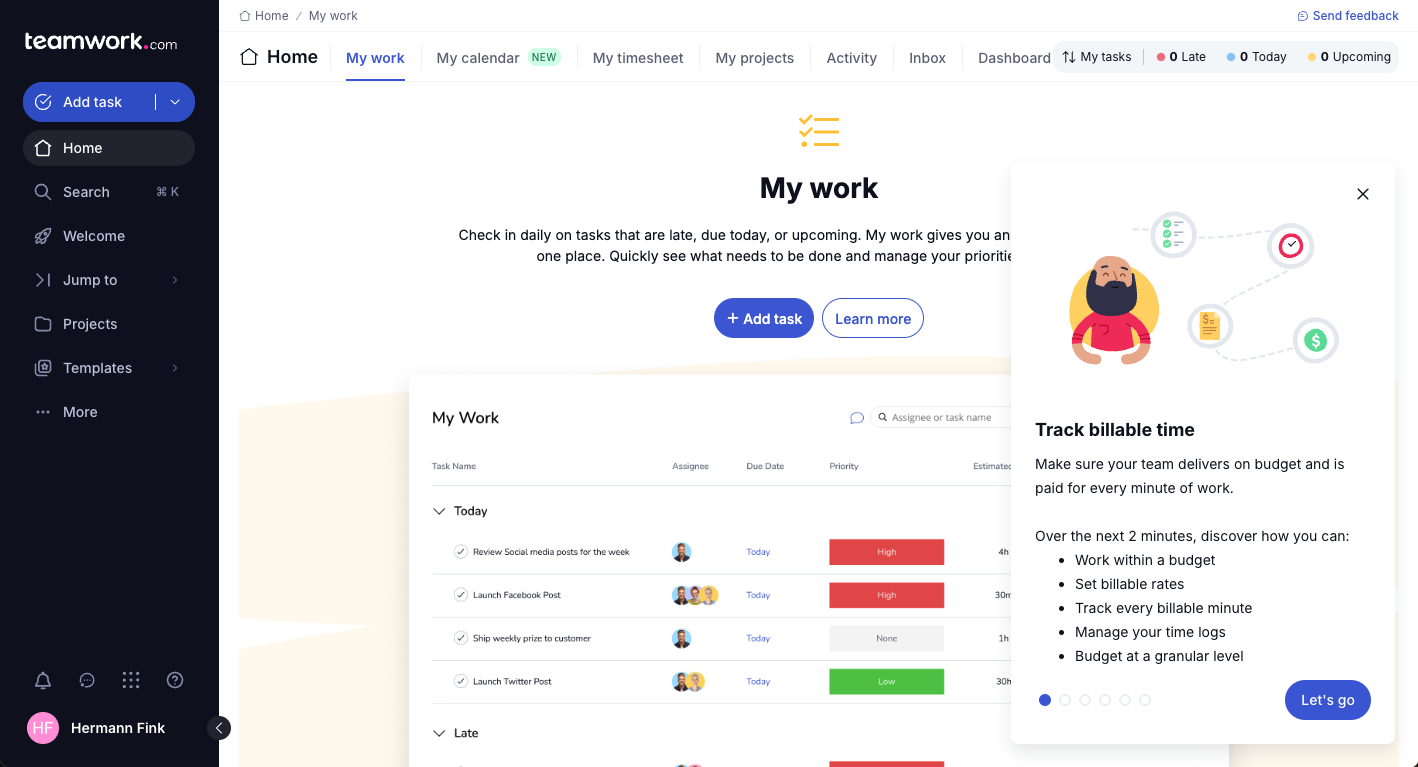
| Brugergrænseflade | Teamwork.com har et brugerdefinerbart dashboard, der giver brugerne mulighed for at tilpasse visninger til specifikke projektbehov. | Asana tilbyder en enkel og intuitiv grænseflade med træk-og-slip-funktionalitet til nem opgavestyring. |
| Introduktionsoplevelse | Teamwork.com tilbyder omfattende vejledninger og selvstudier, der hjælper dig hurtigt i gang. | Asanas introduktion er strømlinet med interaktive selvstudier og en brugervenlig opsætningsproces. |
| Opsætningsproces | Teamwork.com har en enkel opsætning med projektskabeloner til forskellige projekttyper. | Asana gør opsætningen enklere med færdigbyggede projektskabeloner og hurtigstartsguider til forskellige arbejdsgange. |
| Support | Teamwork.com inkluderer hurtig kundesupport via chat og e-mail. | Asana tilbyder omfattende supportressourcer, herunder webinarer og et brugerforum. |
Teamwork.com er velegnet til brugere, der har brug for en brugerdefinerbar grænseflade og personlig support, selvom det kan virke overvældende i starten. Asana tilbyder et intuitivt design og en nem introduktion, men enkelheden kan begrænse mere avancerede tilpasningsmuligheder.
Teamwork.com vs Asana: Pros & Cons
Teamwork.com
- You can manage workloads and resources effectively with its robust features.
- Teamwork's collaboration tools, like chat and message boards, keep your team connected.
- The platform's Academy offers useful videos to help you use it effectively.
- You might find the interface overwhelming with its many features.
- Some users feel the mobile app could be more intuitive.
- The learning curve can be steep for new users without prior experience.
Asana
- You can easily track tasks and deadlines using Asana's intuitive interface.
- Asana's collaboration tools help your team communicate effectively in real-time.
- There are extensive customization options so you can tailor workflows and views to your specific needs.
- The reporting capabilities are somewhat basic, which may not satisfy teams needing detailed analytics.
- It can feel overwhelming if your team is small or your projects are simple.
- You might find the notification system a bit excessive or distracting.
Best Use Cases for Teamwork.com and Asana
Teamwork.com
- Creative Agencies Teamwork.com supports your agency with tools for managing client projects and tracking billable hours.
- Remote Teams Use Teamwork to stay connected with your team through its communication and collaboration features.
- Marketing Departments Manage your marketing campaigns with task lists, calendars, and resource allocation.
- Consulting Firms Track time and manage multiple client projects efficiently with Teamwork’s time tracking capabilities.
- Event Planning Organize events with ease using project timelines and task dependencies.
- Product Development Coordinate product launches with detailed task management and team collaboration features.
Asana
- Creative agencies You can manage creative workflows and client projects with Asana’s visual boards and timeline features.
- Tech startups You can coordinate product development and team tasks using Asana’s real-time updates and goal-setting tools.
- Marketing teams You can plan campaigns and track progress with Asana’s clear timelines and task comments.
- Nonprofits Asana lets you manage volunteer tasks, events, and fundraising efforts with clear task assignments and timelines.
- Remote teams You can collaborate effectively with Asana’s real-time updates and communication features.
- Event planners You can organize events easily with Asana’s task management and timeline visualization features.
Differences Between Teamwork.com and Asana
Selvom Teamwork.com og Asana har mange ligheder, adskiller de sig på nogle få vigtige områder, herunder:
| Teamwork.com | Asana | |
|---|---|---|
| Automation | Teamwork.com supports task automation with integrations like Zapier. | Asana offers built-in automation features for recurring tasks and workflows |
| Client Collaboration | Teamwork.com offers proofing features for detailed client feedback. | Asana lacks built-in proofing tools, focusing more on internal task management. |
| Customization | Teamwork.com provides customizable dashboards and views for tailored project management. | Asana offers limited customization, focusing on simplicity and ease of use. |
| Pricing | Teamwork.com uses tiered pricing with potential extra costs for premium features. | Asana also uses tiered pricing but includes a free basic plan with limited features. |
| User Interface | Teamwork.com has a customizable interface that may require a learning curve. | Asana features a clean, intuitive interface designed for immediate use. |
| Read Teamwork.com ReviewOpens new window | Read Asana ReviewOpens new window |
Similarities Between Teamwork.com and Asana
Teamwork.com og Asana deler begge lignende grundlæggende projektstyringsfunktioner samt nogle mere avancerede funktioner, herunder:
| Collaboration | Teamwork.com and Asana both support team collaboration with shared workspaces and communication tools. Teamwork.com offers more client-facing features, while Asana focuses on internal task coordination and team management. |
|---|---|
| Integrations | Both platforms support a wide range of integrations, including Slack and Google Drive, to enable efficient collaboration. Teamwork.com offers more options for financial tool integrations, while Asana focuses more on communication and productivity tools. |
| Mobile Usability | Both provide mobile apps for managing projects on the go. Teamwork.com offers more customization features, while Asana prioritizes ease of use with a clean, simple interface. |
| Support | Both platforms provide support resources, including tutorials and guides. Teamwork.com offers personalized support, while Asana gives users access to active community forums for peer assistance. |
| Task Management | Teamwork.com and Asana both excel in task management, allowing you to assign tasks, create subtasks, set deadlines, and monitor progress. Teamwork.com includes advanced tracking capabilities, while Asana offers a simpler, more intuitive approach designed for ease of use. |
| Read Teamwork.com ReviewOpens new window Read Asana ReviewOpens new window | |