


Confluence mod Notion: Sammenligning og ekspertanmeldelser for 2026



Confluence vs. Notion: An Overview
Confluence




Notion
Why Trust Our Software Recommendations
Our team has been testing and reviewing software since 2012. As project managers ourselves, we know how difficult—and important—it is to choose the right software.
For this guide, we evaluated tools using hands-on testing and independent research, scoring tools using our selection criteria. We also draw on insights from industry thought leaders and practicing project management experts.
Our reviews reflect our human editorial judgment, not a sales pitch.
Expert reviewers:
Confluence vs. Notion Pricing Comparison
| Confluence | Notion | |
|---|---|---|
| Free Trial | Free trial + free plan available | Free plan available |
| Pricing | From $5.42/user/month | From $10/user/month (billed annually) |
Priser og skjulte omkostninger ved Confluence vs. Notion
Priser på Confluence følger en trindelt abonnementsmodel med potentielle ekstra omkostninger for yderligere lagerplads og premiumfunktioner. Priser på Notion tilbyder også en trindelt struktur, men brugere kan støde på skjulte omkostninger, hvis de overskrider brugsgrænserne eller har brug for integrationer. Hvis du vil vælge det rigtige værktøj til dit budget, skal du vurdere dit teams specifikke behov, overveje hvor meget I sandsynligvis vil vokse, og tænke over eventuelle yderligere funktioner, der kan blive nødvendige på længere sigt.
Confluence vs. Notion Feature Comparison
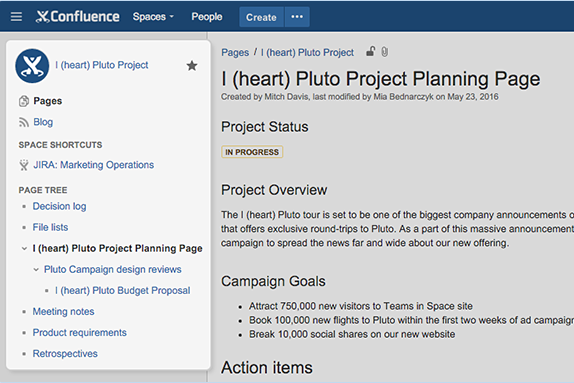
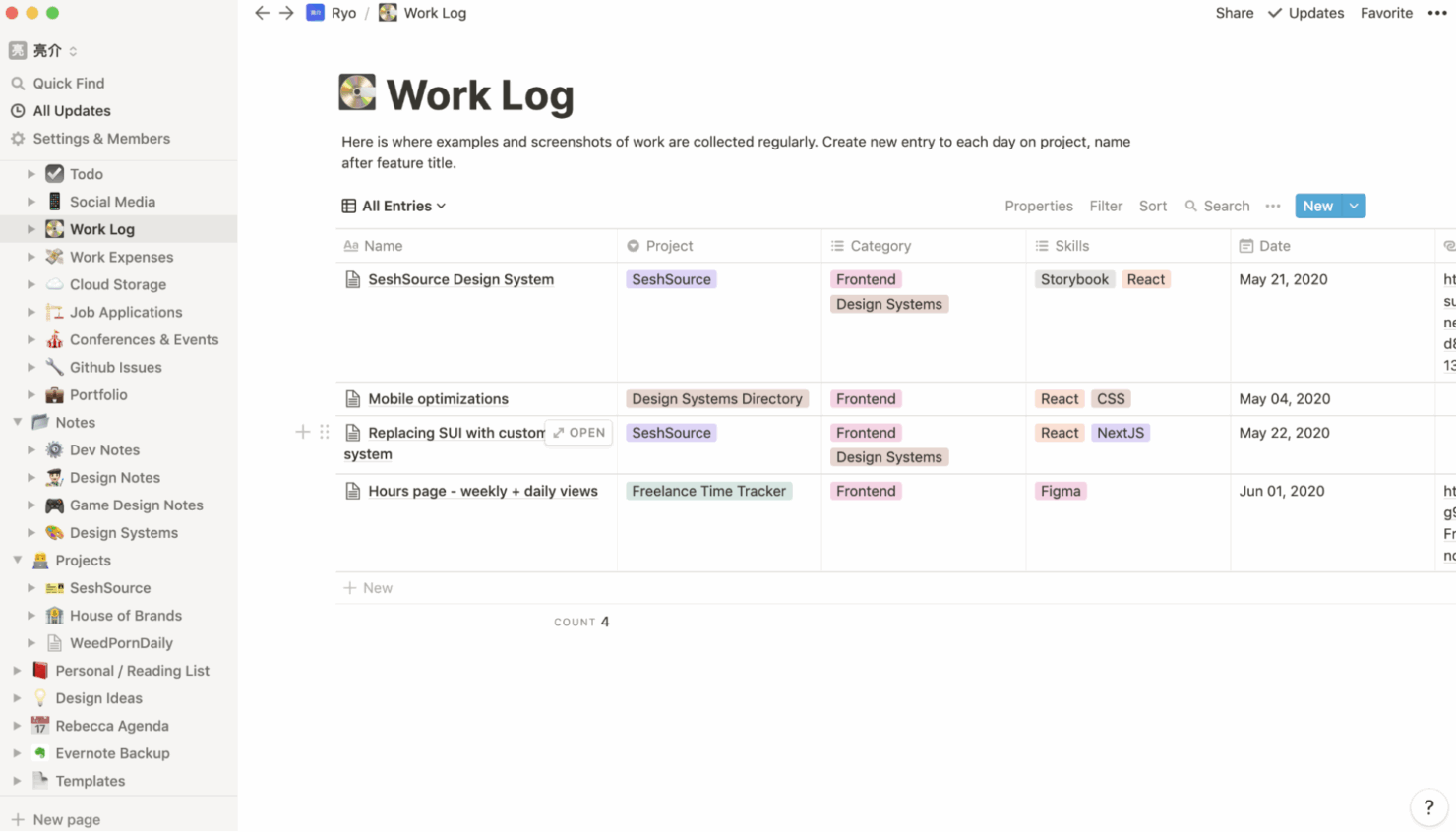
Med Confluences funktion til samarbejdsbaseret dokumentation kan du nemt administrere dit teams vidensbase og holde alle afstemt under komplekse projekter, hvilket er uvurderligt i dynamiske miljøer. Notions databasefunktion er fremragende til organisering af opgaver og projekter og giver dig mulighed for at tilpasse dit arbejdsområde til specifikke arbejdsgange, hvilket gør den ideel til teams, der har brug for fleksibilitet. Både Confluence og Notion har unikke fordele—Confluence udmærker sig ved struktureret samarbejde, mens Notion tilbyder tilpasning til forskellige projektbehov.
| Confluence | Notion | |
|---|---|---|
| API | ||
| Calendar Management | ||
| Data Export | ||
| Data Import | ||
| External Integrations | ||
| Multi-User | ||
| Notifications | ||
| Project Management | ||
| Scheduling | ||
| Task Scheduling/Tracking |
Integrationer i Confluence vs. Notion
| Integration | Confluence | Notion |
|---|---|---|
| Slack | ✅ | ✅ |
| Jira | ✅ | ✅ |
| Trello | ✅ | ✅ |
| Google Drive | ✅ | ✅ |
| Microsoft Teams | ✅ | ✅ |
| GitHub | ✅ | ✅ |
| Zapier | ❌ | ✅ |
| Figma | ✅ | ✅ |
| Airtable | ✅ | ✅ |
| API | ✅ | ✅ |
Confluences integration med Jira giver dig mulighed for problemfrit at følge projektets fremskridt og administrere opgaver i dit dokumentationsområde, hvilket er afgørende for teams, der i høj grad benytter agile metoder. Notions integration med Zapier er fremragende til automatisering af arbejdsgange på tværs af forskellige apps, så du kan tilpasse alarmer og opgavestyring, så de passer til dit teams unikke processer. Mens Confluence udmærker sig ved integration med udviklingsværktøjer, tilbyder Notion fleksibilitet gennem automatiseringsfunktioner.
Sikkerhed, overholdelse af regler \u0026 pålidelighed i Confluence vs. Notion
| Faktor | Confluence | Notion |
|---|---|---|
| Datakryptering | Confluence bruger AES-256-kryptering til data i hvile og TLS til data under overførsel. | Notion krypterer data i hvile og under overførsel ved hjælp af krypteringsprotokoller, der følger branchestandarden. |
| Overholdelse af regler | Confluence overholder GDPR og tilbyder funktioner til datalokalisering. | Notion overholder GDPR og tilbyder værktøjer, der hjælper med at administrere brugerdata effektivt. |
| Adgangskontroller | Confluence tilbyder detaljerede tilladelsesindstillinger til at kontrollere dataadgang. | Notion tilbyder rollebaserede adgangskontroller til administration af brugertilladelser. |
| Datasikkerhedskopiering | Confluence udfører regelmæssige automatiserede sikkerhedskopieringer for at sikre dataintegriteten. | Notion sikrer dataenes pålidelighed gennem løbende sikkerhedskopieringer og versionshistorik. |
Confluence tilbyder robuste funktioner til sikkerhed og overholdelse af regler, mens Notion har en brugervenlig tilgang til databeskyttelse og adgangskontrol. Hvis du vil vælge det rigtige værktøj, skal du vurdere dit teams specifikke behov for overholdelse af regler og overveje, hvordan hvert værktøjs sikkerhedsfunktioner stemmer overens med din branches regler og din organisations politikker for databeskyttelse.
Confluence vs. Notion – brugervenlighed
| Faktor | Confluence | Notion |
| Brugergrænseflade | Confluences grænseflade er robust, men kan virke overvældende med sine mange funktioner. | Notion tilbyder en ren og intuitiv grænseflade, der er nem at navigere i og tilpasse. |
| Introduktionsoplevelse | Confluence tilbyder detaljerede vejledninger og tutorials, der sikrer en grundig introduktion. | Notion har en hurtig startguide og skabeloner, der gør introduktionsprocessen mere enkel. |
| Tilpasning | Confluence giver mulighed for tilpasning gennem tilføjelser og integrationer. | Notion udmærker sig ved tilpasning med fleksible sidelayouts og skabeloner. |
| Support | Confluence tilbyder omfattende support gennem sit fællesskab og sin detaljerede dokumentation. | Notion tilbyder hurtig support med fokus på brugerfeedback og forbedringer. |
Confluences omfattende funktioner kan gøre det udfordrende at navigere i platformen i starten, men de effektive integrationsmuligheder er en fordel for avancerede brugere. Notion skiller sig ud med sin enkelhed og nemme tilpasning, hvilket gør platformen ideel til dem, der sætter pris på en ligetil opsætning og et fleksibelt arbejdsområde.
Confluence vs Notion: Pros & Cons
Confluence
- You can easily collaborate with your team through intuitive document sharing.
- It offers powerful search capabilities to quickly find the information you need.
- Your team can benefit from its extensive templates, saving time on setup.
- You might find its interface less visually appealing compared to other tools.
- It can be overwhelming for new users due to its extensive features.
- Your team may experience occasional performance issues with large data sets.
Notion
- You can tailor your workspace to fit your needs with flexible layouts and templates.
- The intuitive design makes it easy for users to navigate and organize their projects.
- You can take notes, manage projects, and maintain your databases in one place.
- It can be challenging for new users to master without spending time on tutorials.
- You might experience slow performance if you have large databases or complex setups.
- The mobile app is less intuitive than the desktop version.
Best Use Cases for Confluence and Notion
Confluence
- Software development teams Your team can benefit from Confluence's strong document management features, which keep project specs and updates centralized.
- Marketing departments You can streamline campaign planning and content creation with Confluence's templates and collaboration tools.
- Educational institutions Your institution can use Confluence to support faculty collaboration and manage course materials effectively.
- Remote teams You can maintain clear communication and document sharing across distances with Confluence's online capabilities.
- Product management Your product team can track development progress and share feedback efficiently with Confluence's collaborative features.
- Non-profit organizations You can organize and manage volunteer efforts and project documentation with Confluence's easy-to-use interface.
Notion
- Creative Agencies You can use customizable templates within a flexible workspace to manage creative projects and collaborate with the team.
- Freelancers You can manage multiple projects and clients in a single, organized platform.
- Startups You can tailor your workspace to your needs in order to manage rapid growth and changing project requirements.
- Remote Teams Notion supports constant communication and project tracking across different locations.
- Education Departments You can use Notion's database capabilities to organize curricula, schedules, and educational materials.
- Content Writers You can use the note-taking and organization features to manage research, drafts, and editorial calendars efficiently.
Hvem bør bruge Confluence, og hvem bør bruge Notion?
Efter min mening egner Confluence sig bedst til større teams og organisationer, der har brug for et struktureret miljø til dokumentation og samarbejde, især i brancher som teknologi, hvor integration med udviklingsværktøjer er afgørende. Set fra mit perspektiv er Notion ideelt til små og mellemstore teams eller enkeltpersoner, der værdsætter fleksibilitet og tilpasning, når de organiserer deres projekter og opgaver. Jeg mener, at Notions enkelhed og tilpasningsevne gør platformen til et godt valg for kreative brancher eller nystartede virksomheder med forskellige arbejdsgange. Hvis dit team har brug for effektive samarbejds- og integrationsfunktioner, bør du vælge Confluence; hvis du har brug for et tilpasningsvenligt og intuitivt arbejdsområde, er Notion det oplagte valg.
Differences Between Confluence and Notion
| Confluence | Notion | |
|---|---|---|
| Automation | Confluence integrates with development tools for automation. | Notion uses Zapier for automation across different apps. |
| Collaboration | Confluence offers structured collaboration with integration into Jira. | Notion provides flexible collaboration through shared pages and databases. |
| Customization | Confluence uses add-ons for customization. | Notion allows for easy customization with templates and flexible layouts. |
| Pricing | Confluence follows a tiered subscription model with potential extra costs. | Notion also uses a tiered model but can incur costs with overages and integrations. |
| User Interface | Confluence's interface is feature-rich but can be complex. | Notion features a clean, intuitive interface that's easy to navigate. |
| Read Confluence ReviewOpens new window | Read Notion ReviewOpens new window |
Similarities Between Confluence and Notion
| Accessibility | Confluence and Notion are accessible across devices, ensuring your team can work from anywhere with their mobile and web apps. |
|---|---|
| Collaboration | Both platforms facilitate team collaboration, with Confluence providing structured spaces and Notion offering flexible shared pages. |
| Documentation | Both Confluence and Notion excel in creating and managing documentation, with Confluence offering robust integration with other Atlassian tools, and Notion providing rich text and multimedia support. |
| Integrations | Confluence and Notion both support various integrations, enabling teams to connect with tools like Slack and Google Drive. |
| Pricing | Both use tiered pricing models, allowing teams to choose plans based on their size and feature needs. |
| Read Confluence ReviewOpens new window Read Notion ReviewOpens new window | |