

2026’nın En İyi 10 E-posta Yönetim Yazılımı

En İyi E-posta Yönetimi Yazılımları Kısa Listesi


E-posta yönetimi yazılımı, iletişiminizi kontrol altında tutabilmeniz ve bunalmamanız için gelen kutunuzu düzenlemenize, önceliklendirmenize ve otomatikleştirmenize yardımcı olur. En iyi e-posta yönetimi yazılımını arıyorsanız muhtemelen taşan gelen kutularıyla, gözden kaçan mesajlarla veya ekip iletişimini düzenli tutma zorluğuyla uğraşıyorsunuzdur.
Doğru araç, ekibinizin iş birliği yapmasına, manuel sıralamayı azaltmasına ve hiçbir şeyin gözden kaçmamasını sağlamasına yardımcı olabilir. Bu kılavuzda, ister ortak gelen kutularına, ister otomasyona veya gelişmiş düzenleme özelliklerine ihtiyaç duyun, iş akışınıza en uygun seçeneği belirlemenize yardımcı olacak uzmanlar tarafından incelenmiş seçenekleri bulacaksınız.
Why Trust Our Software Recommendations
Our team has been testing and reviewing software since 2012. As project managers ourselves, we know how difficult—and important—it is to choose the right software.
For this guide, we evaluated tools using hands-on testing and independent research, scoring tools using our selection criteria. We also draw on insights from industry thought leaders and practicing project management experts.
Our reviews reflect our human editorial judgment, not a sales pitch.
Expert reviewers:
E-posta Yönetimi Yazılımları Karşılaştırma Tablosu
Bu karşılaştırma tablosu, en iyi e-posta yönetimi yazılımı seçimlerimin fiyatlandırma ayrıntılarını özetlemektedir:
| Tool | Starting Price | Website | |
|---|---|---|---|
| Best for unified inbox customization | 4.4 out of 5 | $4.03/user/month Free 14-day free trial + free plan available | Website |
| Best with integrated business apps | 4.3 out of 5 | $1/user/month Free plan + 15-day free trial available | Website |
| Best for managing shared Gmail accounts | 4.6 out of 5 | $19/user/month 14-day free trial available | Website |
| Best with marketing automation tools | 4.3 out of 5 | $13/month Free plan + 14-day free trial + free demo available | Website |
| Best for collaborative team inboxes | — | $25/seat/month 14-day free trial + free demo available | Website |
| Best for project-based email filing | — | Pricing upon request Free demo + free trial available | Website |
| Best with built-in docs and calendar | — | Pricing upon request Free plan + free demo available | Website |
| Best for bulk email organization | — | $9/month Free trial available | Website |
| Best for AI-powered inbox prioritization | 4.9 out of 5 | $4.54/mo Free trial available | Website |
| Best for Gmail-based workflow automation | 4.7 out of 5 | $25/user/month 7-day free trial + free demo available | Book Demo |
E-posta Yönetimi Yazılımı İncelemeleri
Aşağıda, kısa listeme giren en iyi e-posta yönetimi yazılımlarının ayrıntılı özetlerini bulabilirsiniz. İncelemelerim, size en uygun seçeneği bulmanıza yardımcı olmak için her platformun özelliklerine, entegrasyonlarına ve en iyi kullanım alanlarına ayrıntılı bir bakış sunuyor.

Mailbird
Best for unified inbox customization
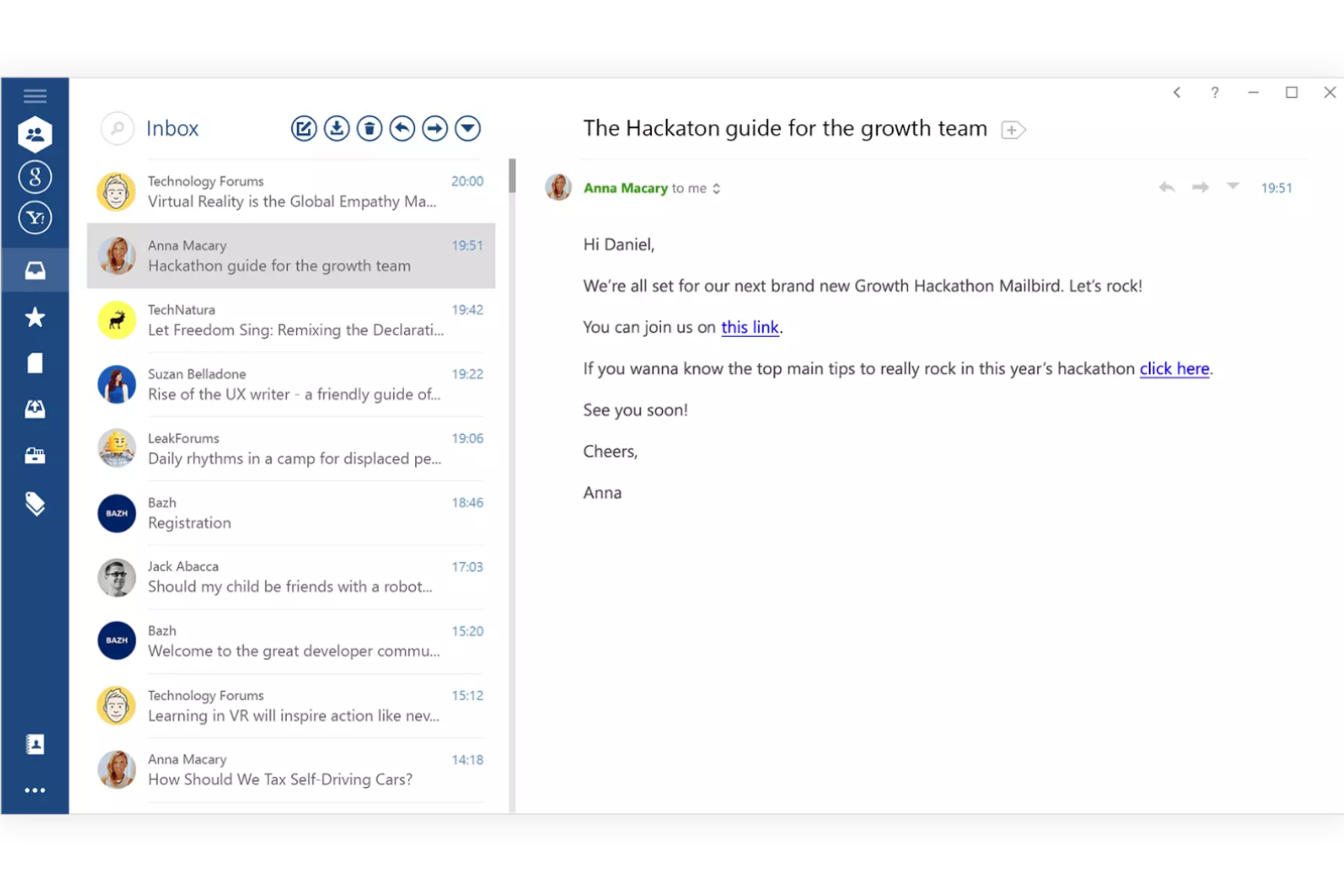
Mailbird is a Windows-based email client designed for professionals and small businesses who want to manage multiple email accounts, contacts, and app integrations from a single, highly customizable inbox.
Who Is Mailbird Best For?
Mailbird is a strong fit for small business teams and professionals who need to manage multiple email accounts on Windows.
Why I Picked Mailbird
I picked Mailbird as one of the best because I can customize my unified inbox with color coding, layout tweaks, and sidebar widgets for apps like WhatsApp and Google Calendar. I like that I can quickly switch between multiple accounts and set custom notification rules for each. In practice, that means my team can keep all communications and tools in one place, tailored to how we actually work.
Mailbird Key Features
- Unified contact management: Merge and manage contacts from all connected accounts in one place.
- Attachment search: Find attachments across all emails with a dedicated search tool.
- Snooze emails: Temporarily remove emails from your inbox and have them return at a set time.
- Speed reader: Quickly scan and read emails using a built-in speed reading tool.
Mailbird Integrations
Mailbird offers 30+ native integrations, including Slack, Dropbox, Google Calendar, Asana, WhatsApp, Facebook, Twitter, LinkedIn, Evernote, and Todoist, with an API available for custom integrations.
Pros and Cons
Pros:
- Fast attachment search across all accounts
- Customizable layout and sidebar app widgets
- Unified inbox supports multiple account types
Cons:
- Lacks built-in email templates
- No native Mac or web version

Best with integrated business apps
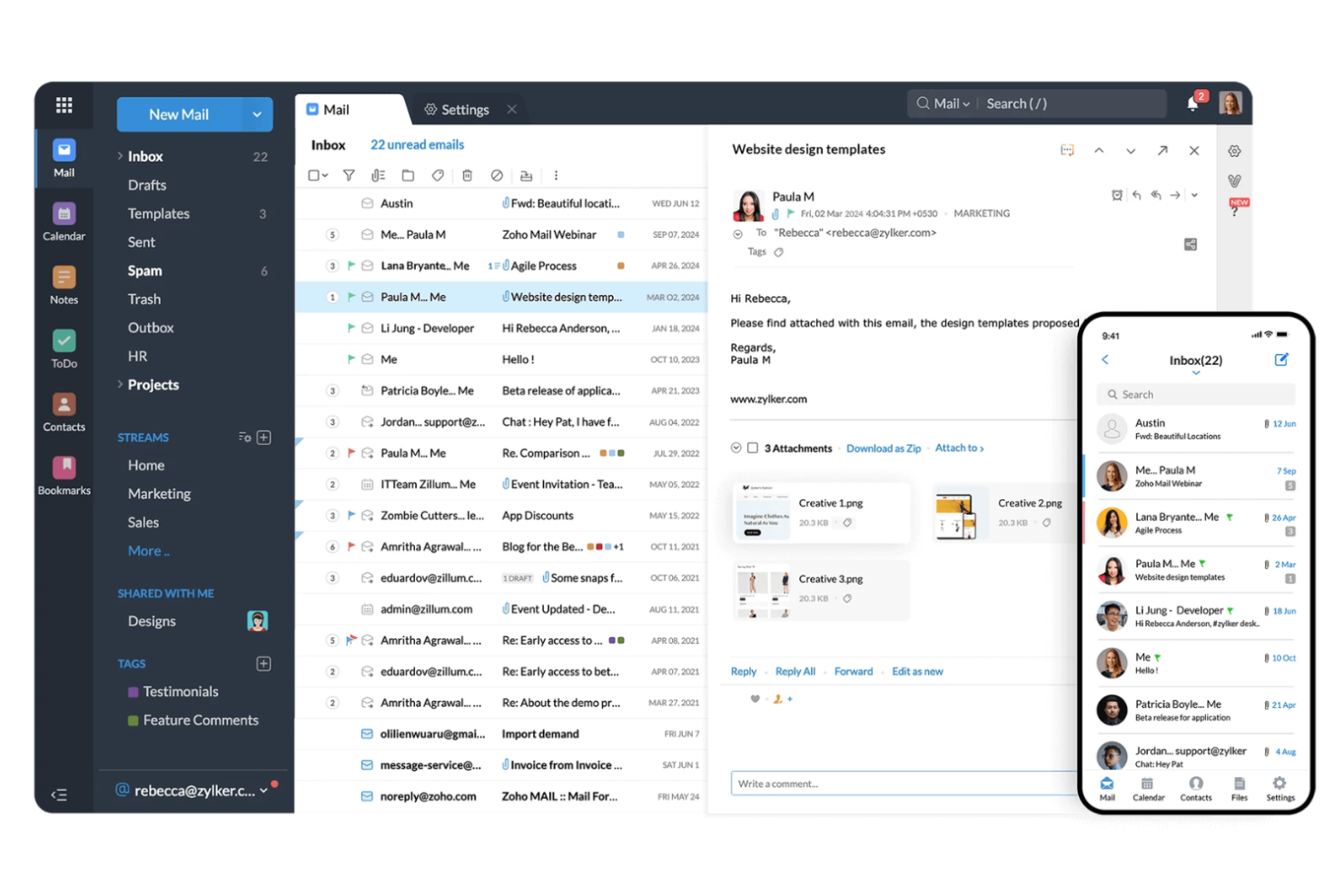
Zoho Mail is a business-focused email management platform used by organizations that want secure, ad-free email with built-in collaboration tools and productivity features for teams of any size.
Who Is Zoho Mail Best For?
Zoho Mail is a strong choice for small to midsize businesses that want integrated email and productivity tools in one platform.
Why I Picked Zoho Mail
I picked Zoho Mail as one of the best because I can manage email, calendar, tasks, and notes all in one place without switching apps. I like that my team can use Zoho Mail alongside Zoho CRM and Zoho Projects, making it easy to connect email conversations to business workflows. In practice, that means we keep our communications and project updates tightly linked, which helps us stay organized and responsive.
Zoho Mail Key Features
- Streams collaboration: Turn emails into chat-like conversations for team discussions.
- Custom domain hosting: Use your own business domain for all email addresses.
- Advanced search filters: Find emails quickly with detailed filtering and sorting options.
- Email recall: Retract sent emails before they reach the recipient’s inbox.
Zoho Mail Integrations
Zoho Mail offers 50+ native integrations, including Zoho CRM, Zoho Projects, Zoho Desk, Google Drive, Dropbox, Box, and Zapier. An API is also available for custom integrations.
Pros and Cons
Pros:
- Advanced search with multiple filtering options
- Streams feature enables chat-style team discussions
- Supports custom domain email hosting
Cons:
- No built-in email marketing tools
- Shared mailbox management is less intuitive

Keeping
Best for managing shared Gmail accounts
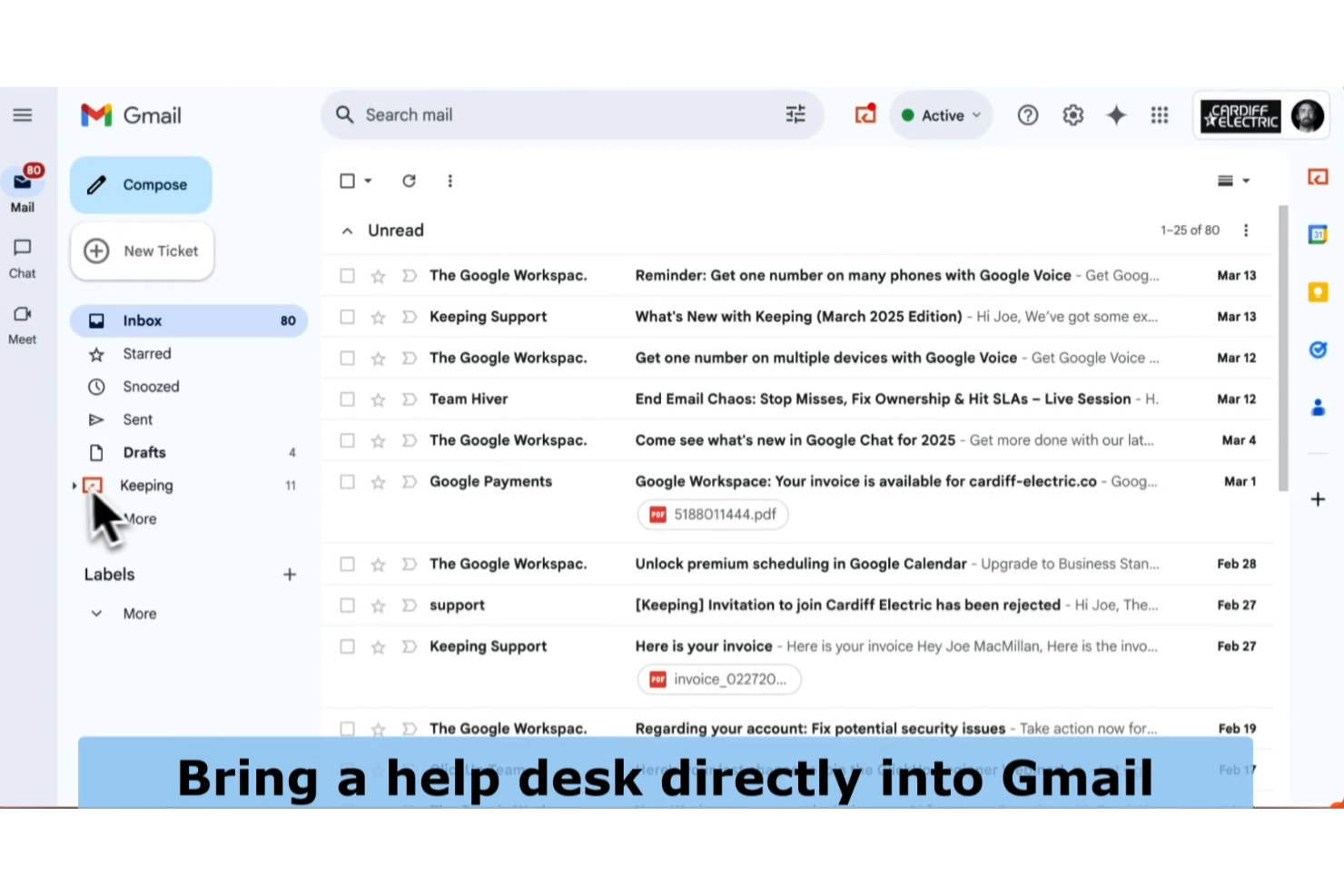
Keeping is a Gmail-based help desk tool designed for small businesses and support teams who want to manage customer emails, assign tickets, and collaborate without leaving their existing inbox.
Who Is Keeping Best For?
Keeping is a strong fit for small teams and businesses that manage customer support directly from shared Gmail accounts.
Why I Picked Keeping
I picked Keeping as one of the best because it lets my team manage and assign emails directly inside Gmail, so we don’t have to switch platforms. I like that we can turn emails into trackable tickets and add private notes for internal collaboration. In practice, that means we keep all customer conversations organized without leaving our shared inbox.
Keeping Key Features
- Reporting dashboard: Track metrics like response time and ticket volume.
- Collision detection: See when another team member is viewing or replying to an email.
- Custom tags: Categorize and filter emails with personalized tags.
- Snooze emails: Temporarily remove emails from the inbox and bring them back at a set time.
Keeping Integrations
Keeping offers a small set of native integrations, including Google Workspace, Slack, and Zapier, and also provides an API for custom integrations.
Pros and Cons
Pros:
- No need to switch between multiple platforms
- Tracks response times and ticket metrics
- Assigns emails to team members instantly
Cons:
- No built-in live chat or help desk widget
- Only works with Gmail and Google Workspace

Best with marketing automation tools
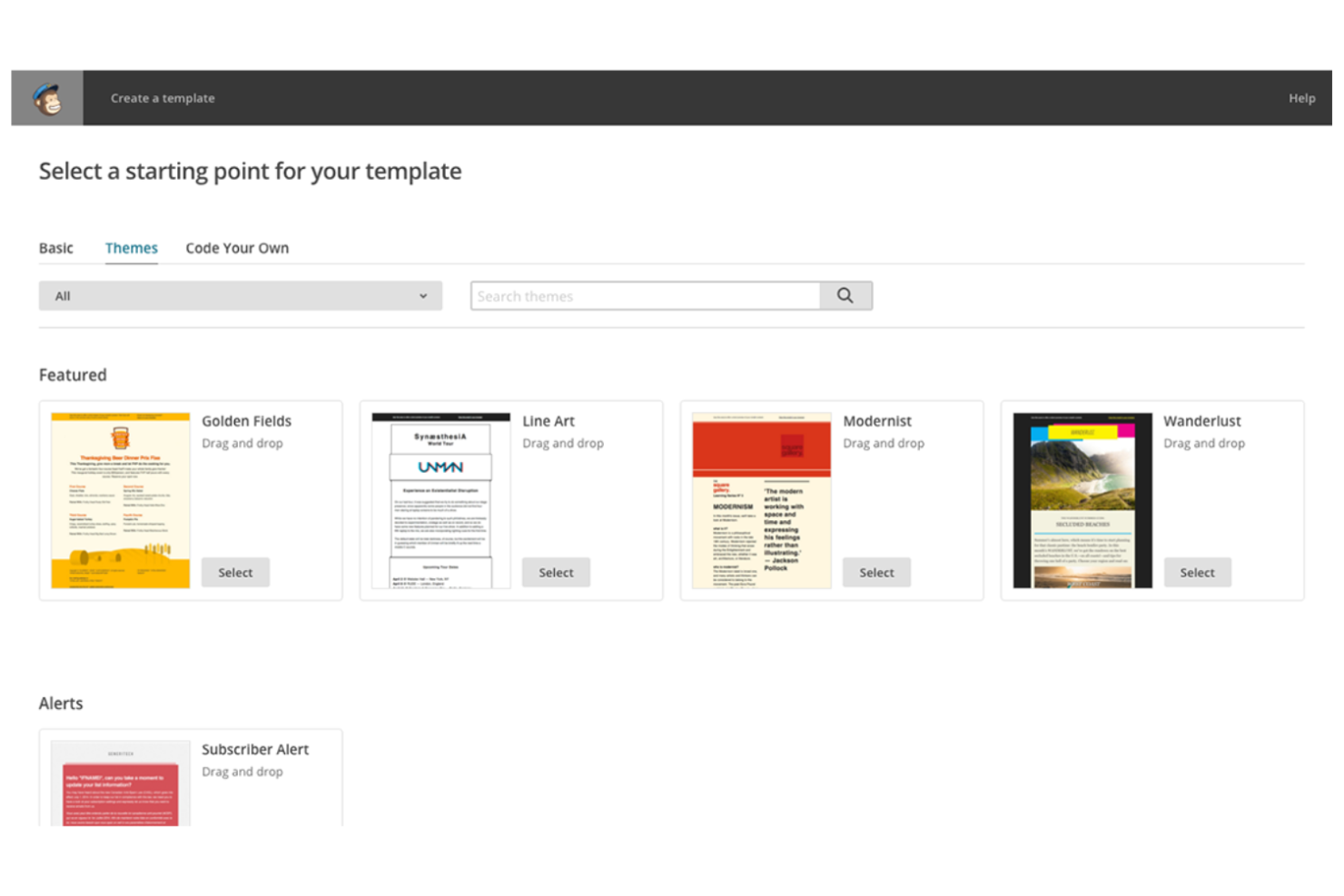
Mailchimp is a cloud-based platform used by marketers, ecommerce businesses, and small teams to manage email campaigns, automate communications, and analyze audience engagement from a single dashboard.
Who Is Mailchimp Best For?
Mailchimp is a strong fit for marketing teams and small businesses that want to automate email campaigns and manage audience outreach.
Why I Picked Mailchimp
I picked Mailchimp as one of the best because I can set up automated email journeys that trigger based on user behavior, segment audiences with advanced rules, and personalize content at scale. My team uses its visual workflow builder to map out complex campaigns and automate follow-ups without manual effort. I like that I can track campaign performance and optimize messaging using built-in analytics and A/B testing tools.
Mailchimp Key Features
- Drag-and-drop email builder: Create custom email layouts using a visual editor.
- Pre-built email templates: Choose from a library of professionally designed templates for different campaign types.
- Contact list management: Organize, import, and segment contacts for targeted messaging.
- Inbox preview: See how emails will appear across different devices and email clients.
Mailchimp Integrations
Mailchimp offers 300+ native integrations, including Shopify, WooCommerce, Salesforce, Eventbrite, Stripe, Squarespace, Canva, Google Analytics, Facebook, Instagram, and Zapier, with an API available for custom integrations.
Pros and Cons
Pros:
- Visual campaign builder for workflow mapping
- Built-in A/B testing for email optimization
- Segmentation tools for targeted audience messaging
Cons:
- Limited inbox management and email sorting
- List management can be confusing for new users

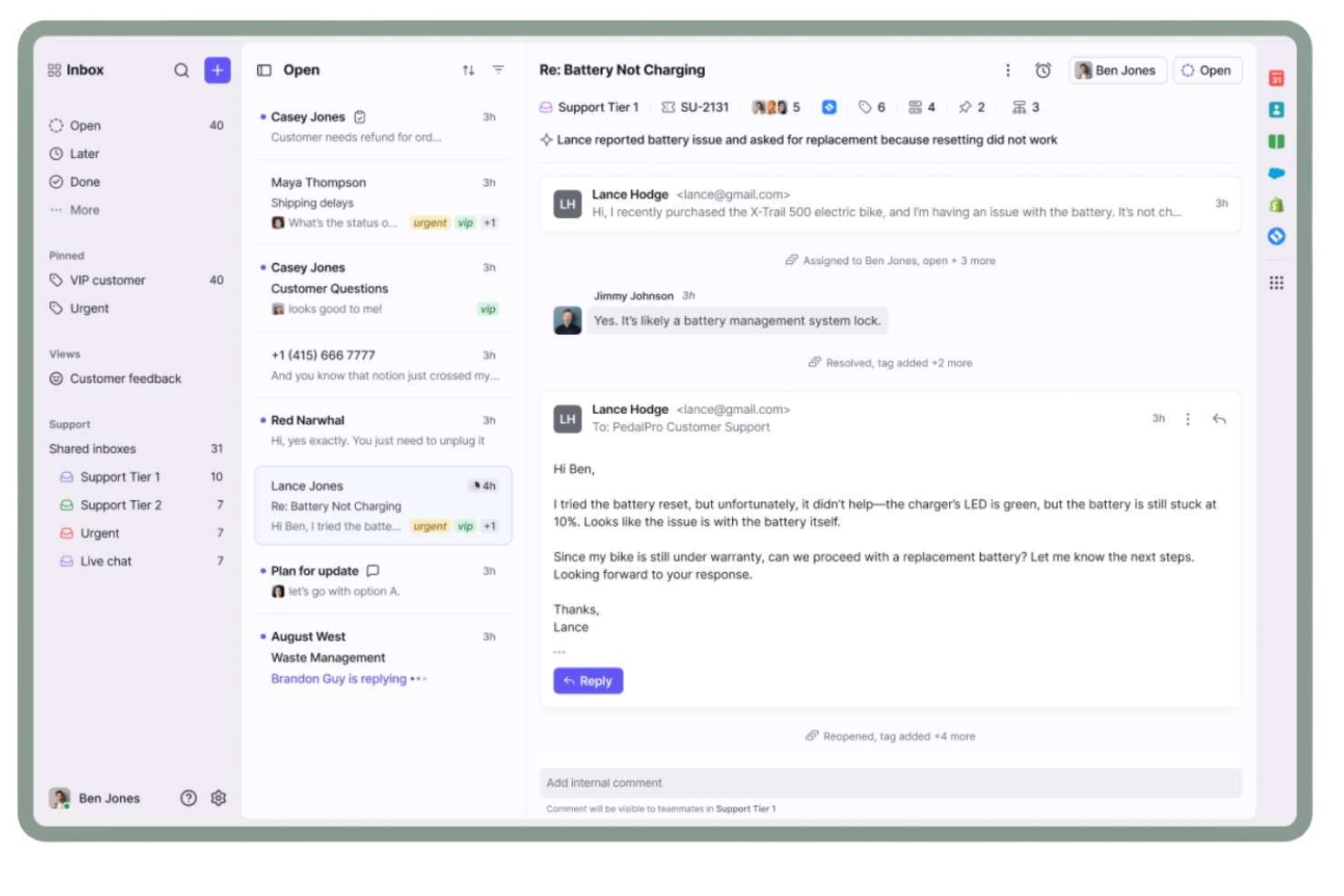
Front is an email management platform built for teams in customer support, operations, and account management who need to organize shared inboxes, assign conversations, and keep internal collaboration visible and actionable.
Who Is Front Best For?
Teams in customer support, client services, or operations who need to manage high volumes of shared email conversations.
Why I Picked Front
I picked Front as one of the best because my team can manage shared inboxes and assign emails to specific teammates without losing visibility. I like how Front lets us comment internally on threads, so we keep all context in one place. The collision detection feature helps us avoid duplicate replies when several people are working in the same inbox.
Front Key Features
- Analytics dashboard: Track team performance and inbox metrics in real time.
- Rules-based automation: Set up custom workflows to route and tag emails automatically.
- Multi-channel inbox: Manage email, SMS, and social messages from a single interface.
- App integrations: Connect with tools like Salesforce, Slack, and Asana directly from your inbox.
Front Integrations
Front offers 160+ native integrations, including Salesforce, HubSpot, Asana, Slack, Trello, Jira, Google Workspace, Microsoft 365, Aircall, Twilio, and Zapier. An API is available for custom integrations.
Pros and Cons
Pros:
- Assign emails to specific teammates instantly
- Collision detection prevents duplicate email replies
- Internal comments keep team discussions organized
Cons:
- No built-in calendar or scheduling tools
- Shared drafts can be accidentally overwritten

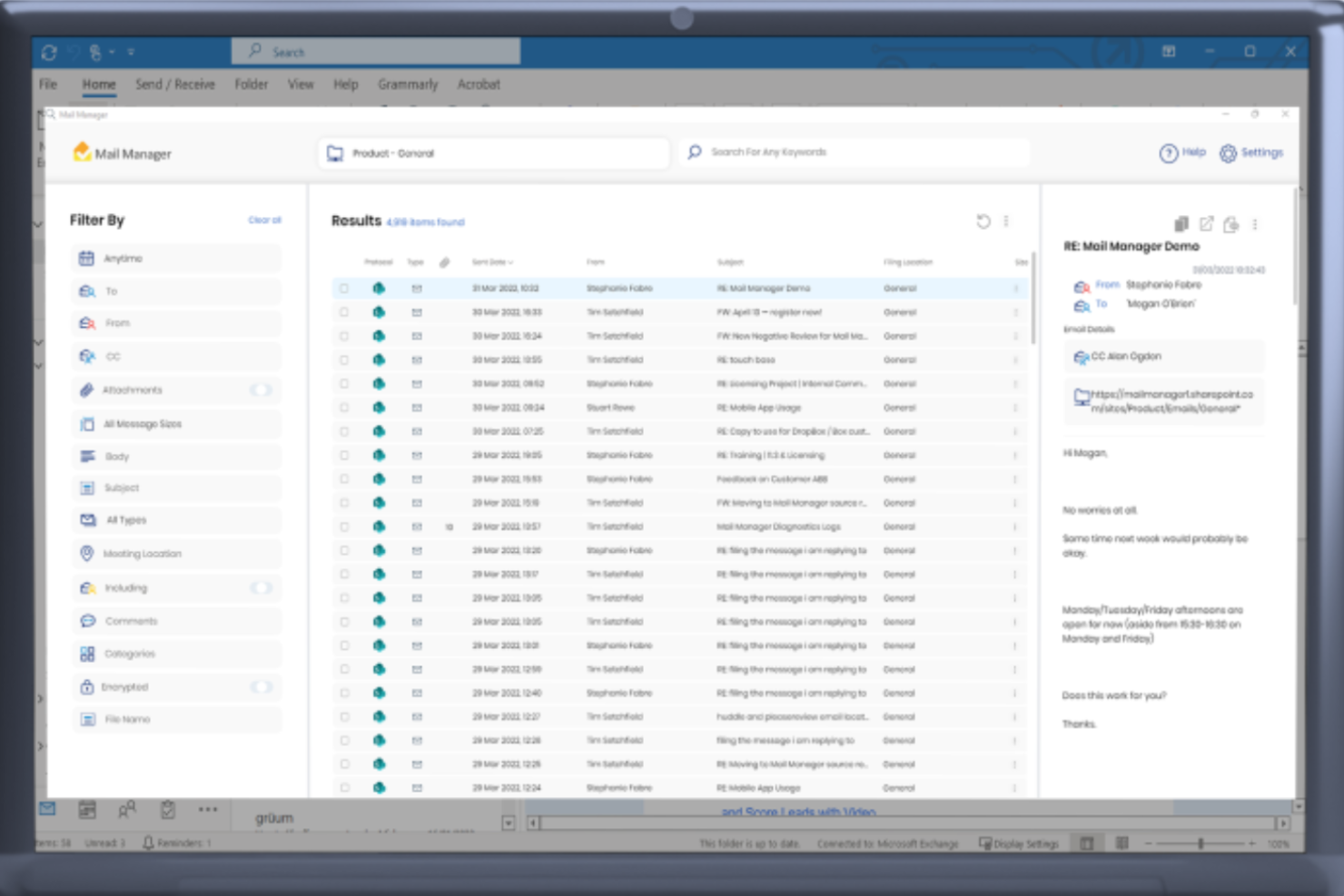
Ideagen Mail Manager is an email management solution built for project-driven teams in industries like construction, engineering, and consulting who need to organize, search, and file project correspondence efficiently.
Who Is Ideagen Mail Manager Best For?
Project managers and teams in construction, engineering, and consulting firms who need to organize and retrieve project-related emails.
Why I Picked Ideagen Mail Manager
I picked Ideagen Mail Manager as one of the best because I can file emails directly into project folders from Outlook, making it easy to keep all correspondence organized by project. I like that it prompts my team to file emails as we send or receive them, so nothing gets lost. The search function is fast and lets me find project-specific emails and attachments in seconds.
Ideagen Mail Manager Key Features
- Automatic email capture: Captures all inbound and outbound emails for compliance.
- Shared filing locations: Lets teams access and file emails in centralized folders.
- Duplicate detection: Flags and prevents duplicate emails in project folders.
- Mobile access: Allows users to file and search emails from mobile devices.
Ideagen Mail Manager Integrations
Ideagen Mail Manager offers native integrations across the Microsoft ecosystem, including Microsoft 365, SharePoint, and Teams, and an API is available for custom integrations.
Pros and Cons
Pros:
- Supports compliance with audit trails
- Fast search for project-specific correspondence
- Prompts users to file emails on send
Cons:
- Lacks automated email categorization by AI
- No built-in email analytics or reporting

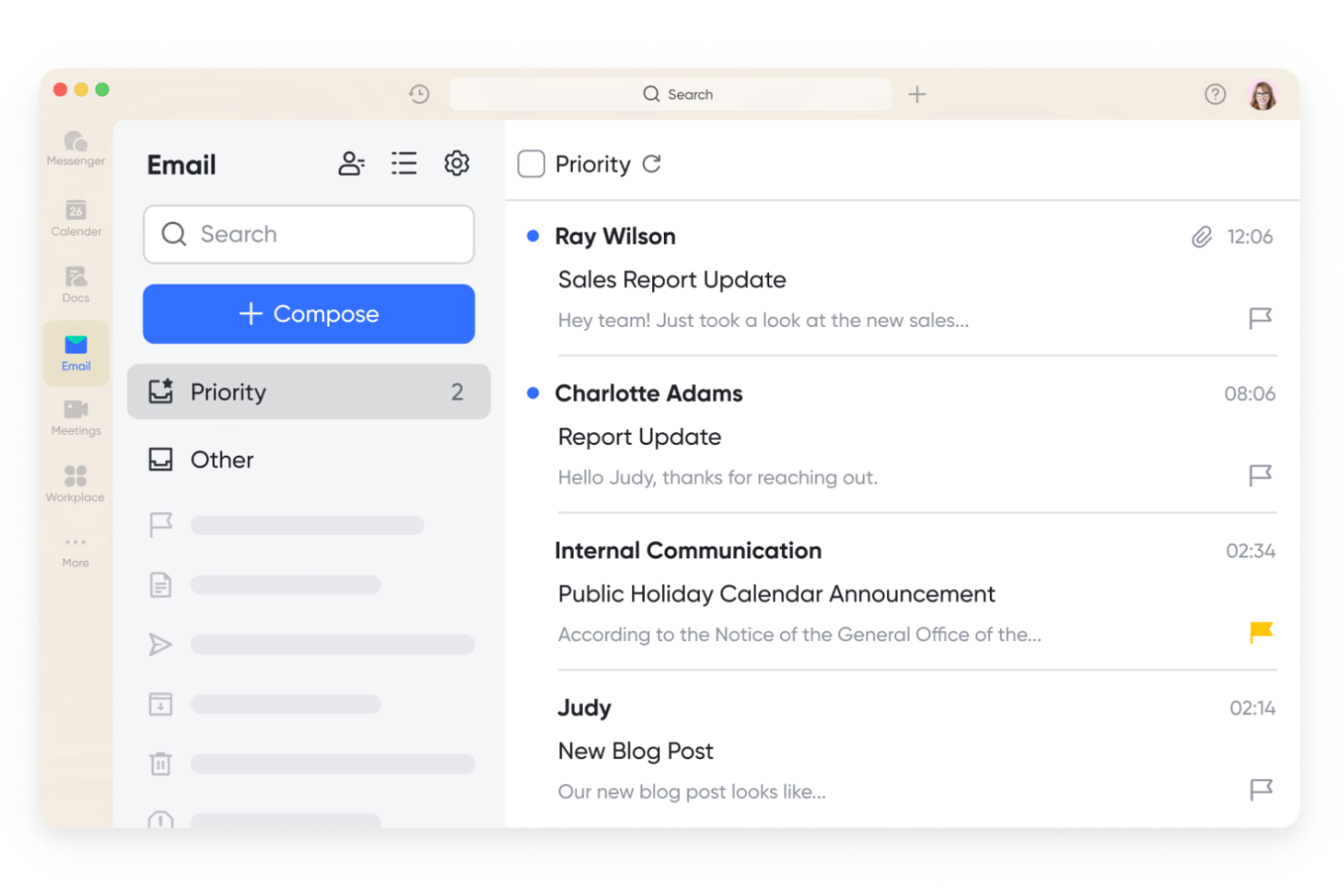
Lark Mail is a unified workspace for teams and businesses that want to manage email, chat, documents, and calendar in one platform, making it easier to keep communications and workflows connected.
Who Is Lark Mail Best For?
Lark Mail is a strong fit for distributed teams and growing businesses that want integrated email, docs, and calendar in one workspace.
Why I Picked Lark Mail
I picked Lark Mail as one of the best because I can manage email, documents, and calendar events all in one place without switching tabs. I like that my team can co-edit docs and schedule meetings directly from the same workspace where we handle email. In practice, that means we keep project files, conversations, and schedules tightly connected, which helps us avoid context switching.
Lark Mail Key Features
- Shared inboxes: Route and manage team emails collaboratively from a unified inbox.
- Message pinning: Pin important emails or messages for quick access within threads.
- Smart search: Search across emails, contacts, and attachments with advanced filters.
- Email templates: Create and reuse custom email templates for consistent communication.
Lark Mail Integrations
Lark Mail offers 100+ native integrations, including Google Drive, Dropbox, Salesforce, Jira, GitHub, Asana, Zoom, Slack, Trello, Zapier, and has an API for custom integrations.
Pros and Cons
Pros:
- Offers cloud storage for attachments and files
- Supports shared calendars for scheduling
- Integrated chat for quick team discussions
Cons:
- Limited analytics for email activity
- Lacks email marketing campaign features

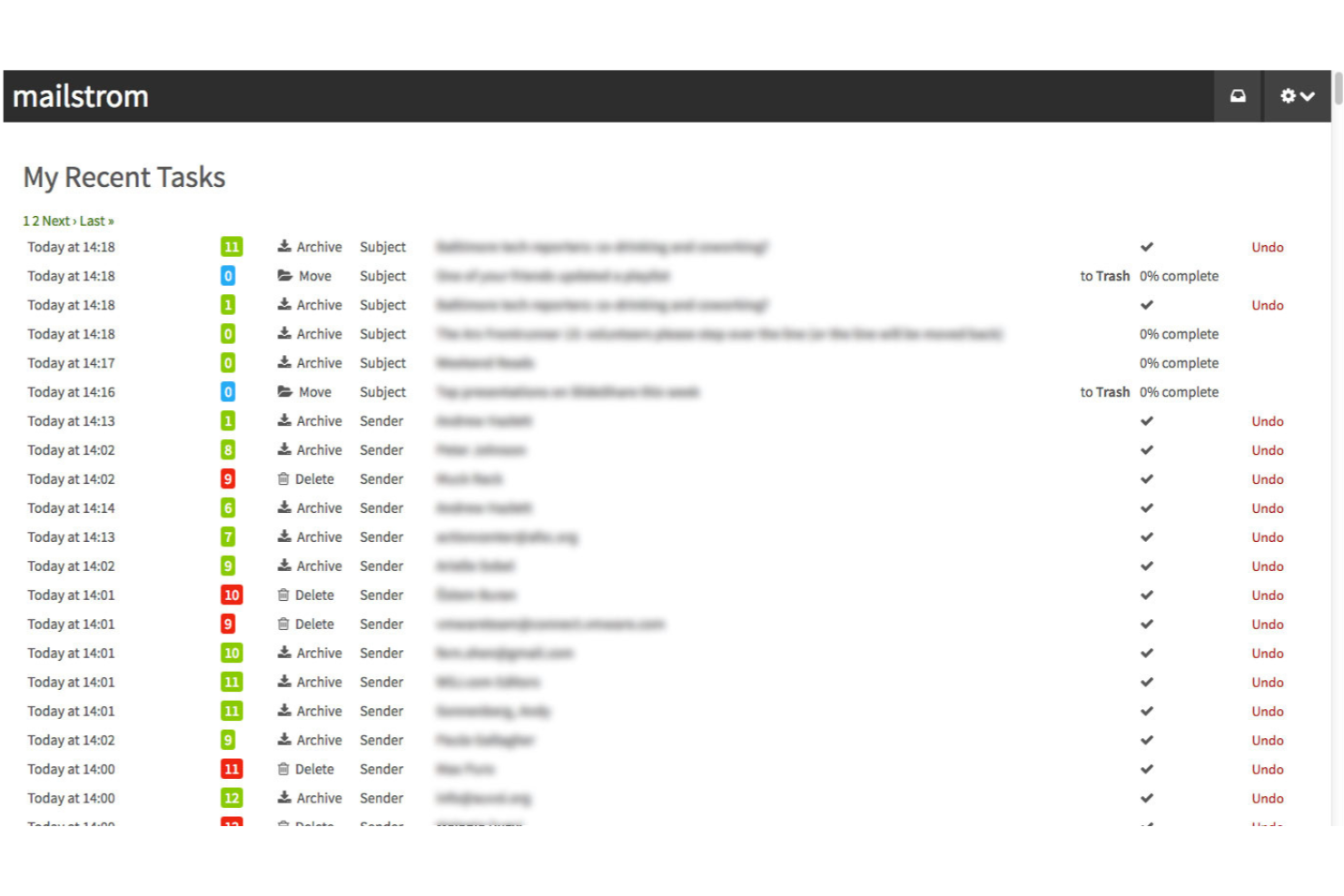
Mailstrom is an email management platform designed for professionals and teams who need to quickly organize, delete, and unsubscribe from large volumes of email across multiple accounts.
Who Is Mailstrom Best For?
Mailstrom is a great fit for professionals and small teams who need to declutter and organize high-volume inboxes quickly.
Why I Picked Mailstrom
I picked Mailstrom as one of the best because I can quickly group and delete thousands of emails by sender, subject, or time period, which is perfect for bulk organization. I like using the one-click unsubscribe feature to clear out newsletters and marketing emails in batches. My team is able to connect multiple accounts and manage clutter across Gmail, Outlook, and Yahoo from a single dashboard.
Mailstrom Key Features
- Attachment view: Lets you find and manage emails with large attachments.
- Block sender: Blocks unwanted senders directly from your inbox.
- Custom filters: Allows you to create rules for sorting and managing emails.
- Archive automation: Automatically archives emails based on your preferences.
Mailstrom Integrations
Mailstrom offers native integrations with Gmail, Outlook, Yahoo Mail, and AOL Mail, and connects with Zapier. An API is available for custom integrations.
Pros and Cons
Pros:
- Attachment view helps manage large files
- Daily digest summarizes filtered messages
- One-click unsubscribe from unwanted senders
Cons:
- Lacks ticketing or assignment capabilities
- Limited automation beyond bulk actions
SaneBox
Best for AI-powered inbox prioritization
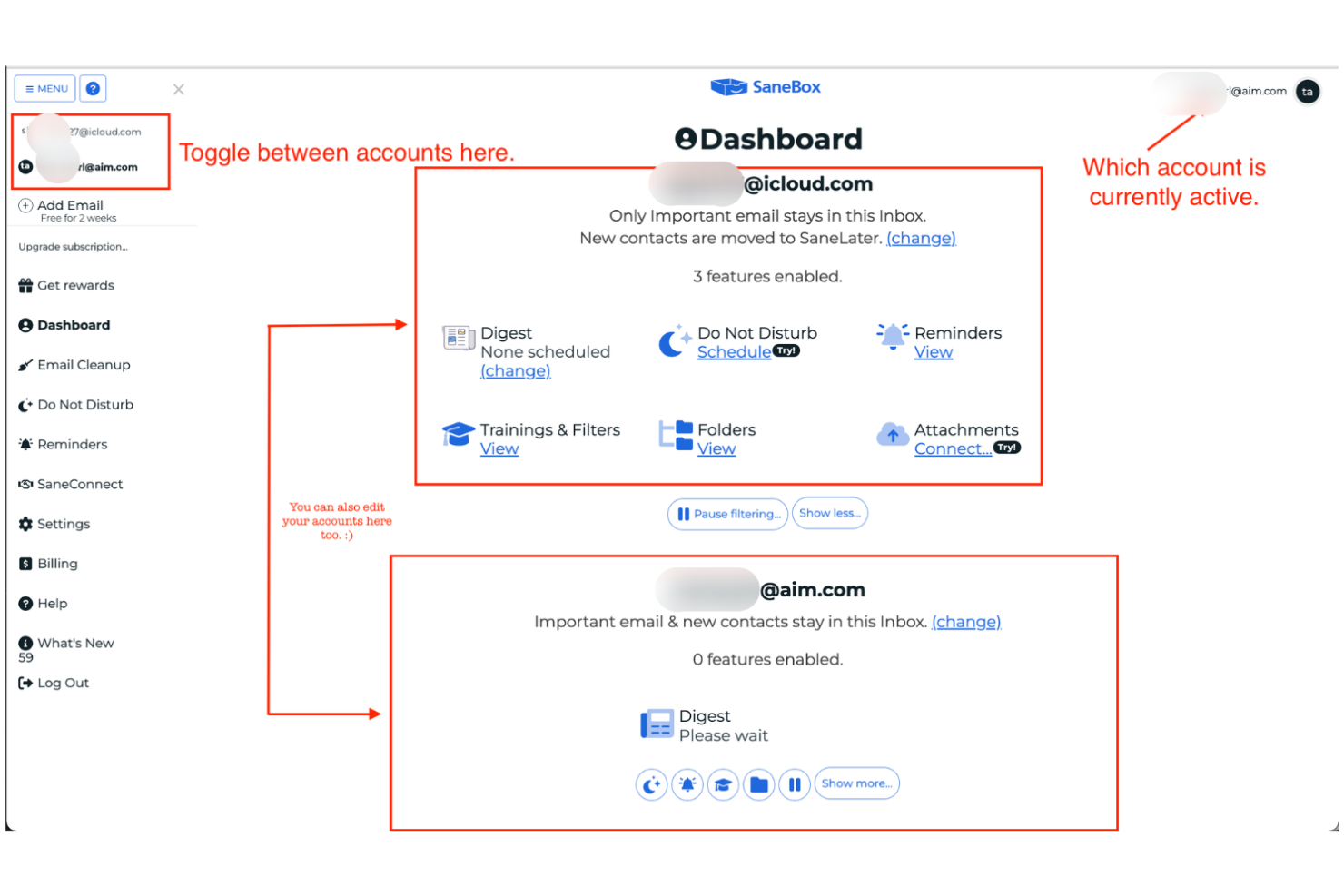
SaneBox is an email management tool for professionals and teams who want to automatically filter, organize, and prioritize messages in any email client without switching platforms or disrupting existing workflows.
Who Is SaneBox Best For?
SaneBox is a strong fit for busy professionals and executives who need to manage high volumes of email across multiple accounts.
Why I Picked SaneBox
I picked SaneBox as one of the best because I can rely on its AI to automatically sort low-priority emails into custom folders like SaneLater and SaneNews, so my main inbox stays focused. I like that I can train the AI by dragging messages between folders, which helps it get smarter over time. My team uses the SaneBlackHole feature to banish unwanted senders permanently, and I appreciate the daily digest that summarizes what’s been filtered out.
SaneBox Key Features
- Attachment management: Automatically moves email attachments to cloud storage services like Dropbox or Box.
- SaneReminders: Lets you set follow-up reminders by adding a date to the email address.
- SaneNoReplies: Tracks sent emails that haven’t received a response.
- Custom snooze folders: Lets you snooze emails for a set period and return them to your inbox later.
SaneBox Integrations
SaneBox offers a small set of native integrations, including Dropbox, Box, Evernote, Zoom, and Calendly, and connects with Zapier. An API is available for custom integrations.
Pros and Cons
Pros:
- SaneBlackHole unsubscribes and blocks senders
- Works with any email provider or client
- AI sorts emails into smart folders
Cons:
- Can’t create custom rules beyond folder training
- No mobile app for direct management

Hiver
Best for Gmail-based workflow automation
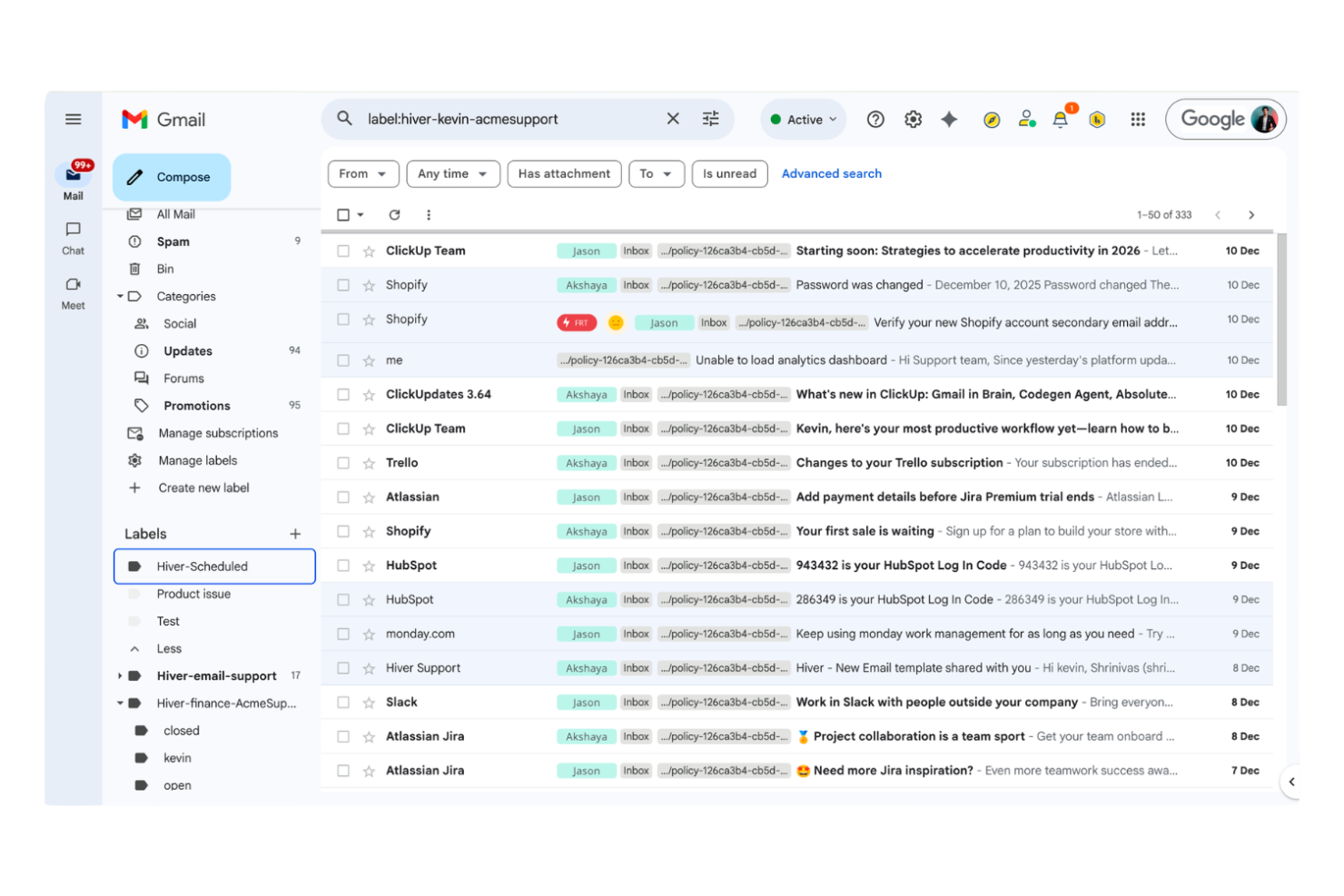
Hiver is an email management platform built for teams using Google Workspace, helping customer support, finance, and operations teams manage shared inboxes, assign emails, and automate workflows directly from Gmail.
Who Is Hiver Best For?
Hiver is a strong fit for customer support and operations teams in small to mid-sized businesses using Google Workspace.
Why I Picked Hiver
I picked Hiver as one of the best because I can automate repetitive email workflows right inside Gmail, like assigning emails to teammates or triggering follow-ups based on rules. I like that my team can use shared inboxes and collision alerts without leaving Google Workspace. In practice, that means we handle support and operations emails faster, with less manual sorting or missed messages.
Hiver Key Features
- Email tags: Organize and categorize emails with custom tags for easy tracking.
- SLA management: Set and monitor service level agreements directly within Gmail.
- Analytics and reporting: Access detailed reports on email volume, response times, and team performance.
- Email notes: Add private notes to email threads for internal team collaboration.
Hiver Integrations
Hiver offers 100+ native integrations, including Salesforce, Jira, HubSpot, QuickBooks, Okta, Shopify, Asana, Slack, Aircall, WhatsApp, and Zapier, with an API available for custom integrations.
Pros and Cons
Pros:
- Built-in SLA and analytics tools
- Tracks email status with visual indicators
- Email assignment and tracking features
Cons:
- No built-in live chat or phone support
- Some users report delays in email syncing
New Product Updates from Hiver

Hiver Brings Chat Widget Support to Mobile Apps
Hiver now lets you embed the Hiver Chat Widget in iOS, Android, React Native, and Flutter apps so customers can start chats without leaving your app. For more information, visit Hiver's official site.
 .
Diğer E-posta Yönetimi Yazılımları
Kısa listeme girmeyen ancak yine de göz atmaya değer bazı ek e-posta yönetimi yazılımı seçenekleri şunlardır:
- Missive
For chat and email in one workspace
- Help Scout
For customer support ticketing
- LiveAgent
With built-in live chat support
- Gmelius
For Gmail-based team collaboration
- Zendesk
For multichannel ticketing integration


How I Evaluate Email Management Software
I evaluate these tools in two layers: the baseline must-haves—shared inboxes, email-to-task conversion, PM integrations—and the differentiators that separate the best picks for project teams.
Core Functionality (Table Stakes For This List)
When I'm selecting tools for my list, I rank each one on a scale from 0 (does not offer the functionality) to 5 (excels in this area) for each core functionality listed below. Then, I calculate the tool's total score into a percentage. Each tool needs to achieve a minimum total score of 65% to be considered for inclusion.
- Email-to-Task Conversion: I check whether you can turn an email into an assigned, due-dated task—like converting a client request into a deliverable—without leaving your inbox.
- Shared Team Inboxes: Teams handling project intake or client requests need collaborative inboxes, so I look for assignment, collision detection, and internal notes.
- Project Tool Integrations: I evaluate native connections to PM platforms like Jira, Asana, and Monday to see if email threads and tasks sync bidirectionally.
- Email Threading & Organization: Tagging and grouping threads by project or client matters, so I check for structured taxonomy beyond basic folders and labels.
- Automation & Rules: I look for rule-based routing, auto-tagging, and follow-up triggers—like auto-assigning emails from a specific client to the right project lead.
- Tracking & Analytics: Response time reports, assignment tracking, and SLA dashboards help PMOs measure email workload, so I evaluate reporting depth and flexibility.
Once I have a list of tools that meet the criteria, I consider what sets each platform apart.
Differentiating Factors (What Sets Vendors Apart)
Here's how I compare and contrast different vendors:
Standout Features
AI summarization is a major differentiator—I look for tools that can distill a 30-message thread into key decisions and action items so a PM can catch up fast. Custom workflow templates also matter for teams running repeated processes like project intake or change requests. I check for client portal views too, since they let stakeholders track request status without generating more email traffic back to your team's inbox.
Beyond Features
Integration ecosystem depth is something I weigh heavily—a tool that connects to your PM stack, CRM, and file storage through native integrations saves your team from building fragile workarounds. Security also matters, especially for teams handling client-sensitive project data. I look for SOC 2 compliance, role-based access controls, and audit logs. Pricing transparency rounds out my evaluation. I check whether per-user or per-inbox pricing is clearly published and whether a free trial lets your team pilot the tool before committing.
E-posta Yönetimi Yazılımı Seçim Kriterleri
Bu listeye dahil edilecek en iyi e-posta yönetimi yazılımını seçerken, yüksek hacimli gelen e-postaları yönetmek ve hızlı, doğru yanıtlar vermek gibi yaygın alıcı ihtiyaçlarını ve sorun noktalarını göz önünde bulundurdum. Değerlendirmemi yapılandırılmış ve adil tutmak için aşağıdaki çerçeveyi de kullandım:
Temel İşlevsellik (toplam puanın %25'i)
Bu listeye dahil edilebilmek için her çözümün aşağıdaki yaygın kullanım alanlarını karşılaması gerekiyordu:
- Ekipler için ortak gelen kutularını yönetme
- E-posta taleplerini atama ve takip etme
- E-posta yönlendirmesini ve etiketlemeyi otomatikleştirme
- E-posta geçmişini depolama ve arama
- Dahili ekip iş birliğini destekleme
Ek Öne Çıkan Özellikler (toplam puanın %25'i)
Seçenekleri daha da daraltmaya yardımcı olmak için aşağıdakiler gibi benzersiz özellikleri de aradım:
- Yerleşik bilgi tabanı veya yardım merkezi
- Eş zamanlı yanıtlar için çakışma algılama
- Uygulama içi sohbet veya canlı sohbet aracı
- Gelişmiş raporlama ve analiz panoları
- Yapay zekâ destekli e-posta yanıt önerileri
Kullanılabilirlik (toplam puanın %10'u)
Her sistemin kullanılabilirliği hakkında fikir edinmek için aşağıdakileri göz önünde bulundurdum:
- Temiz ve sezgisel kullanıcı arayüzü
- Gelen kutuları ve talepler arasında basit gezinme
- Özelleştirilebilir görünümler ve filtreler
- Mobil ve masaüstü için duyarlı tasarım
- Yaygın işlemleri tamamlamak için minimum sayıda tıklama
İlk Kullanıma Alma (toplam puanın %10'u)
Her platformun ilk kullanıma alma deneyimini değerlendirmek için aşağıdakileri göz önünde bulundurdum:
- Adım adım ürün turları veya yönlendirmeler
- Eğitim videolarının ve web seminerlerinin bulunması
- Yaygın iş akışları için hazır şablonlar
- Uygulama içi sohbet robotları veya yönlendirmeli kurulum
- Kolay veri içe aktarma ve taşıma araçları
Müşteri Desteği (toplam puanın %10'u)
Her yazılım sağlayıcısının müşteri destek hizmetlerini değerlendirmek için aşağıdakileri göz önünde bulundurdum:
- 7/24 canlı sohbet veya telefon desteği
- Destek taleplerine hızlı yanıt süreleri
- Ayrıntılı çevrim içi bilgi bankası
- Topluluk forumlarına veya kullanıcı gruplarına erişim
- Proaktif ilk kullanıma alma desteği ve düzenli kontroller
Fiyatına Göre Değer (toplam puanın %10'u)
Her platformun fiyatına göre sunduğu değeri değerlendirmek için aşağıdakileri göz önünde bulundurdum:
- Şeffaf ve esnek fiyatlandırma planları
- Ücretsiz deneme veya ücretsiz paket seçeneği
- Her fiyatlandırma seviyesine dâhil olan özellikler
- Gizli ücret veya beklenmedik masraf olmaması
- Yıllık taahhütler veya yüksek hacimli kullanımlar için indirimler
Müşteri Yorumları (toplam puanın %10'u)
Genel müşteri memnuniyeti hakkında fikir edinmek için müşteri yorumlarını okurken aşağıdakileri göz önünde bulundurdum:
- Temel özelliklerle ilgili olumlu geri bildirimler
- Güvenilir çalışma süresi ve performansla ilgili bildirimler
- Müşteri desteğinin kalitesiyle ilgili övgüler
- Kullanıcıların benimseme kolaylığı hakkındaki yorumları
- Yapıcı eleştiriler ve sağlayıcıların bunlara verdiği yanıtlar
E-posta Yönetim Yazılımı Nasıl Seçilir?
Uzun özellik listeleri ve karmaşık fiyatlandırma yapıları içinde kaybolmak kolaydır. Kendinize özgü yazılım seçimi sürecinizde ilerlerken odaklanmanıza yardımcı olmak için aklınızda bulundurmanız gereken faktörlerin bir kontrol listesini aşağıda bulabilirsiniz:
| Faktör | Dikkate Alınması Gerekenler |
|---|---|
| Ölçeklenebilirlik | Yazılım, önümüzdeki 1-3 yıl boyunca öngörülen e-posta hacminizi ve ekip büyümenizi kaldırabilecek mi? |
| Entegrasyonlar | CRM, sohbet veya proje yönetimi araçlarınıza yerel olarak bağlanıyor mu, yoksa geçici çözümlere mi ihtiyacınız olacak? |
| Özelleştirilebilirlik | Ağır BT desteğine ihtiyaç duymadan iş akışlarını, etiketleri ve görünümleri ekibinizin süreçlerine uyacak şekilde uyarlayabilir misiniz? |
| Kullanım kolaylığı | Ekibiniz yazılımı hızlıca benimseyecek mi, yoksa arayüz günlük çalışmayı yavaşlatıp ek eğitim gerektirecek mi? |
| Uygulama ve ilk kullanıma alma | Çalışmaya başlamanız ne kadar sürecek ve kullanıma sunma sırasında hangi kaynaklara veya desteğe ihtiyacınız olacak? |
| Maliyet | Fiyatlandırma katmanları net mi ve kullanım alışkanlıklarınızla bütçe kısıtlamalarınıza uyuyor mu? |
| Güvenlik önlemleri | Araç; şifreleme, erişim kontrolleri ve sektörünüzün veri standartlarına uygunluk sunuyor mu? |
| Destek erişilebilirliği | İhtiyaç duyduğunuzda desteğe ulaşabiliyor musunuz ve acil sorunlar için hizmet düzeyi anlaşmaları (SLA'lar) veya özel irtibat kişileri var mı? |
E-posta Yönetim Yazılımı Nedir?
E-posta yönetim yazılımı, ekiplerin ortak bir çalışma alanından büyük hacimli mesajları düzenlemesine, izlemesine ve yanıtlamasına yardımcı olan bir e-posta yönetim sistemidir. Hem işletmelerin e-posta yönetimini hem de kişisel gelen kutusunu yönetmek gibi bireysel kullanım senaryolarını destekler.
Bu araçlar iletişimi merkezileştirir, görüşmeleri atar ve etiketleme veya önceliklendirme gibi görevleri otomatikleştirerek ekiplerin gelen kutusunu sıfırlamaya yaklaşmasına yardımcı olur. Birçok platform, mesajları kategorilere ayırmak, konu satırlarını iyileştirmek ve farklı e-posta türlerini daha verimli şekilde işlemek için bir yapay zekâ asistanı içerir. Bazı çözümler premium özellikler sunar veya bağımsız bir sistem olarak çalışarak ekipler genelinde iş birliğini, sorumluluk bilincini ve yanıt sürelerini iyileştirir.
Özellikler
E-posta yönetim yazılımı seçerken aşağıdaki temel özelliklere dikkat edin:
- Paylaşılan gelen kutusu: Birden fazla ekip üyesinin e-postalara tek ve merkezi bir posta kutusundan erişmesine, bunları yönetmesine ve yanıtlamasına olanak tanıyarak görünürlüğü ve iş birliğini artırır.
- Talep atama: Gelen e-postaları veya konuşmaları belirli ekip üyelerine atamanıza olanak tanıyarak her isteğin sorumluluğunun ve sahipliğinin net olmasını sağlar.
- Çakışma algılama: Başka birinin aynı e-postayı görüntülediğini veya yanıtladığını kullanıcılara bildirerek yinelenen yanıtları ve karışıklığı önler.
- Otomatik iş akışları: Gönderen, anahtar kelimeler veya diğer ölçütlere göre e-postaları yönlendirmek, etiketlemek ya da önceliklendirmek için kurallar oluşturmanızı sağlar.
- Dahili notlar: Ekip üyelerinin e-posta dizilerine özel yorumlar veya bağlam eklemesine olanak tanıyarak daha iyi devir teslimleri ve dahili iletişimi destekler.
- Raporlama ve analiz: Hizmeti izlemenize ve geliştirmenize yardımcı olmak için yanıt süreleri, talep hacmi ve ekip performansı gibi ölçümlere ilişkin panolar ve raporlar sunar.
- Bilgi tabanı entegrasyonu: Gelen kutunuzu yardım makalelerinden oluşan bir kitaplığa bağlayarak kaynakları müşterilerle hızlıca paylaşmanıza veya bunlara dahili olarak başvurmanıza olanak tanır.
- Özel etiketler ve tanımlar: Ekibinizin iş akışına ve raporlama ihtiyaçlarına uygun etiketler veya tanımlarla e-postaları kategorilere ayırmanıza ve düzenlemenize olanak tanır.
- Konuşma geçmişi: Her kişiyle gerçekleştirilen tüm geçmiş etkileşimlerin eksiksiz kaydını saklayarak bağlamı gözden geçirmeyi ve sürekliliği korumayı kolaylaştırır.
- Role dayalı izinler: Farklı kullanıcıların erişim düzeylerini kontrol etmenize olanak tanıyarak hassas bilgilerin yalnızca doğru ekip üyeleri tarafından görülmesini sağlar.
Yaygın E-posta Yönetim Yazılımı Yapay Zekâ Özellikleri
Yukarıda listelenen standart e-posta yönetim yazılımı özelliklerinin yanı sıra bu çözümlerin çoğu aşağıdaki gibi özelliklerle yapay zekâyı da kullanmaya başlıyor:
- Otomatik yanıt önerileri: Gelen e-postaları analiz etmek ve taslak yanıtlar oluşturmak için yapay zekâdan yararlanarak ekiplerin daha hızlı yanıt vermesine ve tutarlı bir iletişim dili kullanmasına yardımcı olur.
- Niyet algılama: Doğal dil işleme kullanarak her e-postanın amacını veya aciliyetini belirler ve daha akıllı önceliklendirme ile yönlendirme yapılmasını sağlar.
- Akıllı e-posta kategorilendirme: E-postaları içerik, gönderen veya duygu durumuna göre otomatik olarak sıralar ve etiketler; manuel düzenleme ihtiyacını azaltır ve iş akışı verimliliğini artırır.
- Anormallik algılama: E-posta hacmindeki veya içeriğindeki olağandışı örüntüleri, örneğin şikâyetlerdeki artışları ya da olası güvenlik tehditlerini işaretleyerek ekiplerin hızlıca harekete geçmesini sağlar.
- Öngörücü analiz: E-posta hacmi, yanıt süreleri veya müşteri memnuniyetindeki eğilimleri tahmin etmek için geçmiş verilerden yararlanarak daha iyi kaynak planlamasını destekler.
Faydalar
E-posta yönetim yazılımını uygulamak ekibiniz ve işletmeniz için çeşitli faydalar sağlar. Yararlanabileceğiniz birkaç fayda şunlardır:
- Daha hızlı yanıt süreleri: Otomatik iş akışları, talep atama ve yapay zekâ destekli öneriler, ekibinizin e-postalara daha hızlı ve tutarlı yanıt vermesine yardımcı olur.
- Gelişmiş ekip iş birliği: Paylaşılan gelen kutuları, dahili notlar ve çakışma algılama, ekiplerin karışıklık veya yinelenen işler olmadan birlikte çalışmasını kolaylaştırır.
- Daha yüksek sorumluluk: Talep atama ve konuşma geçmişi, her e-postanın net bir sorumlusunun olmasını ve hiçbir şeyin gözden kaçmamasını sağlar.
- Daha iyi müşteri deneyimi: Bilgi tabanı entegrasyonu ve düzenli konuşma kayıtları, ekibinizin her seferinde doğru ve yararlı yanıtlar sunmasına yardımcı olur.
- Uygulanabilir içgörüler: Raporlama ve analiz özellikleri ekip performansı, yanıt eğilimleri ve iyileştirme alanları hakkında görünürlük sağlar.
- Gelişmiş güvenlik ve uyumluluk: Role dayalı izinler ve güvenlik önlemleri, hassas bilgilerin korunmasına ve mevzuata uyulmasına yardımcı olur.
- Büyüme için ölçeklenebilirlik: Merkezi yönetim ve özelleştirilebilir iş akışları, işletmeniz büyüdükçe artan e-posta hacimlerini yönetmeyi kolaylaştırır.
Maliyetler ve Fiyatlandırma
E-posta yönetim yazılımı seçerken mevcut çeşitli fiyatlandırma modellerini ve planları anlamak gerekir. Maliyetler özelliklere, ekip büyüklüğüne, eklentilere ve daha fazlasına göre değişir. Aşağıdaki tabloda yaygın planlar, bunların ortalama fiyatları ve e-posta yönetim yazılımı çözümlerinde yer alan tipik özellikler özetlenmektedir:
E-posta Yönetim Yazılımı Plan Karşılaştırma Tablosu
| Plan Türü | Ortalama Fiyat | Yaygın Özellikler |
|---|---|---|
| Ücretsiz Plan | $0 | Küçük bir ekip için temel ortak gelen kutusu, sınırlı bilet atama, temel raporlama ve e-posta geçmişi. |
| Kişisel Plan | $5-$15/kullanıcı/ay | Tek kullanıcı erişimi, e-posta izleme, temel otomasyon ve sınırlı entegrasyonlar. |
| İşletme Planı | $15-$40/kullanıcı/ay | Çok kullanıcılı destek, gelişmiş iş akışları, raporlama panoları, bilgi bankası entegrasyonu ve özel etiketler. |
| Kurumsal Plan | $40-$100/kullanıcı/ay | Gelişmiş güvenlik, rol tabanlı izinler, öncelikli destek, özel başlangıç süreci ve uyumluluk araçları. |
E-posta Yönetimi Yazılımı Hakkında SSS
E-posta yönetimi yazılımı hakkında sık sorulan soruların bazı yanıtları şunlardır:
E-posta yönetimi yazılımı ekip verimliliğini nasıl artırır?
E-posta yönetimi yazılımı iletişimi merkezileştirerek, tekrarlanan görevleri otomatikleştirerek ve e-postaların atanıp izlenmesini kolaylaştırarak ekip verimliliğini artırır. Bu, bilgi aramak için harcanan zamanı azaltır, yinelenen çalışmaları önler ve ekiplerin müşterilere veya iş arkadaşlarına daha hızlı yanıt vermesine yardımcı olur.
E-posta yönetimi yazılımı diğer işletme araçlarıyla entegre olabilir mi?
Evet, çoğu e-posta yönetimi yazılımı CRM’ler, yardım masaları, sohbet platformları ve proje yönetimi sistemleri gibi araçlarla entegre olur. Bu entegrasyonlar verileri senkronize etmenize, iş akışlarını otomatikleştirmenize ve tüm iletişim ile bağlamı tek bir yerde tutmanıza olanak tanır.
E-posta yönetimi yazılımı hassas bilgiler için güvenli midir?
Evet, saygın e-posta yönetimi yazılımları şifreleme, erişim kontrolleri ve uyumluluk özellikleri gibi güvenlik önlemleri içerir. Kuruluşunuzun gereksinimlerini karşıladıklarından emin olmak için her zaman sertifikaları kontrol edin ve sağlayıcılara güvenlik uygulamalarını sorun.
Yeni bir e-posta yönetimi platformuna geçerken nelere dikkat etmeliyim?
Veri aktarımı, kullanıcı eğitimi ve iş akışı düzenlemeleri için plan yapın. Ekibinizin önemli bilgileri kaybetmeden veya hizmeti aksatmadan sorunsuz bir şekilde geçiş yapmasına yardımcı olmak için içe aktarma araçları, işe alım desteği ve anlaşılır belgeler sunan çözümler arayın.
Ekibimin e-posta yönetimi yazılımına ihtiyacı olup olmadığını nasıl anlarım?
Ekibiniz yüksek e-posta hacmi, gözden kaçan iletiler, yavaş yanıt süreleri veya taleplerin kime ait olduğunun belirsizliğiyle mücadele ediyorsa e-posta yönetimi yazılımı yardımcı olabilir. Bu yazılım özellikle müşteri desteği, satış veya ortak gelen kutularını yöneten ekipler için kullanışlıdır.