



Basecamp jämfört med ClickUp: Jämförelse & expertrecensioner för 2026



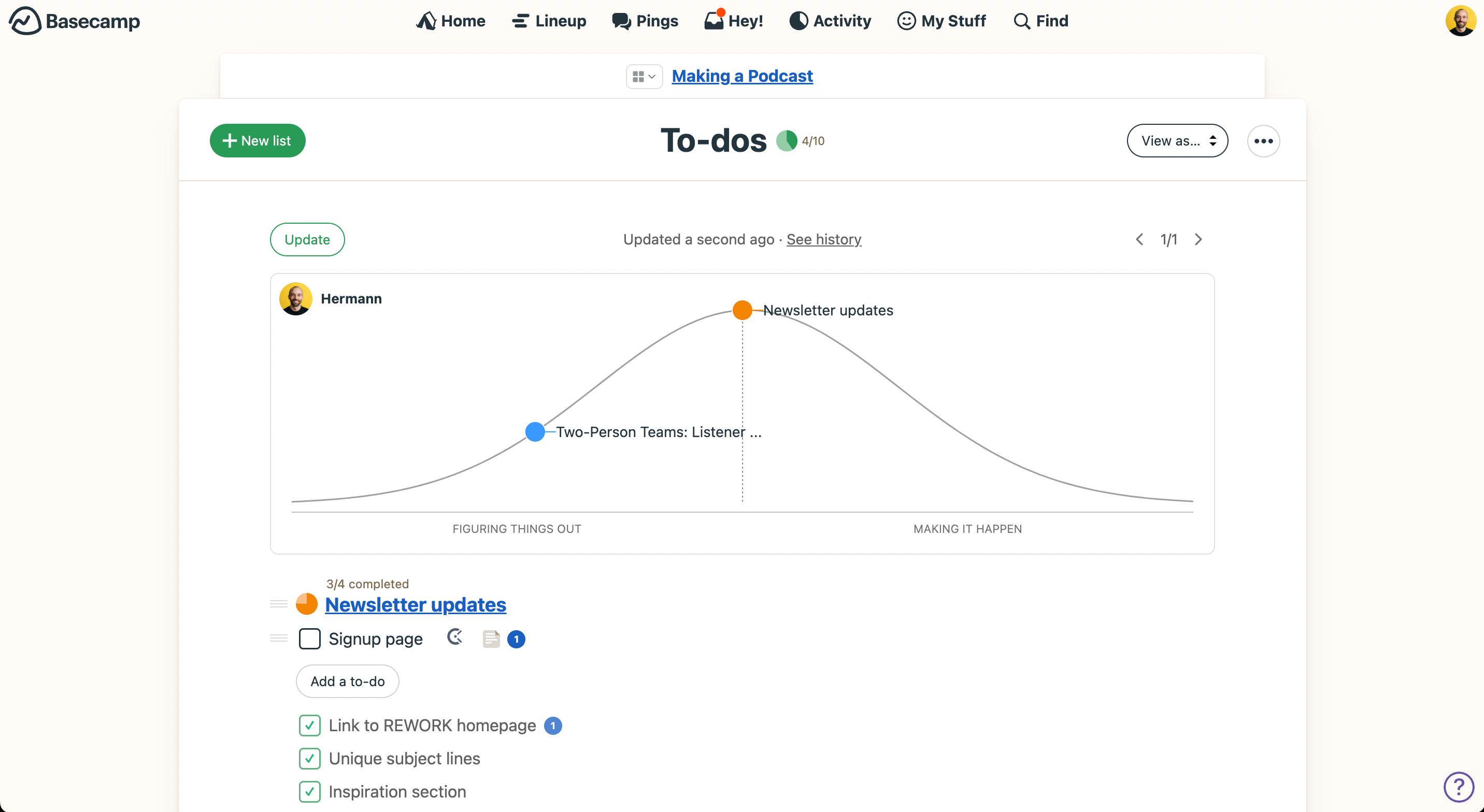
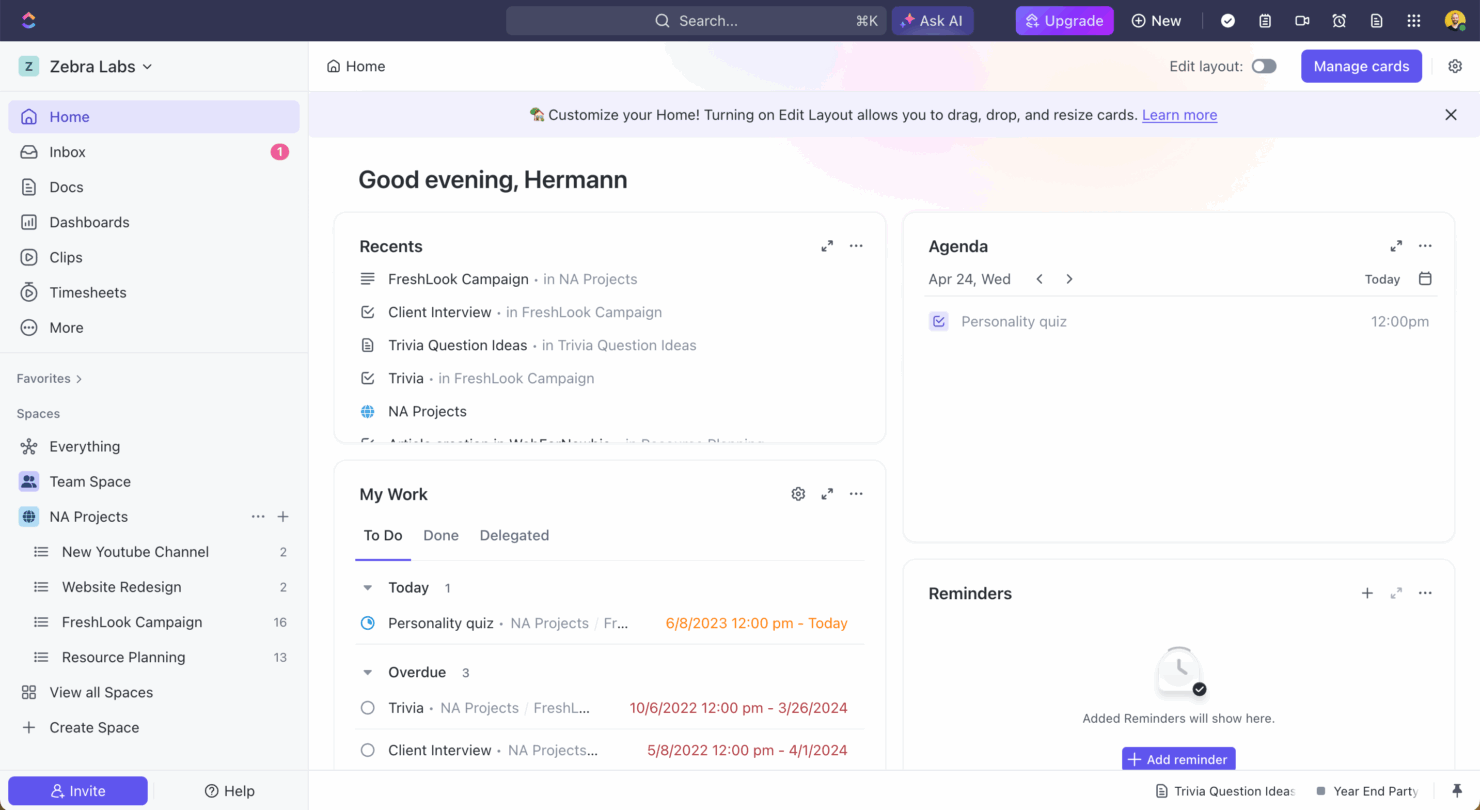
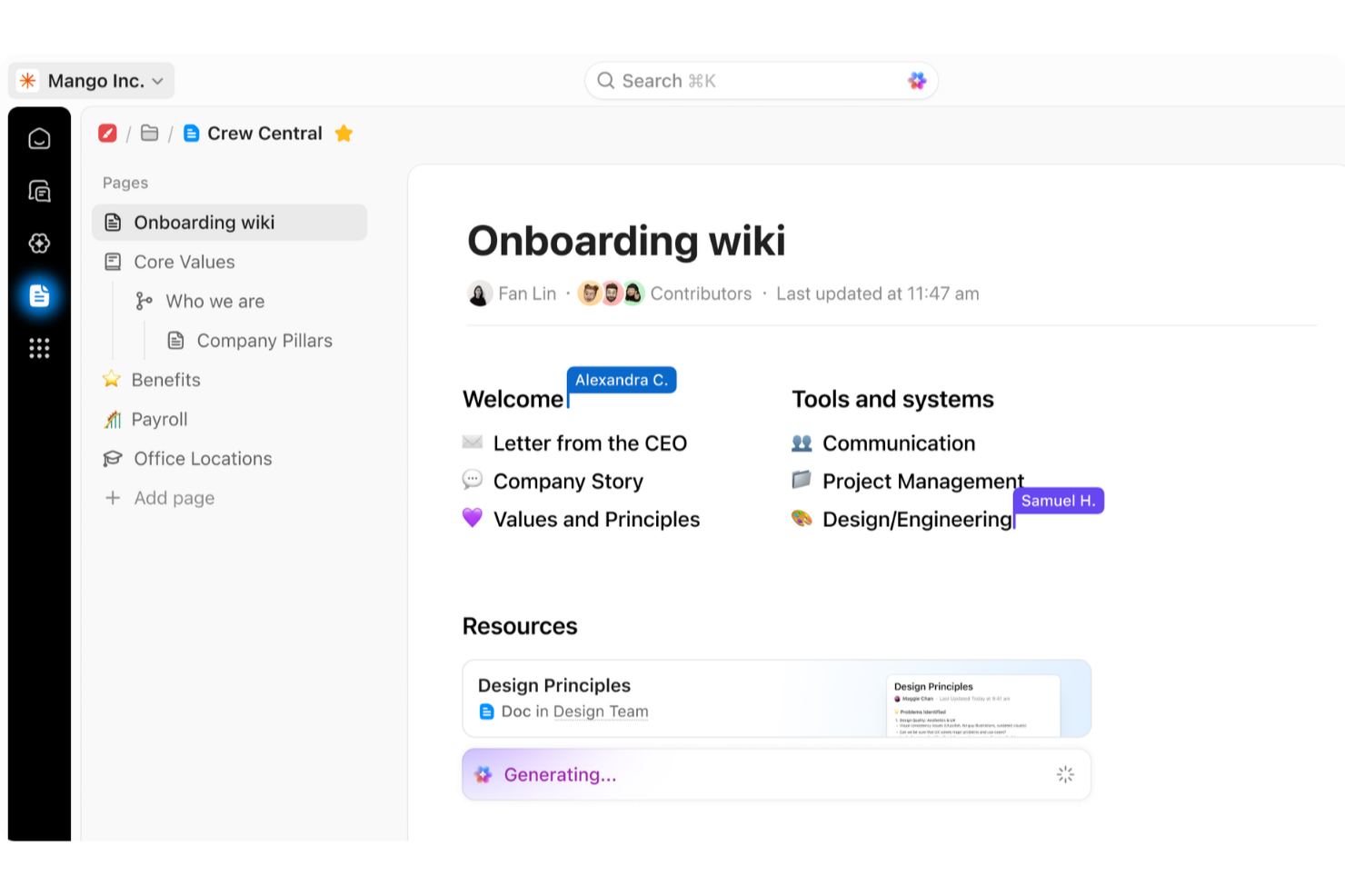
Basecamp erbjuder en enkel plattform för att organisera teamets projekt och kommunikation, medan ClickUp tillhandahåller en anpassningsbar plattform som passar din arbetsstil. Basecamp fokuserar på enkelhet, medan ClickUp erbjuder flexibilitet med gott om funktioner.
Jag har testat och granskat varje verktyg för projekthantering på djupet och utvärderat deras viktigaste funktioner, för- och nackdelar samt priser, så att du kan göra det bästa valet för ditt teams behov.
Basecamp vs. ClickUp: An Overview
Basecamp


ClickUp




Why You Can Trust Us
We’ve been testing and reviewing project management software since 2012. As project managers ourselves, we know how critical and difficult it is to make the right decision when selecting software.
We invest in deep research to help our audience make better software purchasing decisions. We’ve tested more than 2,000 tools for different project management use cases and written over 1,000 comprehensive software reviews. Learn how we stay transparent & our software review methodology.
Basecamp vs. ClickUp Pricing Comparison
| Basecamp | ClickUp | |
|---|---|---|
| Free Trial | 30-day free trial + free demo available | Free plan available |
| Pricing | From $15/user/month | From $7/user/month (billed annually) |
Priser och dolda kostnader för Basecamp jämfört med ClickUp
Basecamps priser följer en prenumerationsmodell, och du kan välja att betala per användare eller en fast avgift för hela organisationen. ClickUps priser omfattar också nivåindelade abonnemang, där kostnaderna ökar när du lägger till mer lagringsutrymme och avancerade funktioner. Båda verktygen har även ett kostnadsfritt abonnemang.
För att välja rätt verktyg för ditt team bör du identifiera de projekthanteringsfunktioner du behöver mest och överväga hur varje prismodell passar ihop med teamets tillväxt och resursfördelning.
Basecamp vs. ClickUp Feature Comparison
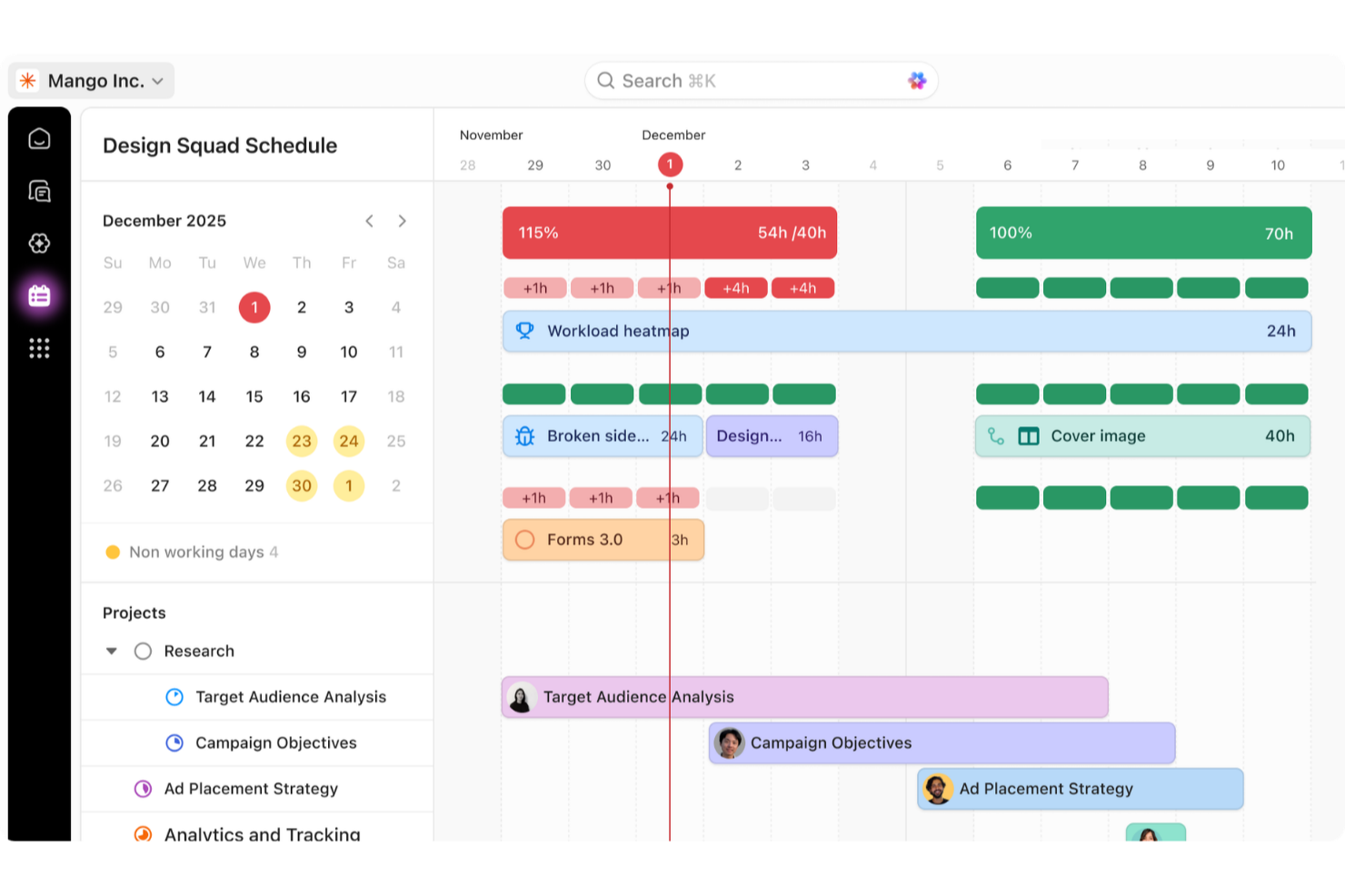
Med Basecamps intuitiva att-göra-listor kan du organisera dagliga uppgifter och deluppgifter samt samla projektarbete och kommunikation på ett ställe. ClickUps mångsidiga uppgiftsvyer och funktioner, som omfattar tidsregistrering och massredigering, är utmärkta för att hantera komplexa projekt där flexibilitet och detaljerad överblick är avgörande.
| Basecamp | ClickUp | |
|---|---|---|
| API | ||
| Batch Permissions & Access | ||
| Budgeting | ||
| Calendar Management | ||
| Collaboration Support | ||
| Contact Management | ||
| Contact Sharing | ||
| Customer Management | ||
| Dashboard | ||
| Dashboards | ||
| Data Export | ||
| Data Import | ||
| Data Visualization | ||
| Dependency Tracking | ||
| Document Sharing | ||
| Expense Tracking | ||
| External Integrations | ||
| File Sharing | ||
| Gantt Charts | ||
| Kanban Boards | ||
| Multi-User | ||
| Notifications | ||
| Project Management | ||
| Resource Management | ||
| Scheduling | ||
| Task Scheduling/Tracking | ||
| Third-Party Plugins/Add-Ons | ||
| Time Management | ||
| Travel Management | ||
| Workflow Management |
Basecamp jämfört med ClickUp: integrationer
| Integrering | Basecamp | ClickUp |
|---|---|---|
| Slack | ✅ | ✅ |
| Zoom | ✅ | ✅ |
| Google Kalender | ✅ | ✅ |
| Microsoft Teams | ✅ | ✅ |
| HubSpot | ✅ | ✅ |
| Adobe Creative Cloud | ✅ | ❌ |
| Salesforce | ✅ | ✅ |
| Figma | ✅ | ✅ |
| API | ✅ | ✅ |
| Zapier | ✅ | ✅ |
Basecamps integration med Slack gör att du kan samla teammedlemmarnas konversationer på ett ställe, vilket är perfekt för team som trivs med öppen kommunikation. ClickUps integration med Google Kalender är utmärkt för schemaläggning och för att se till att inget faller mellan stolarna.
Basecamp jämfört med ClickUp: säkerhet, efterlevnad & tillförlitlighet
| Faktor | Basecamp | ClickUp |
|---|---|---|
| Datakryptering | Basecamp krypterar vissa data under överföring och vissa data i vila. | ClickUp skyddar data med heltäckande kryptering och följer SOC 2. |
| Åtkomstkontroll | Basecamp tillhandahåller rollbaserade åtkomstkontroller så att du kan hantera vem som ser vilken information. | ClickUp erbjuder detaljerade behörighetsinställningar för användare och team. |
| Efterlevnadsstandarder | Basecamp följer GDPR för dataskydd. | ClickUp följer GDPR och HIPAA. |
Basecamp och ClickUp erbjuder båda robusta säkerhetsfunktioner, men ClickUp tillhandahåller bredare alternativ för efterlevnad. När du utvärderar dessa verktyg bör du fokusera på de specifika efterlevnadsstandarder som din bransch kräver och se till att leverantören uppfyller just dessa behov.
Basecamp jämfört med ClickUp: användarvänlighet
| Faktor | Basecamp | ClickUp |
|---|---|---|
| Användargränssnitt | Basecamp har ett intuitivt gränssnitt med tydlig navigering, vilket gör det enkelt att snabbt hitta det du behöver. | ClickUps gränssnitt är mer komplext men möjliggör anpassningsbara arbetsflöden. |
| Introduktion | Basecamp erbjuder en enkel introduktion med användbara utbildningsvideor och en välkomstguide. | ClickUp erbjuder en snabbguide med videor och interaktiva funktioner som hjälper användarna att komma igång med systemet. |
| Konfiguration | Basecamps konfiguration går snabbt och kräver minimal ansträngning för att komma igång. | ClickUps konfiguration kan vara mer omfattande på grund av de många anpassningsalternativen. |
| Support | Basecamp erbjuder en direkt kommunikationskanal till supporten, inklusive ett välkomstbrev från vd:n. | ClickUp erbjuder omfattande support genom guider och mallar, men komplexiteten kan kräva mer hjälp. |
Basecamp är enklare att använda tack vare en enkel konfiguration och intuitiv navigering, vilket gör det idealiskt för dem som snabbt vill komma igång. ClickUps flexibilitet kan kännas överväldigande i början, men verktyget erbjuder kraftfulla anpassningsmöjligheter för dem som är villiga att lägga tid på att lära sig funktionerna.
Basecamp vs ClickUp: Pros & Cons
Basecamp
- With automatic check-ins, you can keep everyone updated without lengthy meetings.
- Basecamp's message board keeps your team communication clear and organized.
- You can easily get your team onboard with its intuitive interface.
- The tool is missing a built-in time tracking feature for tasks.
- Basecamp's simplicity might not meet the needs of complex project workflows.
- You might find the lack of advanced reporting tools limiting.
ClickUp
- Extensive task management features keep your projects organized and on track
- Real-time collaboration makes team communication more effective
- Built-in automations reduce manual work and speed up your workflow
- Users often find the learning curve steep due to its rich feature set
- Some users report occasional performance lags when managing large projects
- Mobile app can be less intuitive than the desktop version
Best Use Cases for Basecamp and ClickUp
Basecamp
- Small businesses You'll benefit from Basecamp's straightforward design and ease of use, which are ideal for managing projects without the complexity of more robust software.
- Creative agencies Its visual communication tools and message boards support creative brainstorming and project discussions.
- Remote teams Basecamp's centralized platform keeps remote team members connected and aligned on tasks and goals.
- Startups Quick onboarding and straightforward features help startups get organized fast without a learning curve.
- Non-profits Basecamp allows non-profit teams to focus on their mission by simplifying project tracking and communication.
- Freelancers Freelancers can manage their client projects efficiently with Basecamp’s task management and client communication tools.
ClickUp
- Creative agencies ClickUp's customizable dashboards and task automation features can help you manage client projects, track feedback and revisions, and keep creative teams aligned.
- Tech startups ClickUp supports agile development with sprints and real-time collaboration features that can help teams iterate quickly.
- Marketing teams You can streamline campaign planning and execution using ClickUp’s task dependencies and timelines.
- Remote teams ClickUp's real-time updates and collaboration tools keep everyone on the same page, no matter where they are.
- Product managers ClickUp’s roadmaps and goal-tracking features help you align development with business objectives.
- Freelancers You can track your tasks and deadlines efficiently with ClickUp’s simple task and time management tools.
Vem bör använda Basecamp och vem bör använda ClickUp?
Enligt min mening är Basecamp perfekt för små till medelstora team som värdesätter enkelhet och tydlig kommunikation och inte behöver komplex funktionalitet. Det är idealiskt för kreativa team eller nystartade företag som söker enkel projektledning.
Jag anser att ClickUp passar bäst för större organisationer eller tekniskt kunniga team som behöver ett verktyg med många anpassningsmöjligheter. Om ditt användningsområde omfattar komplexa projekt som kräver detaljerad uppföljning och rapportering bör du välja ClickUp.
Differences Between Basecamp and ClickUp
| Basecamp | ClickUp | |
|---|---|---|
| Automation | Basecamp lacks built-in automation features. | ClickUp provides automation capabilities that can improve your workflows. |
| Integrations | Basecamp offers limited integrations but includes popular tools like Slack. | ClickUp supports a wide range of integrations, including Google Calendar and Microsoft Teams. |
| Key Features | Basecamp focuses on essential project management tools like task lists and message boards. | ClickUp offers a wide range of features, including task views and time tracking. |
| User Interface | Basecamp has a simple and intuitive interface that is easy for beginners. | ClickUp's interface is complex but highly customizable for advanced users. |
| Read Basecamp ReviewOpens new window | Visit ClickUpOpens new window |
Similarities Between Basecamp and ClickUp
| Collaboration | Both platforms facilitate team communication—Basecamp offers message boards and ClickUp lets you chat and comment on tasks. |
|---|---|
| File Sharing | You can share files easily on both platforms; Basecamp integrates file storage within projects, while ClickUp allows attachments to tasks. |
| Mobile Usability | Both Basecamp and ClickUp have mobile apps, so you can manage your projects on the go. |
| Task Management | Both Basecamp and ClickUp offer tools for organizing tasks. Basecamp has to-do lists and ClickUp has customizable task views. |
| User-Friendly Design | Each platform is designed to be user-friendly. Basecamp is more straightforward and ClickUp offers more customization for experienced users. |
| Read Basecamp ReviewOpens new window Visit ClickUpOpens new window | |