



Runn mod Kantata: Sammenligning og ekspertanmeldelser for 2026



As teams grow, balancing capacity, project demand, and staffing decisions becomes increasingly difficult. The right resource management software can provide the visibility needed to understand workloads, forecast future needs, and determine whether your team has the capacity to take on new work.
You’re probably searching for resource management and capacity planning software that fits your workflow and helps you get ahead of the chaos—here’s a helpful link if you want an overview of resource management software. But should you choose Runn or Kantata? Each has a different approach to visibility, planning, and reporting.
In this article, I’ll compare both tools head-to-head, diving into their pros, cons, best-fit situations, pricing, security, and day-to-day usability—so you’ll get clear answers and the confidence to choose the right fit for your team.
Runn vs. Kantata: An Overview
Runn
Kantata

Why Trust Our Software Recommendations
Our team has been testing and reviewing software since 2012. As project managers ourselves, we know how difficult—and important—it is to choose the right software.
For this guide, we evaluated tools using hands-on testing and independent research, scoring tools using our selection criteria. We also draw on insights from industry thought leaders and practicing project management experts.
Our reviews reflect our human editorial judgment, not a sales pitch.
Expert reviewers:
Runn vs. Kantata Pricing Comparison
| Runn | Kantata | |
|---|---|---|
| Free Trial | 30-day free trial | Free demo available |
| Pricing | From $7/user/month (billed annually) | Pricing upon request |
Priser og skjulte omkostninger ved Runn kontra Kantata
Runn bruger en trindelt abonnementsmodel baseret på antallet af ressourcepladser, hvor funktionerne varierer afhængigt af abonnementet. De opkræver ekstra gebyrer for førsteklasses support. Kantatas priser er mindre gennemsigtige og kræver ofte et individuelt tilbud med mulige ekstra gebyrer for integrationer, implementering eller udvidet rapportering.
Hvis du vil vælge den rigtige prisstruktur, skal du se ud over de fremhævede tal. Lav en oversigt over den forventede teamstørrelse, de uundværlige funktioner og den sandsynlige vækst i løbet af det næste år. Bed leverandørerne om en komplet opdeling af omkostningerne til onboarding, support og integrationer.
Funktionssammenligning
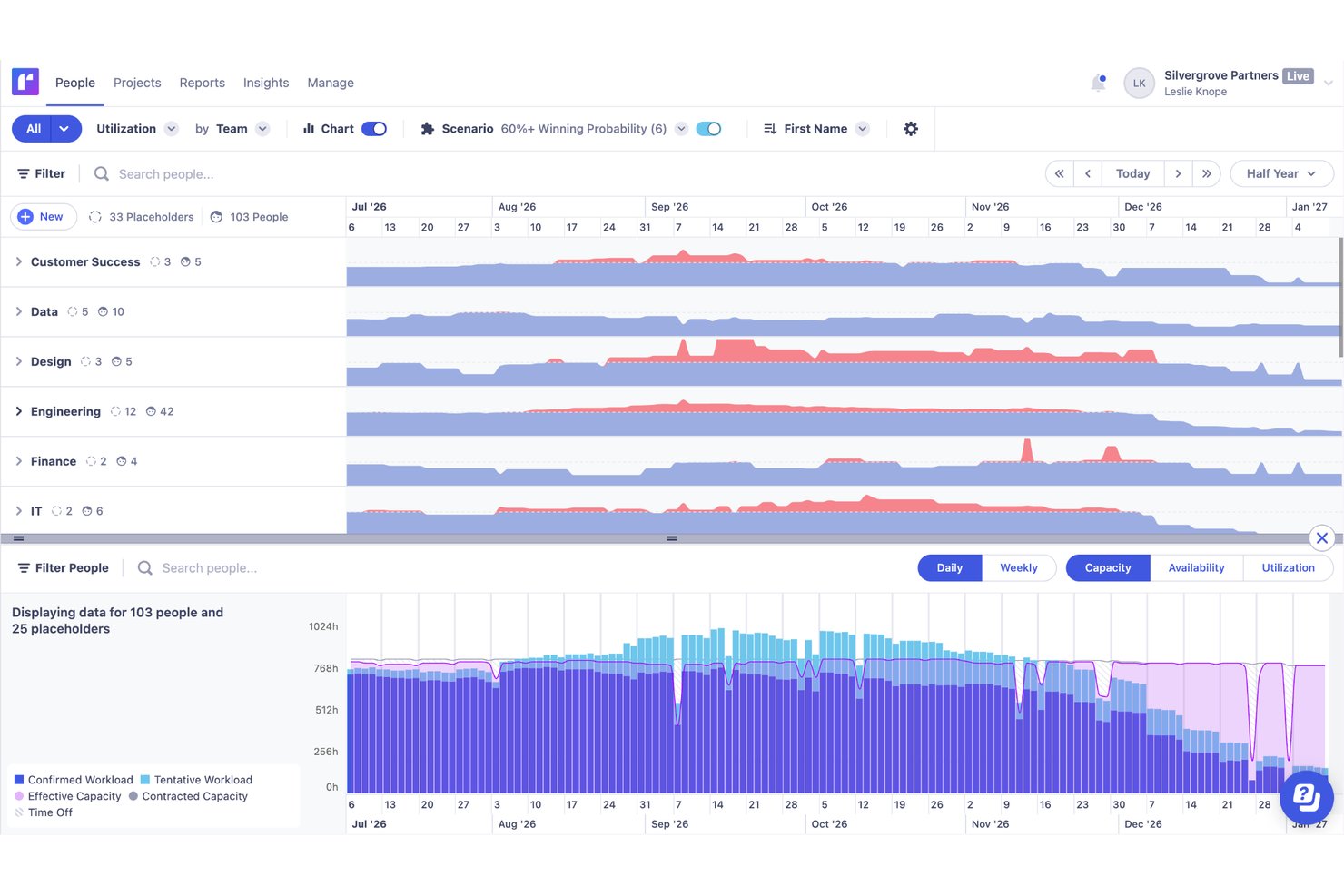
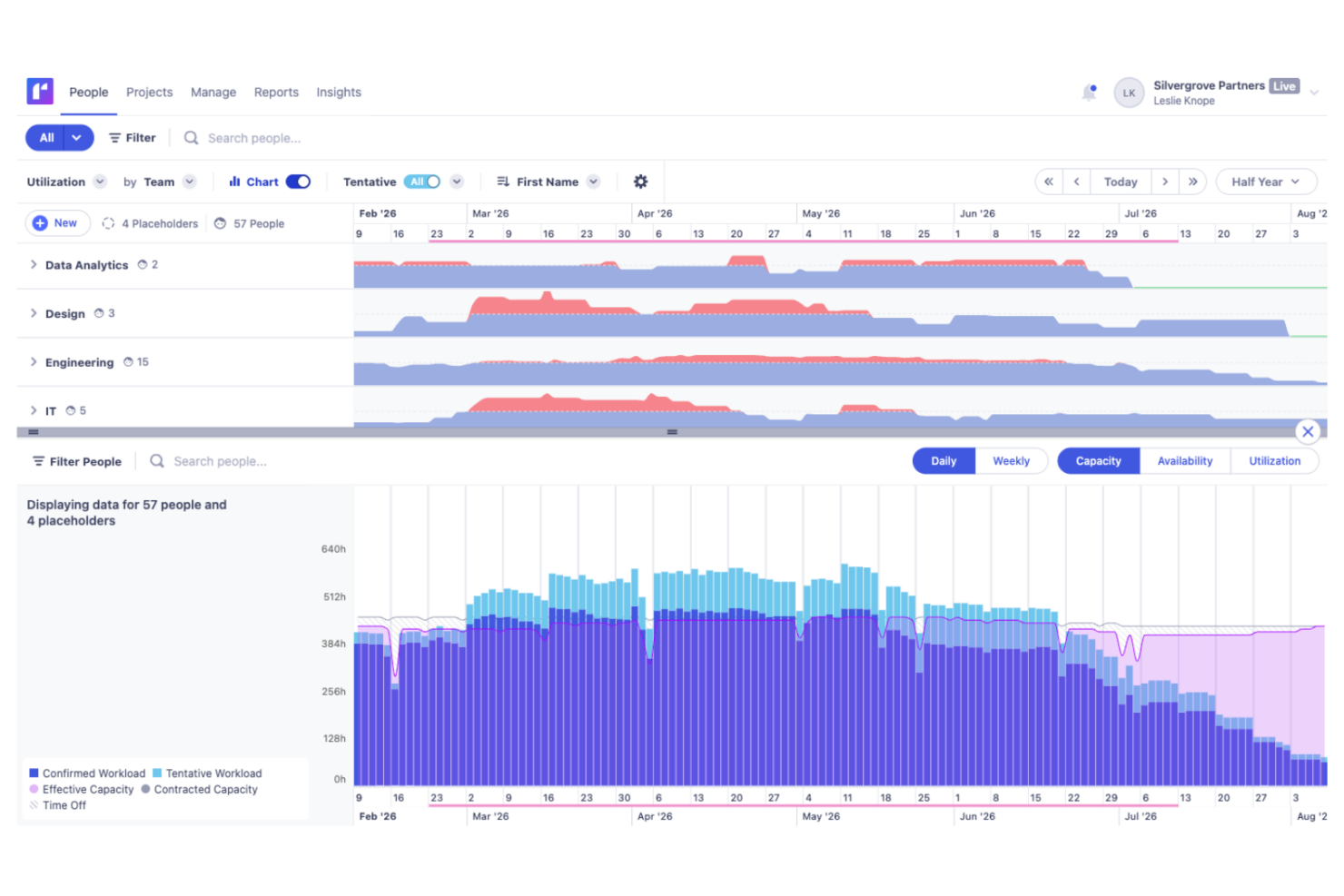
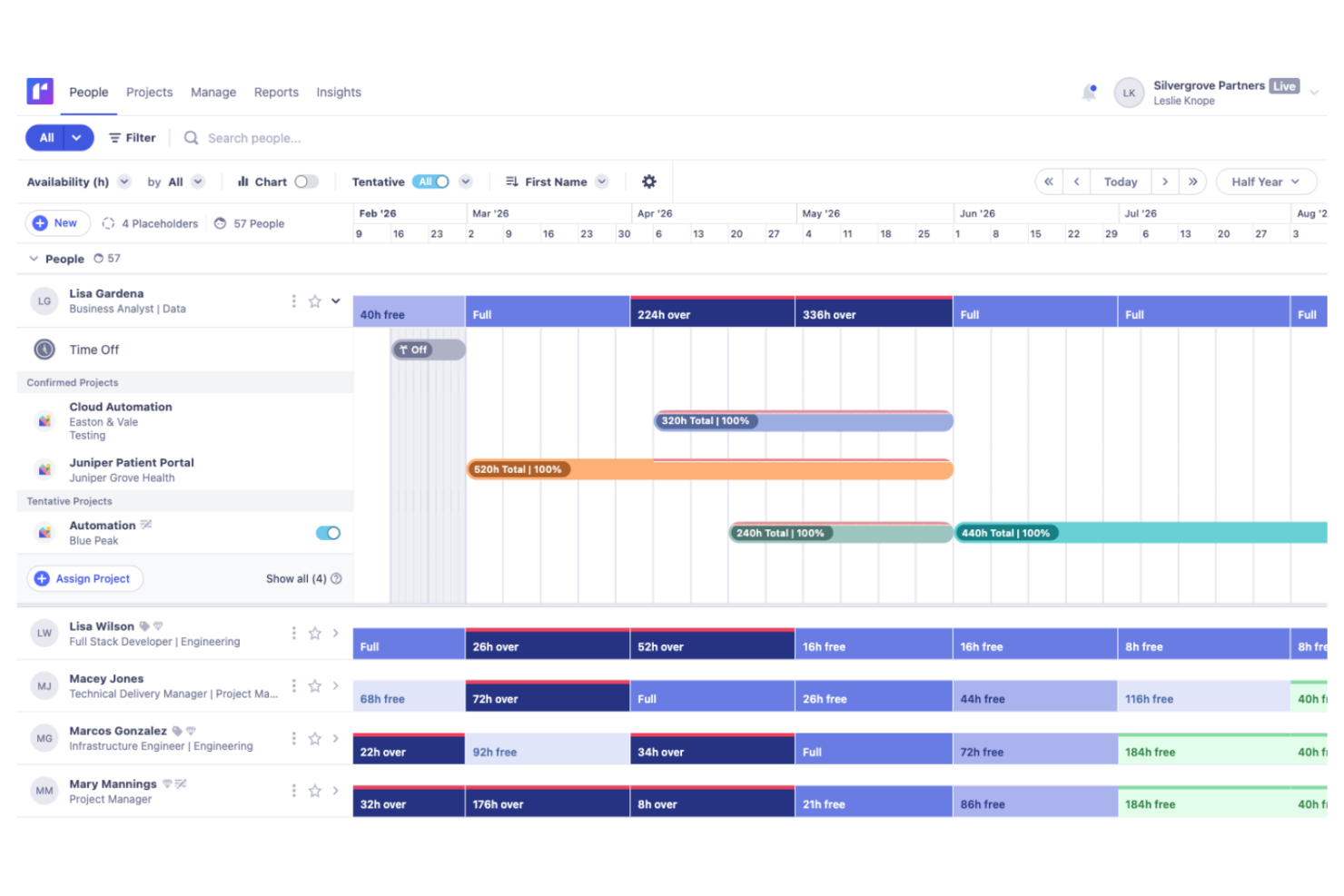
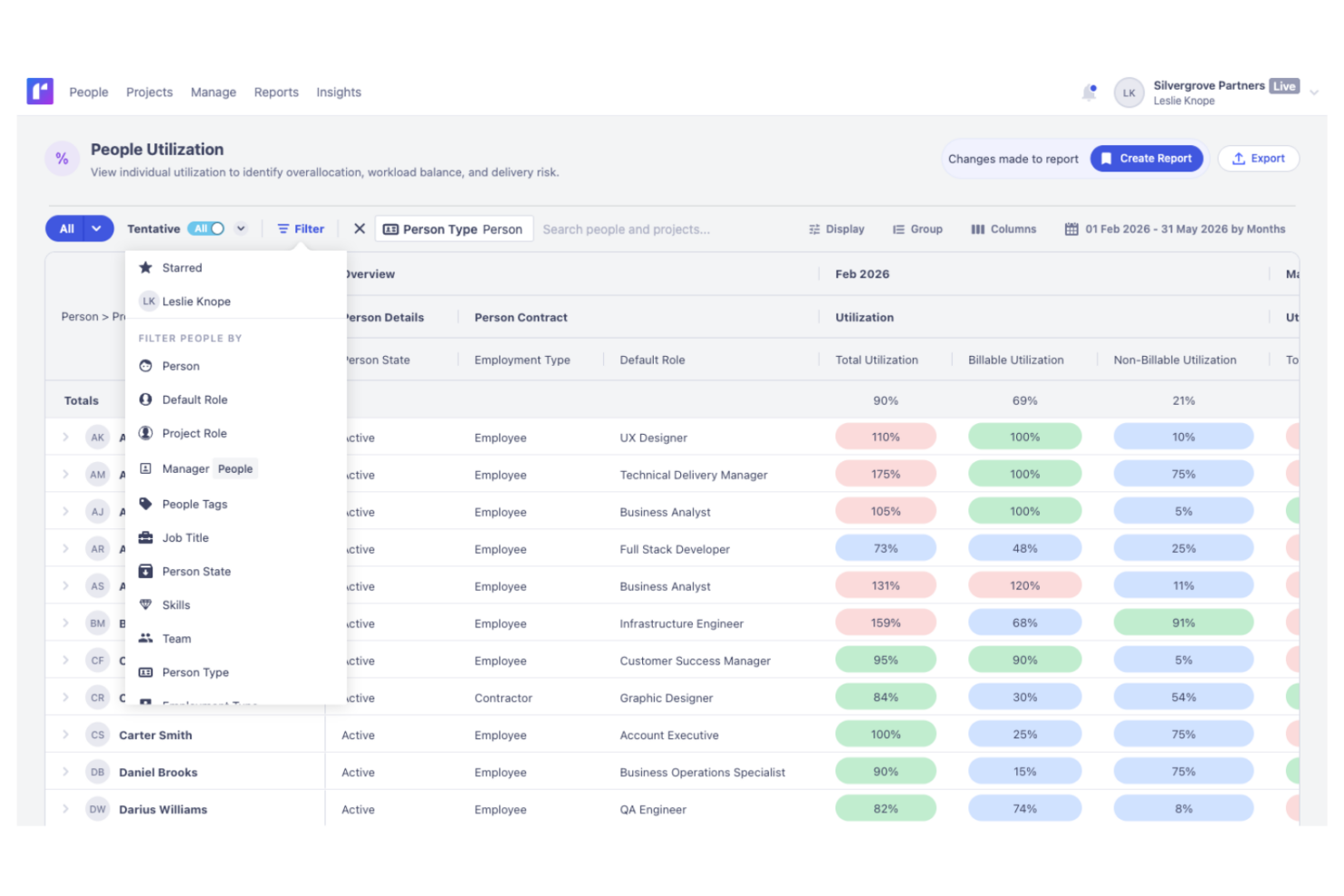
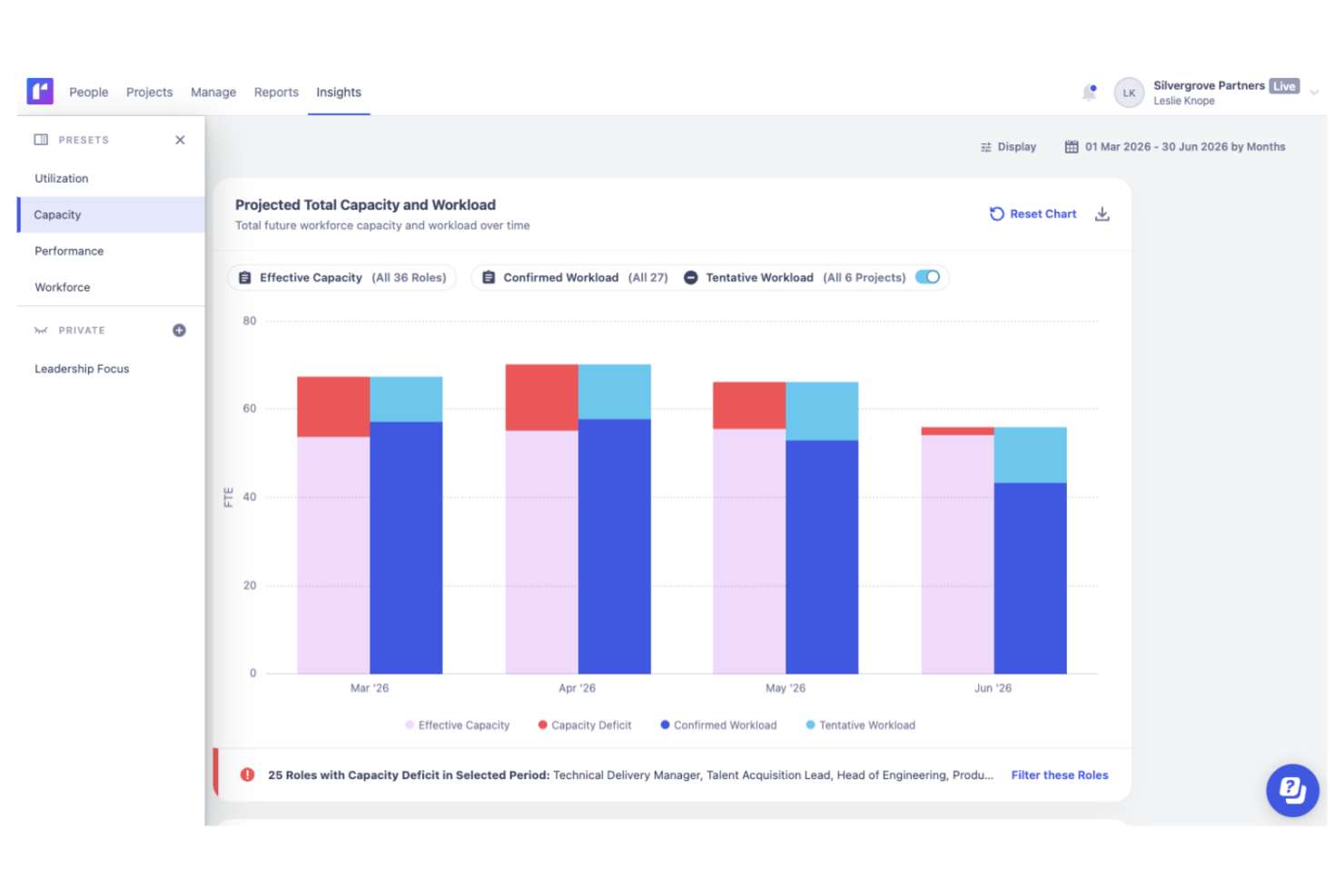
Både Runn og Kantata dækker det grundlæggende: ressourceplanlægning, kapacitetsplanlægning og rapportering i realtid. Runn skiller sig ud med sin enkle scenarieplanlægning og rene, visuelle tidslinje, der gør det nemt at flytte ressourcer. Kantata tilbyder derimod dybere integration med økonomisystemer og mere avancerede analyser.
Integrationer til Runn kontra Kantata
| Integration | Runn | Kantata |
|---|---|---|
| Google Calendar | ❌ | ✅ |
| Microsoft Teams | ❌ | ✅ |
| Jira | ✅ | ✅ |
| Slack | ❌ | ✅ |
| Pipedrive | ❌ | ❌ |
| n8n | ✅ | ✅ |
| HubSpot | ✅ | ✅ |
| QuickBooks | ❌ | ✅ |
| API | ✅ | ✅ |
| Zapier | ✅ | ✅ |
Både Runn og Kantata integreres med populære CRM-platforme og centrale forretningsværktøjer. Runn tilbyder et fokuseret udvalg af indbyggede integrationer, API-adgang samt forbindelser gennem Zapier og n8n. Kantata tilbyder et bredere udvalg af forudbyggede forbindelser, herunder regnskabsplatforme som QuickBooks og Xero.
Runn sammenlignet med Kantata: sikkerhed, overholdelse og pålidelighed
| Faktor | Runn | Kantata |
|---|---|---|
| Datakryptering | Runn krypterer data under overførsel ved hjælp af TLS 1.2+ og lagrede data ved hjælp af AES-256. | Leverer avanceret datakryptering og regelmæssige sårbarhedsscanninger. |
| Overholdelse af lovgivning | Runn er SOC 2 Type II-certificeret og understøtter overholdelse af GDPR, CCPA/CPRA samt relevante anmodninger om brugerdata. | Tilbyder overholdelse af GDPR og SOC 2 Type II samt revisionsrapportering. |
| Oppetid | Runns sikkerhedsoplysninger understøtter kontinuerlig overvågning, sikkerhedskopier, genoprettelsesforanstaltninger og hændelsesberedskab. | Garanterer 99.9% oppetid og automatiseret redundans. |
| Adgangskontroller | Tilpasningsbare roller og tilladelser til adgangsstyring. | Tilbyder detaljerede brugerkontroller og SSO-muligheder. |
Kantata og Runn tilbyder begge stærke sikkerheds- og overholdelsesfunktioner, der passer til de fleste organisationer. Runn ligger kun snævert foran takket være sin CCPA-overholdelse, hvilket gør løsningen til et lidt bedre valg for organisationer med privatlivskrav, der er specifikke for Californien, selvom begge platforme tilbyder et solidt grundlag for beskyttelse af følsomme virksomhedsdata.
Runn sammenlignet med Kantata: brugervenlighed
| Faktor | Runn | Kantata |
|---|---|---|
| Brugergrænseflade | Ren og intuitiv tidslinje med enkel træk-og-slip-funktionalitet. | Mere funktionsrig brugergrænseflade målrettet avancerede brugere. |
| Introduktion | Hurtig opsætning og let introduktionsmateriale. | Guidet introduktion, men en stejlere læringskurve. |
| Tilpasning | Tilpassede felter og layouts til det vigtigste. | Dybere tilpasning til procesintensive teams. |
| Supportadgang | Hurtig chat- og e-mailsupport med tydelig dokumentation. | Dedikerede supportteams og undervisningsressourcer. |
Runn er nemmere for de fleste teams at komme i gang med, mens Kantata udmærker sig for dem, der ønsker mere kontrol og kan håndtere ekstra kompleksitet. Jeg ville vælge Runn, hvis du ønsker enkelhed og hastighed, men Kantata, hvis dine arbejdsgange kræver detaljeret tilpasning, og du er villig til at afsætte tid til oplæring.
Runn vs Kantata: Pros & Cons
Runn
- Accurate forecasting tools provide insights into project health and resource needs, and help make informed decisions about future projects.
- Custom tags and fields make it easier to structure your data and make faster decisions.
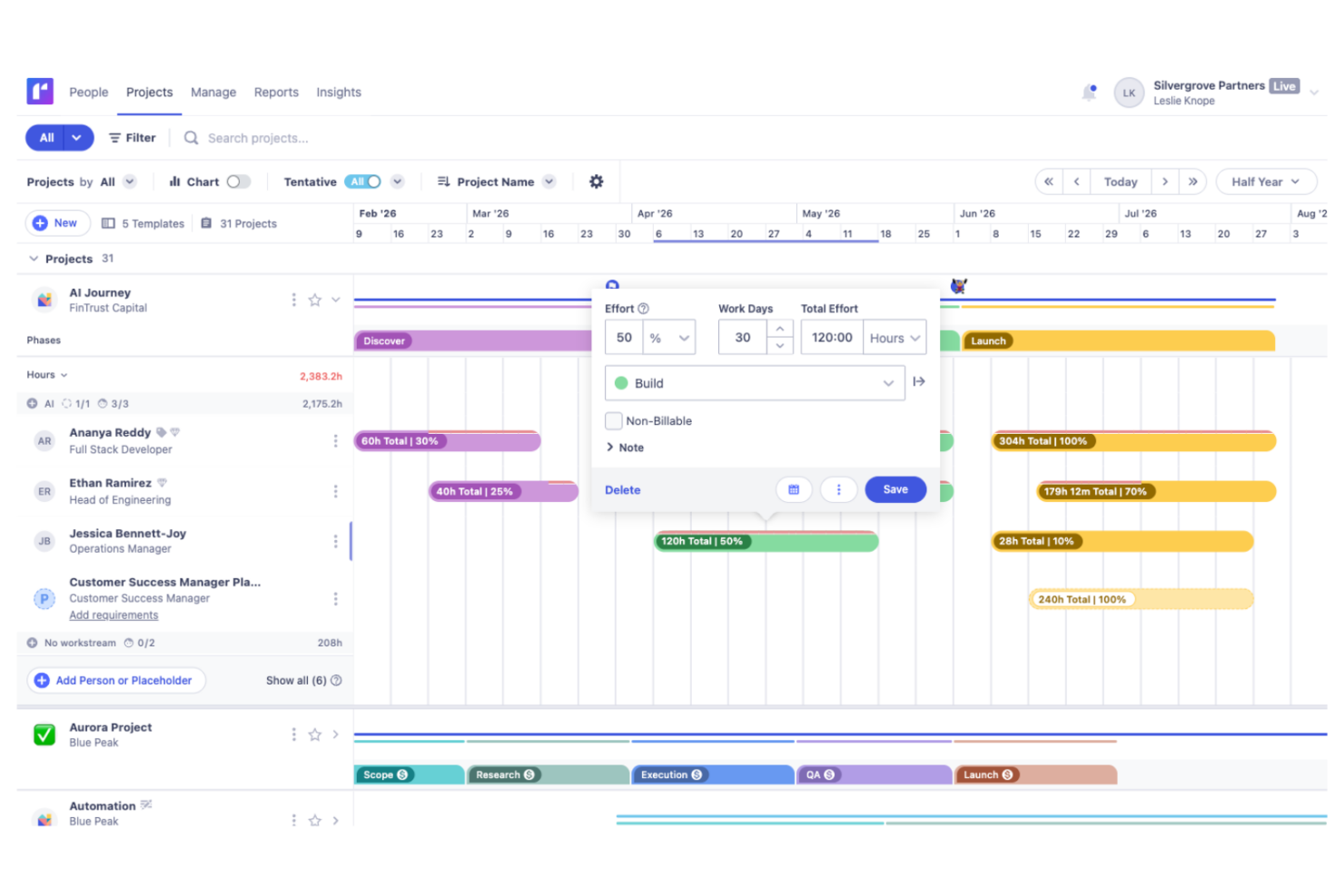
- Reusable project templates reduce manual setup and help maintain consistency across recurring projects.
- Teams with highly complex permission requirements should review whether Runn’s role-based permissions meet their needs
- You may experience issues with managing over 1000 resources.
- Timesheet functionality isn't as robust as dedicated timesheet solutions.
Kantata
- Kantata's task management is intuitive, making it easy for your team to keep projects on track.
- Resource planning features help you allocate team members effectively and avoid burnout.
- The platform improves collaboration with real-time updates and visibility across projects.
- Some users find the interface needs time to get used to, which may slow initial productivity.
- Advanced features might be overwhelming for smaller teams or those new to project management tools.
- Reporting capabilities could be more customizable to fit diverse project needs.
Best Use Cases for Runn and Kantata
Runn
- IT Solutions Runn's project forecasting and capacity planning features are tailored for IT teams and help you manage resources effectively.
- Software Delivery The intuitive timeline view helps with planning sprints and managing project phases seamlessly.
- Digital Transformation Agencies Runn helps manage specialist workloads, plan future projects, and allocate resources more effectively across client engagements.
- Consulting firms With Runn, you can quickly adapt to changing client needs through its flexible scheduling.
- Marketing teams Its visual timelines help you coordinate campaigns and track deliverables efficiently.
- Cross-functional teams The skills management feature helps you assign tasks based on expertise and improve collaboration across departments.
Kantata
- Consulting firms Kantata helps you manage multiple client engagements with its comprehensive project tracking and billing features.
- Marketing agencies It supports you with resource planning and time tracking, which are essential for managing creative projects effectively.
- IT services Kantata's detailed project financials and billing capabilities make it a strong choice for IT project management.
- Finance departments Kantata's billing and financial tracking features help you maintain oversight on project profitability.
- HR departments With its resource planning capabilities, Kantata helps you effectively manage and allocate your team’s workload.
Hvem bør bruge Runn, og hvem bør bruge Kantata?
Runn fungerer godt for tekniske teams, der har brug for at planlægge medarbejdere på tværs af flere aktive projekter, især specialiserede softwarevirksomheder, IT-løsningsudbydere, produktvirksomheder og ingeniørgrupper, der håndterer delt kapacitet og skiftende prioriteter. Kantata egner sig bedre til større professionelle serviceteams, der har brug for mere omfattende driftskontroller, dybere rapportering og bredere virksomhedsfunktionalitet.
Differences Between Runn and Kantata
| Runn | Kantata | |
|---|---|---|
| Compliance & Security | Covers basics like GDPR with clear settings. | Adds SOC 2, audit trails, and more granular permissions. |
| Financial Integrations | Limited connections to financial tools. | Strong links to Xero and QuickBooks for invoicing. |
| Interface Simplicity | Simple, visual timeline and scheduling tools. | Feature-rich with nested menus and advanced options. |
| Pricing Model | Transparent, per-user subscription pricing. | Quote-based, often custom packages with add-ons. |
| Visit RunnOpens new window | Read Kantata ReviewOpens new window |
Similarities Between Runn and Kantata
| API Access | Both provide open APIs, so you can extend, integrate, or customize using your own workflows and systems. |
|---|---|
| Custom Reporting | Both platforms allow you to build custom reports and dashboards based on real-time data. |
| Forecasting Tools | Each offers forecasting for resource usage and project capacity, helping you plan ahead and avoid conflicts. |
| Resource Scheduling | Both let you allocate, reassign, and track people across multiple projects with visual workload indicators. |
| Role-Based Access | You can set roles and permissions to control what each user can view and edit inside both Runn and Kantata. |
| Visit RunnOpens new window Read Kantata ReviewOpens new window | |