



Accelo kontra Productive: porównanie i eksperckie recenzje na 2026 rok



Accelo to kompleksowe rozwiązanie, które może pomóc Ci z łatwością zarządzać projektami Twojego zespołu, podczas gdy Productive może pomóc zoptymalizować jego wydajność i produktywność. Oba narzędzia mają na celu usprawnienie przepływów pracy związanych z projektami, ale różnią się podejściem do współpracy i raportowania.
Oto moja szczegółowa recenzja każdego z narzędzi, obejmująca ich funkcje, zalety i wady, ceny oraz inne kwestie. Dokładnie przetestowałem i porównałem te narzędzia, aby pomóc Ci zdecydować, które oprogramowanie do zarządzania projektami najlepiej odpowiada Twoim potrzebom.
Accelo vs. Productive: An Overview
Accelo

Productive



Why Trust Our Software Recommendations
Our team has been testing and reviewing software since 2012. As project managers ourselves, we know how difficult—and important—it is to choose the right software.
For this guide, we evaluated tools using hands-on testing and independent research, scoring tools using our selection criteria. We also draw on insights from industry thought leaders and practicing project management experts.
Our reviews reflect our human editorial judgment, not a sales pitch.
Expert reviewers:
Accelo vs. Productive Pricing Comparison
| Accelo | Productive | |
|---|---|---|
| Free Trial | Free demo available | Free trial available |
| Pricing | Pricing upon request | From $10/user/month (billed annually) |
Ceny Accelo i Productive oraz ukryte koszty
Ceny Accelo opierają się na modelu subskrypcyjnym z różnymi poziomami, a za funkcje premium lub zwiększenie limitów użytkowników mogą obowiązywać dodatkowe koszty. Ceny Productive również opierają się na subskrypcji i pozwalają skalować usługę w zależności od wielkości zespołu oraz potrzebnych funkcji.
Aby wybrać odpowiednie narzędzie, przeanalizuj konkretne potrzeby swojego zespołu i wymagania projektowe oraz upewnij się, że wybrana opcja rzeczywiście oferuje funkcje, z których będziesz korzystać.
Accelo vs. Productive Feature Comparison
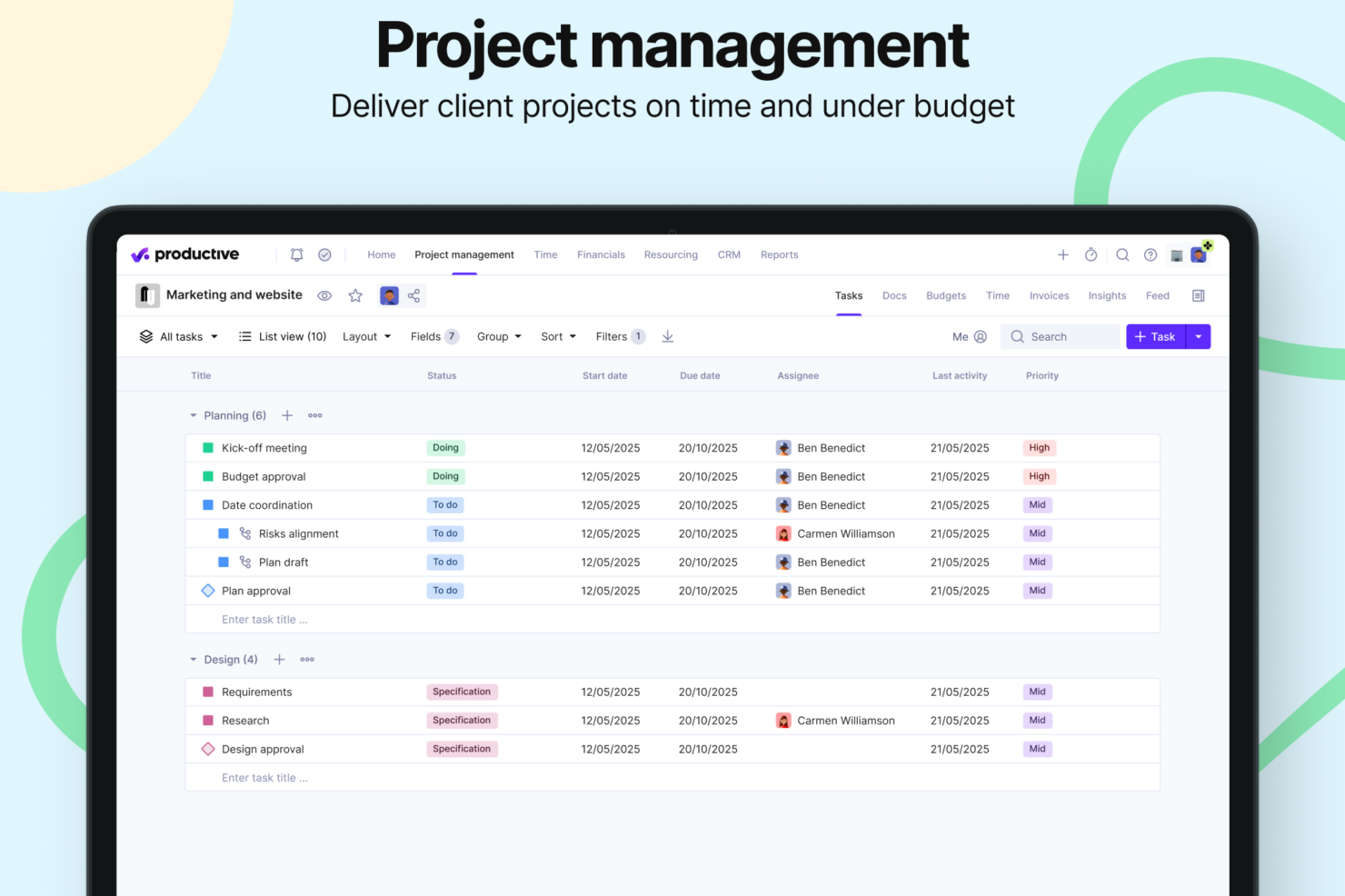
Funkcje Accelo związane z widocznością projektów pozwalają śledzić postępy zespołu i jednocześnie zarządzać wieloma projektami klientów. Funkcje Productive dotyczące finansów projektu świetnie sprawdzają się w dokładnym monitorowaniu budżetów i wydatków, szczególnie w środowisku agencji.
| Accelo | Productive | |
|---|---|---|
| API | ||
| Billing/Invoicing | ||
| Budgeting | ||
| CRM Integration | ||
| Dashboards | ||
| Data Export | ||
| Data Import | ||
| Document Management | ||
| Expense Tracking | ||
| External Integrations | ||
| Financial Analysis | ||
| Forecasting | ||
| Gantt Charts | ||
| Inventory Tracking | ||
| Multi-Currency | ||
| Multi-User | ||
| Notifications | ||
| Project Management | ||
| Resource Management | ||
| Scheduling | ||
| Status Notifications | ||
| Task Scheduling/Tracking | ||
| Time Management | ||
| Workflow Management |
Integracje Accelo i Productive
| Integracja | Accelo | Productive |
|---|---|---|
| Slack | ❌ | ✅ |
| HubSpot | ✅ | ✅ |
| Google Calendar | ✅ | ✅ |
| QuickBooks | ✅ | ✅ |
| Xero | ✅ | ✅ |
| Jira | ✅ | ✅ |
| Trello | ❌ | ❌ |
| Microsoft Teams | ✅ | ❌ |
| Bamboo HR | ❌ | ✅ |
| Salesforce | ✅ | ❌ |
| API | ✅ | ✅ |
| Zapier | ✅ | ✅ |
Accelo i Productive oferują szerokie możliwości integracji, umożliwiając połączenie ich z popularnym oprogramowaniem księgowym, narzędziami komunikacyjnymi i aplikacjami do zarządzania projektami. Ogólnie rzecz biorąc, każda z platform integruje się z kluczowymi aplikacjami, które usprawniają przepływ danych i produktywność w procesach biznesowych, choć konkretne integracje nieznacznie się różnią.
Bezpieczeństwo, zgodność z przepisami i niezawodność Accelo oraz Productive
| Czynnik | Accelo | Productive |
| Certyfikaty zgodności | SOC 2 Type II, GDPR, CCPA | SOC 2 Type II, GDPR |
| Szyfrowanie danych | Podczas przesyłania i w spoczynku (standard branżowy) | Podczas przesyłania i w spoczynku (standard branżowy) |
| Kontrola dostępu | Uwierzytelnianie wieloskładnikowe, kontrola dostępu oparta na rolach, automatyczna blokada konta | Uwierzytelnianie wieloskładnikowe, kontrola dostępu oparta na rolach |
| Audyty bezpieczeństwa | Regularne audyty przeprowadzane przez zewnętrzne podmioty | Regularne audyty przeprowadzane przez zewnętrzne podmioty |
| Kopie zapasowe i odzyskiwanie danych | Automatyczne kopie zapasowe, plan odzyskiwania po awarii | Automatyczne kopie zapasowe, plan odzyskiwania po awarii |
W przypadku firm świadczących usługi profesjonalne zarówno Accelo, jak i Productive dostosowały funkcje bezpieczeństwa i zgodności z przepisami do potrzeb Twojej branży. Obie platformy chronią Twoje dane za pomocą standardowych protokołów szyfrowania i obowiązkowego uwierzytelniania wieloskładnikowego. Oceń, jak środki bezpieczeństwa każdego narzędzia odpowiadają konkretnym wymaganiom regulacyjnym Twojego zespołu, i przed podjęciem decyzji rozważ przeanalizowanie ich możliwości audytowych oraz zasad ochrony danych.
Łatwość obsługi Accelo w porównaniu z Productive
| Czynnik | Accelo | Productive |
|---|---|---|
| Interfejs użytkownika | Accelo oferuje przejrzysty, intuicyjny interfejs z pulpitami, które można dostosowywać. | Productive oferuje nowoczesny, uporządkowany interfejs z funkcją przeciągania i upuszczania. |
| Proces wdrażania | Dedykowane opcje wdrażania i szkoleń; niektórzy użytkownicy zgłaszają, że nauka obsługi wymaga czasu. | Productive zawiera interaktywne instruktaże i wskazówki w aplikacji, które ułatwiają szybką naukę. |
| Proces konfiguracji | Umiarkowany poziom złożoności; dostępne jest wsparcie podczas wdrażania. | Productive oferuje prostą konfigurację z gotowymi szablonami umożliwiającymi szybkie wdrożenie. |
| Obsługa klienta | Accelo zapewnia całodobową pomoc oraz kompleksową bazę wiedzy. | Productive zapewnia pomoc przez e-mail i czat, a także szczegółową sekcję FAQ. |
Interfejs użytkownika Accelo jest łatwy w nawigacji, choć niektórym jego bogaty zestaw funkcji może początkowo wydawać się nieco przytłaczający. Productive jest intuicyjny dzięki możliwości przeciągania i upuszczania, ale brakuje mu niektórych zaawansowanych opcji dostosowywania, których mogą potrzebować większe zespoły.
Accelo vs Productive: Pros & Cons
Accelo
- Unifies operations in one platform, from project management and resource management, to CRM, billing, and time tracking.
- Automates billable time capture, expense tracking, and invoicing workflows, and provides real-time visibility into budgets, utilization, and margins.
- Adaptable to a wide range of service-based business models, including fixed-fee projects, ongoing retainers, or both.
- Accelo packs a lot of information into each screen, which can be overwhelming at first and may add to the learning curve for teams used to lightweight tools.
- While standard reports cover most use cases, teams with niche metrics or complex multi-project views may find themselves wanting more flexibility.
- While the mobile app allows time logging and basic project viewing, full project management and resource planning still require the web version.
Productive
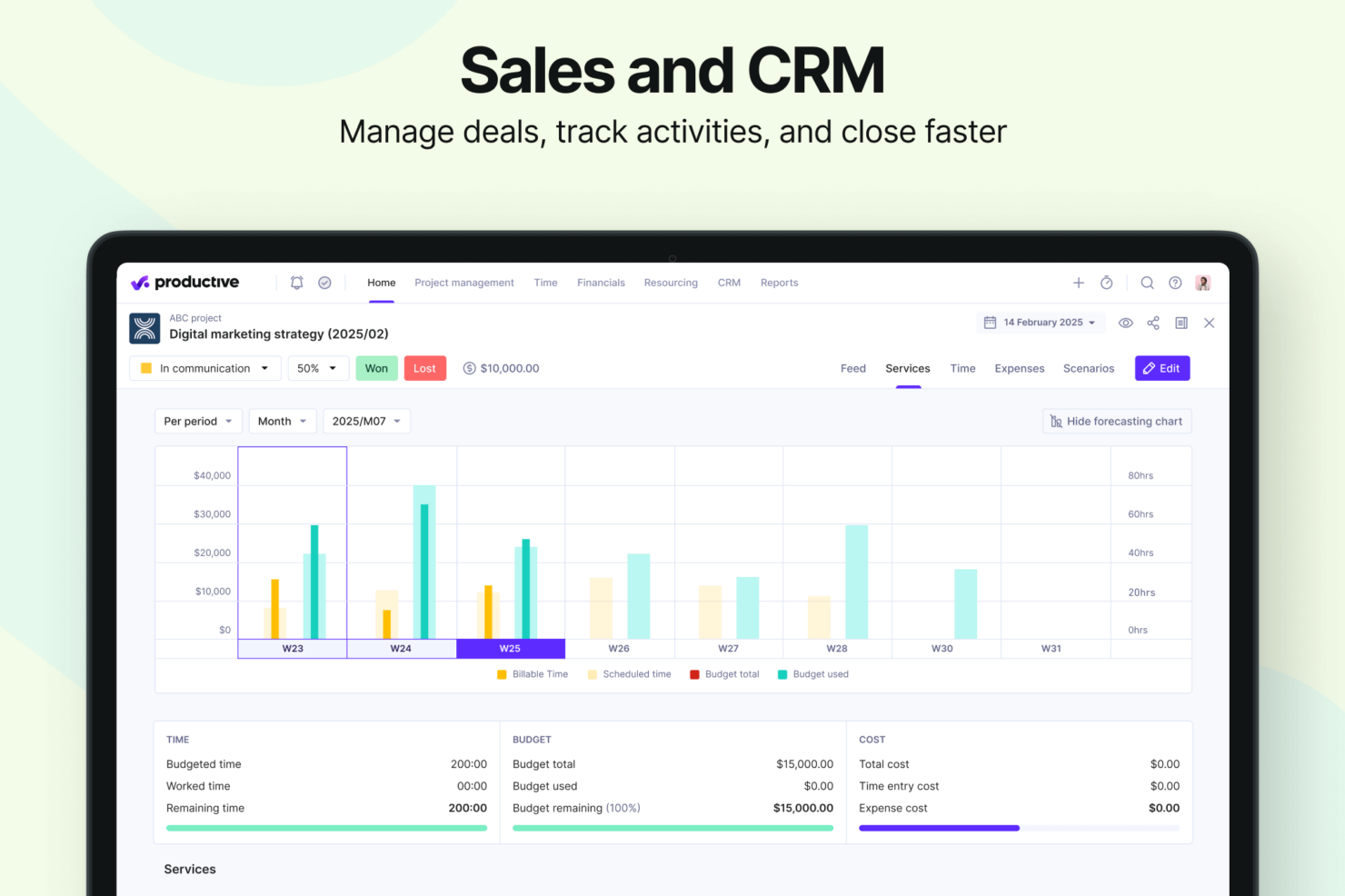
- Strong financial tracking and forecasting tools give you real-time insight into project profitability and overall business performance.
- You can handle agency projects end-to-end, from proposal to payment, which simplifies your workflow.
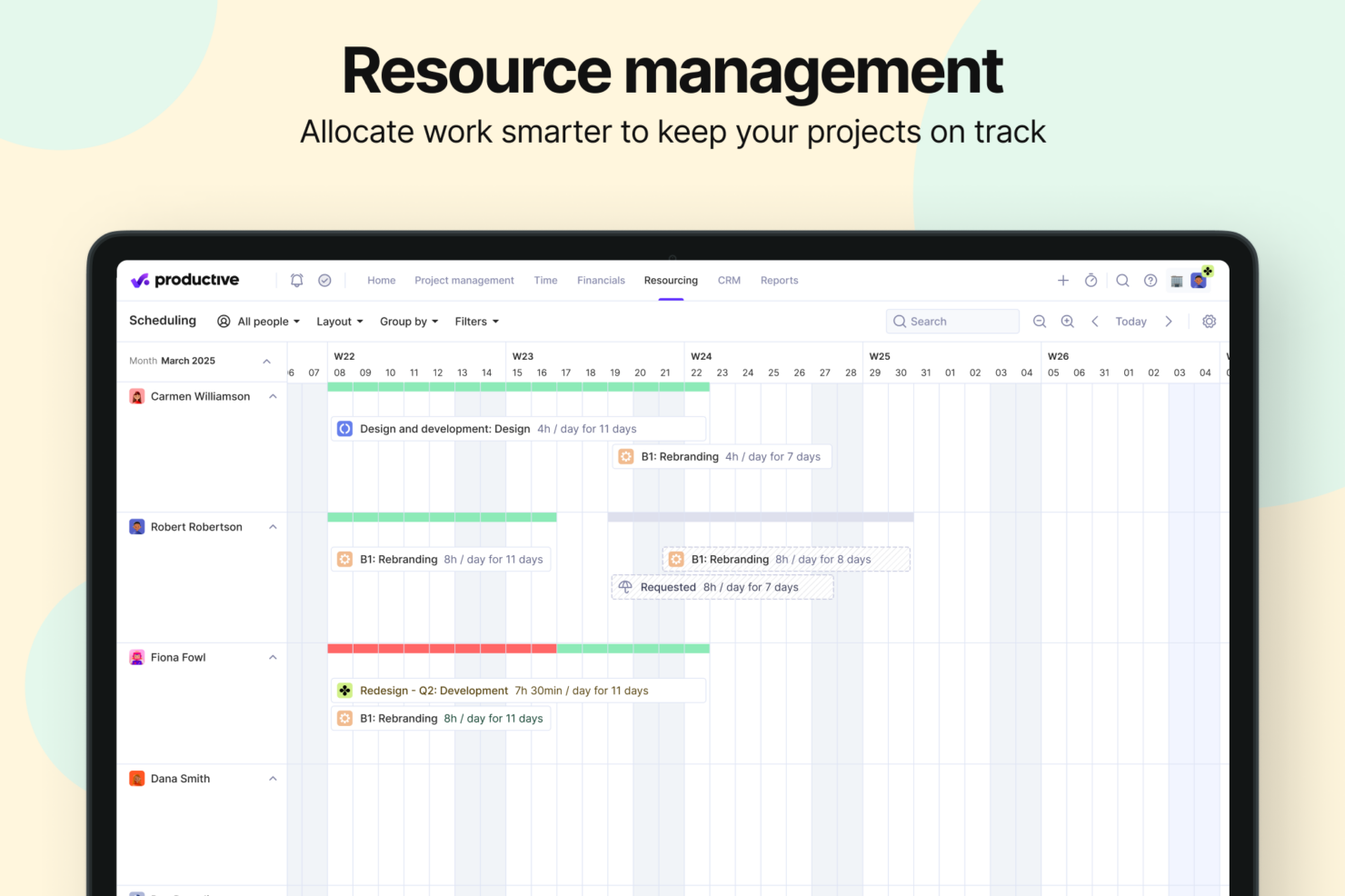
- Robust resource planning and workload management help you allocate people effectively.
- No free option available for teams looking for core project management functions.
- Advanced features can be complicated for small companies that just want basic task tracking.
- There's a minimum 3-seat requirement, so the tool isn't fit for single users or tiny teams.
Best Use Cases for Accelo and Productive
Accelo
- Engineering and Architectural Firms Firms with multi-phase, highly structured projects benefit from Accelo’s configurable workflows and milestone tracking. Its ability to connect project resource management, budget burn, and time tracking gives engineering leaders a clearer sense of whether each phase is pacing toward its goals.
- IT Services & Consulting Firms IT and technology service providers often operate with recurring contracts, SLAs, and consulting projects running in parallel. Accelo’s real-time visibility into workloads, profitability, and contract performance helps leaders make better decisions about staffing, utilization, and whether a project is veering off plan.
- Marketing, Advertising, and Creative Agencies Agencies that manage a mix of campaign work, production schedules, and recurring client support appreciate how Accelo automates time capture, client updates, and budget alerts. The platform helps recover billable hours that often slip through the cracks and reduces the administrative load that creative teams typically struggle with.
- Managed Service Providers Benefit from Accelo’s ability to join ticketing, quoting, invoicing, and project management in one platform, streamlining workflows and saving significant time.
- Legal and Financial Advisory Practices The platform’s robust billing, retainer management, and reporting features help maintain compliance and client transparency.
- Accounting & Business Consulting Firms Consulting teams often rely on strong coordination between sales, delivery, and finance. Accelo’s integrated sales pipelines, scopes, and delivery workflows help reduce friction during handoffs and ensure actual work matches what was sold, making invoicing cleaner and client communication smoother.
Productive
- Creative agencies Agencies managing client retainers or project-based work gain real-time control over budgets, utilization, and profitability. Productive supports collaborative workflows while giving leadership deep financial insights.
- Architecture & Engineering Firms Productive aligns well with your workflows by combining project budgeting, resource planning, phased delivery, and profitability tracking.
- Consulting Firms Consultancies benefit from Productive’s integrated approach to scoping, staffing, project financials, and invoicing—providing clarity across complex engagements and supporting better revenue forecasting.
- Professional Service Providers Productive supports end-to-end service delivery with strong project financials, resource planning, time tracking, and billing workflows.
- IT Services IT service teams can streamline client engagements with robust time tracking, retainer management, cost tracking, and project profitability features.
- Mid-to-Large Businesses Organizations with growing teams benefit from Productive’s scalable project controls, forecasting, custom reporting, and multi-office management capabilities.
Kto powinien korzystać z Accelo, a kto z Productive?
Accelo najlepiej sprawdzi się w firmach świadczących usługi profesjonalne oraz w agencjach, które potrzebują zarządzania klientami i śledzenia projektów. Jeśli Twoja praca opiera się na szczegółowych analizach projektów i interakcjach z klientami, kluczowe funkcje Accelo będą dobrym wyborem. Z kolei Productive lepiej odpowiada zespołom skoncentrowanym na precyzji finansowej i rentowności. Jeśli Twój zespół ceni intuicyjne zarządzanie zadaniami i przejrzysty nadzór finansowy, Productive będzie właściwym rozwiązaniem.
Differences Between Accelo and Productive
| Accelo | Productive | |
|---|---|---|
| Artificial Intelligence | Accelo is investing heavily in future AI through its Forecast acquisition, focusing on upcoming capabilities like AI-powered resource recommendations, profit optimization, and project-risk prediction that are still being rolled out. | Productive offers fully launched, everyday AI tools like task summaries, report generation, and expense autofill that teams can use immediately. |
| Collaboration | Accelo, while collaborative, relies more heavily on external tools for shared documentation and project communication. | Productive offers stronger built-in collaboration tools, including shared project Docs, task comments, @mentions, activity feeds, and a client-facing portal for smooth back-and-forth communication. |
| Document Management | Accelo does not provide a built-in document editor, requiring teams to depend on third-party tools. | Productive has integrated document management through its Docs feature, allowing teams to create, edit, and store project-related content directly inside the platform. |
| Reporting | Accelo offers robust reporting capabilities with service-focused templates, but slightly less customization flexibility. | Productive provides highly customizable, real-time reporting with 50+ pre-built templates designed for agencies and professional services. |
| Visit AcceloOpens new window | Visit ProductiveOpens new window |
Similarities Between Accelo and Productive
| Client Management | Both Productive and Accelo include built-in client management tools, offering CRM capabilities that help teams track leads, manage deals, and maintain clear visibility into client relationships. |
|---|---|
| Customization | You can customize both Accelo and Productive to fit your team's unique workflows, though to varying degrees. |
| Integrations | Both platforms offer a wide range of integrations with tools like Google Calendar and Jira to improve team collaboration. Accelo focuses more on CRM integrations, whereas Productive integrates with financial tools. |
| Project Tracking | Both Accelo and Productive offer extensive project tracking capabilities, so you can monitor progress and deadlines. Accelo provides detailed insights on client work, while Productive emphasizes task completion and workflow management. |
| Subscription Model | Both use subscription models that scale with your team size and needs. Accelo's tiers are feature-based and Productive's pricing is based on the number of users and features required. |
| Visit AcceloOpens new window Visit ProductiveOpens new window | |